- DATE:
- AUTHOR:
- Cvent Product News Team

Actionable Insights Releases for July 7, 2026
Reporting
Event Details in Access Portal Report List
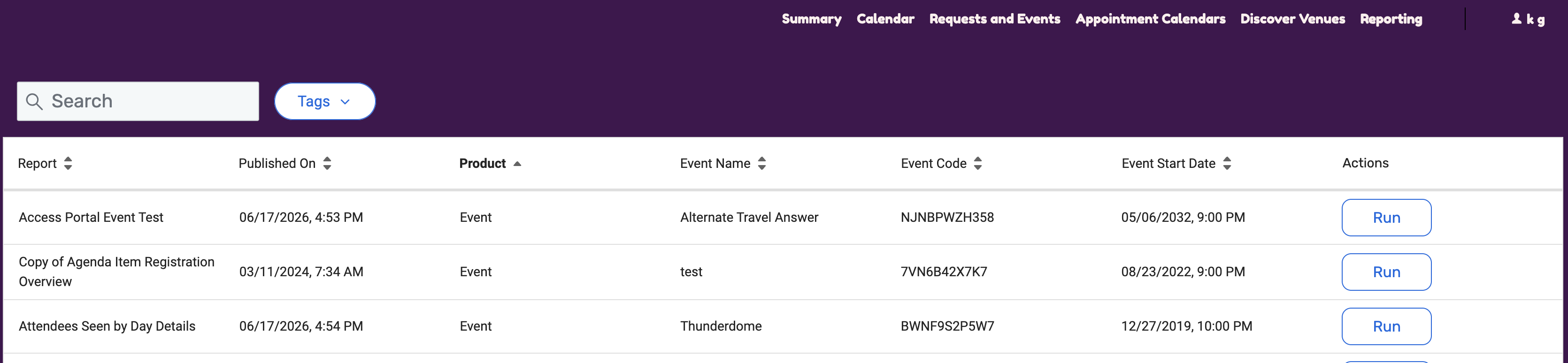
We've added event-level details to the Access Portal report list. Portal managers can add event information as columns so users can immediately see which event each report belongs to.
What’s new
Until now, the report list showed report details but did not indicate which event (if applicable) each report belonged to. With this release, three new event-level fields are available as columns in the report list:
Event Name
Event Code
Event Start Date
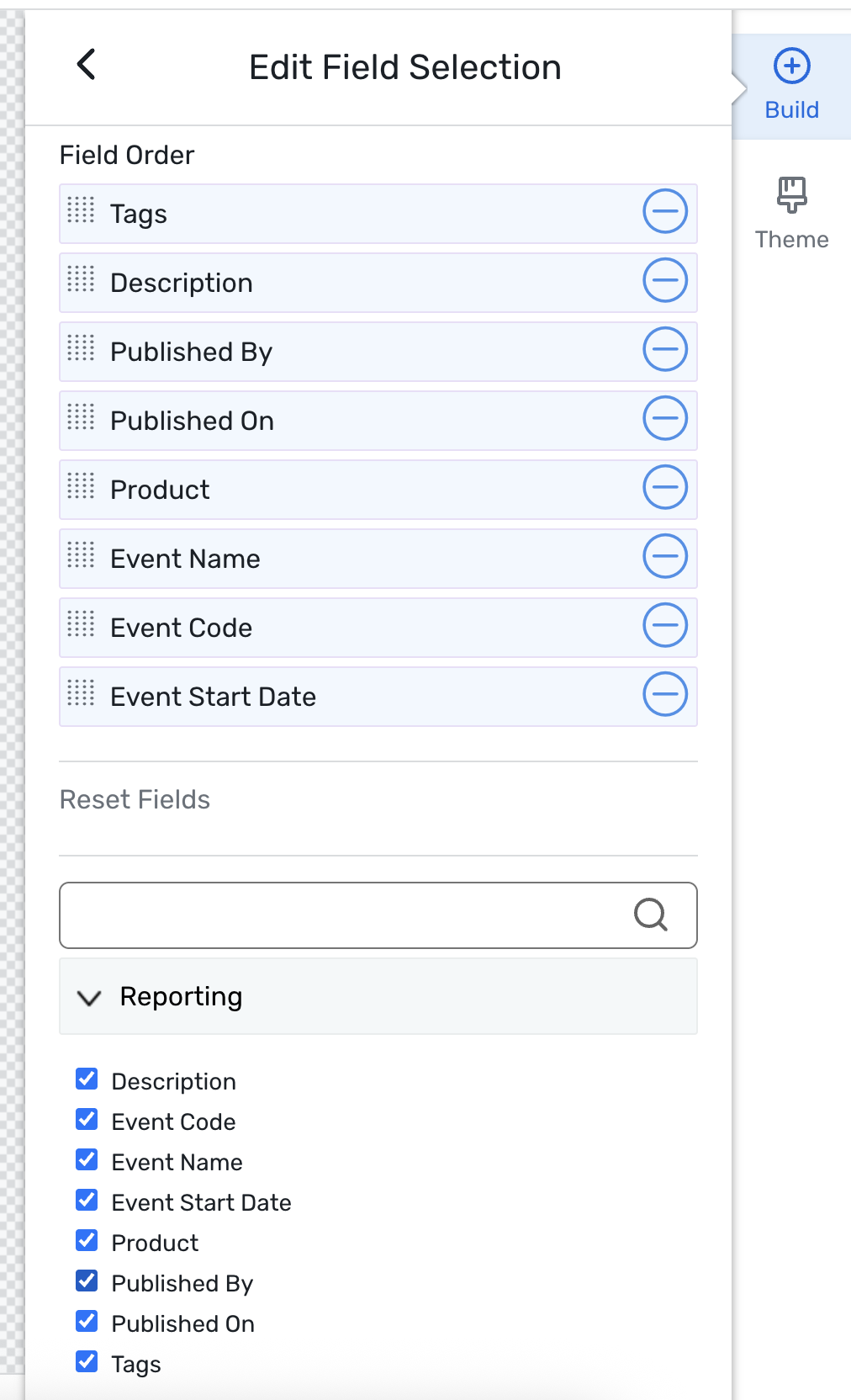
Portal managers can select, reorder, and save these fields in the Site designer. Users can also search and filter by Event Name and Event Code across the full report list.
Things to know
The new fields are added as columns in Access Portal Site Designer: Admin > Access Portals > select a portal > Content > Site Designer > Reporting > Edit Field Selections.
New portals will have these fields selected by default. Existing portals must be selected manually in Site Designer.
These are event-level fields and may not be populated for all product types, so some reports may not display values.
Additional Resources
Cvent Community: Questions about the above updates? As always, get answers in the Community via the Open Forum.
Beta Opportunities Page: Try new features and products out before full launch availability. Join Beta Programs.