- DATE:
- AUTHOR:
- Cvent Product News Team

Actionable Insights Releases for June 3, 2026
Reporting
Introducing Vendor Marketplace Reports
Overview
Introducing a new reporting experience for Cvent planners that makes it easier to generate dynamic, customisable vendor reports tailored to their needs. This reporting experience will be available to Cvent planners who use Vendor Marketplace powered by Reposite.
Key Pointers
Introducing the Create Report option to generate dynamic, customizable vendor reports and ready-to-go templates for Commission, Costing, and Request for Proposal (RFPs) reports under Sourcing -> Reports page.
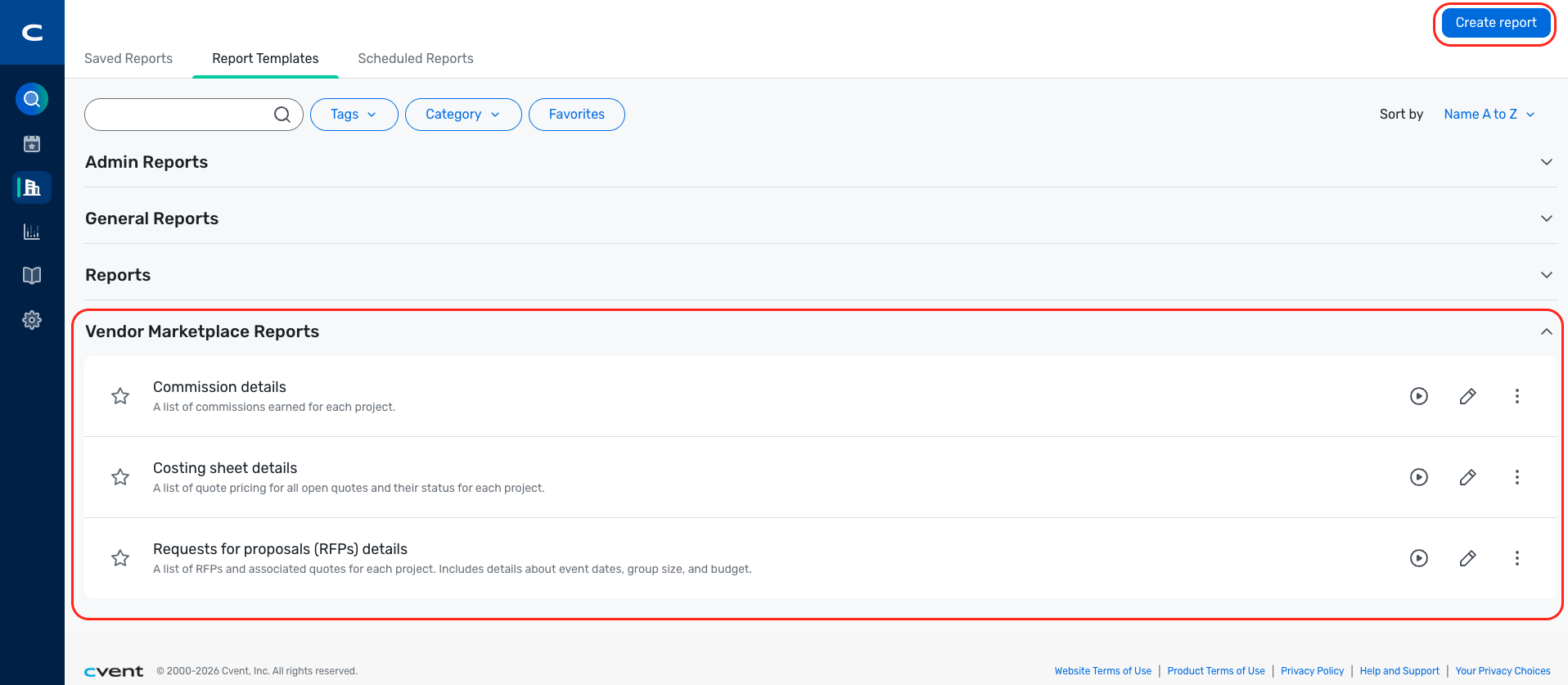
Reports can be generated for datasets related to Project, RFPs, Quote, and Client information, and can be refined using sorting, grouping, filtering, and review steps before running or exporting.
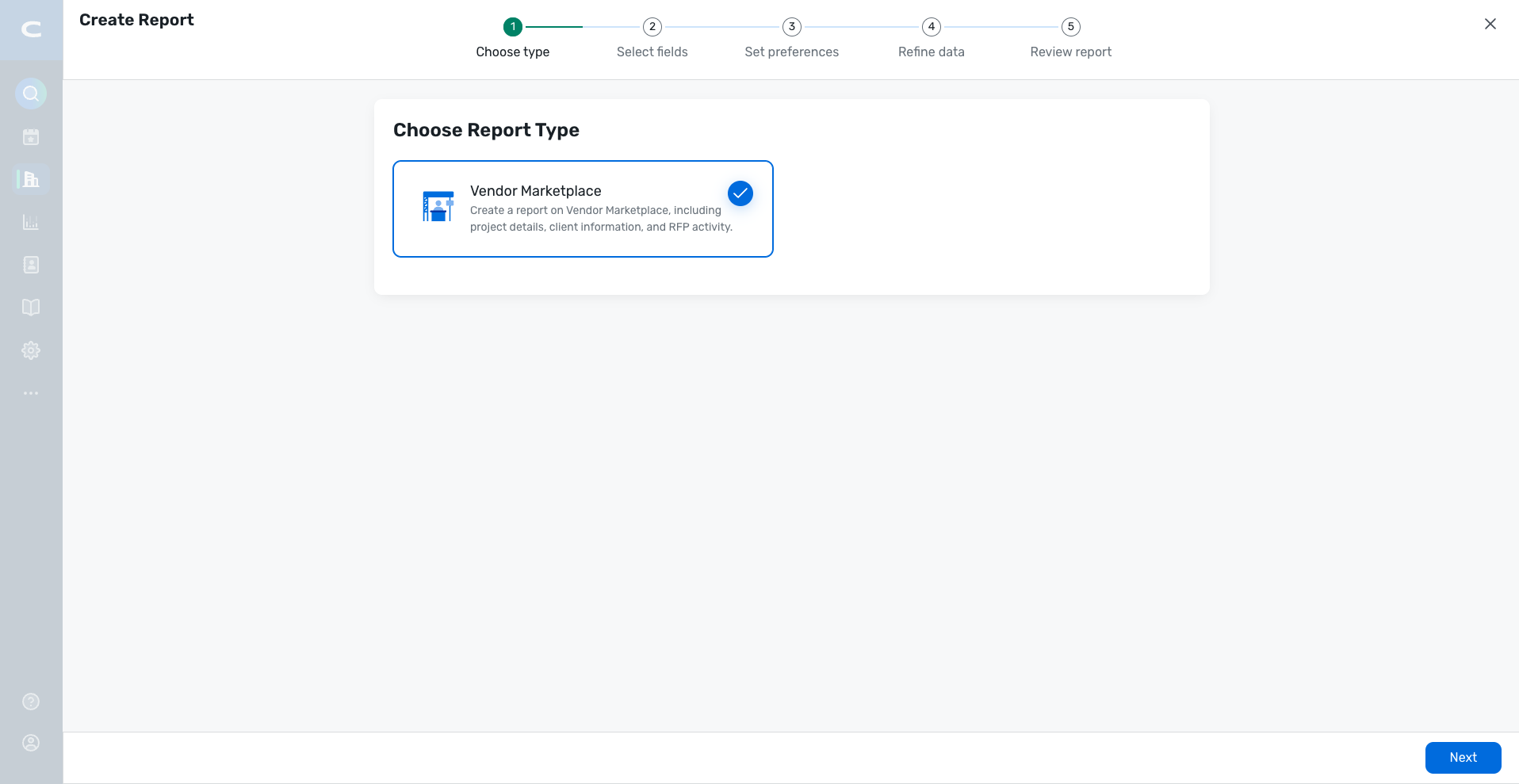
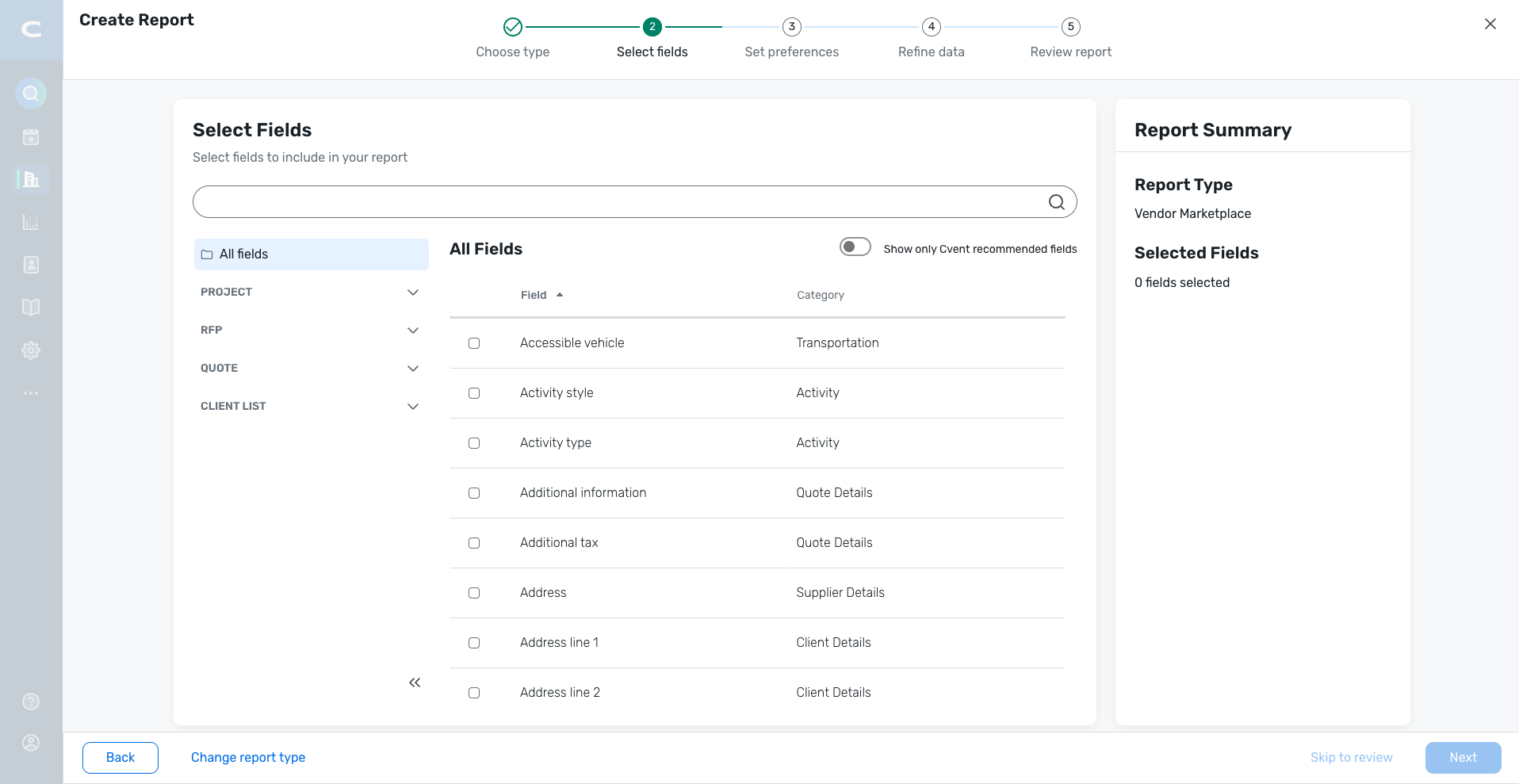
The experience also supports saved reports, standard templates, and scheduled reports for repeatable reporting needs.
Project- and RFP-level entry points within Reposite allow Cvent planners to quickly access report flows for Costing Sheet, Commission, or Create Custom Report from within Reposite.
Report access continues to respect the planner’s existing Reposite permission levels, so users see only the data they are allowed to view.
Prerequisites
Accounts and users must have access to both the Supplier app and Reposite.
Accounts and users must have Reposite SSO enabled.
Cross Event Feedback Detail Report
Decoupling Question Tags from Event Selection
Question tags in the Cross Event Feedback Detail report will now persist independently of event selection. Previously, question tags were tied to the events selected in a report. Changing the event selection (e.g., due to a dynamic date filter like "last 3 months") would clear all previously selected question tags, forcing planners to manually reconfigure them on every report run.
The 200-event selection limit, combined with dynamic date filters, meant that rerunning a saved report could drop events from the selection. Because question tags were derived from selected events, losing an event would silently wipe out question tag selections, break saved report configurations, and lead to repetitive manual work for planners.
Question tags are now saved and persisted independently of event selection in report authoring.
All question tags within the admin scope are now selectable regardless of which events are currently selected.
Rerunning a saved report with a dynamic date filter (e.g., "last 3 months") will no longer reset or clear previously selected question tags.
This change is backward-compatible. Existing saved reports will continue to work, and question tag selections will now be retained automatically across reruns.
Note: For saved reports with dynamic date filters, planners may still need to manually add events because event selection updates dynamically based on the selected date range. The event inclusion criteria are determined by the event start date.
Surveys
Matrix Question Usability Enhancements
We have enhanced how matrix questions are displayed across the planner and respondent experiences. Previously, matrix questions were prone to mid-word text truncation, inconsistent column layouts, and poor readability on mobile devices, leading to respondent confusion and less-than-desirable survey results.
With this update, matrix questions now render cleanly and consistently across all platforms, with smarter text handling, adaptive layouts, and improved mobile experiences.
Improved Text Wrapping & Truncation. Text in column headers and row labels now wraps only at word boundaries, eliminating mid-word truncation. When text exceeds available space, it is clamped to 2–3 lines with an ellipsis, and respondents can expand the full text via a clearly visible control.
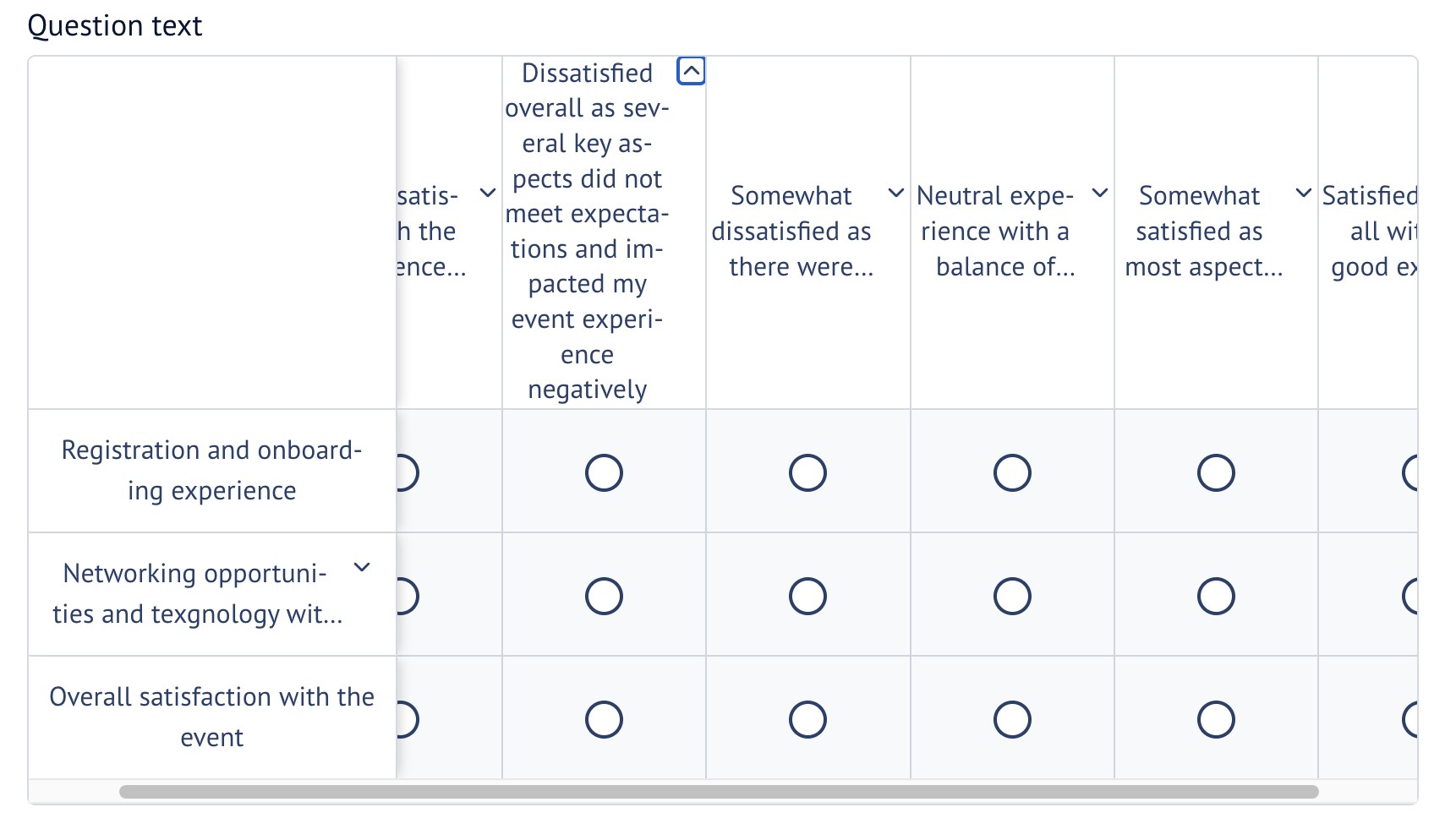
Responsive Desktop Column Layout
Matrices with up to 5 columns display without truncation at standard desktop resolutions.
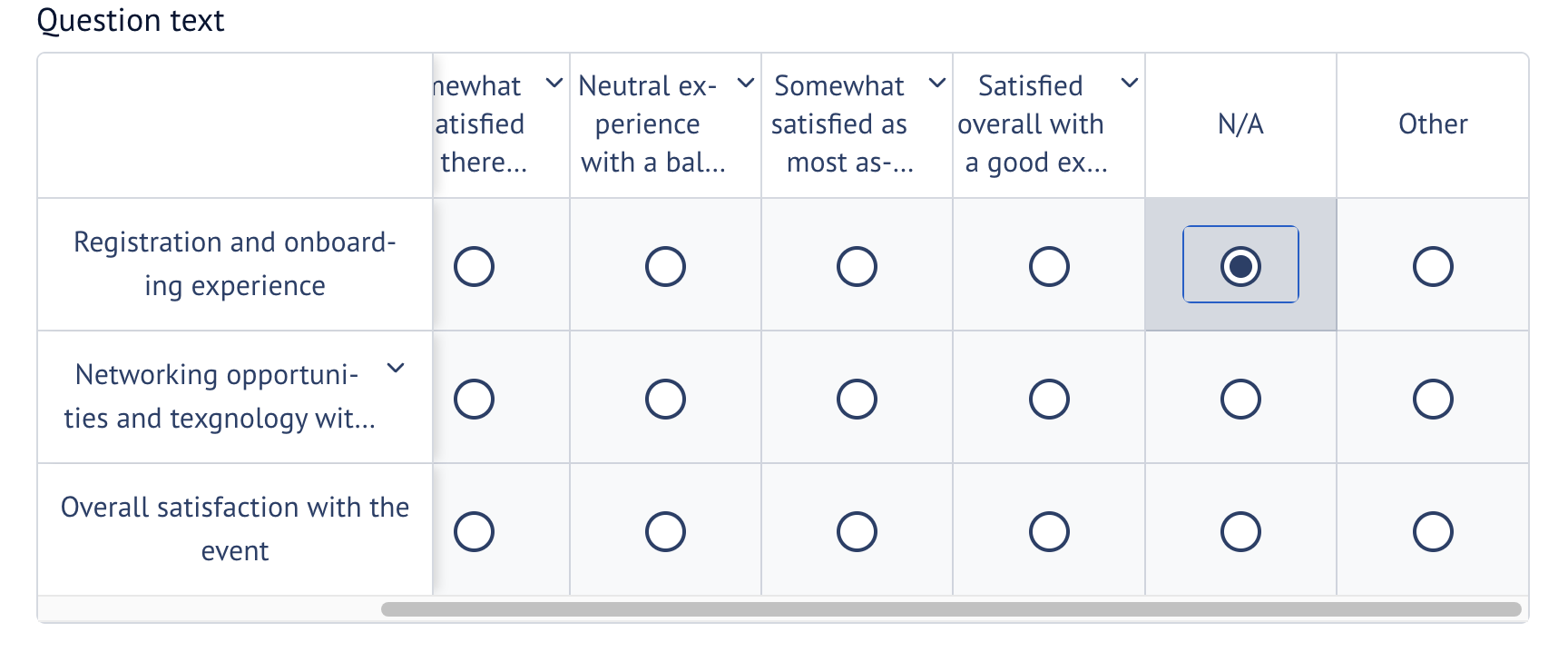
For matrices with 6–10 columns, the row-label column remains sticky as respondents scroll horizontally through the remaining columns, with clear visual indicators for scrollable content.
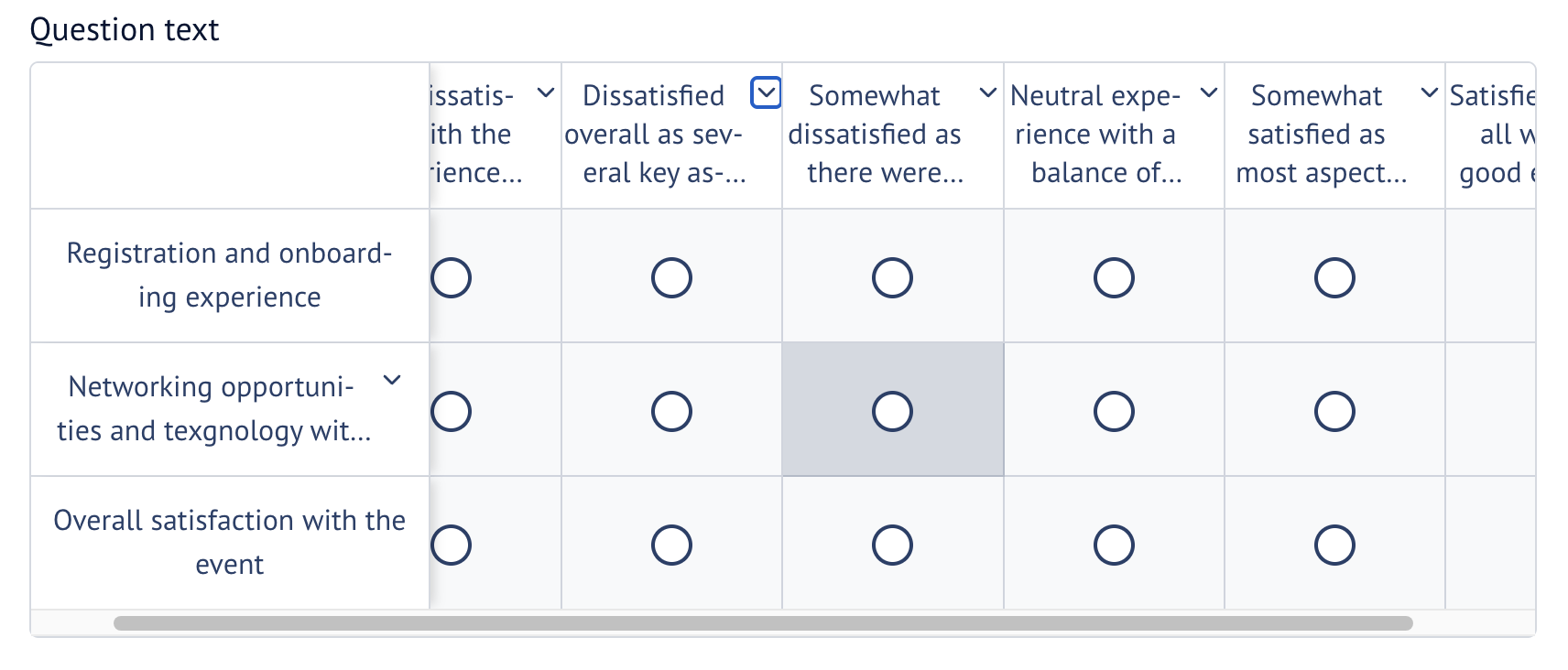
Cross-Platform Consistency. Text wrapping, truncation, and expansion behavior are now consistent, ensuring a predictable experience regardless of screen size, number of columns, or where you are on the platform (app, web, survey designer).
Accessibility Enhancements. All expand/collapse and "show more" controls are fully keyboard-accessible and screen-reader-friendly. Hover-only interactions are no longer the sole means of revealing truncated content.
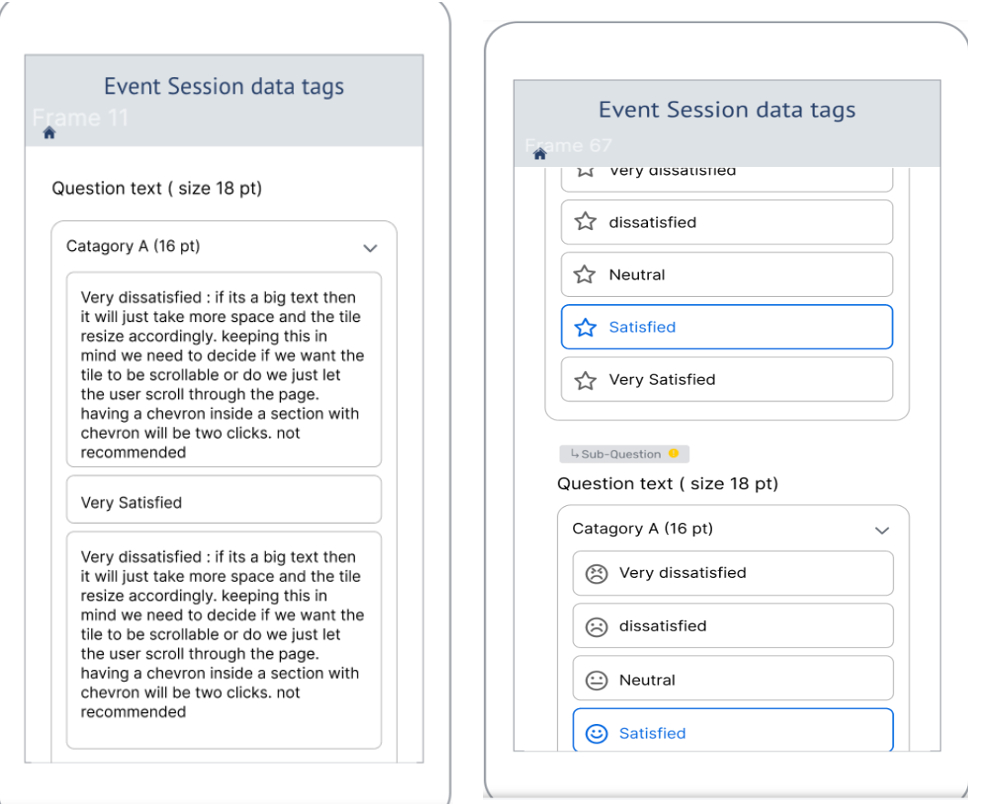
Interactive respondent-facing behaviors, such as text expansion, sticky scrolling interactions, and mobile responsiveness, are available only in attendee and respondent experiences. Survey Designer and Preview will not support the full interactive respondent experience.
Additional Resources
Cvent Community: Do you have questions about the updates we've rolled out this window? As always, get questions answered in the Community via the Open Forum.
Beta Opportunities Page: Help us make Cvent Products better by being the first to test products before they're widely available. Join Beta Programs.
UX Research Panel: Be part of a select group of users who will help guide the future of Cvent's products. Join the UX Panel.