- DATE:
- AUTHOR:
- Cvent Product News Team

Actionable Insights Releases for November 4, 2026
Products covered under Actionable Insights are Surveys, Reporting, Integrations, Engagement Scoring, App Marketplace.
Integrations
BadgeKit API – Attendee Lookup by Source ID
We're pleased to share that the Cvent Event BadgeKit API now resolves attendees by Source ID in addition to Confirmation Number. Third‑party scanning and lead retrieval systems can now look up an attendee through the same BadgeKit API call they use today, with no change to their integration, irrespective of whether the attendee's confirmation number or source ID is encoded on the badge.
Why this matters
Until now, the BadgeKit API has resolved attendees using only the confirmation number passed in the referenceId field. This created friction in a few common situations:
External identifiers on the badge: Many planners run events where the badge QR encodes an identifier from their own system or the attendee's source ID rather than a Cvent confirmation number. Scanners calling BadgeKit with that value received "no attendee found," even though the attendee existed in the event.
Inconsistent behavior across onsite products: OnArrival Secure Sync already resolves attendees flexibly (confirmation number or Source ID), while BadgeKit did not. Hence, the badge QR could not be encoded safely with Source ID only
What's included
Source ID fallback: BadgeKit first attempts to match
referenceId, passed in the request, to an attendee's confirmation number, exactly as before. If no attendee is found, it now performs a second lookup, treating the same value as a Source ID, scoped to the same account.No API contract changes: The request still uses the single
referenceIdfield, and the response structure is unchanged. Existing integrations continue to work with no code changes.Safe handling of ambiguous matches: If a Source ID matches more than one attendee in the event, the API does not return an arbitrary record; it returns the same "no attendee found" response as today.
User Impact
For planners and event organizers
Keep your own identifiers on the badge: Encode a membership number, customer ID, or other identifier from your system in the badge QR, store it as the attendee's Source ID, and BadgeKit will resolve it. There is no need to redesign badges around the Cvent confirmation number.
Reuse badges for returning attendees: Let returning attendees keep their badge from a previous edition of the event, with their old confirmation number stored as the Source ID, so exhibitors and still capture them as leads alongside new attendees.
Fewer onsite escalations: Exhibitors no longer report "no attendee found" for registered attendees whose badge carries a Source ID.
For exhibitors
Every scan returns a lead: Whether the badge carries the current confirmation number or a Source ID, the same BadgeKit call returns the attendee's lead data, so returning and new attendees are captured consistently.
REST API Endpoints to Assign and Unassign Event Roles
New POST and DELETE endpoints are now available to Cvent admins and developers, allowing them to assign and unassign event roles via the REST API. Previously, users could only add or remove event role assignments manually in Cvent. The new endpoints allow admins and developers to assign users to event roles and remove them directly through their integrations. This reduces manual work for admins managing many events and keeps event role assignments in sync with external systems.
Key highlights
New POST endpoint to assign a user to an event role for a specific event. It returns the new assignment in the same format as the existing GET List Event Role Assignments endpoint, including the
assignmentId.The POST endpoint can optionally send a notification email to the assigned user. The email is sent only if a notification is configured on the event role details page.
New DELETE endpoint to unassign a user from an event role using the
assignmentIdreturned by the GET or POST endpoints.Supports Account Users (by user ID) and No Login Users (by email address).
Assignments made through the REST API trigger the same downstream behavior as assignments made manually in Cvent, including visibility and workflow.
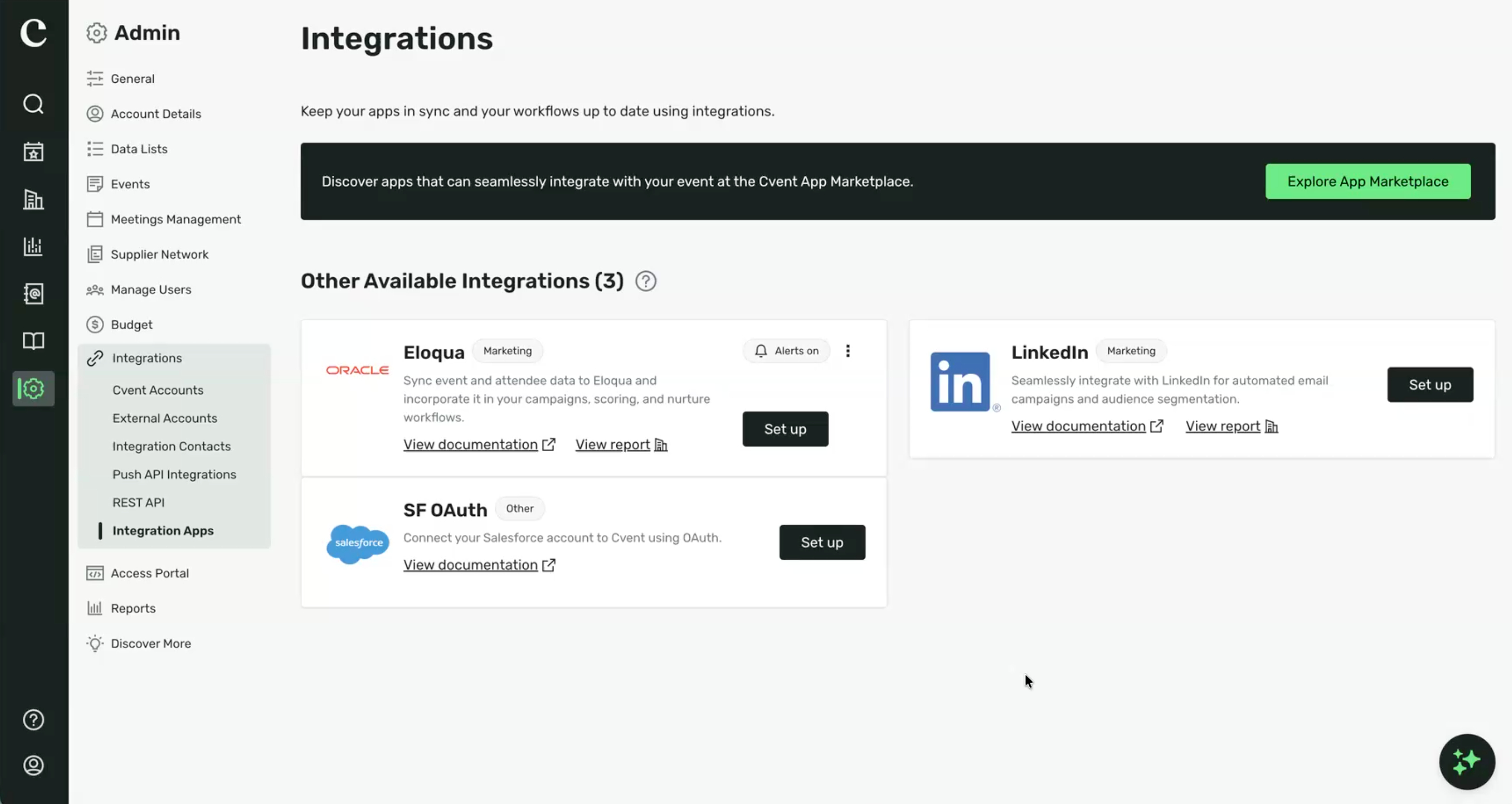
Eloqua Integration Now Available in Integration Apps
Cvent’s Eloqua integration now runs on the same modern integrations framework as our HubSpot and Marketo connectors. Event, session, contact, and feedback survey data reaches Eloqua in real time. UTM parameters are mapped directly in the integration, and every trigger is yours to enable or disable. Configuration has moved to Admin > Integrations > Integration Apps.
Who is this for?
Event Planners and Marketing Operations teams who use Cvent with Oracle Eloqua for campaigns, lead scoring, and event reporting, along with the Cvent Customer Success and Solutions teams who support them.
What’s new
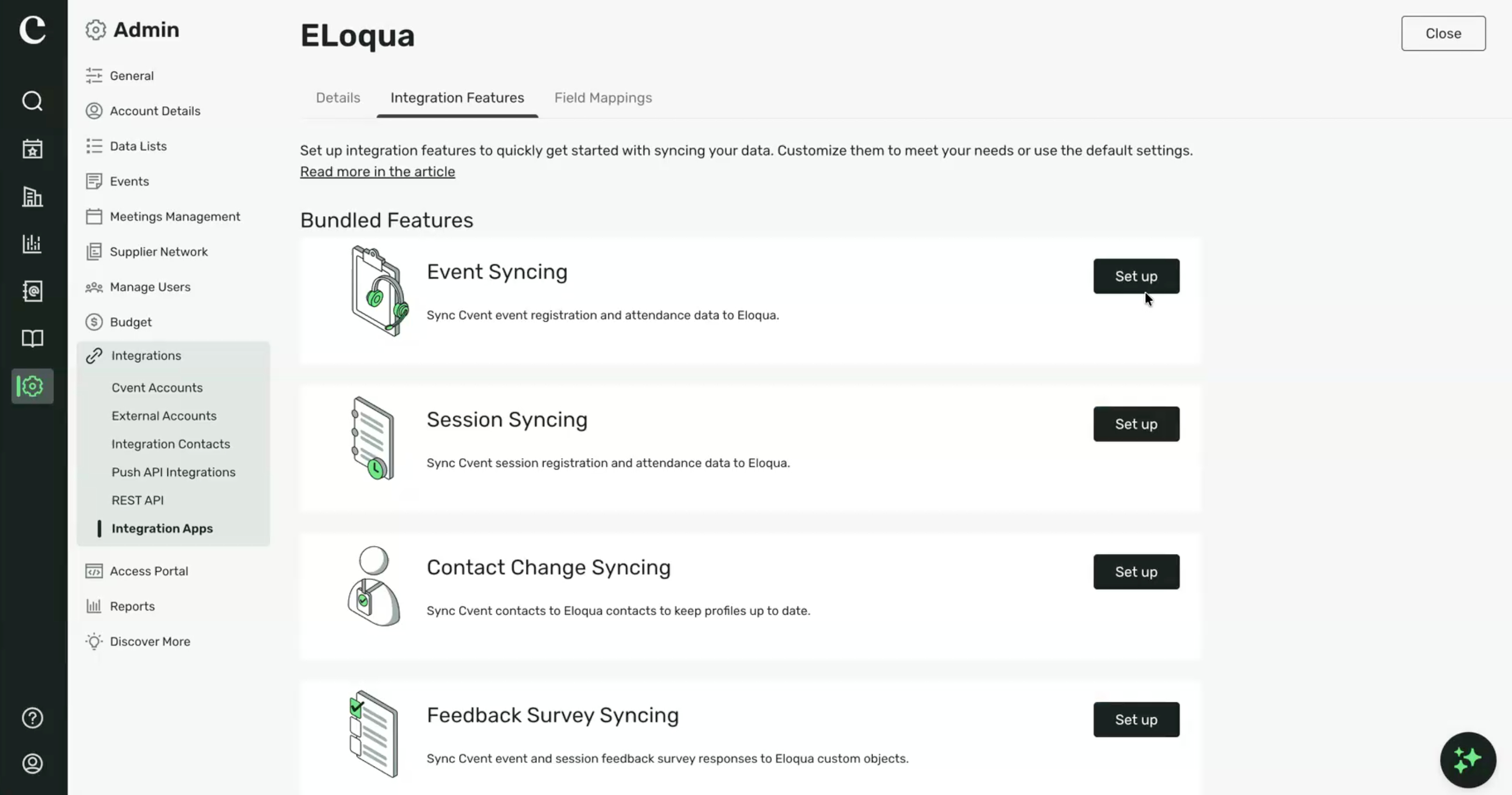
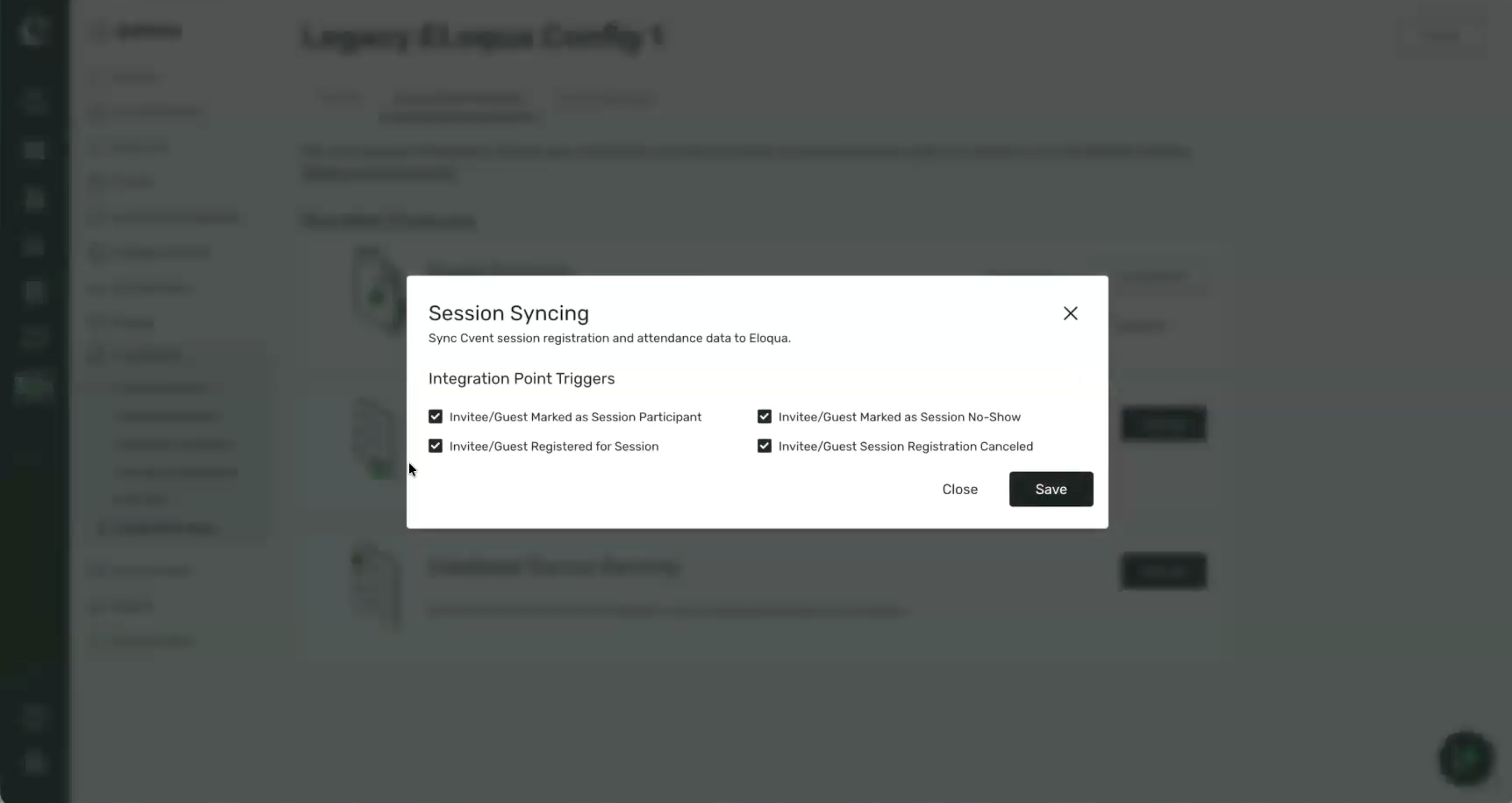
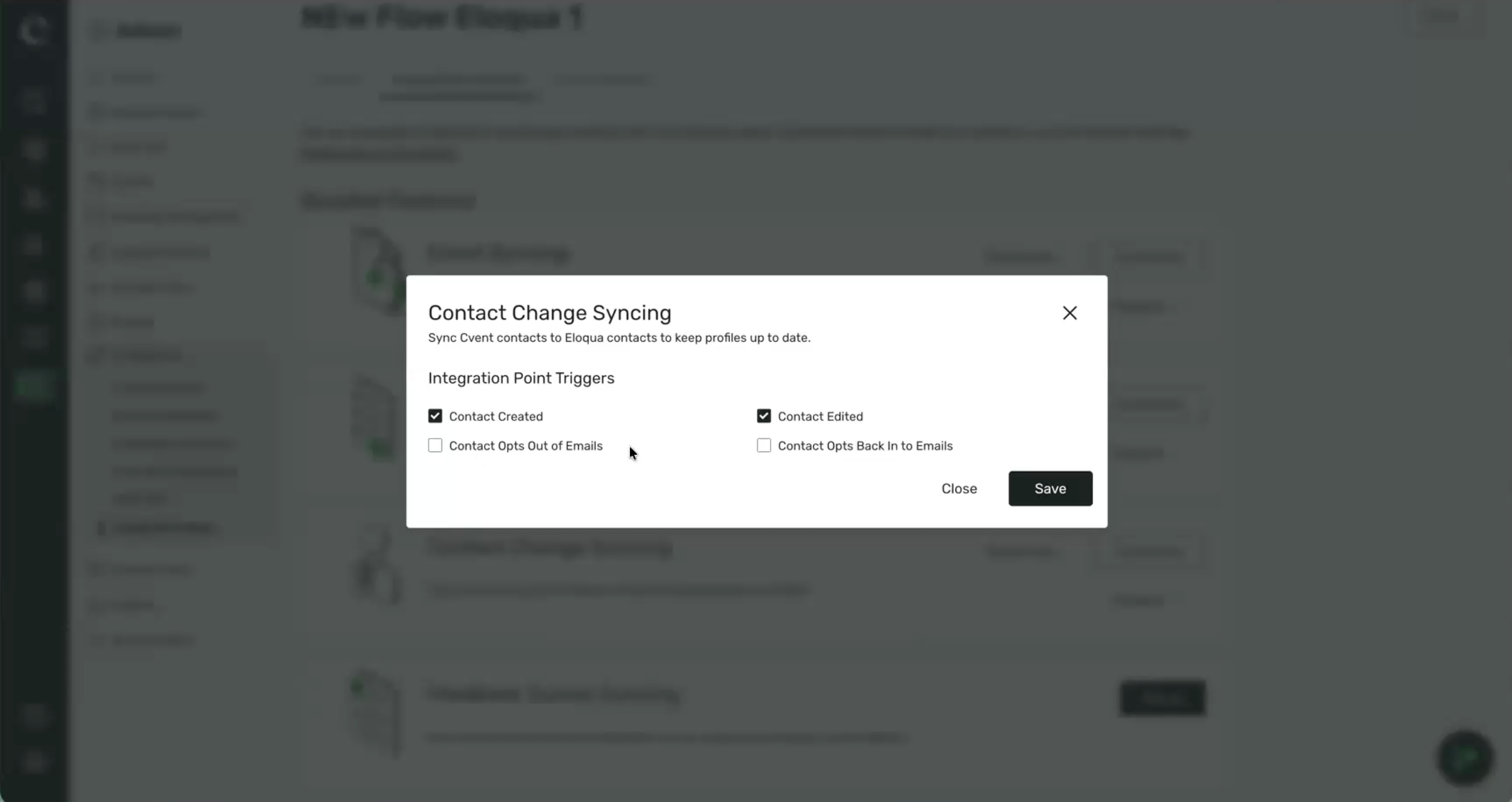
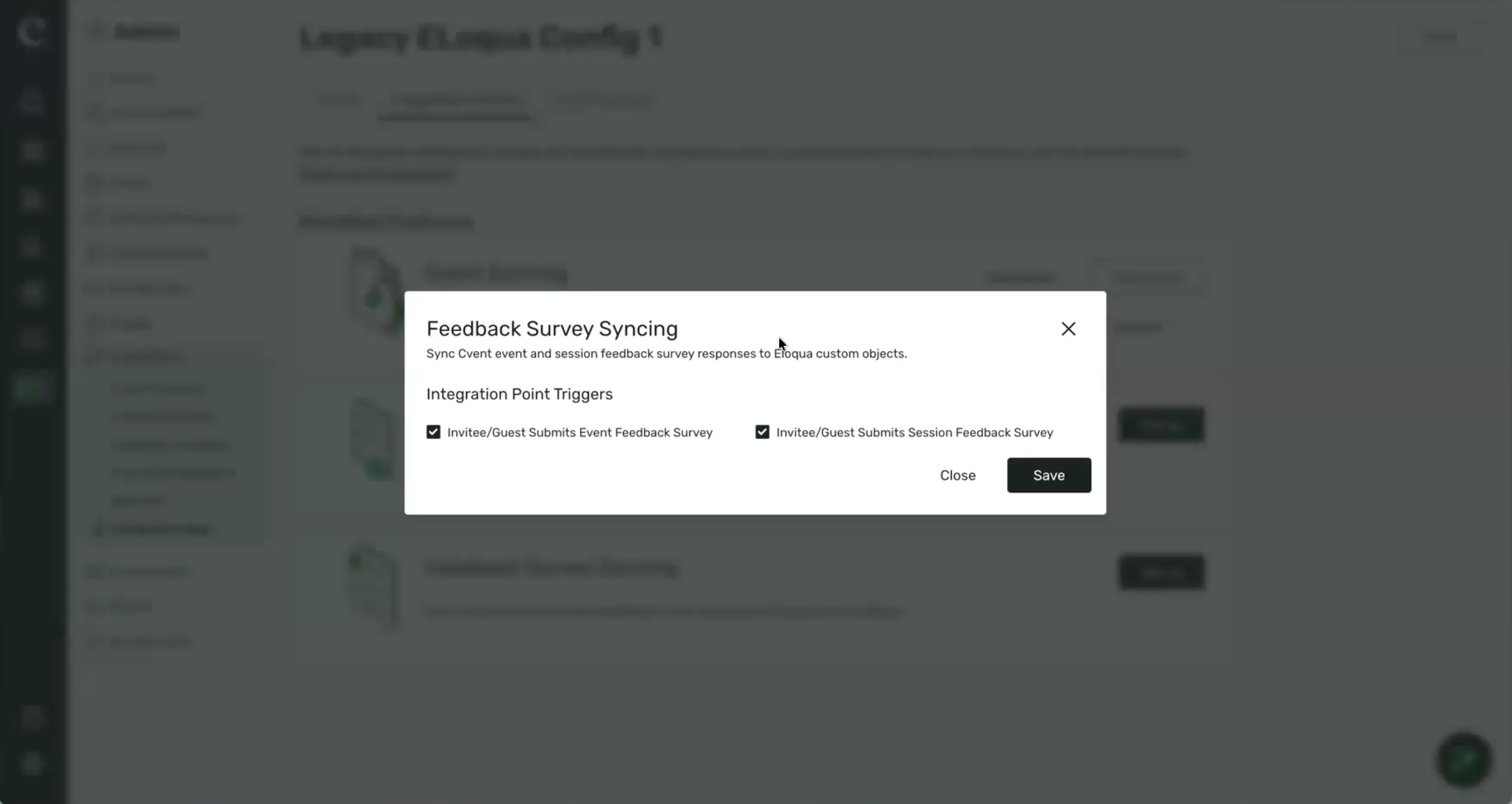
Centralized access. Set up and manage Eloqua configurations from Integration Apps, with trigger points grouped into Contact, Event, Session, and Feedback Survey bundles that you enable in a few clicks.
UTM parameters in the main integration. No separate integration is needed. UTM fields are mapped alongside your other fields and can sync to a Custom Object, preserving history for every contact across all your events rather than a single overwritten value.
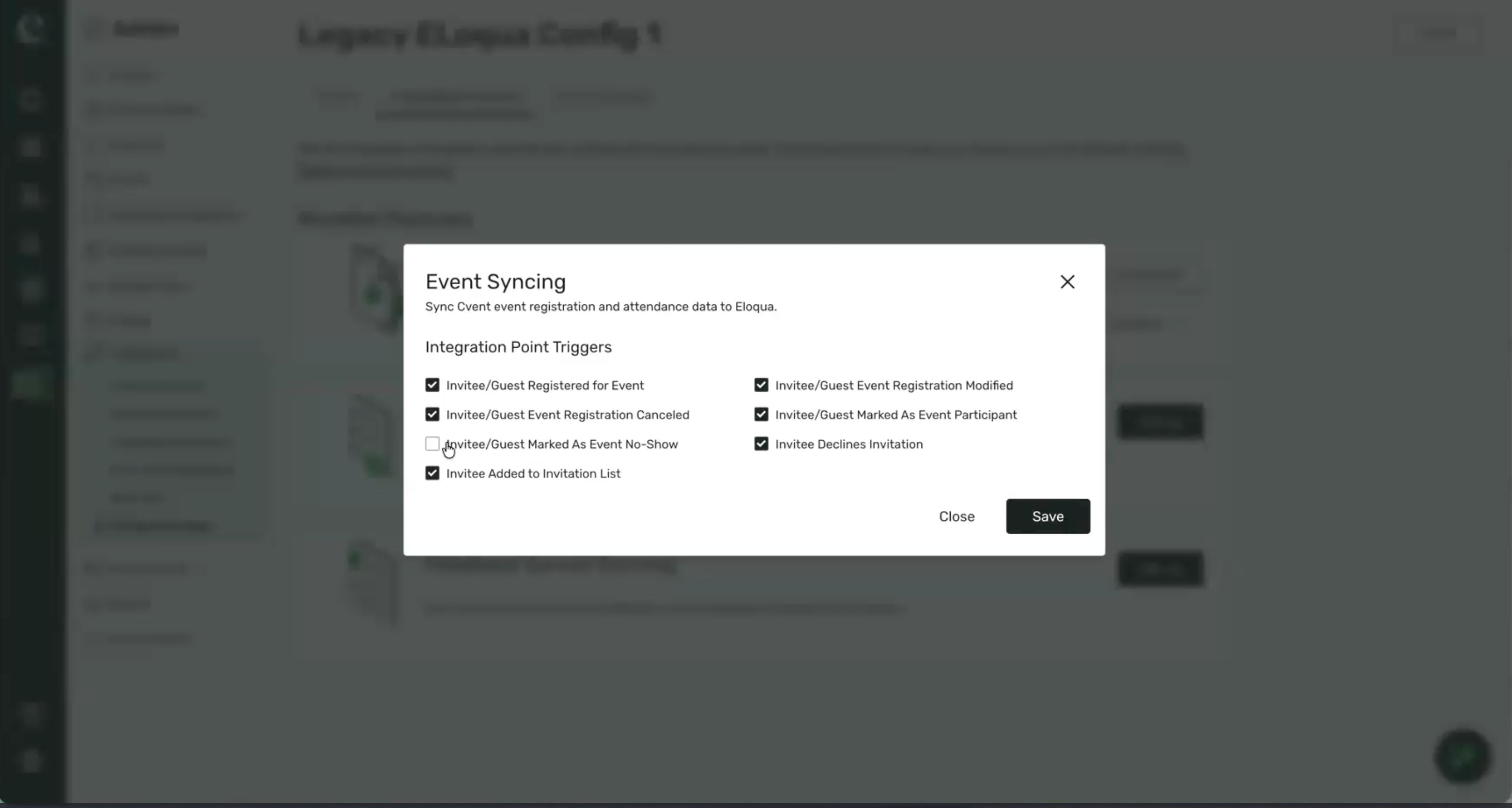
Configurable triggers and modern field mapping. Enable each trigger independently, including contact opt-in and opt-out, event no-show, session lifecycle, and survey submissions. The field mapping interface mirrors HubSpot and Marketo, with full Custom Object support. Event and Session data no longer have to sync to separate Custom Objects.
Feedback survey syncing. Event and session survey responses sync to Eloqua Custom Objects, with every question type supported.
Multiple configurations and sync visibility. Create named configurations with their own authentication, mappings, and triggers. Select the right one at the event level, and confirm every sync in the new Eloqua Sync History report under Admin > Reports.
Existing Eloqua customers
Nothing changes for you at release; your current configurations continue to sync as they do today. Your Customer Success contact will reach out to schedule your move to Integration Apps. Configurations, triggers, and field mappings carry over. Your Eloqua administrator confirms the connection, and UTM mappings are set up in the new location to leverage Custom Object support. The previous Eloqua experience will be retired on 31 March 2027, with specific timing communicated directly to each account.
Good to know: Custom Object fields marked required in Eloqua must be mapped for records to be created, and event no-show triggers are off by default.
Surveys
Feedback Insights an AI-powered capability within Cvent Assistant
We are introducing Feedback Insights, an AI-powered capability within Cvent Assistant that helps event planners understand attendee survey feedback at scale. Planners collect hundreds or thousands of survey responses after every event, but turning open-text comments, ratings, and scores into actionable insights has traditionally required hours of manual reading, tagging, and spreadsheet work.
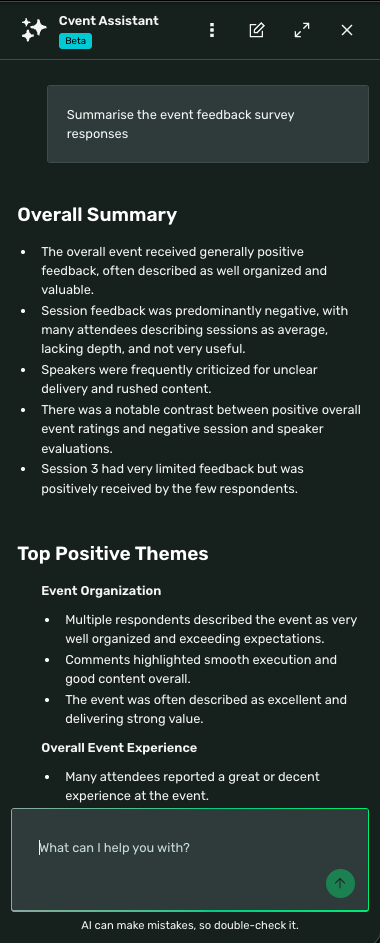
With this release, planners can ask questions about their event’s survey feedback in plain language and receive structured summaries, sentiment signals, recurring themes, and supporting attendee quotes in minutes. Instead of reviewing every response individually, planners can start with an AI-generated overview of what attendees thought, compare and rank sessions or speakers, and drill into the full survey report only where they need more detail. Feedback Insights complements the existing survey reporting experience rather than replacing it.
Key capabilities include:
Conversational feedback analysis: Planners ask questions such as “What were the most common complaints about Session 1?” or “How did attendees feel about the food?” directly in Cvent Assistant within the event. Questions can be scoped by topic, and topic matching works across surveys delivered in multiple languages.
Survey summarization and theme detection: Open-text responses are summarized in natural language, and recurring topics are grouped so planners can see what attendees discussed most.
Sentiment analysis: Response tone is classified as Positive, Neutral, or Negative, with key positive and negative themes surfaced alongside anonymized attendee quotes as supporting evidence.
Broad question-type coverage: Open-text, rating, Net Promoter Score, single-choice, and multiple-choice questions are all analyzed, including follow-up sub-questions, providing planners with a combined qualitative and quantitative view.
Side-by-side comparison: Planners can compare feedback across two sessions, two speakers, two registration types, or two contact titles within the event — optionally narrowed to a specific topic, such as venue or content.
Performance ranking: Sessions, speakers, registration types, or contact titles can be ranked on attendee feedback, overall or for a chosen topic, helping planners quickly identify what worked and where to focus.
Survey metrics and report access: Planners can retrieve response counts and engagement metrics for the event’s surveys and navigate directly to the full survey reports for deeper review.
Things to Know
Feedback Insights is available within an event experience via Cvent Assistant; standalone survey analysis outside an event is not supported.
Insights, comparisons, and rankings are limited to the currently active event. Cross-event comparisons and external benchmarking are not supported in this release.
Comparisons are limited to two items of the same kind (e.g., two sessions or two speakers). Rankings order all items of that kind in the event, for example, sessions from highest- to lowest-rated feedback.
Respondent privacy is protected by design — the assistant will not identify individual respondents or attribute responses to specific attendees.
Theme prominence reflects how often a topic is mentioned, not its urgency or business impact. Sentiment is directional and may not capture sarcasm or nuanced emotional context.
Insight quality depends on response volume and quality; smaller datasets will produce broader, less granular summaries and less reliable rankings.
Feedback Insights provides retrospective analysis only and does not generate recommendations or downloadable files.
Feedback Insights is available to accounts with Cvent Assistant enabled. If your account does not yet have Cvent Assistant, please contact your Cvent account team.
Basic Event Surveys Enhancements: Speaker Widget & Language Management
We are enhancing Basic event and session surveys with a refreshed management experience and new feedback capabilities previously available only in Premium surveys.
Basic surveys are the entry point for most planners, capturing attendee and session feedback. They offer limited support for speaker-level feedback and multilingual delivery.
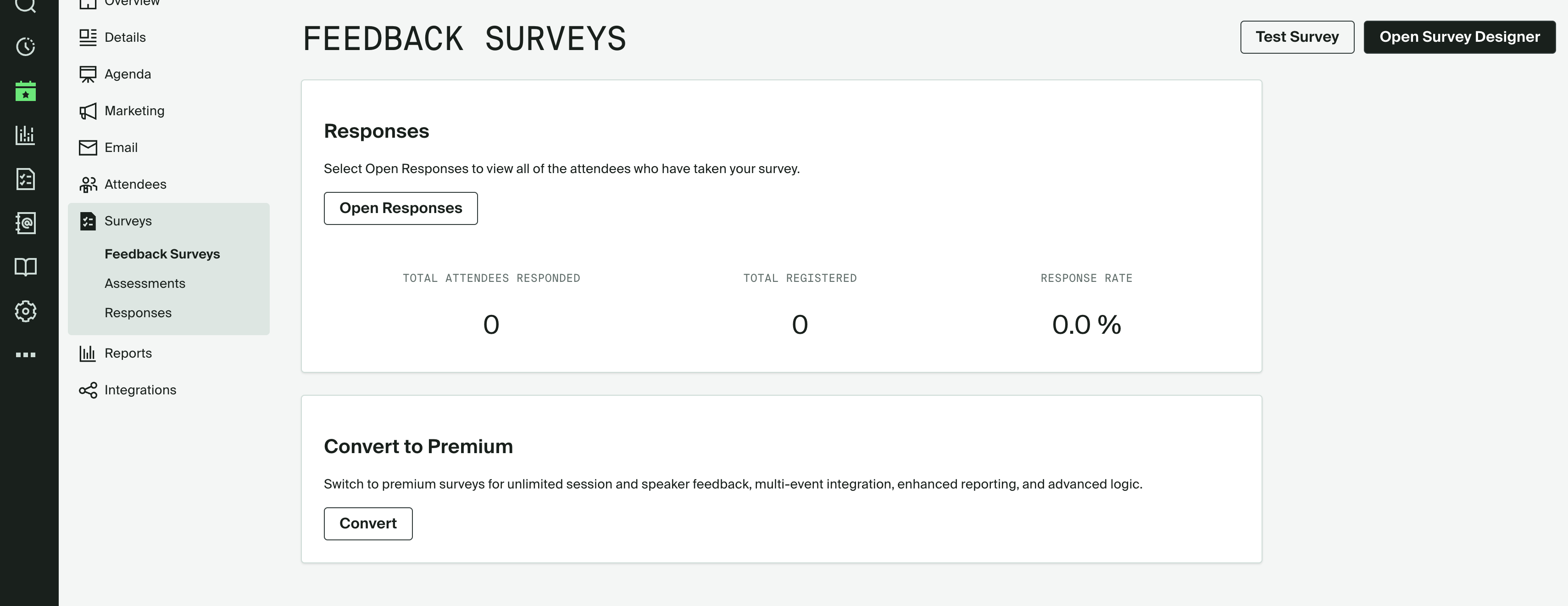
With this release, planners get response metrics directly on the Feedback Surveys page, the ability to collect feedback on individual speakers within session surveys, and the option to deliver Basic surveys in multiple languages — all without moving to a Premium license.
For organizations, this means more actionable feedback from the same surveys they are using and a more relevant experience for attendees.
Key capabilities include:
Redesigned Feedback Surveys landing page: The Feedback Surveys page within an event now surfaces survey performance at a glance, showing total respondents, total registered attendees, and response rate, with a direct link to open individual responses. Planners can also test the survey or open the Survey Designer from the same page. A dedicated Convert to Premium panel makes the upgrade path clear when more advanced needs arise.
Speaker Widget for Basic session surveys: Planners can add the Speaker Feedback widget to Basic session surveys so attendees can rate and comment on individual speakers alongside session feedback. The widget can be placed at the start or end of the session survey, and speakers are listed alphabetically for respondents.
Multi-language support: Basic surveys can now be delivered in multiple languages, allowing attendees to respond in their preferred language and giving planners a more personalized and inclusive feedback experience. Language management works the same way as in Premium surveys.
Things to Know
These enhancements apply only to Standard Events.
Speaker Widget
Available only in session surveys when speakers are enabled for the event.
The widget can be placed at the start or end of the session survey, not between other survey questions. Publish validation will flag placement between questions.
Only one Speaker Feedback widget can be added per session survey.
Speakers are displayed in alphabetical order; the order cannot be customized.Access to the
Question Library is not part of this release, but is planned to follow soon in an upcoming update.
There are no changes to existing Basic survey data, responses, Attendee Hub delivery, Salesforce integration, or Universal Survey APIs.
Copy, import, and convert-to-Premium workflows for Basic surveys continue to work as before.
Additional Resources
Cvent Community: Questions about the above updates? As always, get answers in the Community via the Open Forum.
Beta Opportunities Page: Try new features and products out before full launch availability. Join Beta Programs.