- DATE:
- AUTHOR:
- Cvent Product News Team

Attendee Engagement Releases for April 8, 2026
Attendee Hub
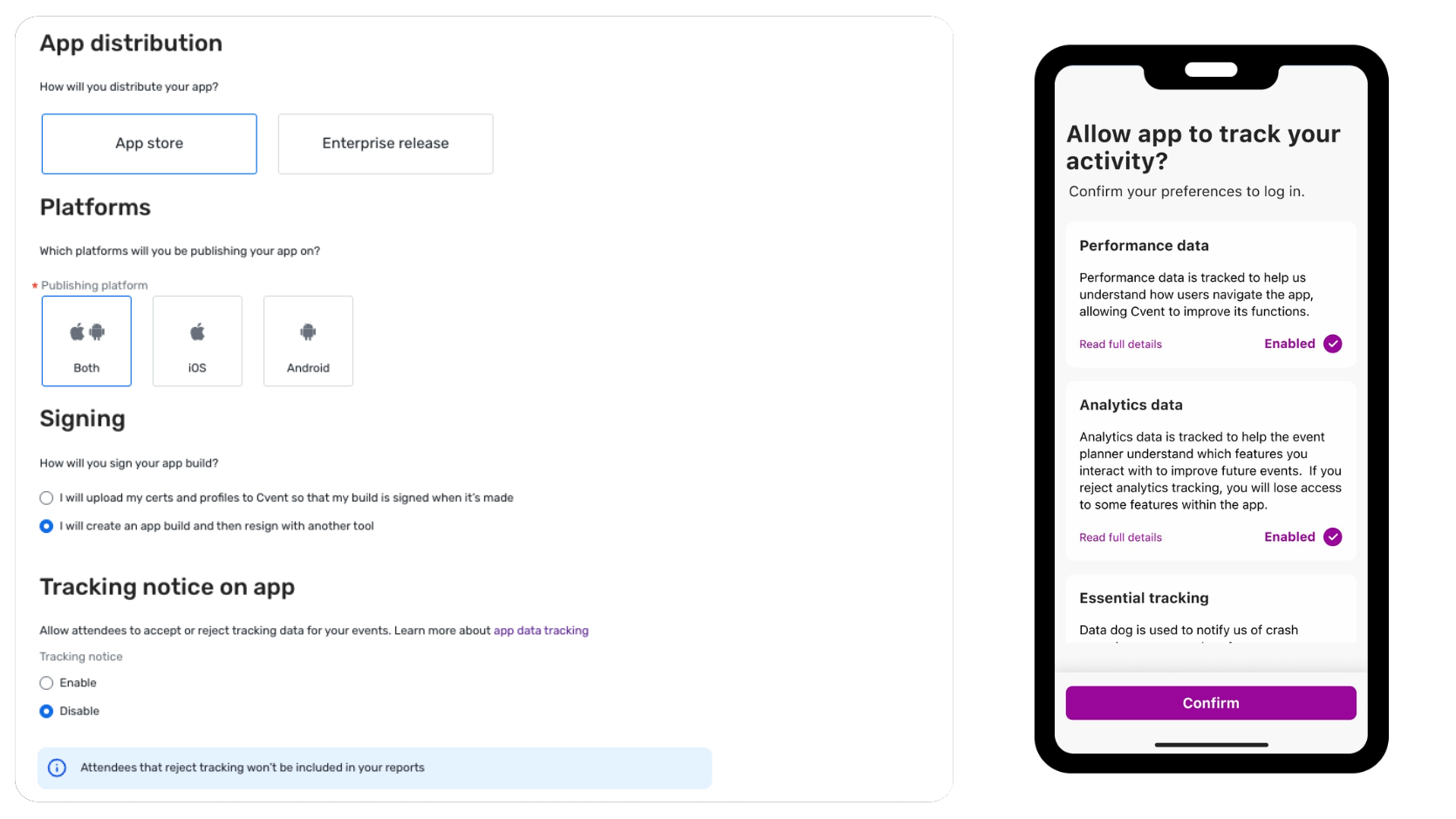
Analytics Consent for Branded Apps
Expected Release Date: 3/11/2026
What's Changed: You can now turn on an Analytics Consent prompt at the app level in Branded App Builder. When enabled, attendees see a clear consent screen the first time they open the app that explains how their data may be used, and they can revisit and update their choices at any time from a new settings area in the app. This experience is available only for Branded Apps and requires a new app build to take effect.
Benefit: This release gives your privacy and compliance teams greater confidence in using Branded Apps, especially for events with significant EU participation or stricter internal data‑governance standards. By prompting attendees to make an informed choice—with no default selected—you can align more closely with the ePrivacy Directive and GDPR consent expectations while still unlocking the app insights your teams rely on.
Discussion Topics in Event App Bottom Navigation
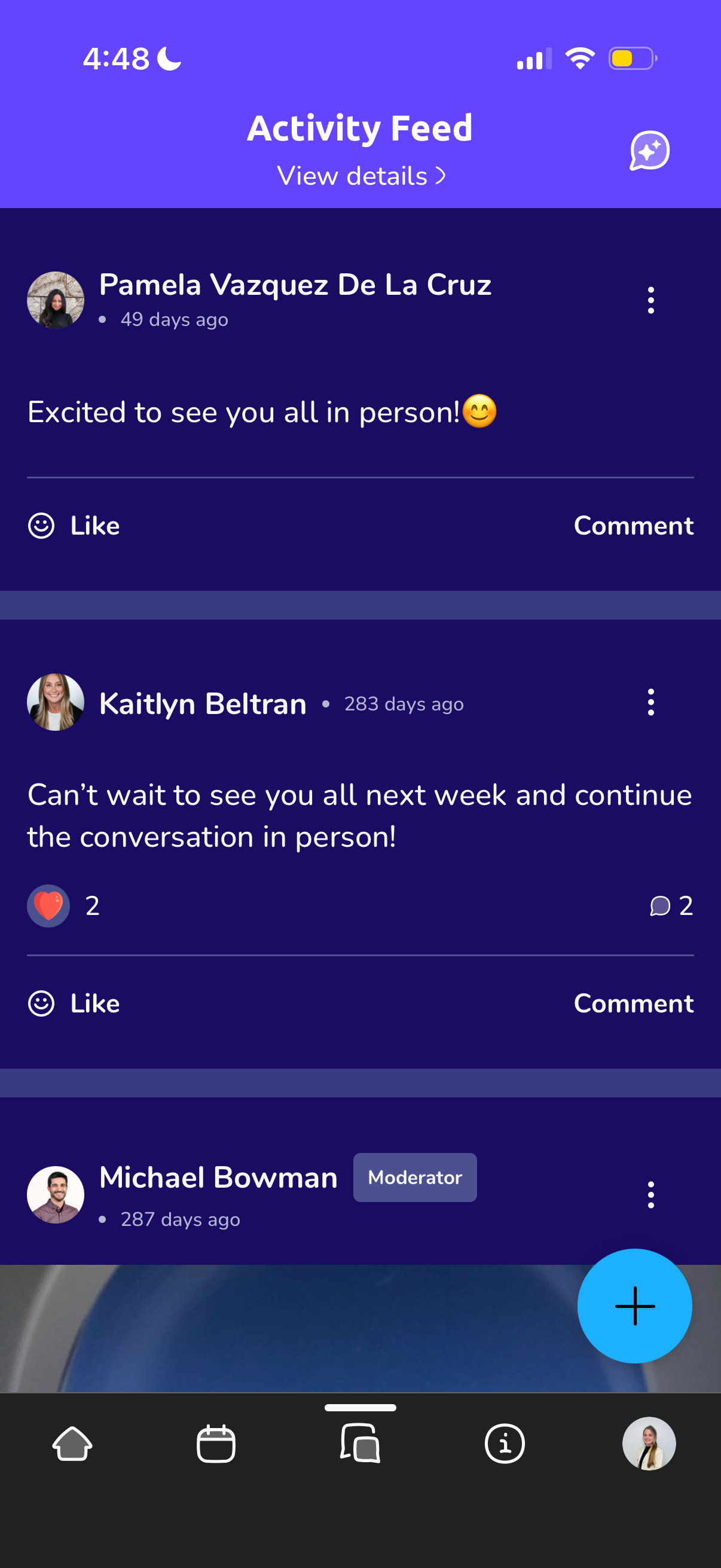
What's Changed: Discussion Topics can now be added to the Event App's bottom navigation.
Benefit: Promote high-value conversations in the event app by putting a specific Discussion topic directly into the bottom navigation bar, turning it into a highly visible item to be clicked on by attendees
Attendee Hub Event App Updates
See a summary of the app enhancements rolled out in each release window here.
Remember, Attendee Hub customers - If you have an active event between Wednesday and Sunday after this release date, you will not see these new features until Monday after the release. This is to ensure we are not releasing features into active, ongoing events.
Events+
Self-create Custom Hub Pages
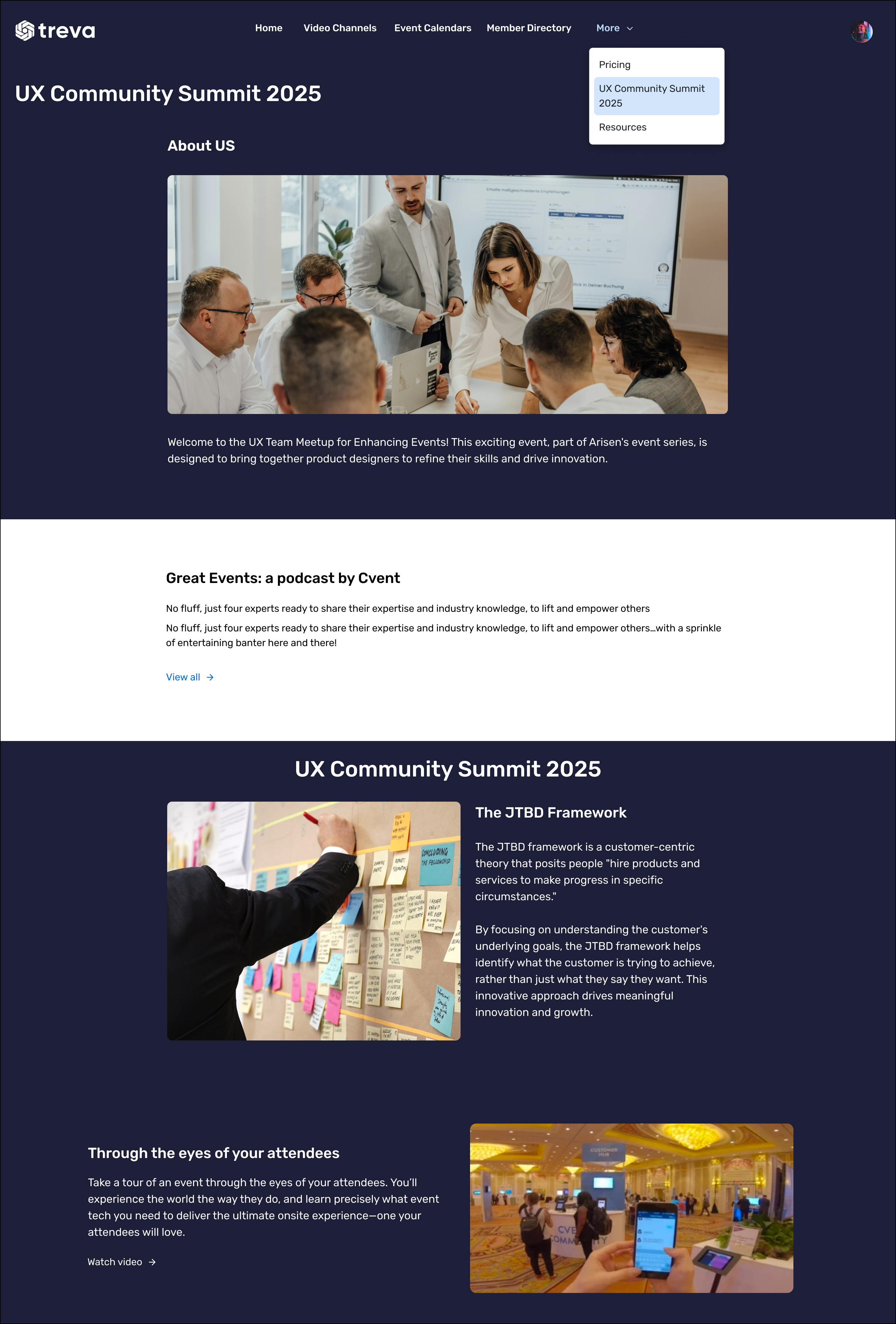
What's Changed: With this release, you’ll be able to create custom hub pages in Events+ using the same intuitive page builder you already use for Home and Calendar pages. You can mix and match sections like text‑only, text‑and‑image, and quick links to internal or external destinations, so it’s easy to publish FAQs, policies, sponsor highlights, and other key resources in one place. Each custom page automatically inherits your Events+ branding, so everything looks polished and on‑brand without extra design work.
Benefit: Custom Pages let you turn Events+ into a true content hub by bringing more of your year‑round information—like guidelines, policies, and sponsor content—out of scattered contact sites and into a single, easy‑to‑manage experience. Attendees get a clearer, more organized hub where they can quickly find what they need, and you get a simpler way to keep information up to date without relying on additional web tools or workarounds. Because these pages can live directly in your hub navigation or “More” menu, you can surface the right content at the right time without cluttering the experience.
Webinar and Essentials
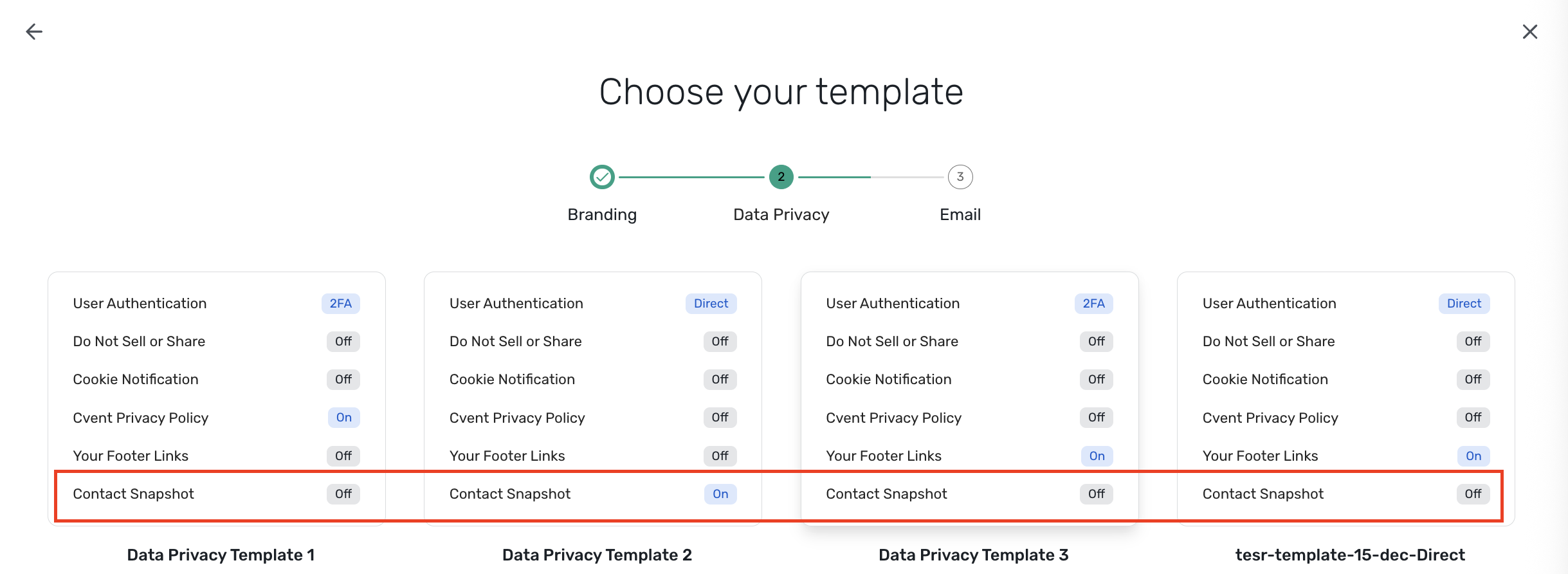
Contact Snapshot for Contact Data Isolation Across Events
Expected Release Date: 4/8/2026
Lock event-level contact data and protect your global records.
What's Changed:
Keep attendee updates limited to a single event, instead of updating your Global Address Book
Protect the integrity of contact data synced to external systems like Salesforce and Workday
Enforce cross-event data separation using Data/Privacy templates, so governance rules are consistent and not reliant on per-event setup
A few notes:
Contact Snapshot is off by default; an admin must enable it in a Data/Privacy template
The setting only applies to new events and webinars created after the template is updated
Once an event is created, its Contact Snapshot setting is locked and cannot be changed, even if you switch templates
When enabled via template, the setting is visible but locked on the Event Details page; it won’t appear for events where the feature doesn’t apply
Benefit:
For teams with strict data governance or division-level data walls, this release makes it easier to confidently prevent accidental overwrites of shared contact records, standardize data separation rules across all new events and webinars through a single Data/Privacy template, and maintain a seamless attendee experience because everything runs in the background with no visible change to registration or event flow.
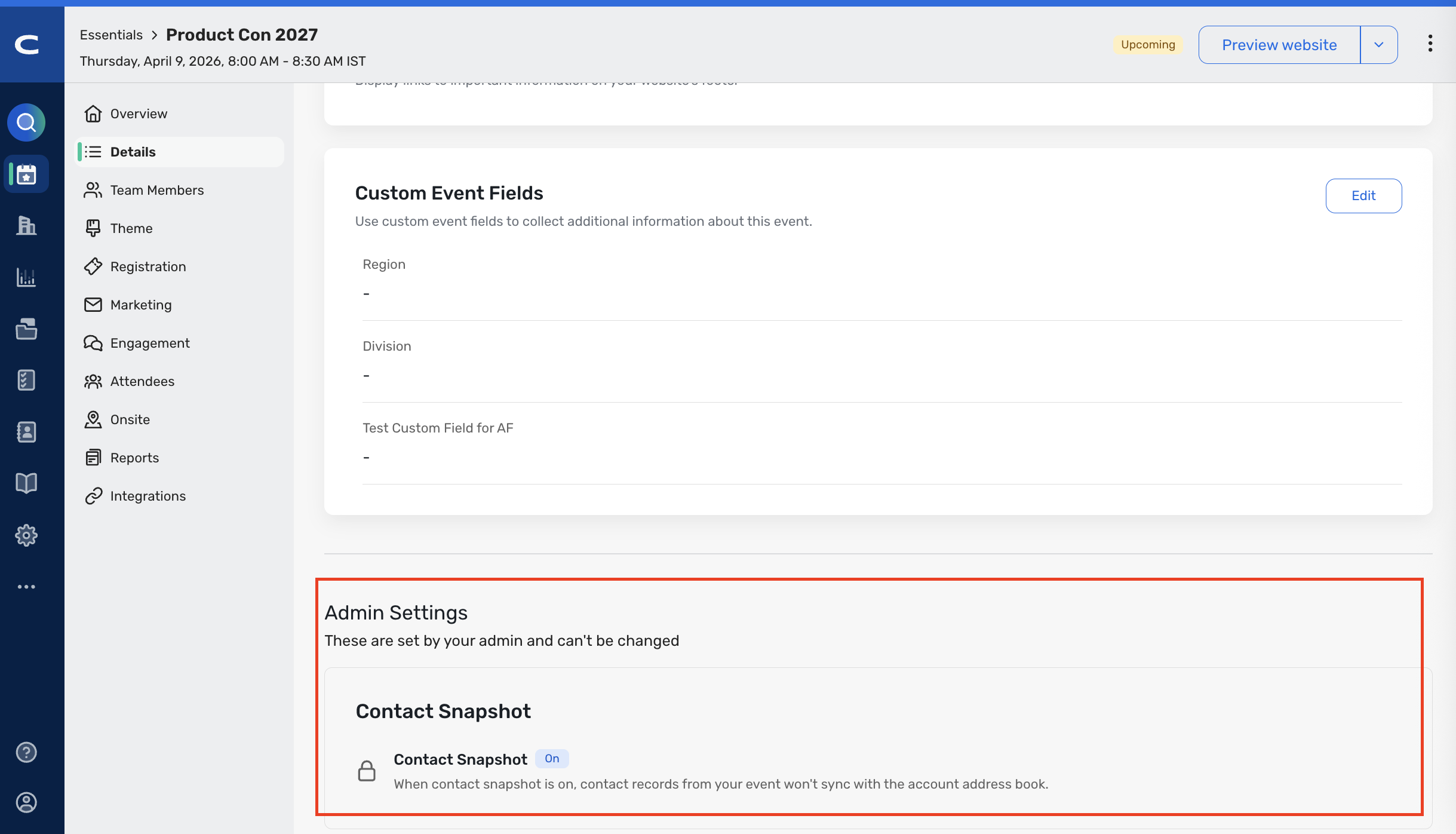
Check out the "Using Contact Snapshot" article on the Cvent community.
Additional Resources
Cvent Community: Do you have questions about the updates we've rolled out this window? As always, get questions answered in the Community via the Open Forum.
Beta Opportunities Page: Help us make Cvent Products better by being the first to test products before they're widely available. Join Beta Programs.
UX Research Panel: Be part of a select group of users who will help guide the future of Cvent's products. Join the UX Panel.