- DATE:
- AUTHOR:
- Cvent Product News Team

Attendee Engagement Releases For February 11, 2026
Attendee Hub
Date Change: Session Snapshots and Session Takeaways
New Release Date: 02/11/2026
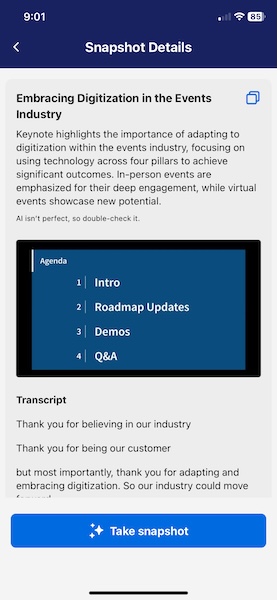
What's Changed: The Snapshots feature increases attendee engagement by streamlining note-taking during in-person sessions. Attendees simply click on the "Take snapshot" button in the Event App, and a few moments later, a Snapshot is generated. Each Snapshot includes an image of the slide displayed on stage and a snippet of transcript corresponding to that moment, including an AI-generated title and brief summary.
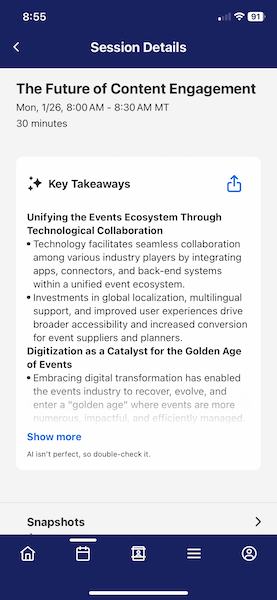
Session Takeaways: Attendees can review the key takeaways from a session they attended or gain insights into one they missed. Attendees can access Session Takeaways by visiting the Session Details page after the session concludes. The Takeaways are generated using AI from the live transcript and can be published automatically or reviewed prior to publishing.
Benefit: Both Snapshots and Takeaways are designed to streamline content capture and summarization, and make it easy for attendees to review, share, and gain even more value from your events. By navigating to the "My Event" section, users will find their Snapshots and Takeaways, along with other personalized event info, providing and powerful dashboard for attendees to optimize their entire event experience. For event organizers, you can leverage the "Auto-Start" function to set up the streaming component of these new features once per room per day.
Speaker Chat Updates
Released January 22, 2026
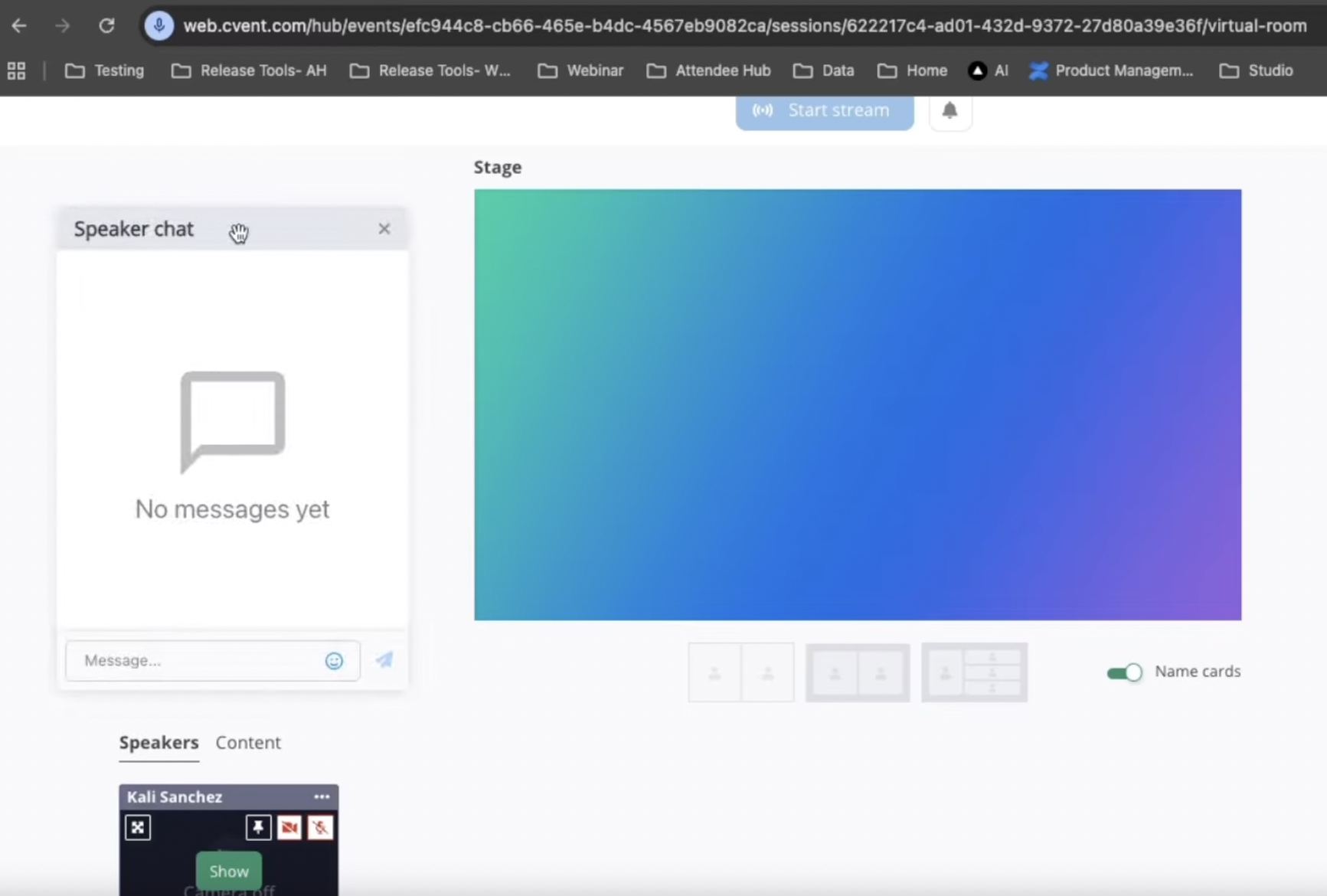
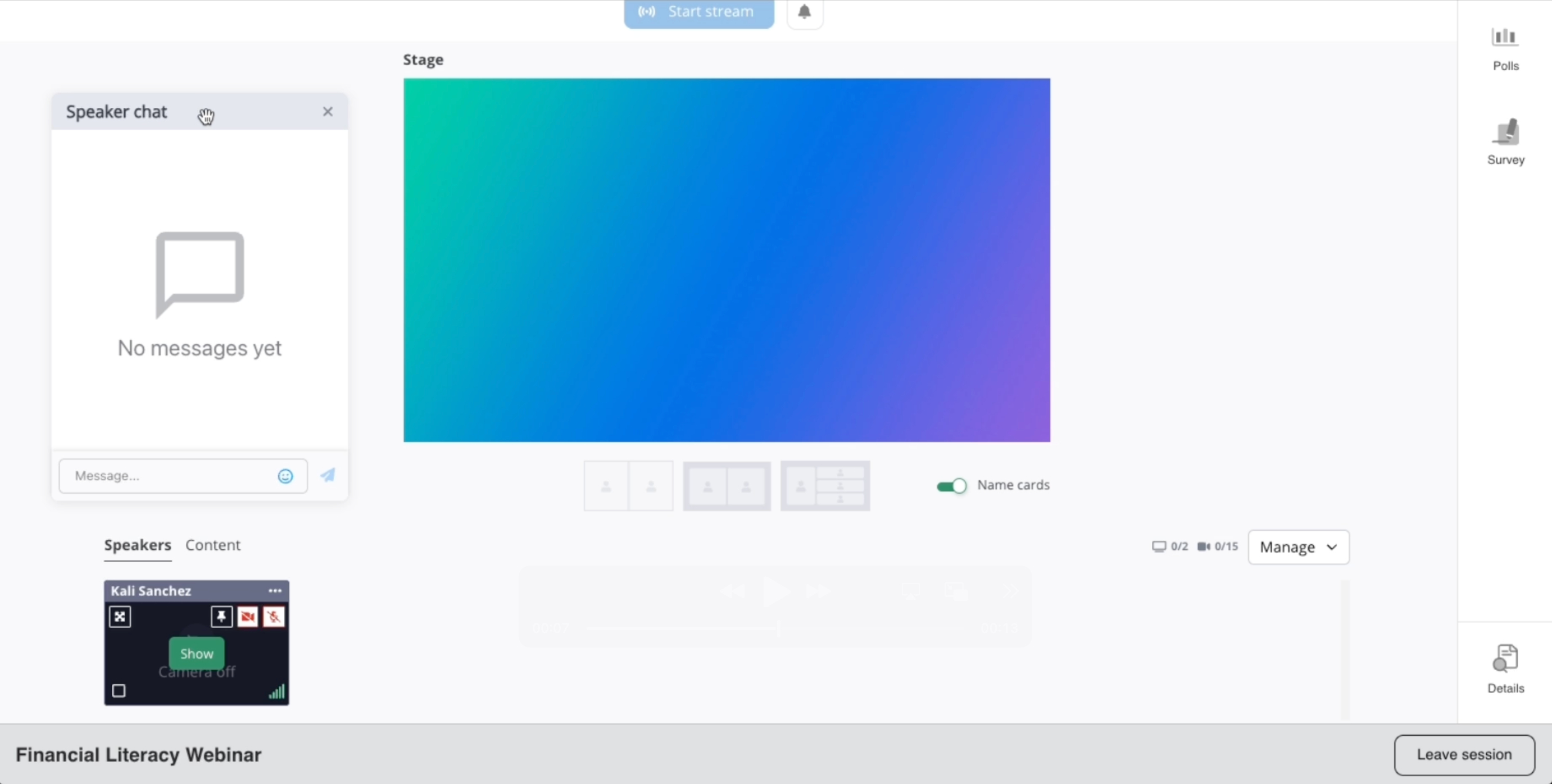
What's Changed: Studio speaker chat is now draggable, allowing users to move the chat box to a preferred location.
Benefit: Users can move the chat box to avoid blocking important content and keep all studio content optimally visible during presentations.
Attendee Hub Event App Updates
See a summary of the app enhancements rolled out in each release window here.
Remember, Attendee Hub customers - If you have an active event between Wednesday and Sunday after this release date, you will not see these new features until Monday after the release. This is to ensure we are not releasing features into active, ongoing events.
OnArrival
OnArrival Badge Designer | Layer Renaming & Line Height Selection
Rename Layers
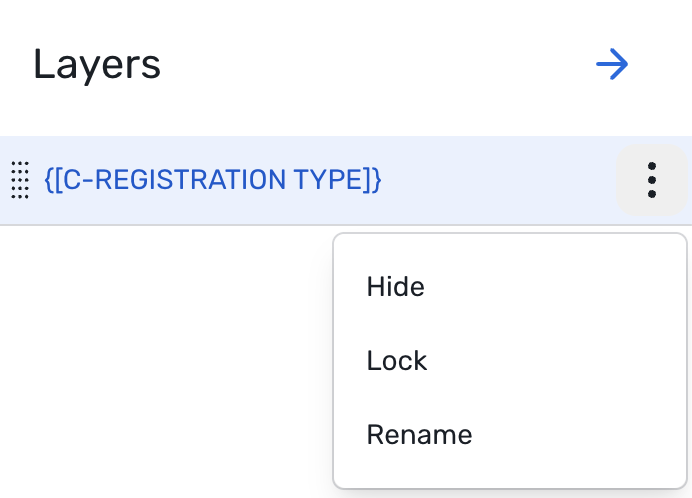
Layer names are no longer locked to data tags, image files, or widget names. Planners can now give each layer a custom name that reflects how they think about their design.
Planners can quickly spot the right layer without clicking through multiple similar layers.
While configuring events, planners can keep complex badges organized with clear, meaningful labels.
Line Height for Text Area Widgets
The Text Area widget now supports adjustable line height, a long-requested control for fine-tuning text layout.
This will allow badges to support all required text without sacrificing legibility
Planners can also use this feature to align brand typography with cleaner, more intentional spacing
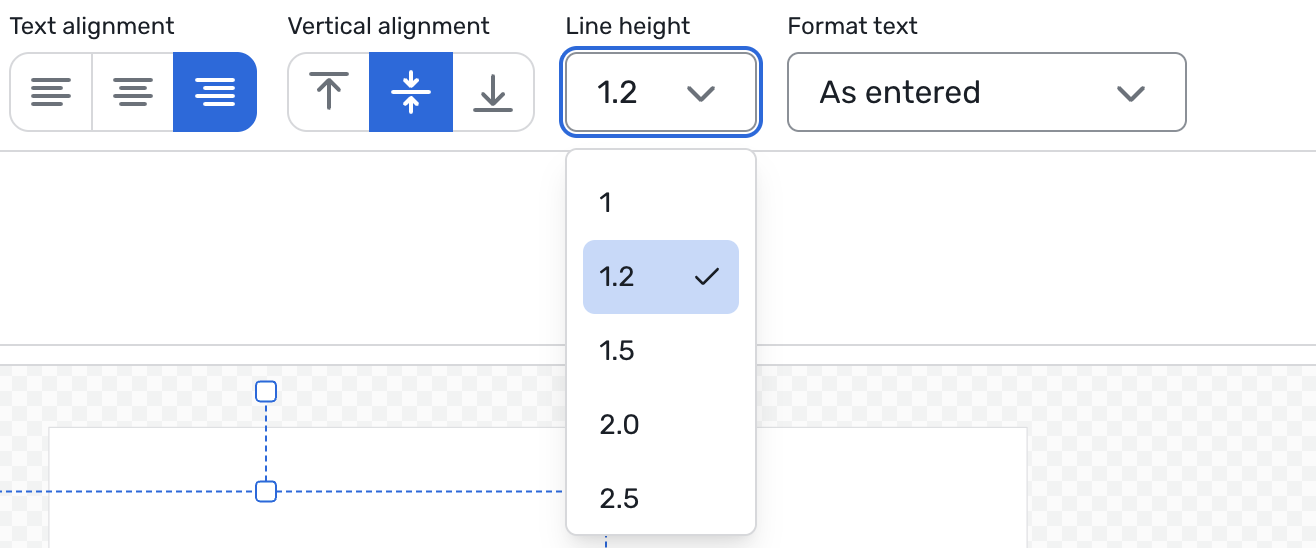
Together, the ability to customize layer names and line height gives planners more control with fewer workarounds, enabling them to move from design to print-ready badges with less effort.
Webinar
Movable Speaker Chat
Release Date: 01/22/2026
What's Changed: The speaker chat is now draggable, allowing users to move it to a better location. This prevents blocking important content and improves usability.
Additional Resources
Cvent Community: Do you have questions about the updates we've rolled out this window? As always, get questions answered in the Community via the Open Forum.
Beta Opportunities Page: Help us make Cvent Products better by being the first to test products before they're widely available. Join Beta Programs.
Quarterly Product News Webinar: Stay tuned for our upcoming Q1 2026 Product News webinar planned for March 4.