- DATE:
- AUTHOR:
- Cvent Product News Team

Attendee Engagement Releases For June 17, 2026
Attendee Hub
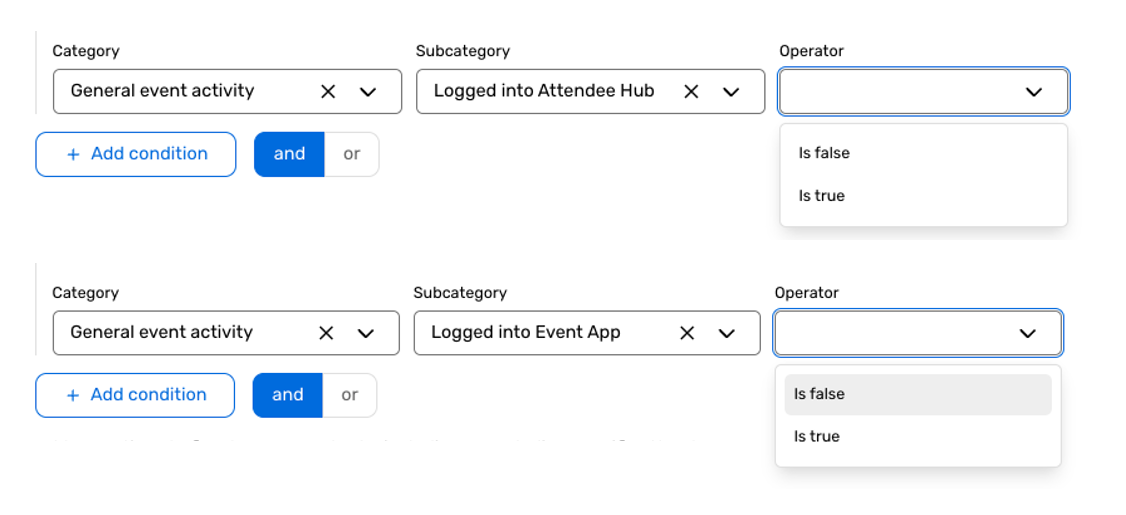
Absence-Based Targeting in Dynamic Audience Segments
What's Changed: Build audience segments based on actions attendees have not taken, such as not logging in, not attending a session, not joining chat, or not submitting a travel request, within the existing dynamic Audience Segments experience.
Benefit: This gives you a faster, simpler way to spot attendees who still need attention and reach them at the right moment. Instead of manually comparing lists, you can rely on self-updating segments to power more timely reminders, follow-up messages, and engagement campaigns throughout your event.
Attendee Hub Event App Updates
See a summary of the app enhancements that have been rolled out in each release window here.
Remember, Attendee Hub customers - If you have an active event between Wednesday and Sunday after this release date, you will not see these new features until Monday after the release. This is to ensure we are not releasing features into active, ongoing events.
Events+
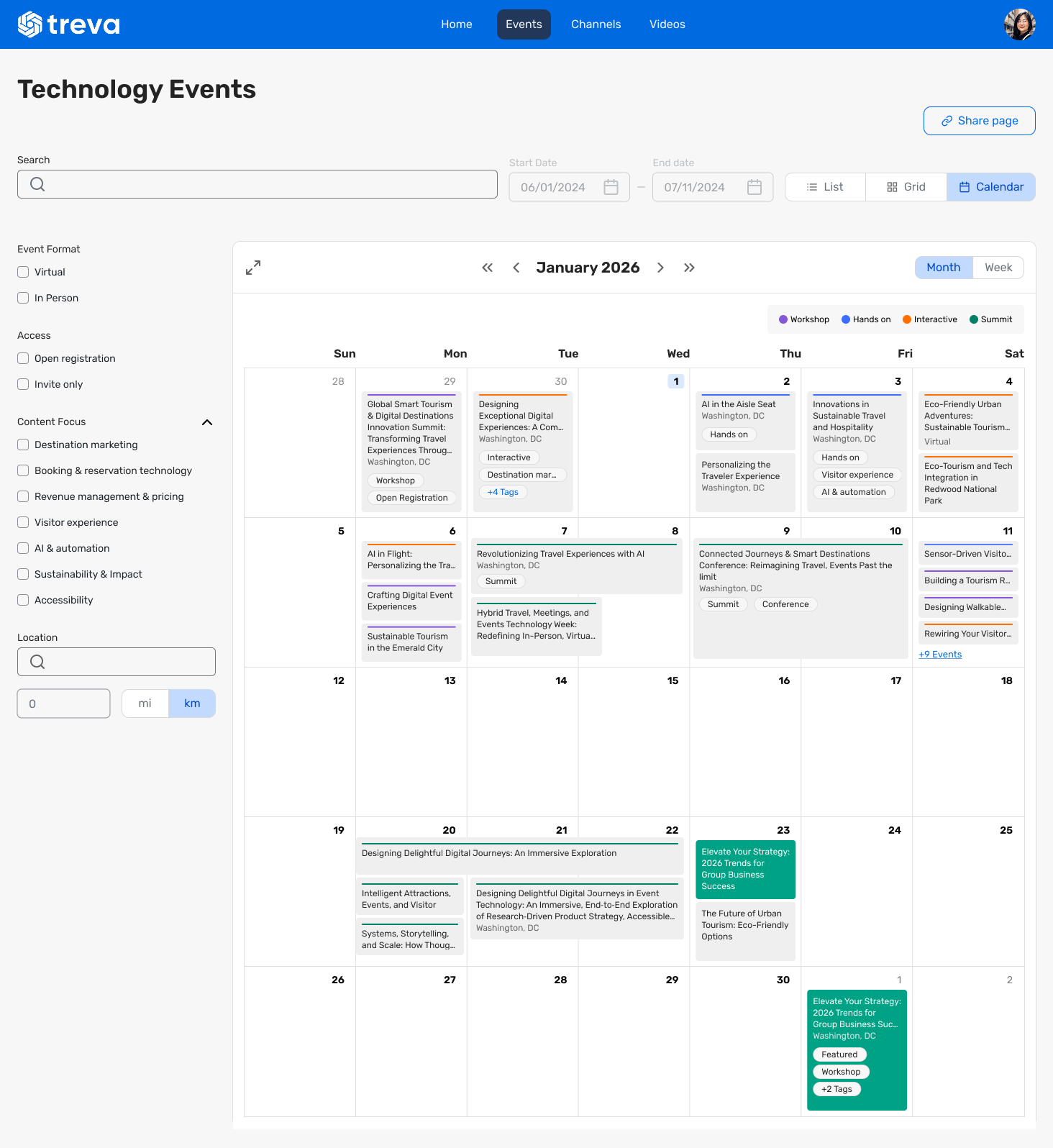
Calendar View In Event Calendar
What's Changed: You can set Calendar View as the default layout for your Event Calendar, and your attendees can browse events in a familiar monthly or weekly calendar format or switch between Calendar, List, and Grid views whenever they want.
Benefit: This gives your attendees a more intuitive way to explore your event content and quickly understand what’s happening when. It helps you create an easier browsing experience, makes schedules feel more organized, and gives people more flexibility in how they view your event lineup.
Automated Video Publishing
What's Changed: You can choose an Events+ Hub and up to 5 channels for your session pre-recorded videos, and the system will automatically publish them either right away or after your event ends, reducing manual work across products.
Benefit: This makes it easier for you to manage video content with fewer steps and more consistency. It helps you get session videos where they need to go faster, saves time during event setup and wrap-up, and creates a smoother workflow for sharing content with your audience.
OnArrival
Hybrid Check-in Improvements
With Hybrid Check-in Improvements, hybrid event attendance counts will more accurately reflect how attendees actually participated, rather than inferring participation from registration type.
This update gives planners more confidence in hybrid attendance tracking by improving how participation is counted and by allowing onsite check-in even when an attendee has already participated virtually.
Why did we build this?
For hybrid events, participation does not always align with registration type. That can lead to confusing attendance counts and make it harder for planners to understand how attendees actually engaged with a session.
We also wanted to support more flexible attendee journeys. If someone first joins virtually and later arrives onsite, planners should still be able to check them in in person without unnecessary friction.
What do you need to know?
Hybrid attendance counts in the app will better reflect actual participation behavior, rather than relying solely on registration type.
Attendees who have already participated virtually can still be checked in onsite when they arrive in person.
This helps planners maintain more accurate attendance records for hybrid sessions and reduces confusion during onsite operations.
Additional reporting support for hybrid check-in counts is planned soon, so look out for more reporting coverage in future updates.
Additional Resources
Cvent Community: Questions about the above updates? As always, get answers in the Community via the Open Forum.
Beta Opportunities Page: Try new features and products out before full launch availability. Join Beta Programs.