- DATE:
- AUTHOR:
- Cvent Product News Team

Attendee Engagement Releases for March 11, 2026
Attendee Hub
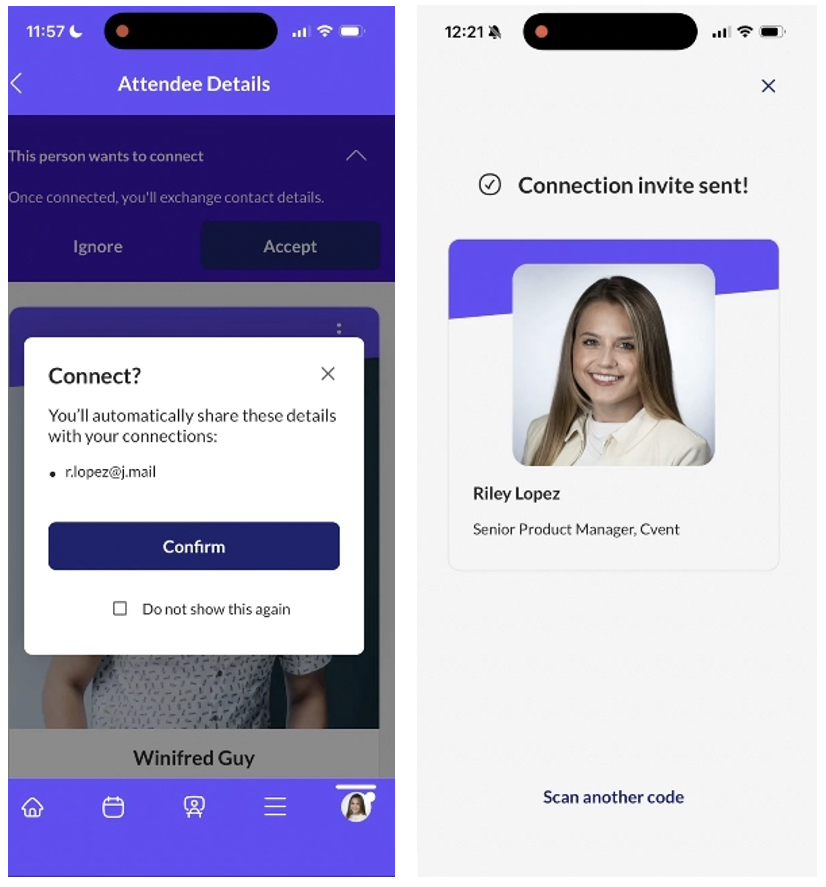
Easily Share Contact Details in Attendee Hub
What's Changed: Attendees will be able to share their contact details directly with each other in the Attendee Hub, extending the power of badge scanning beyond event staff and exhibitors to all participants.
Benefit: This makes it easier for people to turn in‑person conversations into real, lasting connections without manual follow‑up or business card swaps. Planners benefit from richer post‑event networks and more accurate attendee contact information captured through the app rather than ad‑hoc methods.
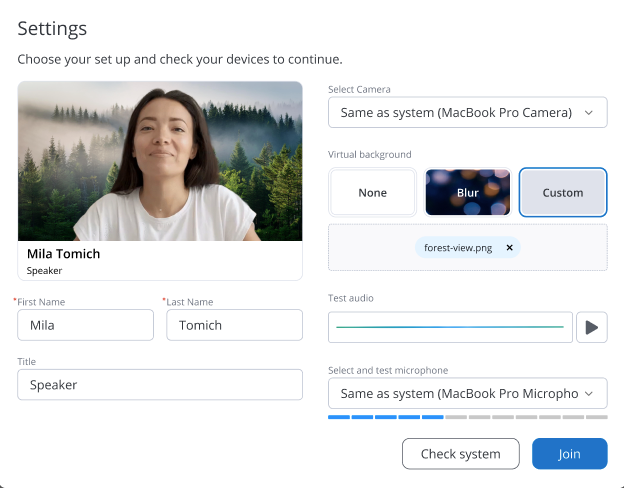
Virtual & Blurred Backgrounds
What's Changed: Speakers and hosts will be able to upload custom images or apply a blurred background when presenting in webinars and virtual sessions using Studio.
Benefit: This helps presenters look polished and on‑brand, even when working in a busy or less professional environment, keeping the focus on the content rather than distractions behind them. Audiences get a cleaner, more engaging viewing experience, which supports stronger attention and a more professional impression of your event.
My Appointments Page for the built-in Attendee Hub Appointments
What's Changed: The Event App will include a new Appointments page for built‑in Attendee Hub appointments, replacing the old Pending Appointment Requests page. Attendees will have a single place to view and manage all their appointments, with clearer status tracking and new filtering options.
Benefit: This gives attendees a simpler, more reliable way to stay on top of meetings so they’re less likely to miss important conversations and can keep their day organized at a glance. For planners, it reduces confusion and supports questions about where to find appointment details, leading to smoother matchmaking and higher show rates.
Attendee Hub Event App Updates
See a summary of the app enhancements rolled out in each release window here.
Remember, Attendee Hub customers - If you have an active event between Wednesday and Sunday after this release date, you will not see these new features until Monday after the release. This is to ensure we are not releasing features into active, ongoing events.
Events+
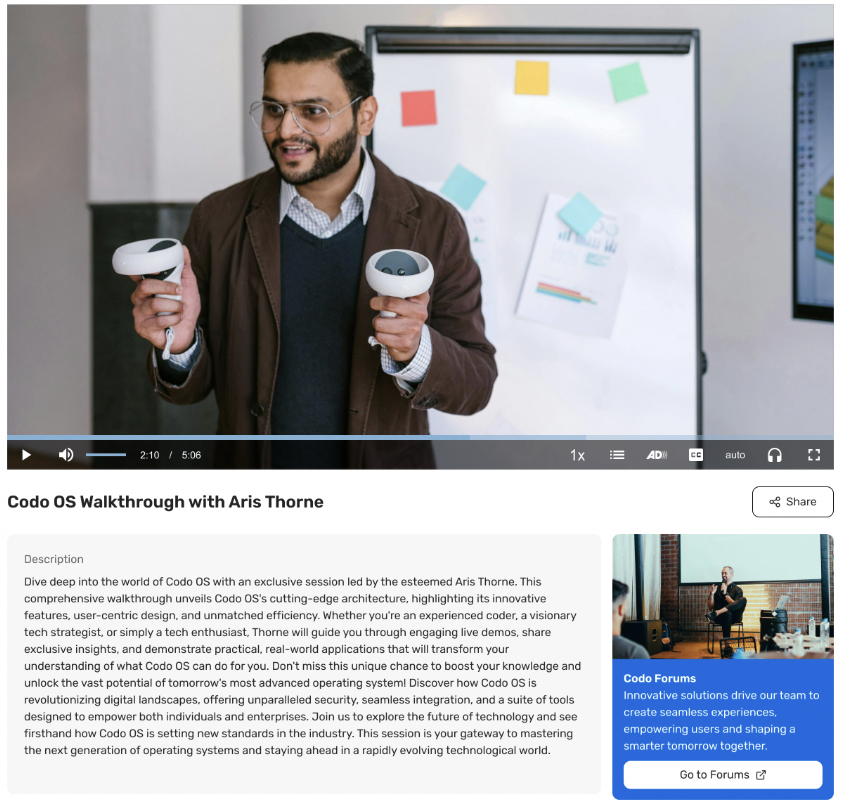
Video Action Card
What's Changed: Every on-demand video can be paired with a dedicated action area designed to move viewers from just watching to taking the next step, letting you create trackable call-to-actions directly alongside on-demand videos in Events+ - for example, “Book a Meeting,” “Register for Our Next Event,” or “Visit Sponsor Page.”
Benefit: This gives marketers a simple way to turn passive viewing into action by aligning clear calls‑to‑action with every video, whether that’s driving registrations, content downloads, or sales follow‑up. As a result, you can better connect content performance to real outcomes and guide viewers to the next best step without needing custom development on your site.
Webinar
Virtual & Blurred Backgrounds
What's Changed: Speakers and hosts will be able to upload custom images or apply a blurred background when presenting in webinars and virtual sessions using Studio.
Benefit: This helps presenters look polished and on‑brand, even in busy or less professional environments, keeping the focus on the content rather than distractions behind them. Audiences get a cleaner, more engaging viewing experience, which supports stronger attention and a more professional impression of your event.
Essentials
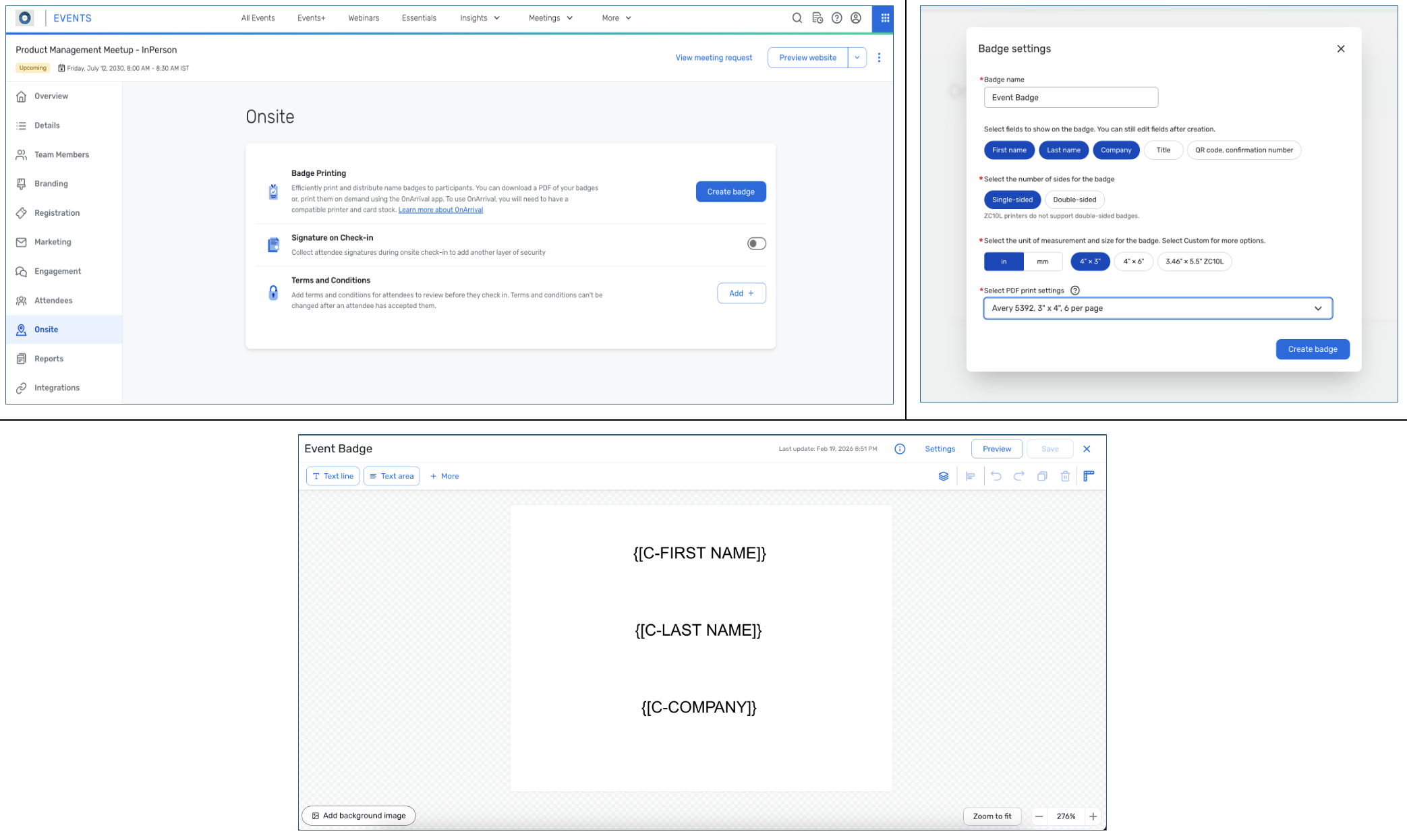
Event Badges
Create, brand, and print professional event badges directly in Essentials for smoother check-in and better networking.
What's Changed:
Design event-level badges right inside your Essentials event, complete with your branding and attendee details.
Automatically pull in registrant data so badges are ready to go—no more manual name tags or spreadsheets.
Choose how you work onsite: pre-print badges as a PDF, or print them on demand at check-in using OnArrival.
Benefit: Event badges in Essentials help your in-person events look more professional and on-brand, making it easier for attendees to identify each other and connect. Onsite, you can speed up check-in by printing badges as attendees arrive with OnArrival, keeping lines moving and details accurate. And because you can use Cvent’s curated Event in a Box packages or your own compatible printers, you stay flexible with the hardware that works best for your team.
Additional Resources
Cvent Community: Do you have questions about the updates we've rolled out this window? As always, get questions answered in the Community via the Open Forum.
Beta Opportunities Page: Help us make Cvent Products better by being the first to test products before they're widely available. Join Beta Programs.
UX Research Panel: Be part of a select group of users who will help guide the future of Cvent's products. Join the UX Panel.
Quarterly Product News Webinar: Register now for our upcoming Q1 2026 Product News webinar planned for March 4. Secure your Spot.