- DATE:
- AUTHOR:
- Cvent Product News Team

Attendee Engagement Releases for May 20, 2026
Attendee Hub
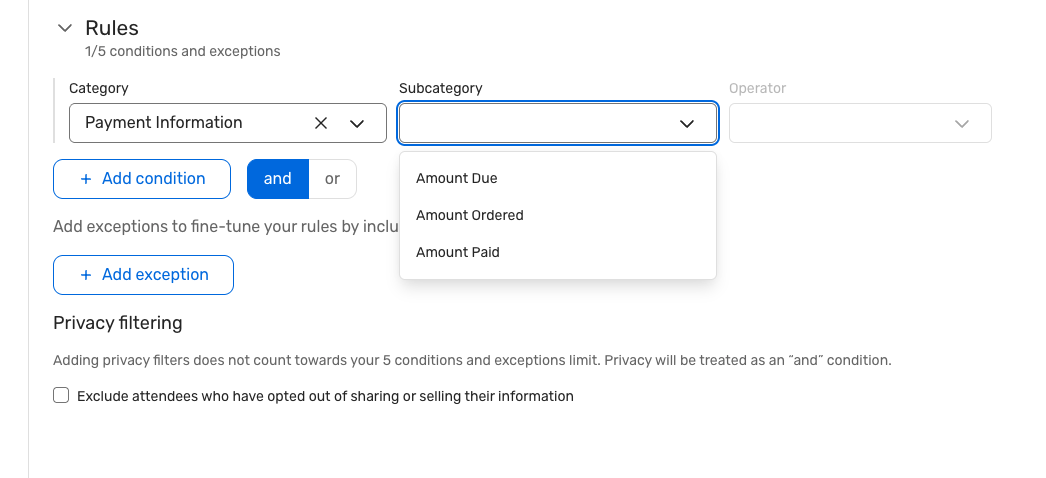
Attendee Pricing Fields Added to Audience Segments
What's Changed: You can build rule-based audience segments using payment information fields, allowing you to group attendees by payment status, such as paid in full, partially paid, or outstanding balance. These segments stay up to date automatically, rather than relying on manual list pulls.
Benefit: This makes it easier to send the right message to the right audience at the right time. Teams can follow up faster on payments, personalize communications more effectively, and tailor parts of the attendee experience based on real-time registration status.
Event Calendar - Event Modal & Filter Enhancements
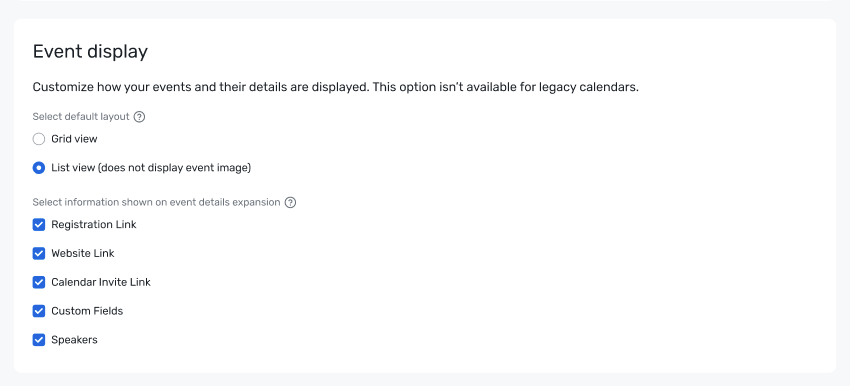
What's Changed: You can choose which details appear in the Event Calendar event modal, including links and speaker information, and decide whether attendees see the event format filter for virtual versus in-person events. These controls are available in the Event Calendar builder and apply to the attendee-facing experience.
Benefit: This gives teams more flexibility to shape the calendar experience around each event and audience. It also helps attendees get a cleaner, more relevant view of event information, which can make discovery and navigation feel simpler.
Email Assets from One-Off Emails to Reusable Library Across Every Event
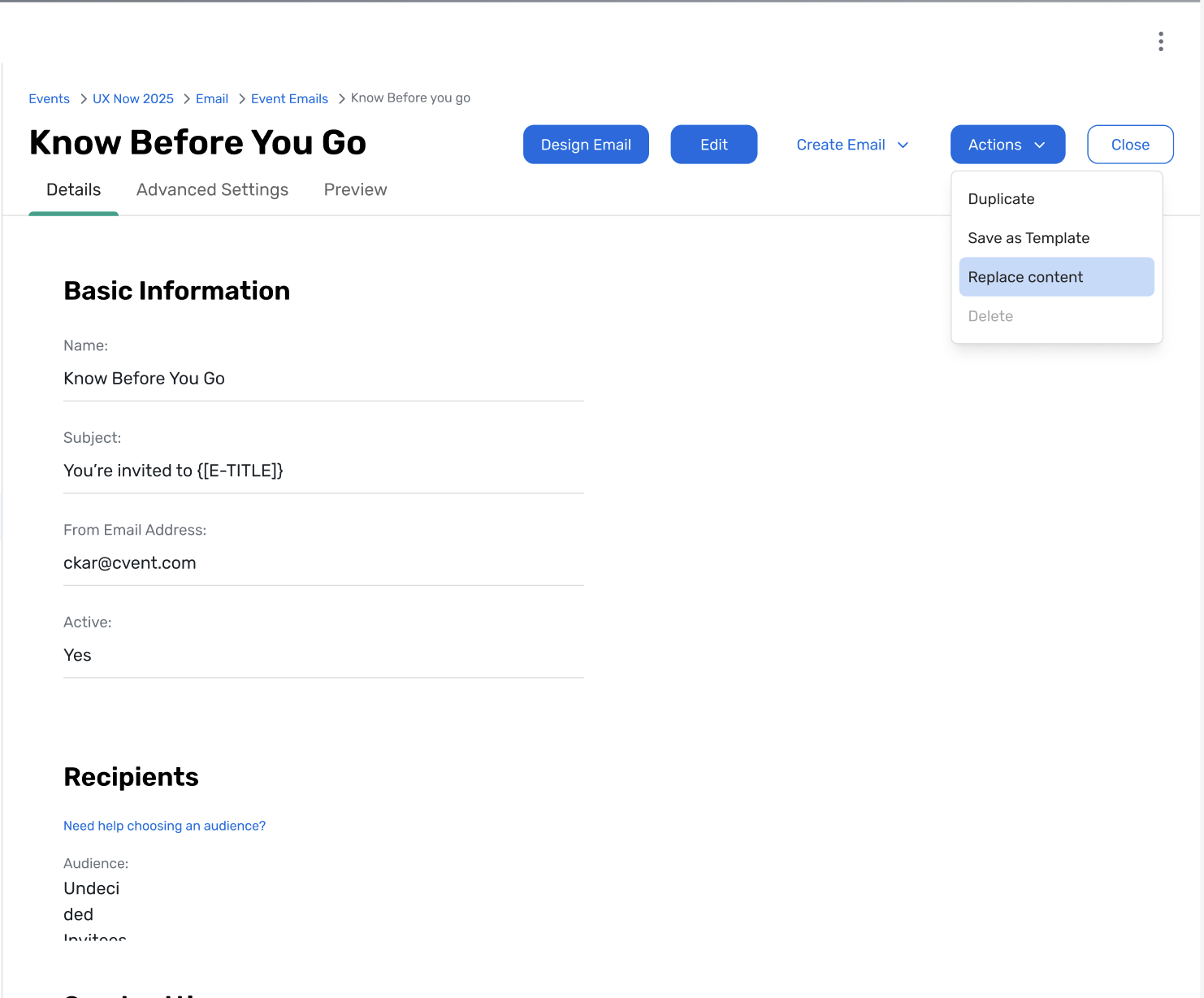
What's Changed: Event emails will be able to move from being one-off assets inside a single event to reusable library assets that planners can apply across events in just a few clicks. This is the first phase of a broader effort to make email creation more reusable and scalable.
Benefit: Customers can save time by reusing strong email content instead of rebuilding it from scratch for every event. It also helps teams keep messaging more consistent across programs while getting more value from the campaigns they already know work.
Attendee Hub Event App Updates
See a summary of the app enhancements that have been rolled out in each release window here.
Remember, Attendee Hub customers - If you have an active event between Wednesday and Sunday after this release date, you will not see these new features until Monday after the release. This is to ensure we are not releasing features into active, ongoing events.
Events+
Event Calendar - Event Modal & Filter Enhancements
What's Changed: You can choose which details appear in the Event Calendar event modal, including links and speaker information, and decide whether attendees see the event format filter for virtual versus in-person events. These controls are available in the Event Calendar builder and apply to the attendee-facing experience.
Benefit: This gives teams more flexibility to shape the calendar experience around each event and audience. It also helps attendees get a cleaner, more relevant view of event information, which can make discovery and navigation feel simpler.
OnArrival
OnArrival Android - Event Badges for Essentials
Earlier this year, we launched onsite badge printing via OnArrival for iOS devices in Cvent Essentials. We're now extending that capability to Android — so your entire onsite team can print on-demand badges at check-in for Essentials events, regardless of their device.
No changes to your badge setup are required. If you've already configured badges within your Essentials event, your existing layout will work seamlessly on Android.
Who is this intended for?
Event organizers: Your Essentials event badge configurations carry over automatically. Android support simply means more flexibility for your onsite team.
Onsite staff: Android users can now access the same full badge printing experience in OnArrival for Essentials events that iOS users have had: printing and distributing badges efficiently right at check-in.
Attendees: A consistent, professional check-in experience at Essentials events, regardless of what devices your team is working with.
Key Highlights
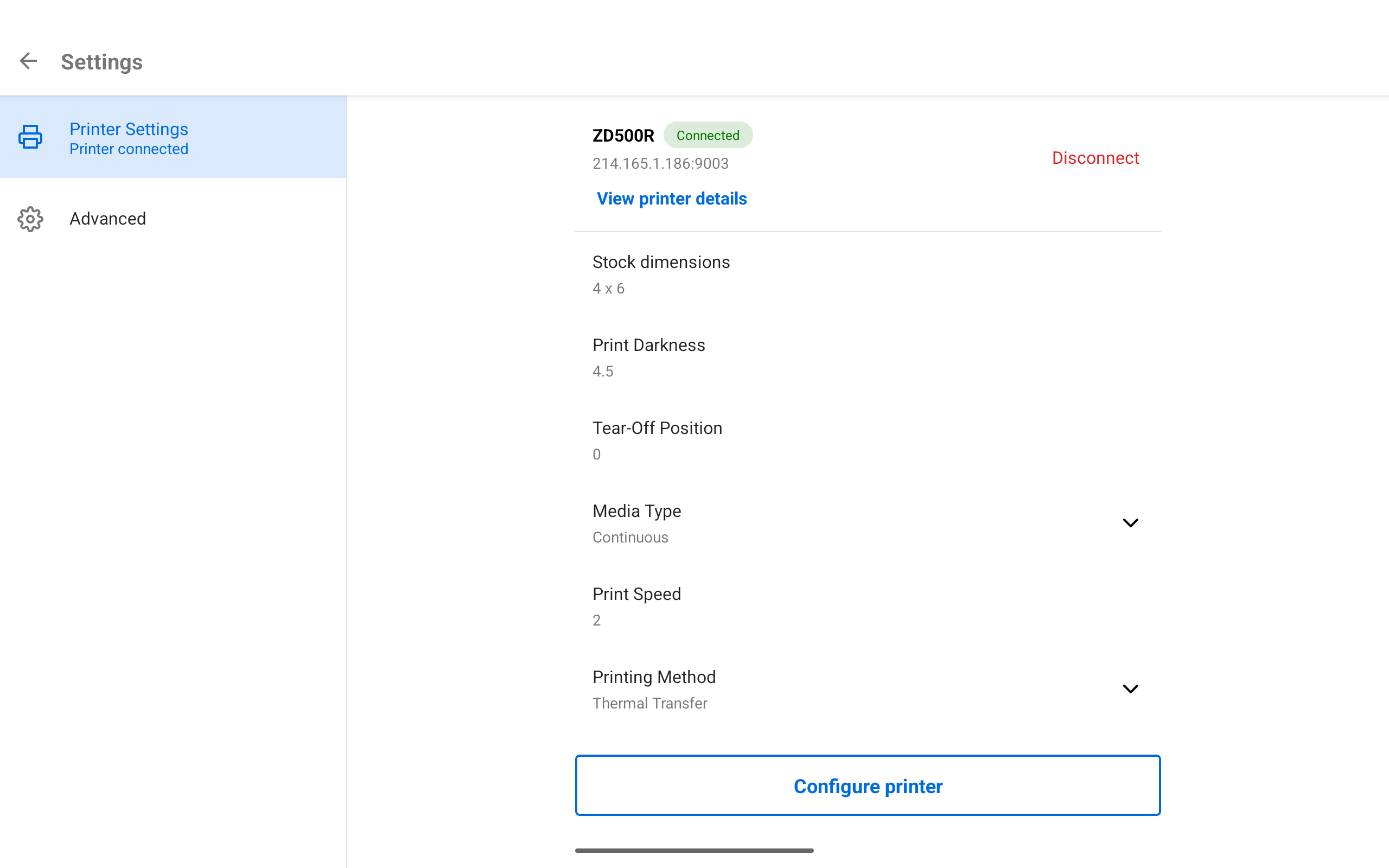
Android support in OnArrival for Essentials events: Access Settings, and then Printer Settings in OnArrival on Android devices to configure a printer for Essentials events that have a badge created.
No reconfiguration needed: Existing badge layouts created in your Essentials event (Onsite → Badge) are fully compatible — just open OnArrival on Android and you're ready to go.
Flexible hardware options: Customers can purchase or rent curated hardware packages through Cvent's Event in a Box offering by contacting their Cvent representative, or use their own compatible in-house printers.
Essentials and Webinar
Website Design and Templates
Create polished, on-brand event and webinar websites faster with flexible templates, built-in guardrails, and simpler customization.
What's Changed:
Administrators and Event Organizers will now have a better way to build event and webinar websites in Site Designer.
Administrators can create and manage website templates, while Event Organizers start with those templates and customize approved content without changing the overall layout or theme.
New since beta:
Administrators can preview different account themes on the website template.
Administrators can edit headers and footers on templates and sites.
Teams can add full-width banner images to templates and sites.
Teams can customize the visual appearance of the registration form.
Benefit:
Teams can now create websites faster without sacrificing brand consistency.
Administrators can set clear guardrails by locking or unlocking specific content widgets, so Event Organizers can make approved updates while staying within brand standards and organizational guidelines.
For Event Organizers, that means less time building from scratch and less guesswork about what to change.
Cvent Assistant
Get trusted support answers right where you work—without leaving Cvent.
What’s Changed:
Organizers can now ask support questions directly in Cvent Assistant using natural language.
Assistant responses include cited answers pulled from relevant Cvent Community content.
If more help is needed, users can quickly take the next step from Assistant—like creating a case, submitting feedback, requesting a callback, or starting a live chat when available.
AI-generated summaries and support for file or screenshot attachments make it easier to escalate issues with the right context.
Benefit:
Getting help is now faster, easier, and more connected to your workflow. Instead of stopping what you’re doing to search support content or switch channels, you can get answers in the moment—right inside Cvent. And when self-service isn’t enough, it’s simpler to move to the right support path with less back-and-forth and less time spent repeating details.
Powered by CventIQ intelligent capabilities, the Cvent Assistant is Cvent’s AI-driven, permission-aware planning assistant embedded across the platform to help organizers move faster from intent to action.
Additional Resources
Cvent Community: Do you have questions about the updates we've rolled out this window? As always, get questions answered in the Community via the Open Forum.
Beta Opportunities Page: Help us make Cvent Products better by being the first to test products before they're widely available. Join Beta Programs.
UX Research Panel: Be part of a select group of users who will help guide the future of Cvent's products. Join the UX Panel.