- DATE:
- AUTHOR:
- Cvent Product News Team

Attendee Engagement Releases for November 18, 2026
Products covered under Attendee Engagement are Attendee Hub, Events+, Appointments, OnArrival, LeadCapture, Webinar and Essentials.
Attendee Hub
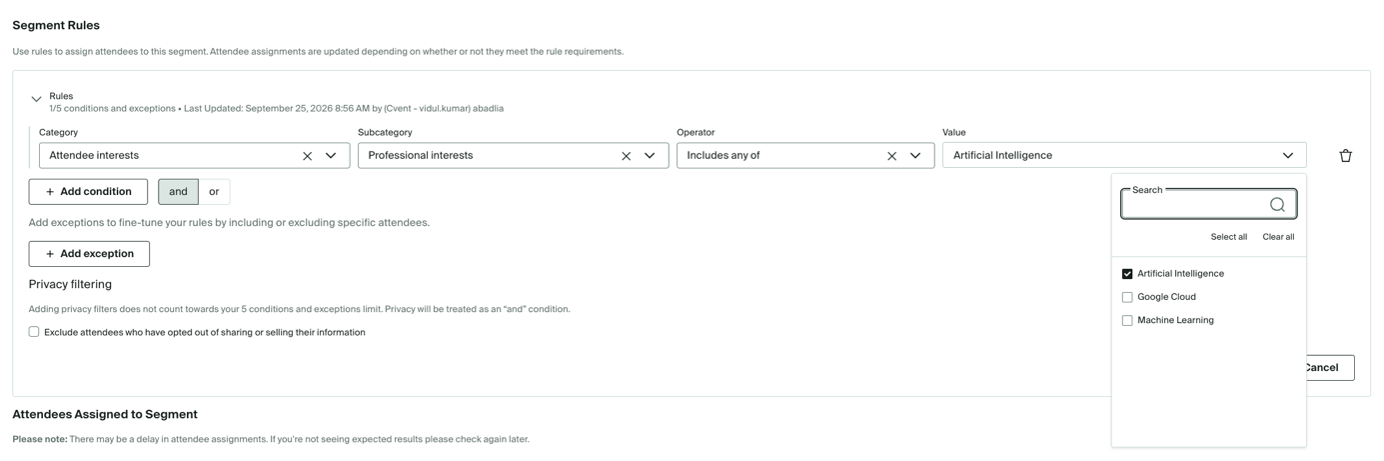
Professional Interests in Dynamic Audience Segments
What's Changed: Dynamic Audience Segments will let you build groups using Professional Interests that attendees choose on their profiles, and Discovered Interests based on their activity in Attendee Hub (available to customers in the Event Interest Insights Dashboard closed beta).
Benefit: These interest-based groups can help you tailor session promotions, recommendations, sponsor outreach, and follow-up to what attendees say they care about and what they engage with.
Discussion Image Downloads
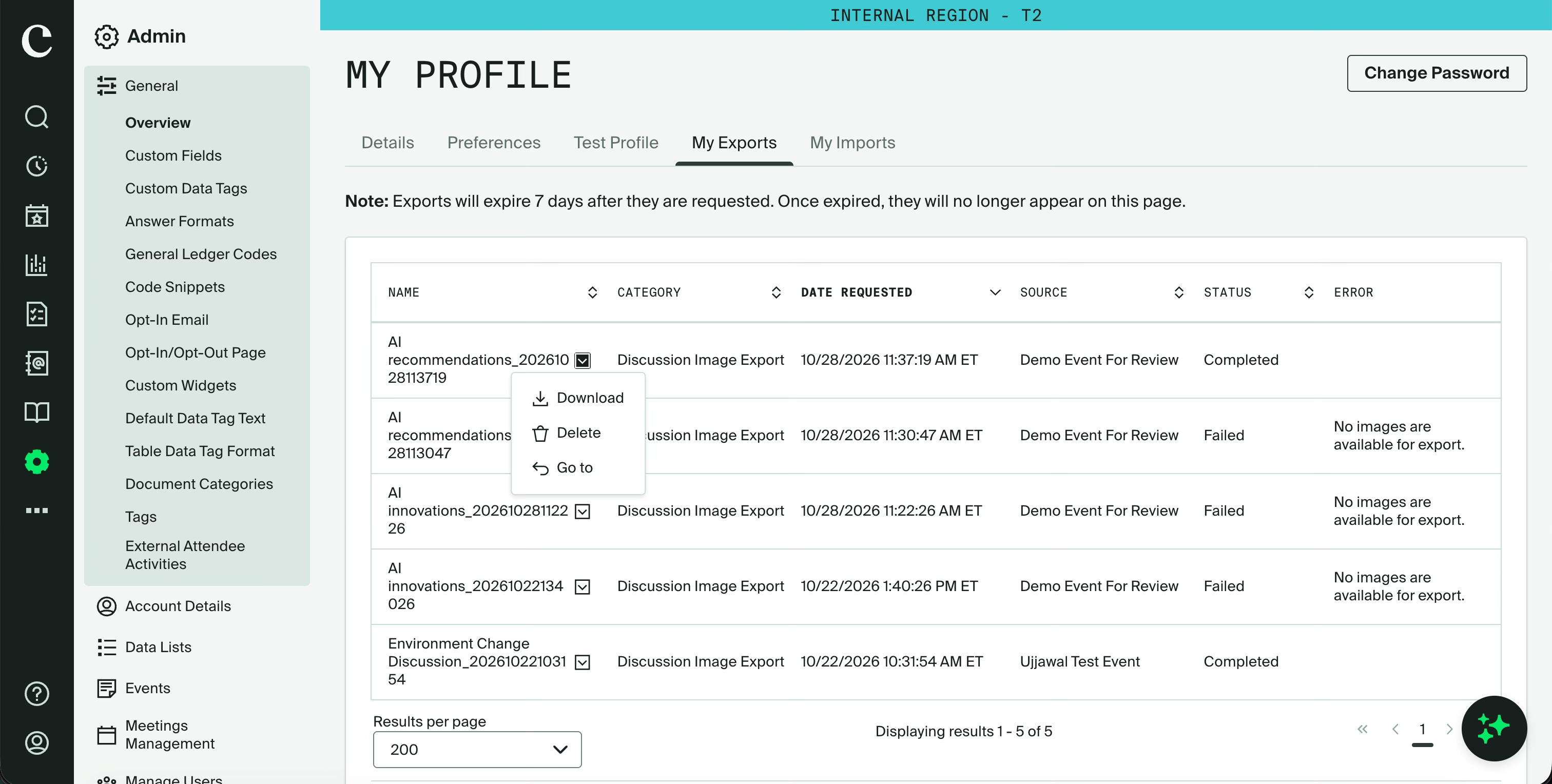
What's Changed: Organizers no longer have to scroll through long threads and save images one at a time, or open a support ticket to have our team handle it for you. You can now download attendee photos on-demand for post-event marketing, recaps and archiving in minutes.
Key Considerations:
Images only. The ZIP contains image attachments shared in the discussion. Chat transcripts are exported separately.
Only available images are exported. Deleted images are skipped automatically, and the rest of the export still completes. If a discussion has no images, the Export Images button is disabled.
Up to 15,000 images per export. If a discussion has more than that, the export includes the 15,000 most recent images.
Promote Appointments across Attendee Hub Web and App
Expected Release Date: November 4, 2026
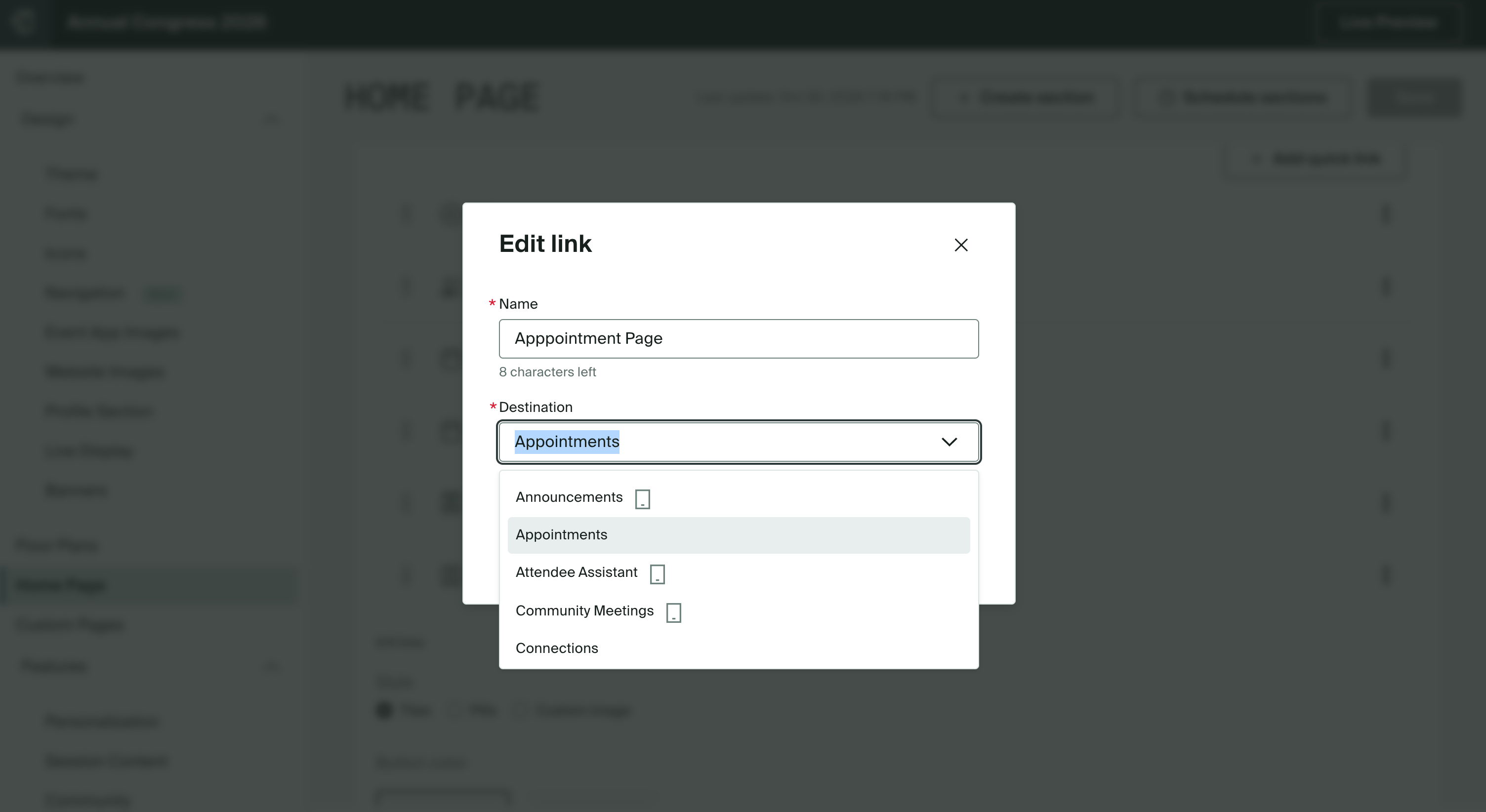
What's Changed: You can now promote Appointments as a link destination across home page sections, quick links, banners, and planner-supported notifications in Attendee Hub web and app, in addition to the Appointment spotlight card.
Benefit: You can make it easier for attendees to find meeting scheduling when they’re deciding who to meet, and prompt them at relevant moments, such as open scheduling or networking slots.
Attendee Hub Event App Updates
See a summary of the app enhancements that have been rolled out in each release window here.
Events+
Calendar Visibility Controls
What's Changed: You can set visibility for each calendar in your Events+ Hub using contact groups and/or contact types. You can keep calendars within the Hub or share one as a standalone public page.
Benefit: You can serve different audiences from one Hub, showing people the calendars they’re allowed to see instead of maintaining a separate Hub for each audience.
Custom Domain Targeting
What's Changed: You can point your branded custom domain directly to an Events+ Hub homepage or a specific calendar page. If you have multiple domains, each can lead to a different Hub or calendar.
Benefit: You give attendees one branded entry point to your year-round events, without relying on legacy calendar URLs or setting up manual redirects and extra URL paths.
OnArrival
OnArrival Badge Designer: Image & Shape Enhancements
Planners can now round corners and add borders to images and shapes in the OnArrival Badge Designer, so attendee photos and logos look more polished and on-brand.
Previously, image and profile image widgets always printed with square corners and offered little customization. If planners wanted a rounded or circular attendee photo or a framed logo, the image had to be edited externally before uploading, or planners would opt for a plainer design.
What’s new
Planners can find the following settings in the Style tab of the toolbar in the Badge Designer:
Corner radius: Round the corners of image, profile image, and rectangle and square shape widgets. Use a small value for softly rounded corners, or a larger one to turn a square silhouette into a circle.
Line weight & Color: Add a border to image, profile image, and shape widgets, and customize it as needed to fit the event brand. The image adjusts to fit inside the border, so no part of the photo is covered.
Note: If these settings are not edited, existing badges look exactly as they do today.
Cvent Essentials
Self-Service Check-in
Planned release date: November 18, 2026
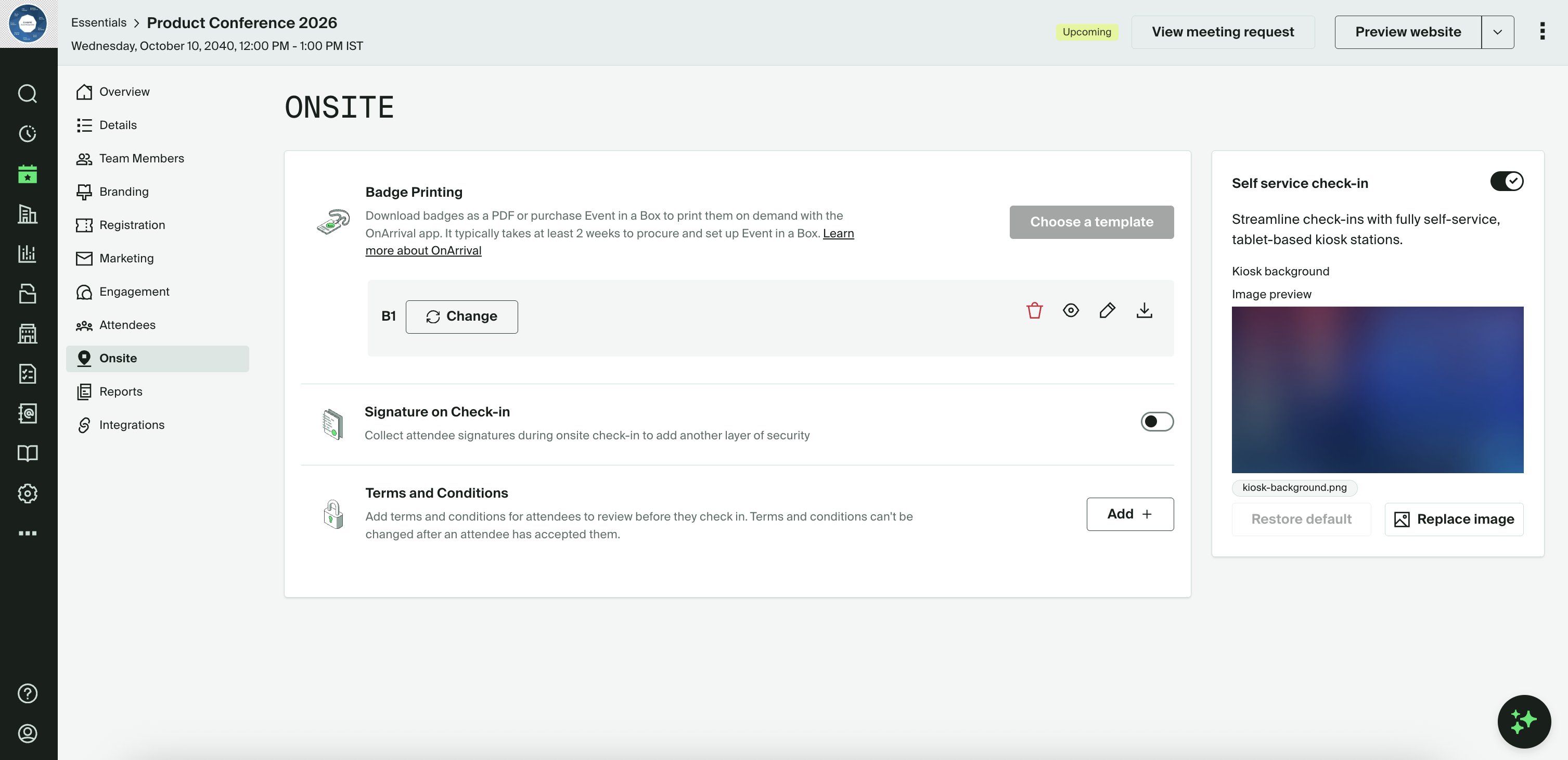
Give pre-registered attendees a faster, easier arrival with self-service kiosk check-in—so your team can spend less time managing queues and more time welcoming guests.
What’s changed
Organizers can turn on Kiosk Mode in their event’s Onsite settings and launch it on an iPad using the OnArrival iOS app.
Attendees can check in by scanning the QR code in their confirmation email or searching by name, email address, or confirmation number.
Depending on event setup, kiosks can display terms and conditions, collect digital signatures, and print badges.
Organizers can run multiple kiosks for one event to handle arrivals without relying only on additional staff. Kiosk Mode is included with Essentials; no OnArrival Premium license is required.
Benefit: Help reduce queues and wait times for a smoother event arrival, while freeing your team to focus on personalized guest support.
Additional Resources
Cvent Community: Questions about the above updates? As always, get answers in the Community via the Open Forum.
Beta Opportunities Page: Try new features and products out before full launch availability. Join Beta Programs.