- DATE:
- AUTHOR:
- Cvent Product News Team

Exchange Solutions Releases for April 22, 2026
Cvent Supplier Network
'Why This Venue' on CSN AI Search
What it is:
The "Why this venue" feature in CSN Search helps you understand why a specific venue is being recommended based on your unique search query. This enhancement adds a concise, contextual, AI-generated summary directly on each venue card within the Search Results Page (SRP).
By combining your search prompt with detailed venue profile data, the feature gives you a clear, plain-language explanation of a venue’s relevance. This boosts transparency, builds trust in your search results, and helps you evaluate options more efficiently.
How it works:
A summary is generated on demand when you click the "Why this venue?" button on a venue card.
The AI uses your search prompt along with venue content to generate a summary, limited to 400 characters.
The feature is available on desktop only for logged-in users with AI Search 2.0 access.
AI-generated summaries include the disclaimer: "Cvent AI may make mistakes" to set appropriate expectations about AI accuracy.
Summary generation can take up to approximately 6 seconds, depending on AI service processing time.
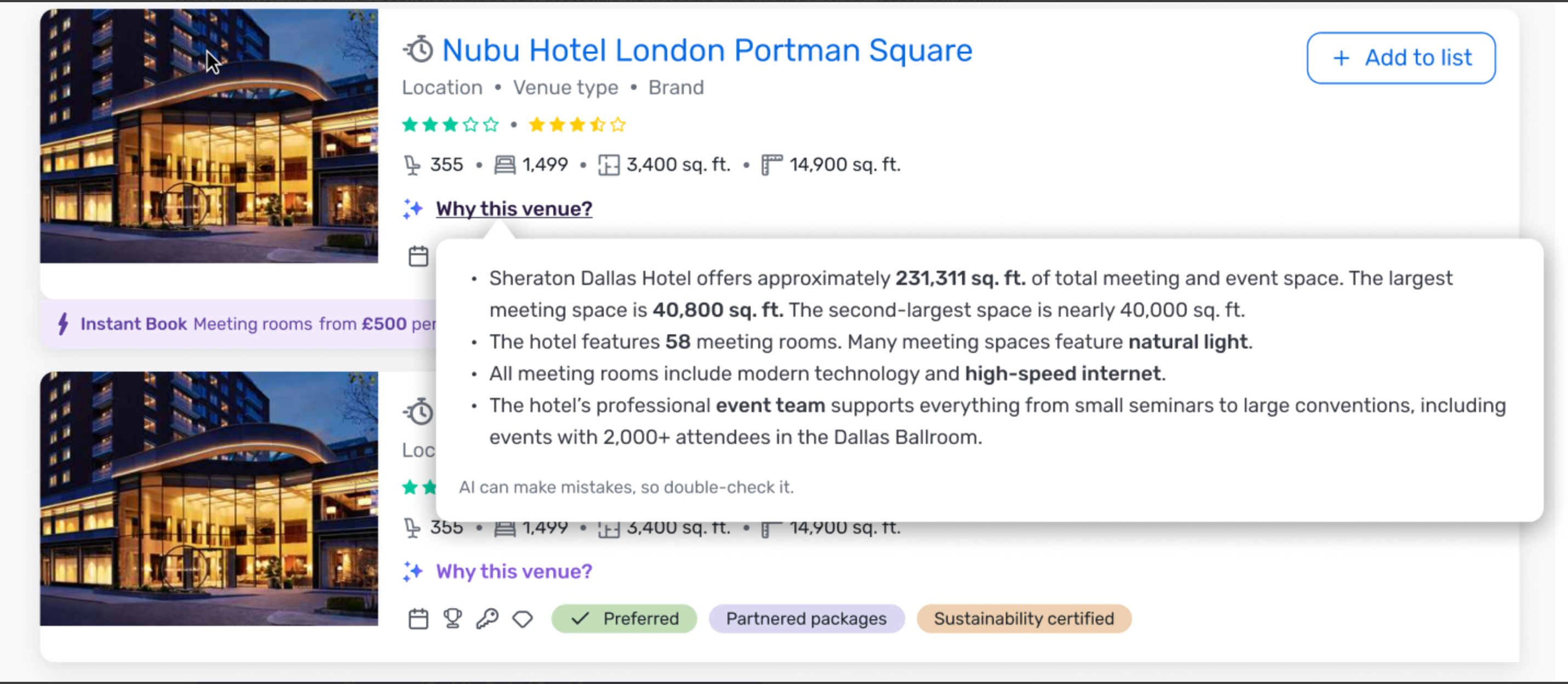
This release marks a meaningful step forward in our AI Search capabilities, giving you transparent, actionable insights into why venues are recommended. It enhances your search experience by enabling faster, more informed decisions and increasing your confidence in AI-driven results.
Cvent Passkey
Event Dashboard Quick View
Expected Release Date: Rolling out starts 04/22/2026
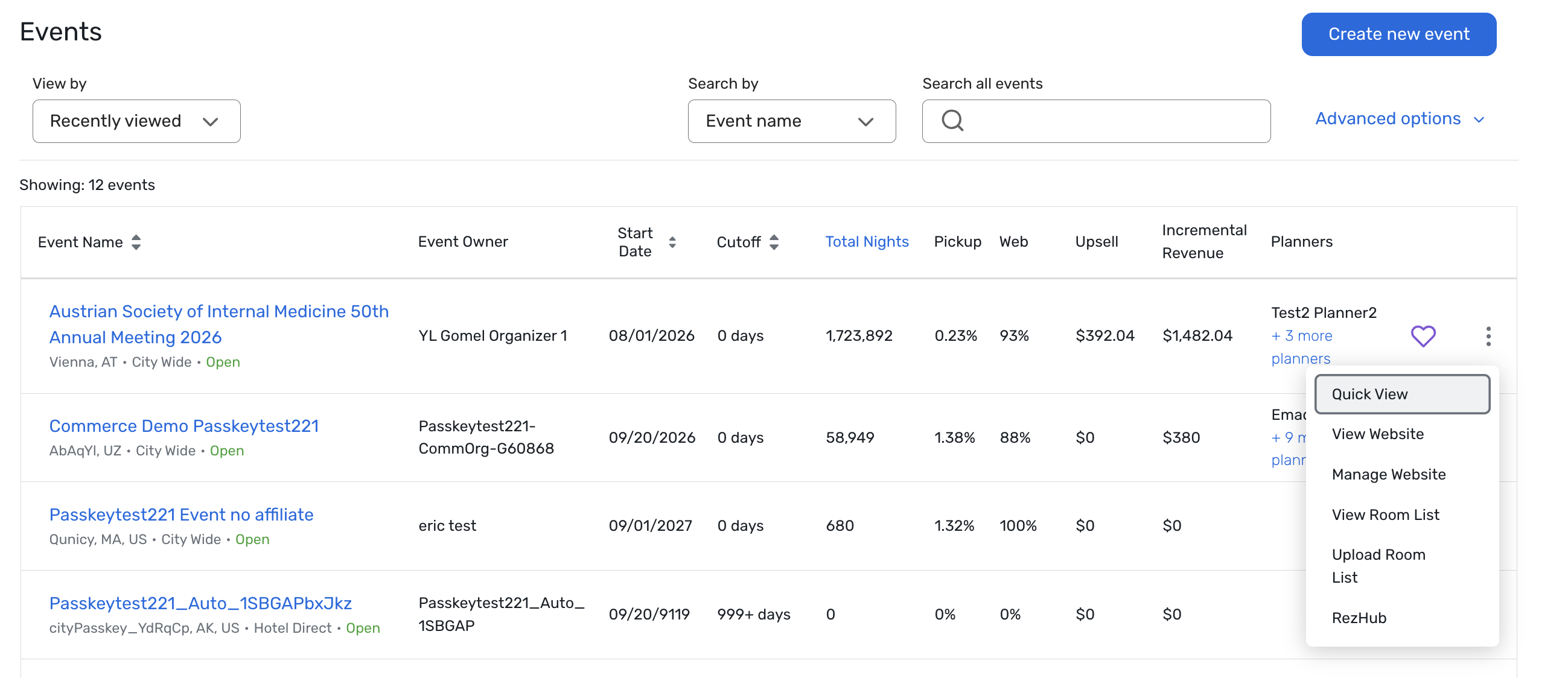
What's Changed: We’ve added a new Event Dashboard Quick View in Passkey so you can see key inventory and performance details for an event without drilling into multiple reports or pages.
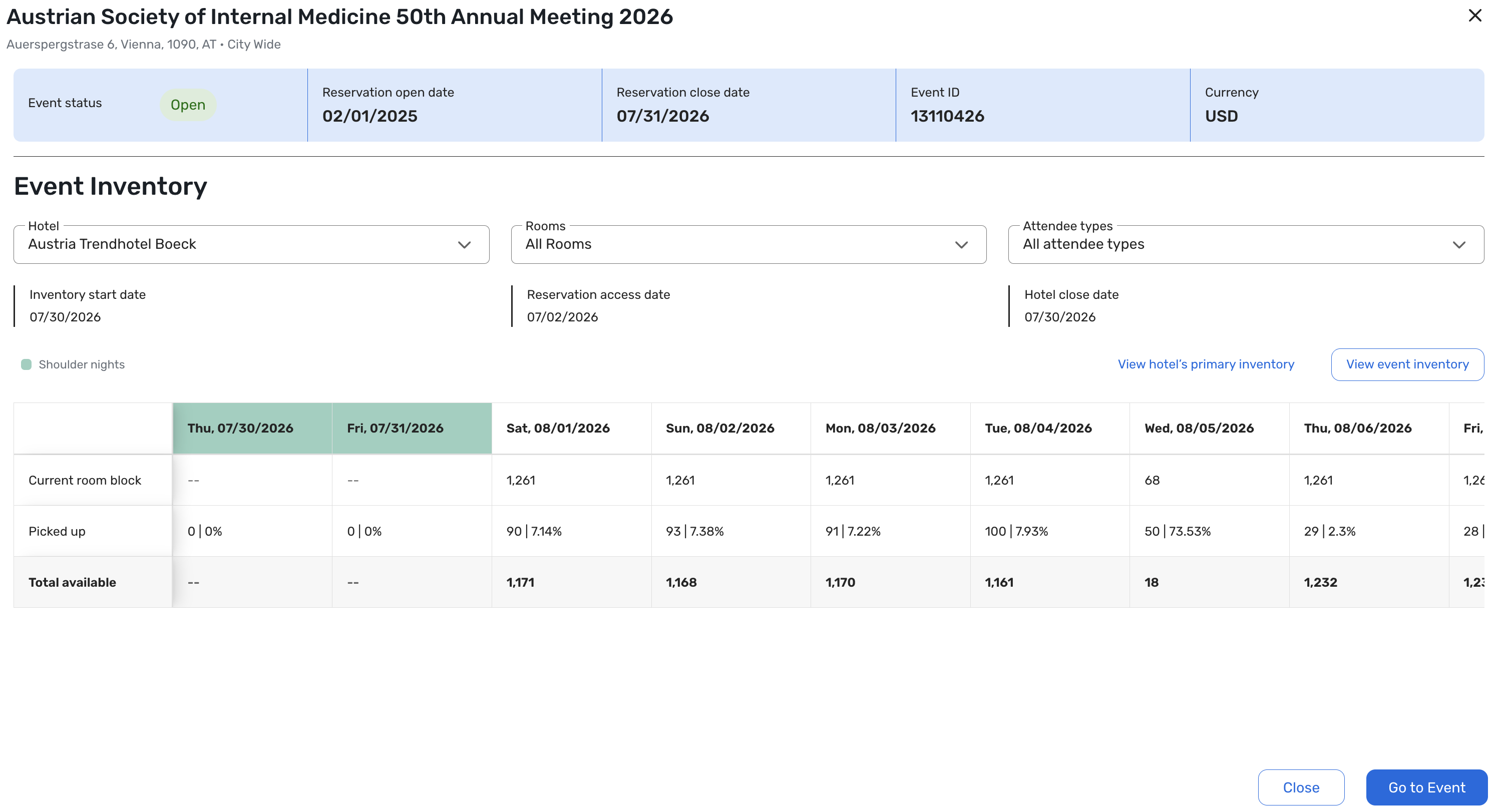
From the event home, you can now open Quick View for an eligible event to see:
A high-level event summary including event status, reservation open/close dates, event ID, and event currency.
Key inventory and access dates, such as the inventory start date, the reservation access date, and the hotel cut-off date.
A night-by-night grid of contracted block, pickup, and remaining inventory for a selected hotel, aligned with the updated user experience.
Filters for hotel, attendee type, and room type to quickly focus on the inventory that matters most to you.
How it works:
From the event listing or home page, open an event and select Quick View.
Choose a hotel (and optionally attendee and room type filters).
The panel displays a night-by-night breakdown of block, pickup, and remaining inventory, including shoulder dates and key configuration indicators.
Important behavior notes:
Read-only: Quick View is a read-only summary; all edits still happen on the underlying configuration and detailed inventory pages.
Permissions-aware: Users only see Quick View and hotel data they’re already authorized to view.
Per-hotel view: You’ll see one hotel at a time, with a fast switcher to move between hotels in the same event.
Future enhancement:
Today, free-sell rooms are included within the overall Picked Up statistics. In a future release, free-sell inventory availability will be displayed separately to give you a clearer view of contracted vs. free-sell pickup.
Benefit: This update gives you a fast, at-a-glance view of event inventory health so you can spend less time hunting for basic numbers and more time making decisions.
With Quick View, you can:
Quickly confirm whether your event is on track by night and by hotel.
Immediately spot which nights or hotels need attention right now.
Reduce time spent navigating reports and pages, freeing you up to focus on revenue decisions, risk management, and conversations with hotels.
Gain a clearer understanding of how contracted block, pickup, and remaining inventory are trending throughout the event.
Additional Resources
Cvent Community: Do you have questions about the updates we've rolled out this window? As always, get questions answered in the Community via the Open Forum.
Beta Opportunities Page: Help us make Cvent Products better by being the first to test products before they're widely available. Join Beta Programs.
UX Research Panel: Be part of a select group of users who will help guide the future of Cvent's products. Join the UX Panel.