- DATE:
- AUTHOR:
- Cvent Product News Team

Exchange Solutions Releases for April 8, 2026
Cvent Supplier Network
Expanding Sustainability Across More Venues
Expected Release Date: 03/25/2026
Overview
We’re expanding the sustainability experience in venue profiles across the Cvent Supplier Network. You can now access more consistent sustainability information across a broader range of venues—whether or not they participate in the BeCause program.
What’s new:
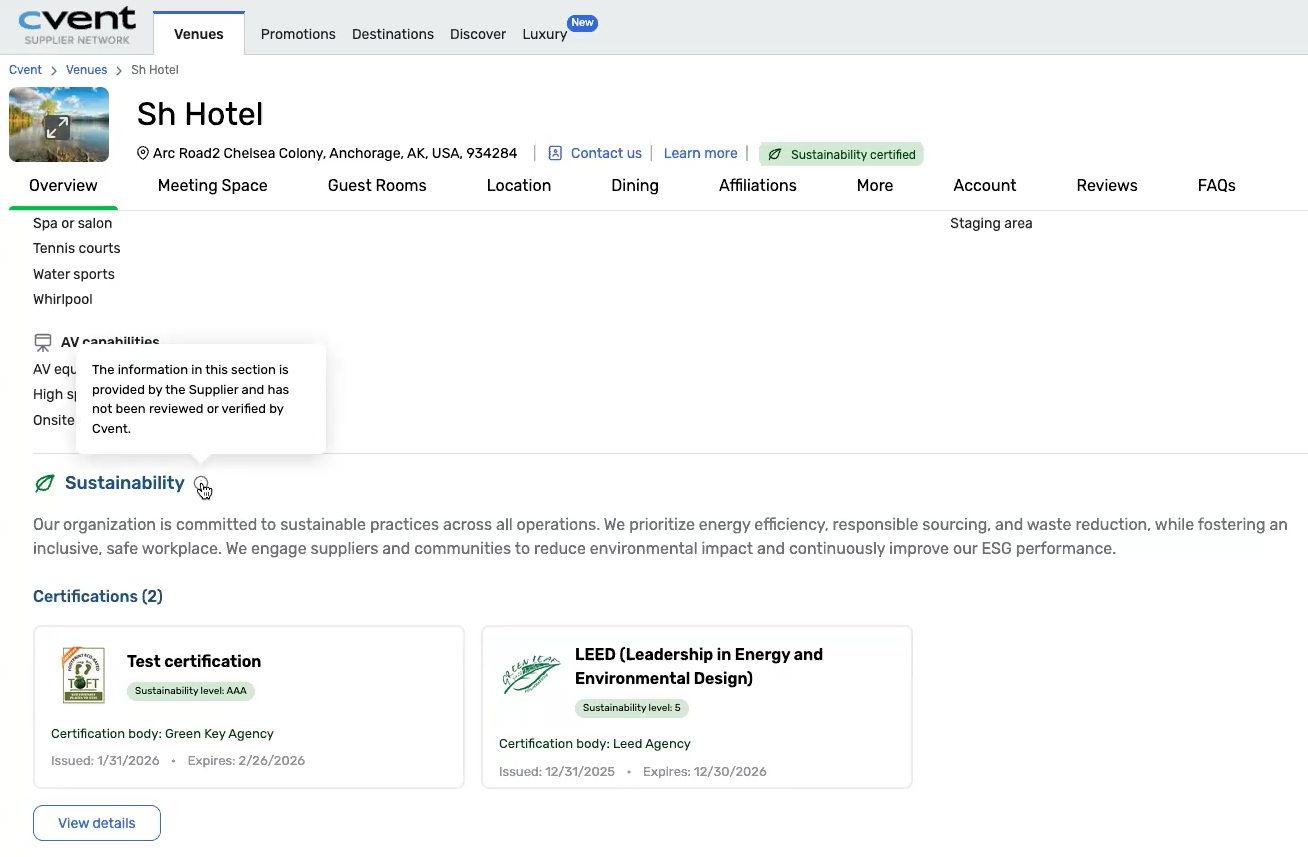
On the venue profile page, you’ll now see a Sustainability section for eligible venues that are not integrated with BeCause. This section includes:
A plain-language sustainability description provided by the venue
Certification details, including the certifying agency name/logo and certificate expiry date
A brief disclaimer noting that the information was provided by the venue
For venues with at least one active certification, you’ll also see a “Sustainability certified” badge in the profile header.
This appears in the same place where sustainability data is shown for BeCause-integrated venues, so you can review sustainability information in one consistent location—across both BeCause and non-BeCause venues.
For venues already integrated with BeCause, BeCause-sourced data remains the primary source of truth and continues to appear automatically. Venue-provided information does not replace verified BeCause certifications.
Why this matters
Gives you a more consistent and transparent view of sustainability information, so you can evaluate venues with greater confidence
Expands visibility across more venues, allowing you to see sustainability credentials beyond those enrolled in BeCause
Publish RFP Reports to Access Portals
Expected Release Date: 04/09/2026
Note: Available for Access Portal users only
Overview
You can now publish saved RFP reports directly to your Access Portal, making it easier to share sourcing insights with stakeholders who don’t have a Cvent account.
Previously, RFP reports could be shared only with non-Cvent users via the legacy client portal. With this update, you can provide external partners, third-party planners, and other stakeholders with streamlined access to key sourcing data—all in one place.
What’s new:
Publish any saved RFP report to your Access Portal for easy external sharing
Give non-Cvent users direct access to sourcing data without relying on the legacy client portal
Keep stakeholders aligned with up-to-date reporting in a centralized, accessible experience
How it works:
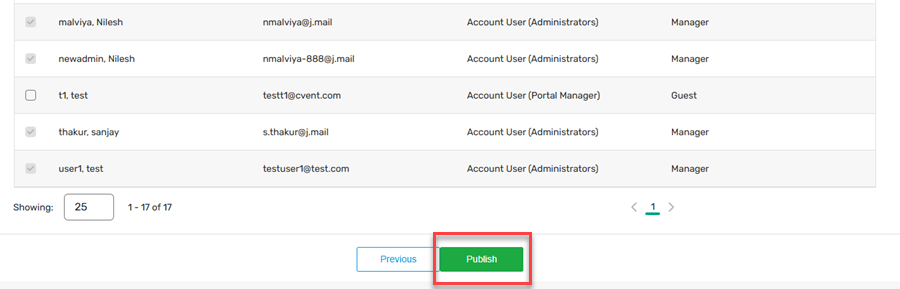
Publishing a report follows the same steps as sharing other content to the Access Portal:
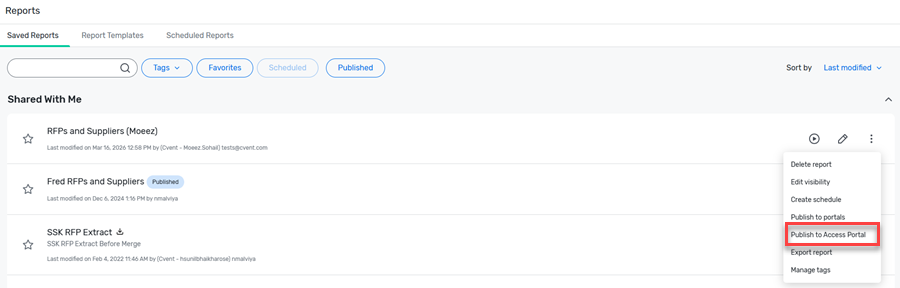
Click the kebab menu next to your saved report
Select Publish to Access Portal:
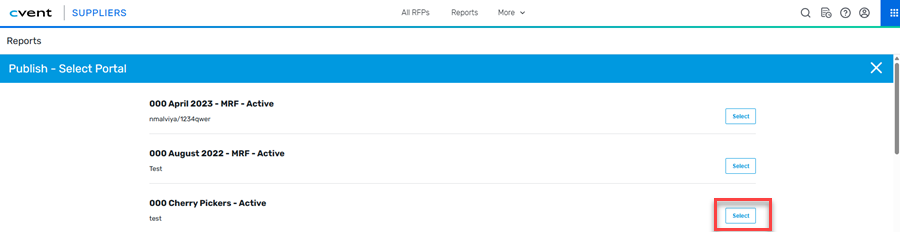
Choose the Access Portal to which this report should be published:
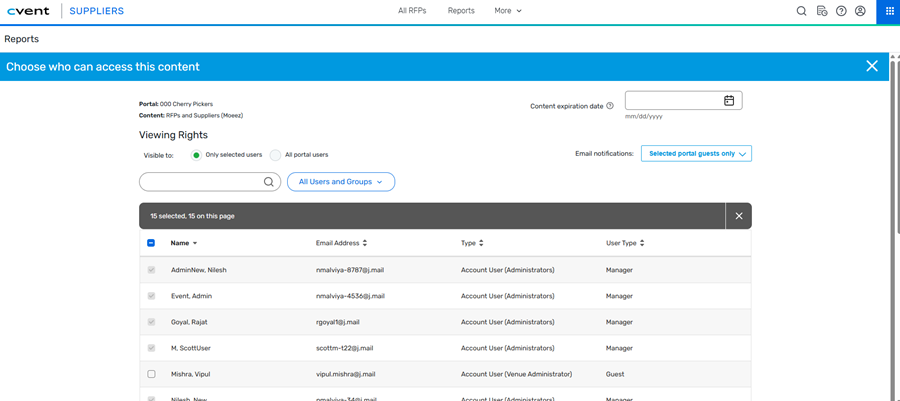
Choose which users of that access portal should be granted access to the report, whether the content should expire, and which users of the portal should be notified of the new content:
Click Publish:
Cvent Passkey
Modernized Reservation Search Experience
Expected Release Date: 04/09/2026
Overview
We’ve refreshed the Find a Reservation experience under the global Reservations menu with a new look and a more streamlined workflow. It’s designed to help you move quickly and confidently when navigating multiple reservations or events—so you can spend less time searching and more time assisting guests.
Search results now display both individual and group reservations in a single view, making it easier to find what you need at a glance. Group bookings are clearly highlighted and include both the master acknowledgment number and individual acknowledgment numbers for quick reference.
The initial search experience is optimized for speed, with results appearing as you type and quick access to key reservation details. For more complex needs, an Advanced Search option is available.
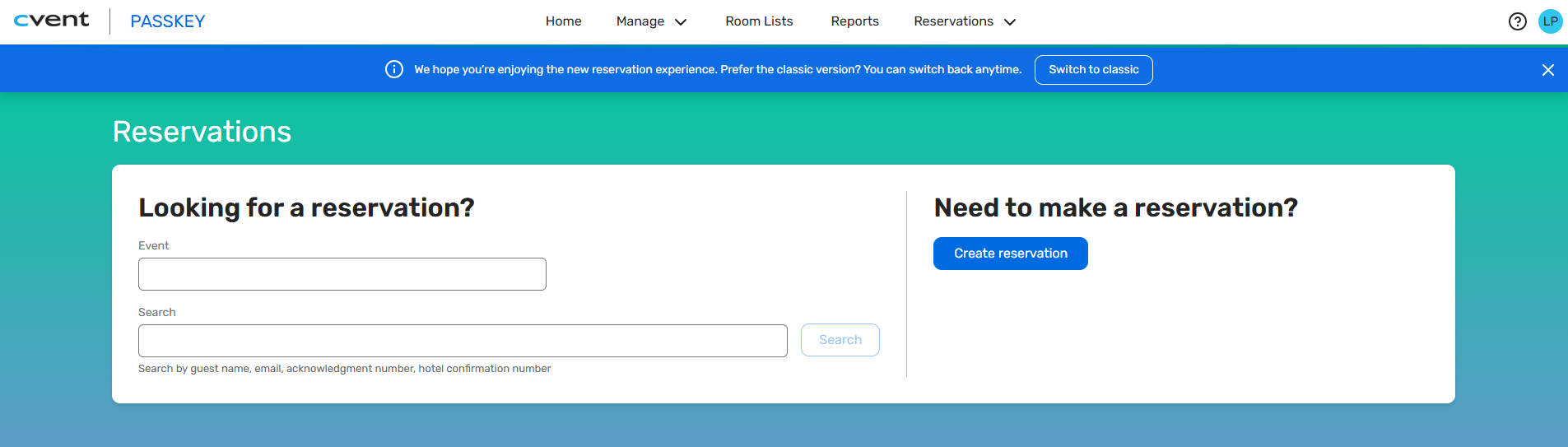
Initial Search
Start by optionally selecting an event, then use flexible search criteria such as guest name, email, acknowledgment number, or hotel confirmation number.
To create a new reservation, select Create reservation.
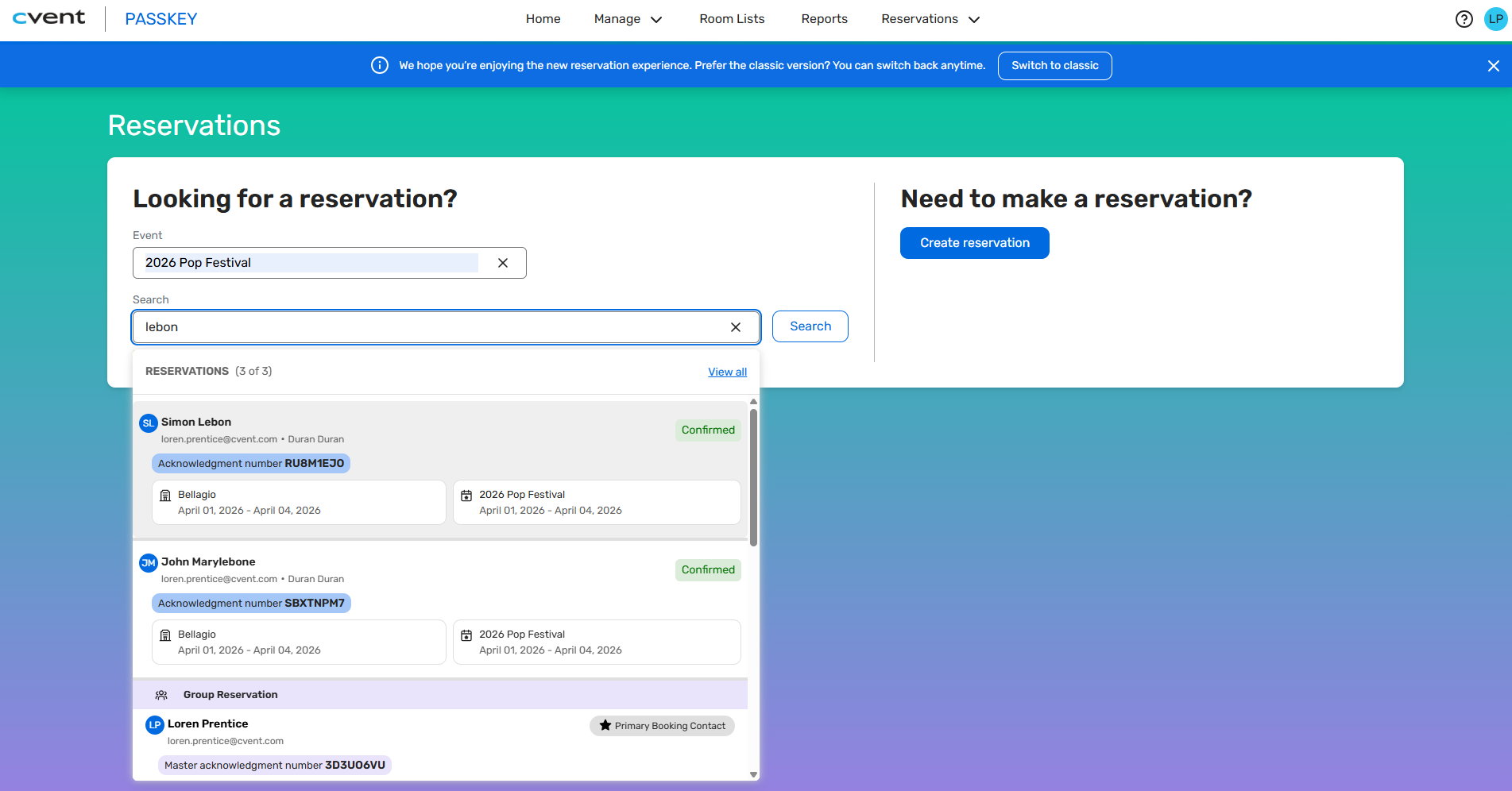
Results appear as you type and include group bookings and individual reservations. Selecting a reservation opens it in the Call Center.
You can choose Search or select the View all link to see the matching results.
Search Results
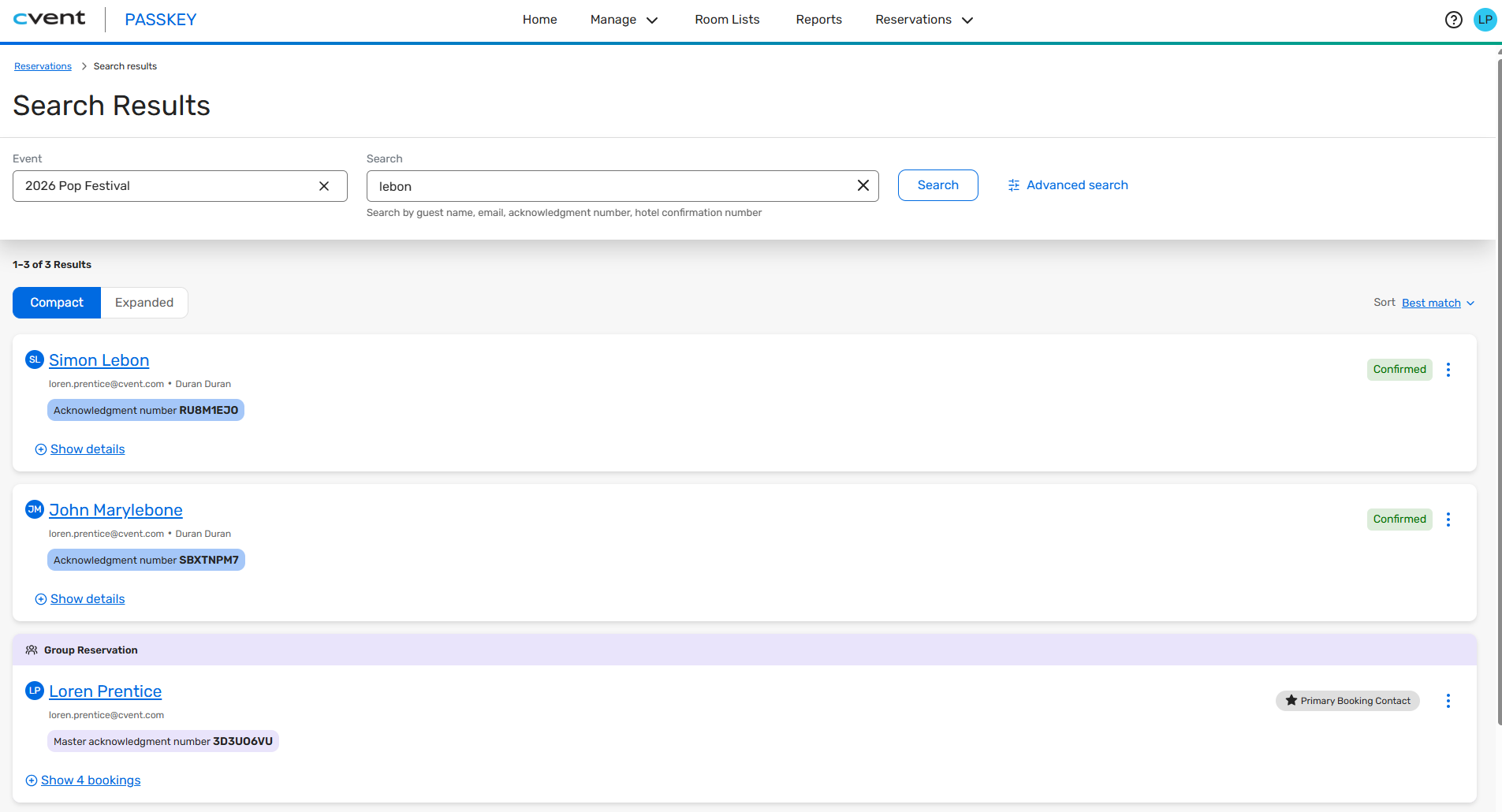
This page shows all matching reservations, with the ability to expand and collapse group bookings and individual reservations, and to sort the results (for example, by best match or last updated).
Advanced Search
Advanced Search lets you specify criteria and further refine your search. Available fields include guest name, organization, email, phone, acknowledgment, and hotel confirmation numbers, as well as card type and last 4 digits of the card.
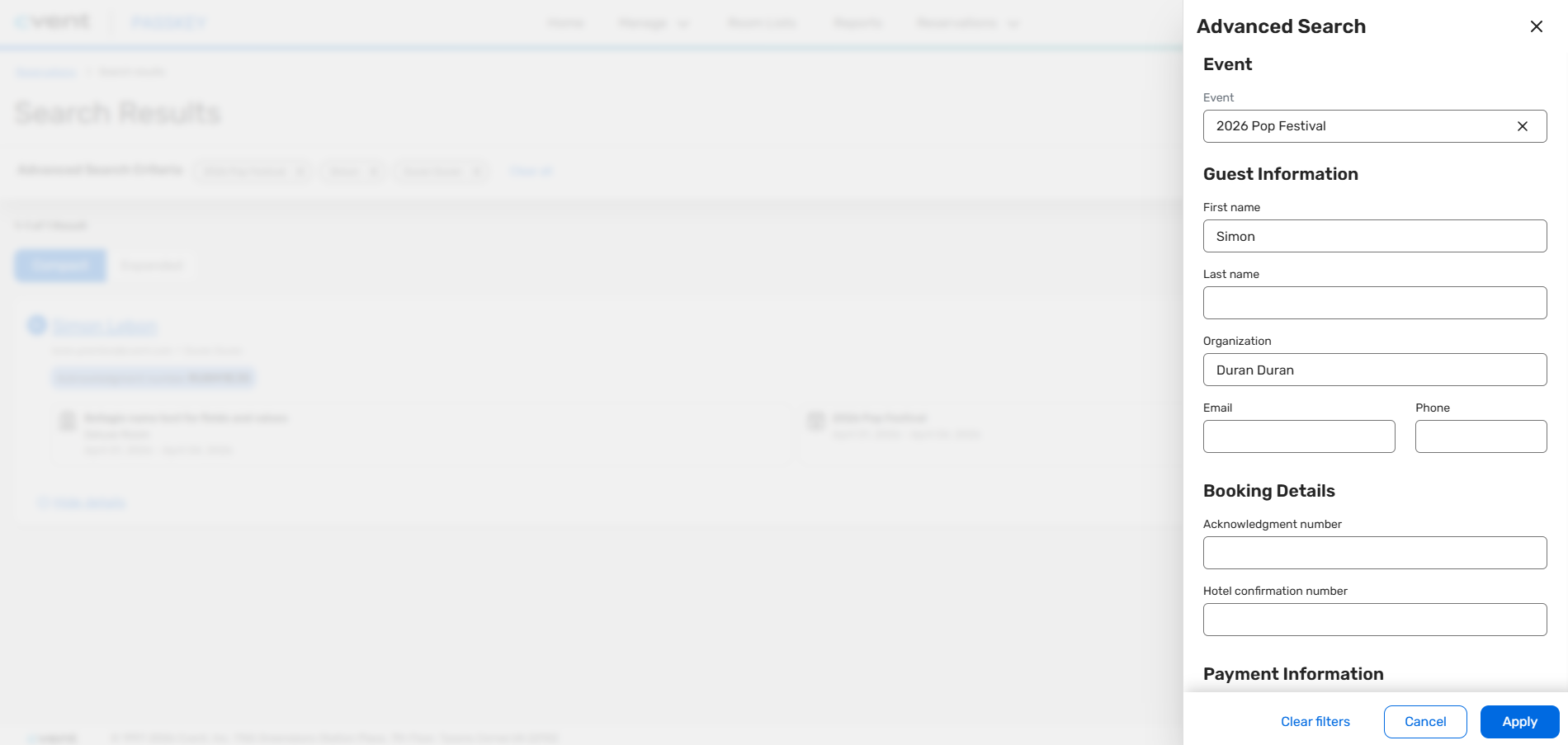
The fully modern experience allows call center agents to find reservations faster and more efficiently than ever before.
Additional Notes:
You can select Switch to classic to return to the existing search interface if needed.
Within an event, the "Manage Reservations" menu currently shows the classic experience, but it will be upgraded in the future.
Introducing Custom Location for Event & Booking Site
Expected Release Date: 04/09/2026
Overview
With Passkey, you can define a Primary Event Location that appears on the attendee booking site map, helping them explore nearby hotels by distance. However, for large or complex venues—such as convention centers—the primary address may not always yield the most accurate travel distance or hotel routing.
In some cases, you may want to calculate distances from a specific entrance or area (for example, North Entrance vs. South Entrance), or even override the primary location entirely to reflect a more precise point of interest.
To support these scenarios, we’re introducing Custom Locations in Passkey, giving you greater control over how distance and travel time are calculated within the booking experience.
What’s new:
You can now add a Custom Location directly within your event setup by selecting Add Custom Location.
This allows you to:
Manually reposition the map pin
Enter a specific address
Define exact latitude and longitude coordinates
Assign a custom location name
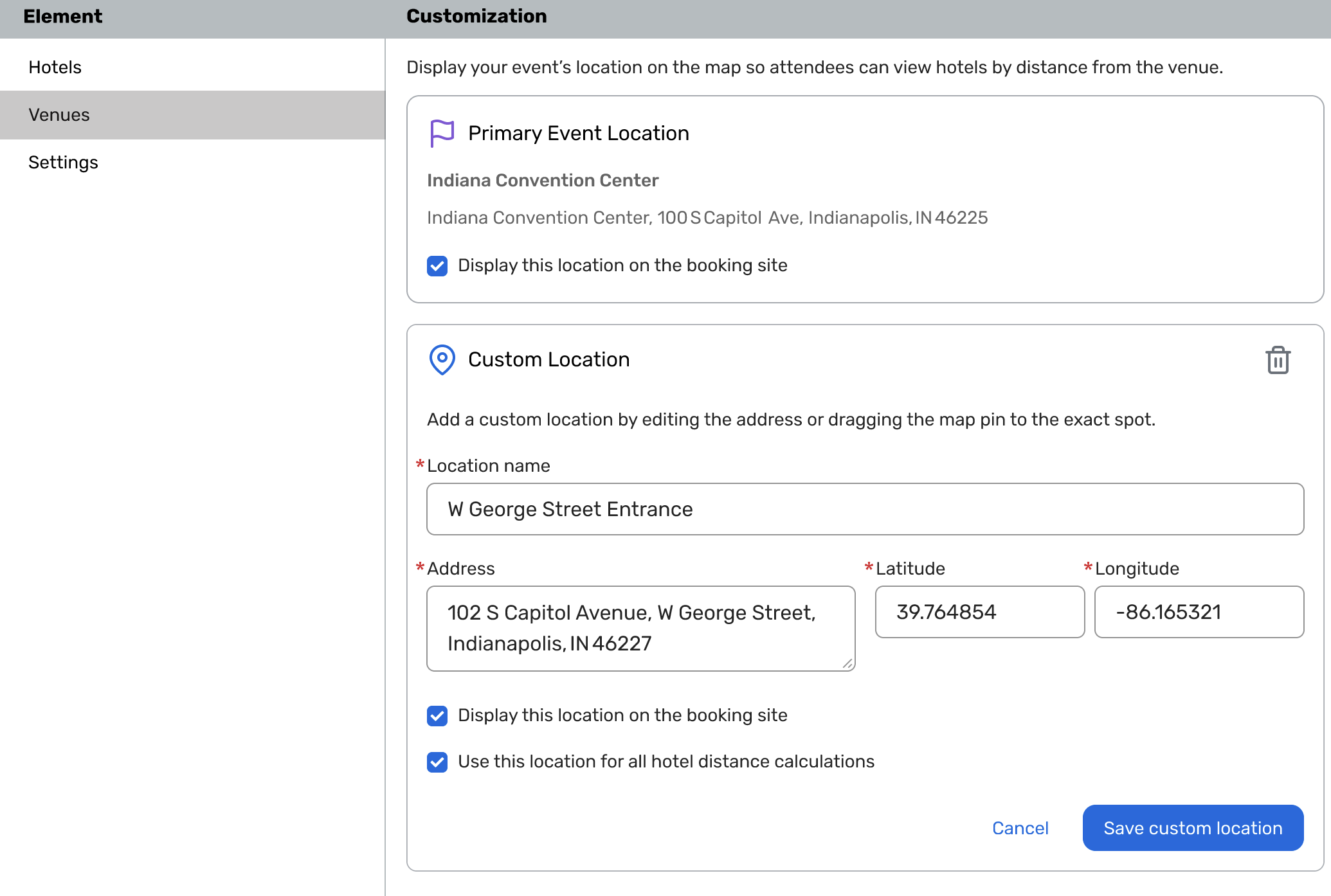
Once set, you can choose how this custom location is used:
Display this location on the booking site
Shows the custom location using a pin on the attendee booking site.
Use this location for all hotel distance calculations
Ensures distances to hotels are calculated from the intended location.
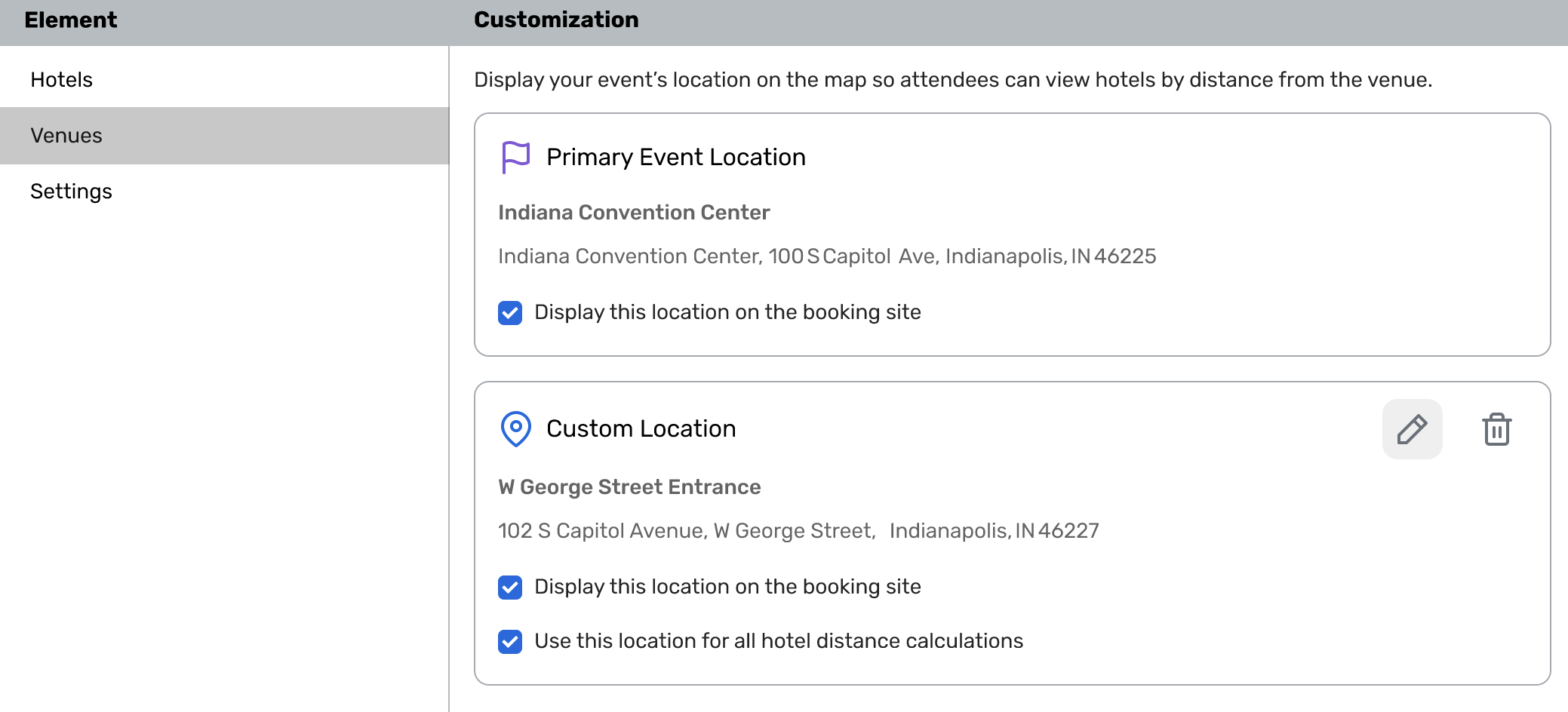
How this helps:
Ensures accurate hotel distance calculations and travel time estimates, giving attendees clearer information to support their decisions
Reduces confusion caused by default or imprecise location pin placements
Gives you greater flexibility and control without relying on workarounds or external tools
With this functionality, you can ensure your event location is represented accurately and guide attendees to exactly where you want them to arrive.
Additional Resources
Cvent Community: Do you have questions about the updates we've rolled out this window? As always, get questions answered in the Community via the Open Forum.
Beta Opportunities Page: Help us make Cvent Products better by being the first to test products before they're widely available. Join Beta Programs.
UX Research Panel: Be part of a select group of users who will help guide the future of Cvent's products. Join the UX Panel.