- DATE:
- AUTHOR:
- Cvent Product News Team

Exchange Solutions Releases for July 7, 2026
Cvent Event Diagramming
Photo-Realistic 3D: User Interface Update
Expected Release Date: 06/17/2026
What's Changed: We’ve updated the user interface and functionality controls across all versions of Photo-Realistic 3D to create a more modern, consistent experience. This update impacts suppliers and planners who create or view Photo-Realistic 3D experiences.
Some controls will continue to vary based on the type of 3D experience you’re using:
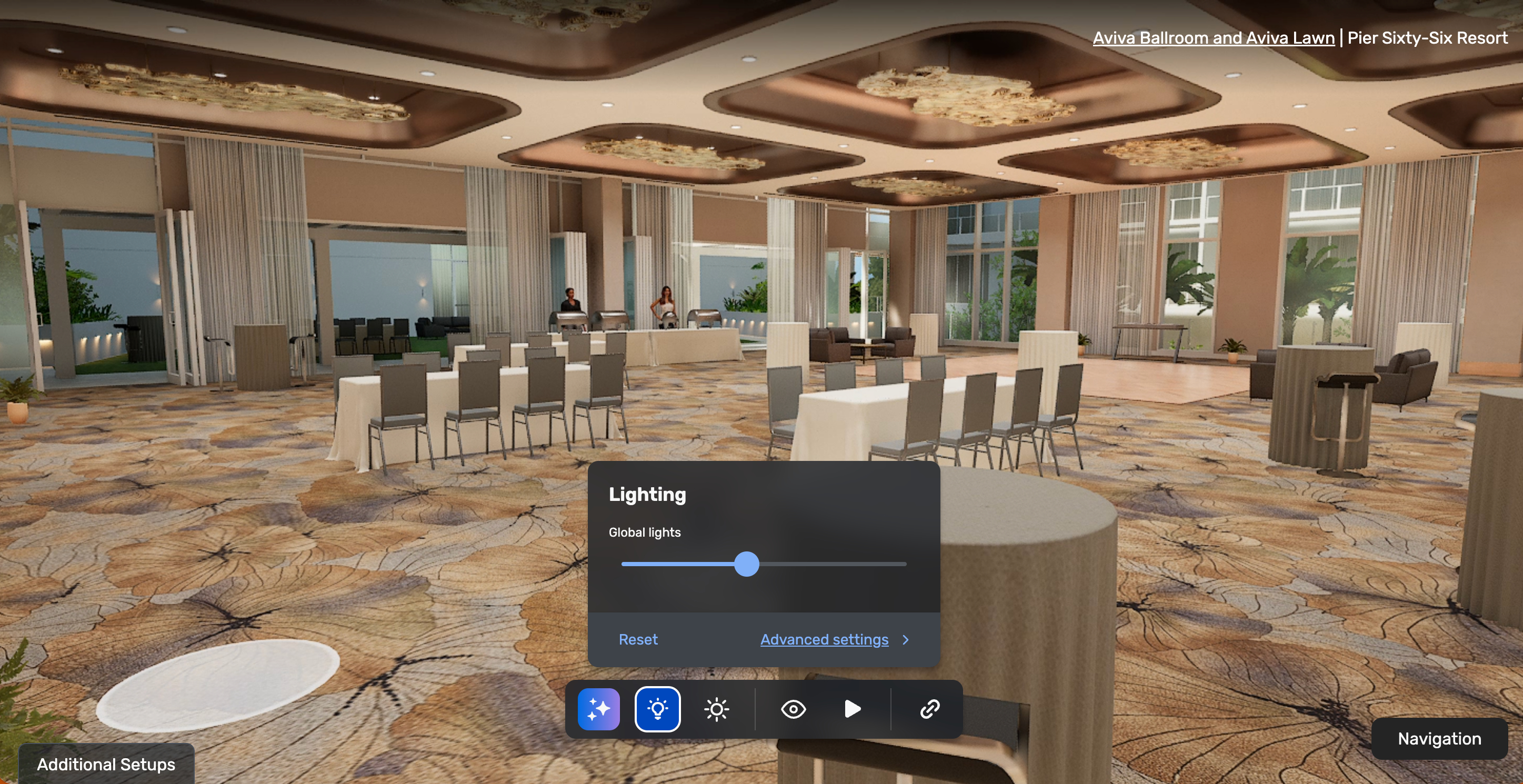
Lighting and Atmosphere are available only in Unreal Photo-Realistic 3D.
Dynamic view and Autoplay are available only in Unreal Photo-Realistic 3D.
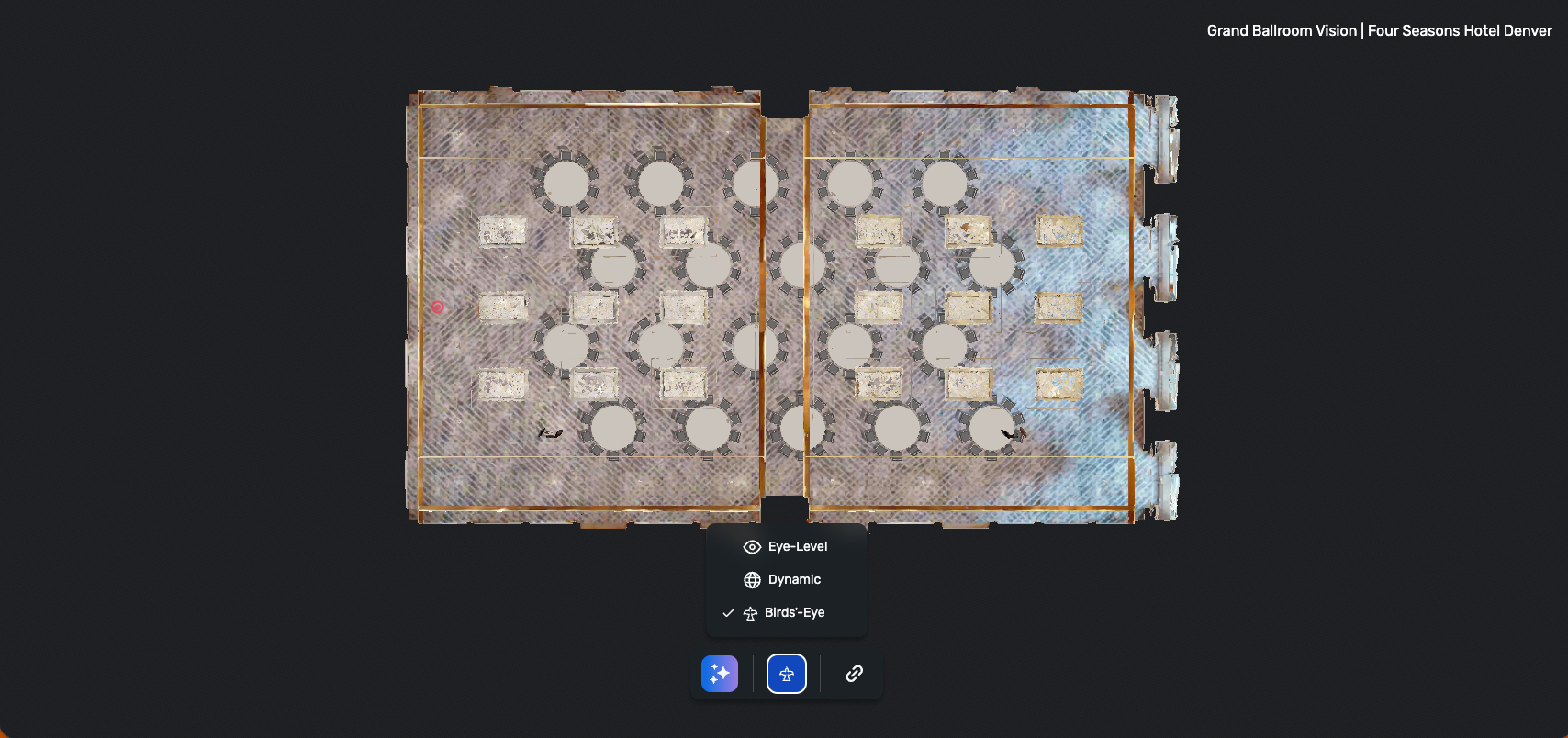
A bird's-eye view is available in Matterport and Vision+.
Eye-level view is available across all Photo-Realistic 3D experiences.
Share Link is available across all versions of Photo-Realistic 3D.
Benefit: This refresh makes Photo-Realistic 3D easier to use by providing a more consistent experience across supported 3D environments. It also modernizes the controls, making moving between 3D views feel more intuitive and streamlined.
Get a more unified experience across Unreal, Matterport, and Vision+.
Understand which controls are available in each 3D experience more easily.
Continue sharing Photo-Realistic 3D experiences with others using Share Link across all versions.
Overview
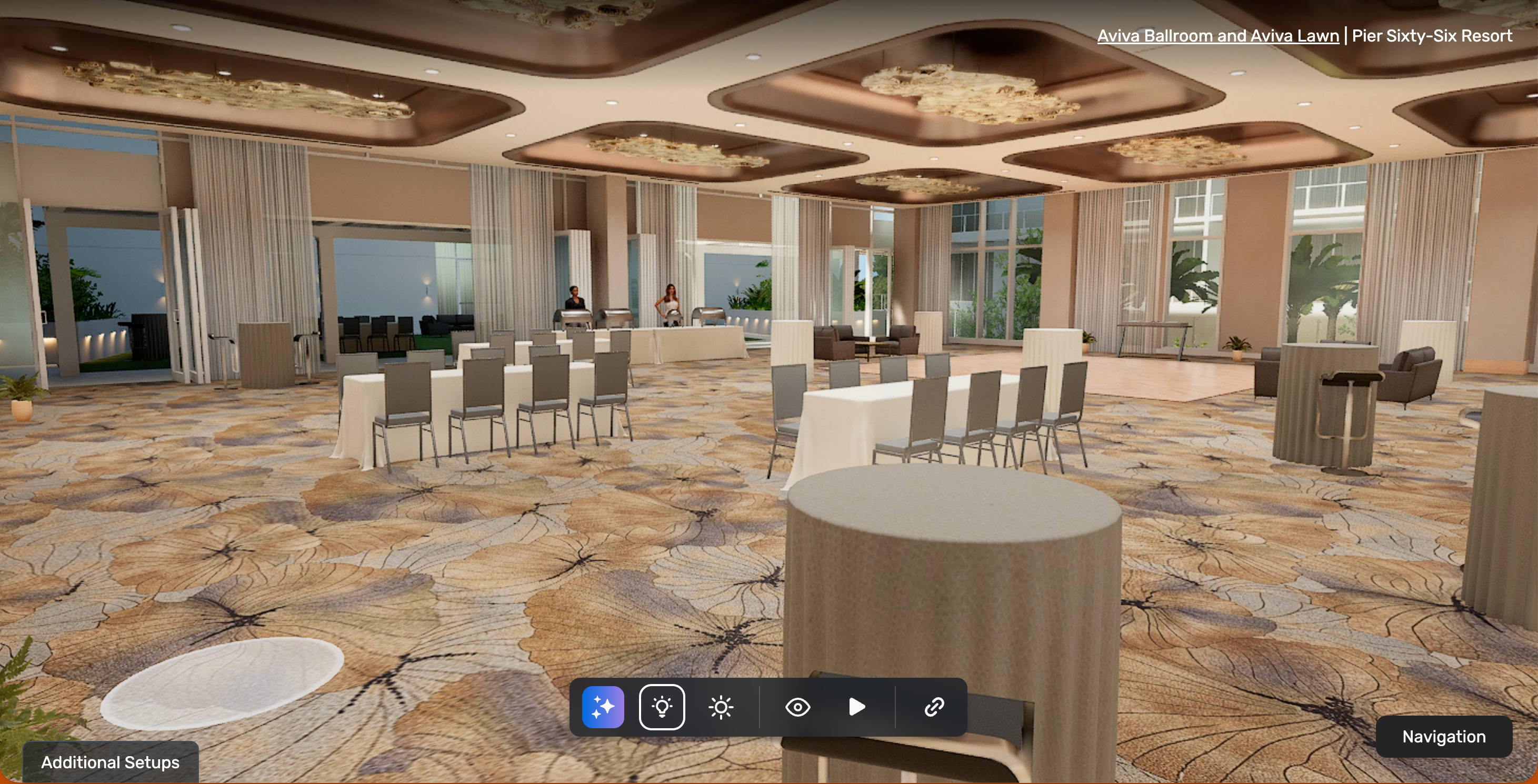
Lighting (Available in Unreal Photo-Realistic 3D only)
Bird's-eye View (Available in Matterport and Vision+ only)
Attendee Management: More Color Options for Attendee Attributes
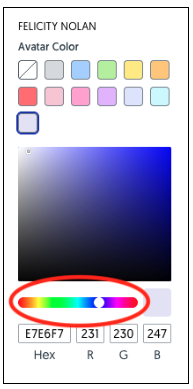
What's Changed: We’re expanding color selection options in Cvent Event Diagramming for attendee avatars, tags, and meals. Instead of being limited to a small preset group, you can now choose from the full color spectrum when updating these attendee attributes.
This update is especially helpful for planners and teams who visually manage attendees and attendee-related categories in their diagrams. We’ve also increased the default color choices from 8 to 11, and the colors you use will remain available within that attribute while they’re in use.
Benefit: This update gives you more flexibility to organize and distinguish attendee information in a way that works best for your event. With more color control, it’s easier to represent different categories clearly and keep your diagrams easy to scan at a glance.
Better visual differentiation across attendee avatars, tags, and meals.
More flexibility to support a wider range of event setups and use cases.
Faster, more intuitive color selection with both expanded defaults and full-spectrum choice.
Default color options have increased from 8 to 11
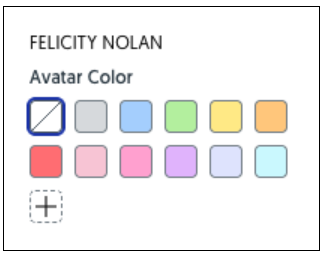
Click the + button to choose a color from the color spectrum
Attendee Management: Primary Registrant and Associated Guests
What's Changed: Event planners using Cvent Event Diagramming will now see a clearer connection between a primary registrant and their associated guests. This update also makes it easier to create multiple guests for one attendee in a single action.
With this release:
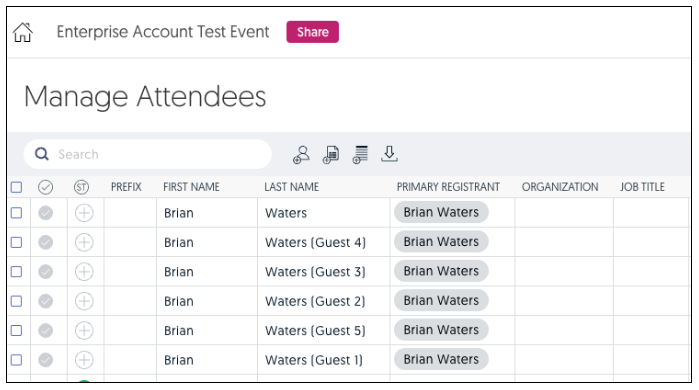
Guests are linked to their host attendee, shown as the primary registrant.
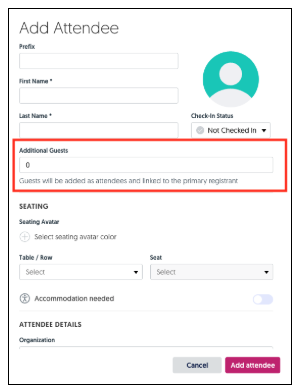
When adding an attendee in the attendee panel, the number entered in the Additional Guests field automatically creates those guest records.
During attendee import, planners can map the Additional Guest Count field to create guests from their import file.
In the attendee grid, a new non-editable Primary Registrant column helps clearly identify guest relationships.
In Check-In Web, planners can display primary registrant and additional guest information by enabling the relevant display option.
Benefit: This update makes guest management more intuitive, so you can more quickly understand attendee relationships and manage them with less manual work.
Save time by creating multiple guests for a single attendee in a single step.
Get clearer visibility into who belongs to each registrant directly in the attendee grid.
Streamline imports by including guest counts in your attendee file setup.
Maintain flexibility in seating, since guest associations do not automatically force attendees to sit together.
Up to 50 "Additional Guests" can be associated with an attendee
In the Attendee Grid, a column for the "Primary Registrant" has been added
Cvent Travel
Delete Policies and Taxes in Negotiation
Expected Release Date: 06/17/2026
What’s Changed: If you negotiate hotel bids in Cvent Travel, you can now request the removal of individual policy or tax line items directly within the negotiation workflow. Once you submit a request, both you and the supplier can see its status in the negotiation view, and the supplier can accept or decline that request. This update applies to most policy types and supplier-added taxes, with exceptions for cancellation and GDS load rate items.
Benefit: This update gives you more flexibility during negotiations and helps you keep deals moving. Instead of rejecting an entire bid because of one term you don’t want, you can now request changes to specific items and continue the conversation in one place.
Reduce negotiation friction by addressing individual policies or taxes directly
Keep both sides aligned with visible request statuses in the negotiation view
Make negotiations easier to track with a clear history of requests and responses
Save time by avoiding unnecessary bid rejections and manual follow-up
Solicitation List Redesign
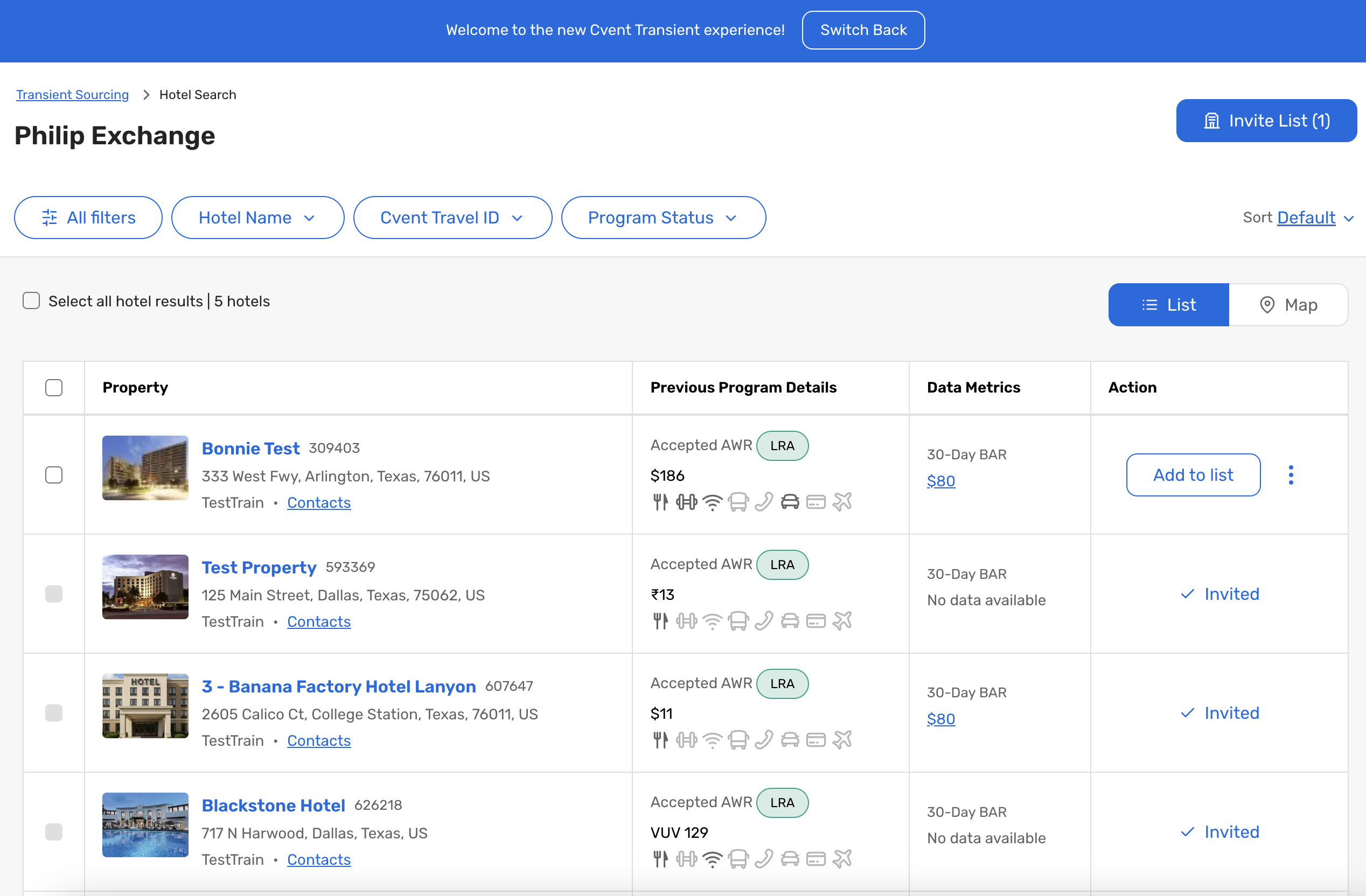
What’s Changed: We’ve redesigned the Solicitation List experience in Cvent Travel to help travel managers search faster, refine results more easily, and move more quickly from reviewing properties to sending invitations.
The updated experience includes:
A single location search box that helps you find office locations using office name and location details.
A combined location search experience that lets you search by address, airport, or city in one place.
A simplified filter experience that combines Chains and Brands into one searchable filter.
A new Invite List button that shows how many hotels are ready to invite and takes you directly into the invite workflow.
The option to switch back to the legacy experience if needed during the transition.
Benefit: This update makes the sourcing workflow feel simpler and faster, so you can spend less time managing filters and navigation and more time finding the right properties for your program.
Reduce friction when searching and narrowing down hotel options.
Find locations more quickly with a more flexible search experience.
Get to the invitation step faster with clearer visibility into hotels that are ready to invite.
Additional Resources
Cvent Community: Questions about the above updates? As always, get answers in the Community via the Open Forum.
Beta Opportunities Page: Try new features and products out before full launch availability. Join Beta Programs.