- DATE:
- AUTHOR:
- Cvent Product News Team

Exchange Solutions Releases for March 11, 2026
Cvent Supplier Network
Sourcing - Brand New User Navigation for Planners
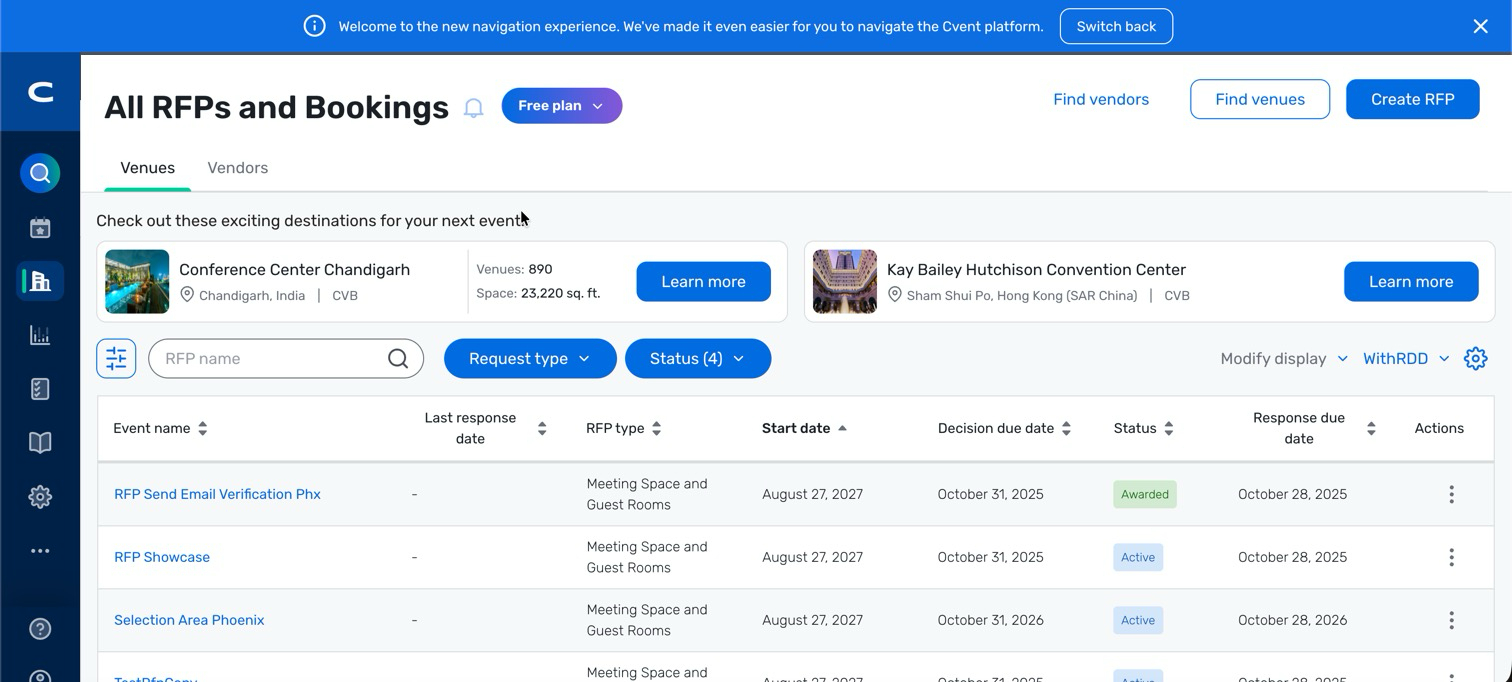
Over the coming months, Cvent Supplier Network will get a refreshed navigation built around a new Sourcing area. This update is designed to make it faster to find RFP tools, move between key workflows, and keep your experience consistent with the rest of the Cvent platform.
What’s Changing:
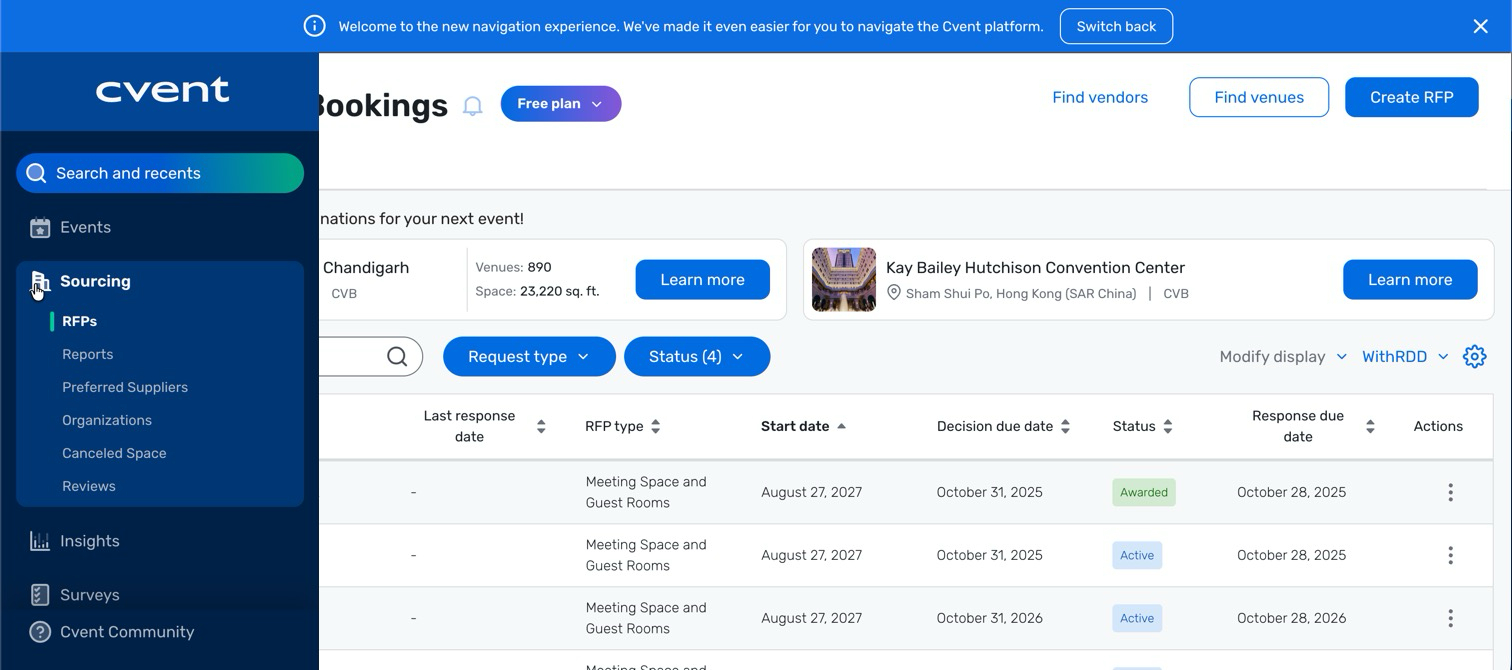
Left-hand navigation gives you more space to view RFP lists, details, and portals within the new Sourcing area.
Unified Search and Recents lets you quickly access recent RFPs, Events, or Meeting Requests — or start a new search from one place.
A refreshed look and feel aligns Cvent Supplier Network with other planner-side products for a seamless, predictable experience.
Introducing Sourcing:
The area formerly labeled Suppliers is now called Sourcing, better reflecting how you discover and engage suppliers.
You’ll also see Preferred renamed to Preferred Suppliers for added clarity.
What’s Not Changing:
Your core workflows — including creating RFPs, managing responses, and working with portals — remain the same. This update improves how you navigate, not the underlying functionality.
During the rollout, you’ll have the option to temporarily switch back to the previous navigation using the banner at the top of your screen.
Rollout timeline:
Starting March 11, 2026, the new navigation will be available, while Cvent Supplier Network will continue to default to the current navigation. You can turn on the new experience using the banner at the top of your screen.
From April 11 – June 11, 2026, the new navigation will become the default view, and you’ll still be able to temporarily switch back to the previous navigation from the same banner.
After June 11, 2026, the new navigation will be the only option.
The end result: less time hunting for where to go, and more time focusing on sourcing the right venues and partners.
Cvent Passkey
Two-Way Passkey Integration: Assign Room Blocks Using Access Codes
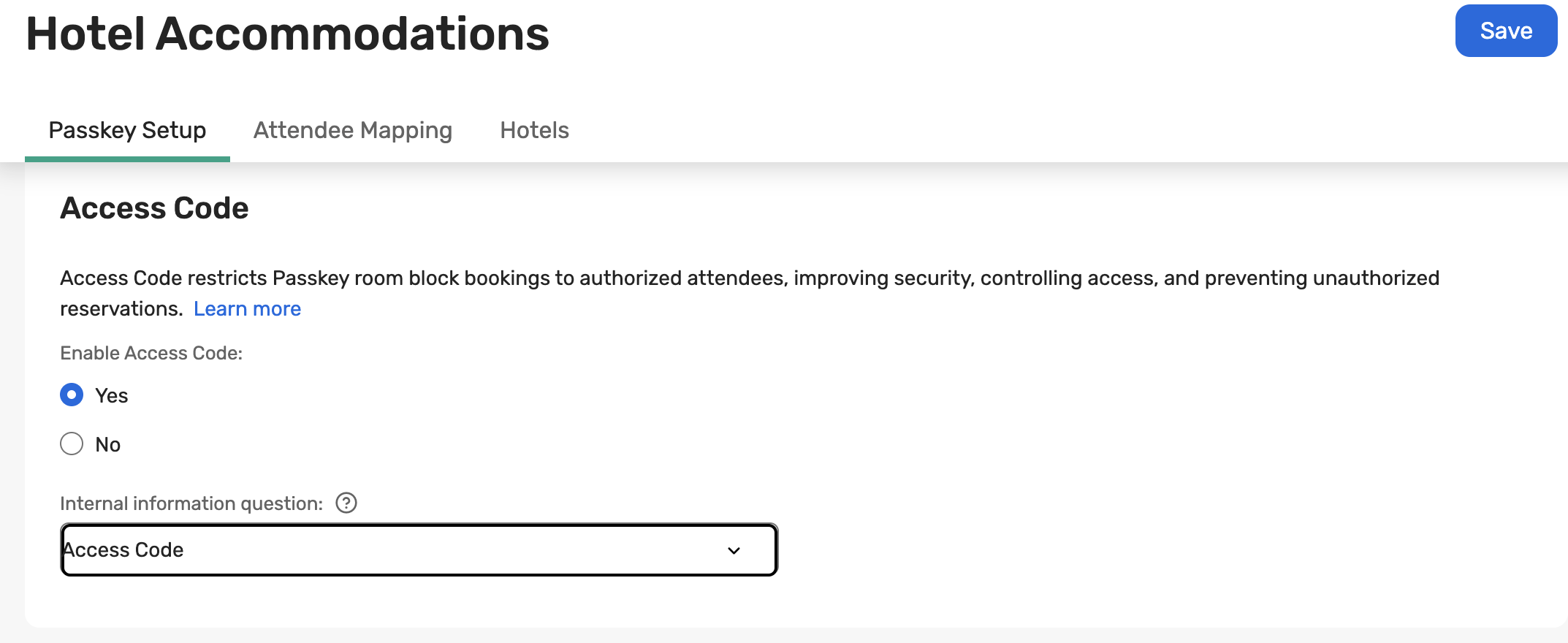
You can now assign known invitees to specific Passkey room blocks using an Internal Information question.
By storing a Passkey access code on each invitee, Cvent will automatically assign the correct Passkey attendee type when they complete registration. This gives you more flexibility without needing to create additional Registration Paths or Admission Items.
Why This Helps You:
Send specific invitees to different hotels or sub-blocks
Avoid building duplicate registration paths
Keep one simple registration experience for everyone
Save time on setup and maintenance
What to Keep in Mind:
The access code must exactly match the Passkey attendee type access code.
The code must be added before the invitee completes registration.
If no access code is entered, the system will use your existing Registration Path or Admission Item mapping.
If you update the code after someone registers, their room block will not automatically change — you’ll need to update it directly in Passkey.
Easily assign invitees to the right Passkey room blocks using access codes, saving you time and simplifying registration!
Date Change - Passkey feature
Access to the Multi-Room Booking Tool in Passkey Manage will now be released on March 11th (original release link here).
Additional Resources
Cvent Community: Do you have questions about the updates we've rolled out this window? As always, get questions answered in the Community via the Open Forum.
Beta Opportunities Page: Help us make Cvent Products better by being the first to test products before they're widely available. Join Beta Programs.
UX Research Panel: Be part of a select group of users who will help guide the future of Cvent's products. Join the UX Panel.
Quarterly Product News Webinar: Register now for our upcoming Q1 2026 Product News webinar planned for March 4. Secure your Spot.