- DATE:
- AUTHOR:
- Cvent Product News Team

Exchange Solutions Releases for March 25, 2025
Cvent Passkey
Clearer, All-in Pricing for Passkey Reservations
As traveler expectations and regulations around pricing transparency continue to evolve, you need booking experiences that clearly show the true cost of a stay before attendees reach the final checkout screen. With this Passkey update, we’re extending our optimized pricing display to include Processing Fees, giving attendees a clearer picture of what they’ll pay and helping organizers build trust and drive more completed bookings.
What’s changing:
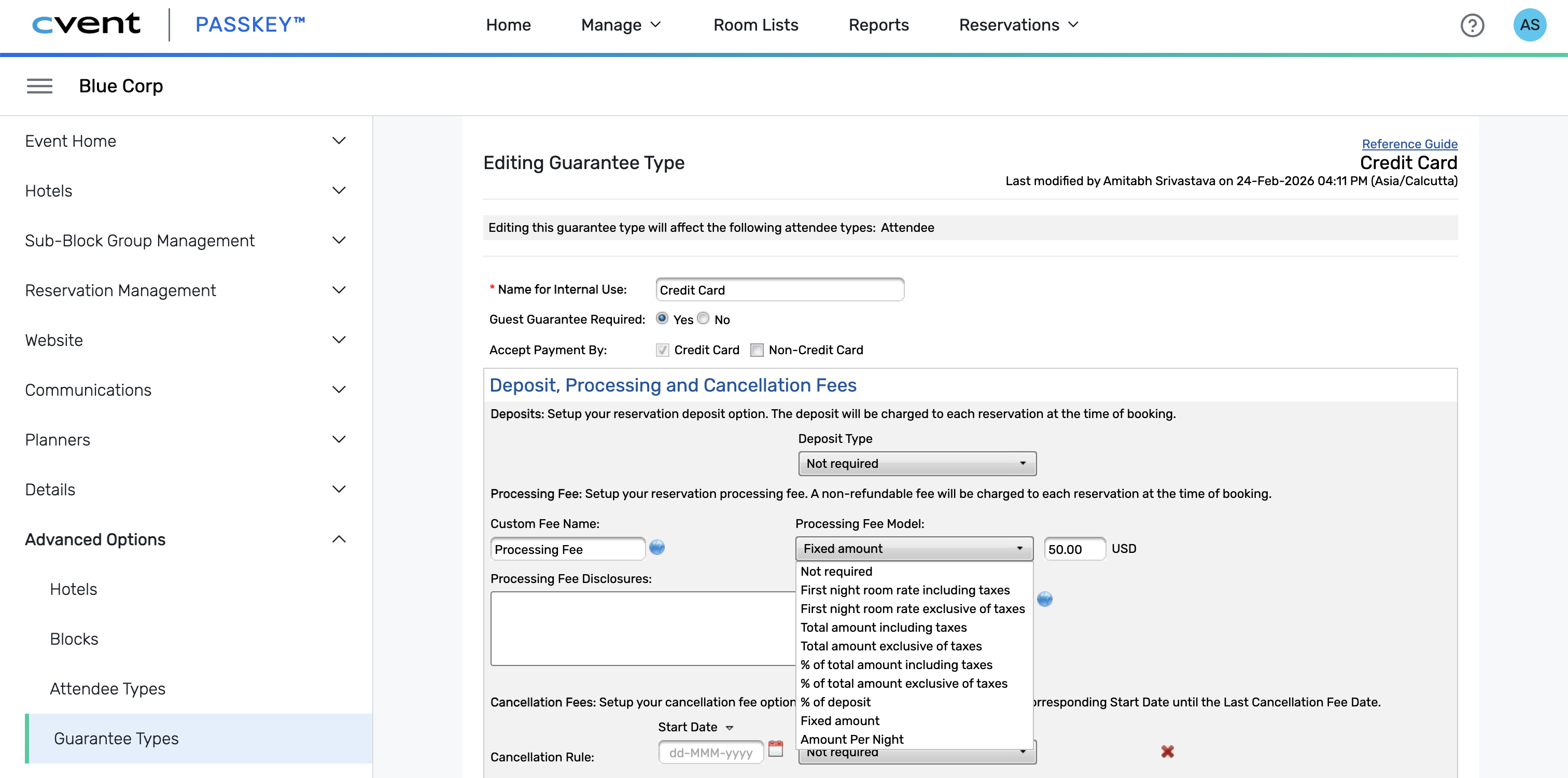
Processing Fees configured at the event level are now automatically included in the room rate attendees see on the booking site. Instead of appearing as separate line items at the end, these fees are rolled into the displayed price and update as attendees change rooms or guest details.
Why it matters:
Attendees get a clearer, all‑in price earlier in the journey, helping reduce surprises and drop‑off at checkout. You still control how Processing Fees are configured, while Passkey ensures they are transparently reflected in the prices attendees see.
How it works:
Any processing fee types selected at the event level are automatically added to the display rate.
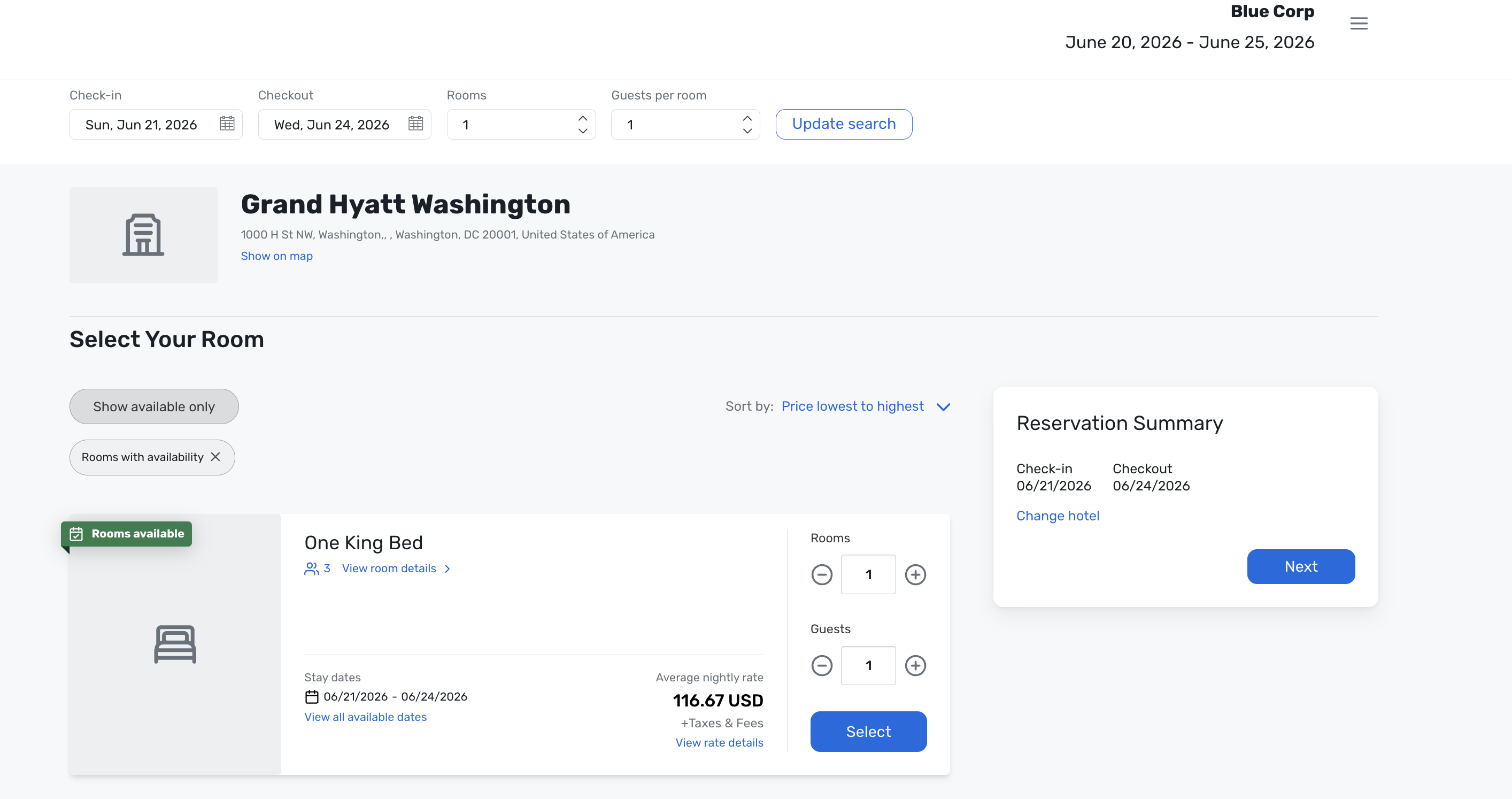
On the Attendee Booking Site, the displayed rates always include the processing fee.
Totals are recalculated dynamically when an attendee changes:
Room selection
Number of nights
Guest count
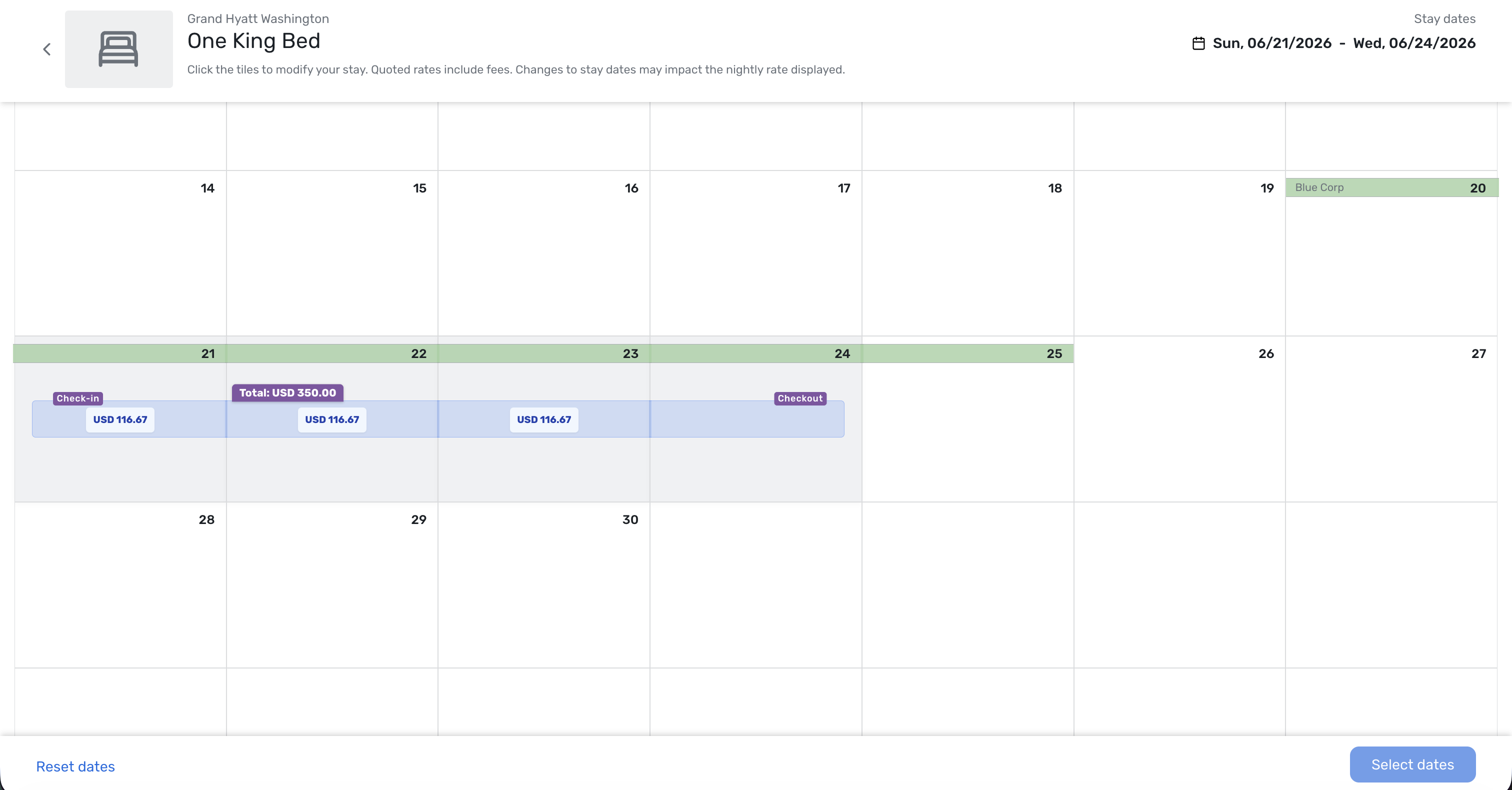
A transparent fee breakdown, along with the total processing fee, is provided so attendees can understand the total charges.

Better Visibility in to Free-Sell Invitation Engagement
If you are using Passkey’s campaign engine for Free‑Sell, public block sites often have limited insight into who was invited and how those invitees engaged. With this release, we’re introducing a new in-product recipient list so you can quickly see who was targeted, how they responded, and where to focus follow-up—without leaving Passkey.
What’s changing:
A new List of Recipients page is now available from the kebab menu for each Free‑Sell public block request site via “View recipient list.”

On this page, you can:
See a consolidated list of all invitees tied to the Free‑Sell public block site
View who they are, when they were invited (or when they’re scheduled to be invited), how many times they’ve responded, and the date of their last response
Track participants who came in through the public link, including their response count and last response date
Copy and share the public link to invite additional participants

Why it matters:
This update gives you a clearer view of the entire invitation funnel for Free‑Sell public block sites, making it easier to:
Understand engagement across all invitees in one place
Identify where to focus follow-up efforts based on activity and responses
Take action faster, without exporting files or switching tools
The List of Recipients is the first step; future enhancements will allow adding new recipients to an existing campaign, scheduling invitations for a future date, and sending notifications immediately to one or multiple recipients directly from this experience.
Redesigned Hotel Email Campaigns for Clearer Collaboration
Event organizer communication with participating hotels is critical to an event’s success. Building on the new Hotel Instruction emails, which handle system-related guidance, we’ve redesigned Passkey’s hotel-facing campaigns so you can send more targeted, event-specific messages to the right properties at the right time.
What's changing:
Two hotel email campaigns have been updated:
Hotel Collaboration (formerly Hotel Notify)
Focused on event-specific information beyond system instructions
Smarter targeting controls to reach a precise set of hotels
Fully editable content so you can tailor messaging
A refreshed template for clearer, more consistent communications

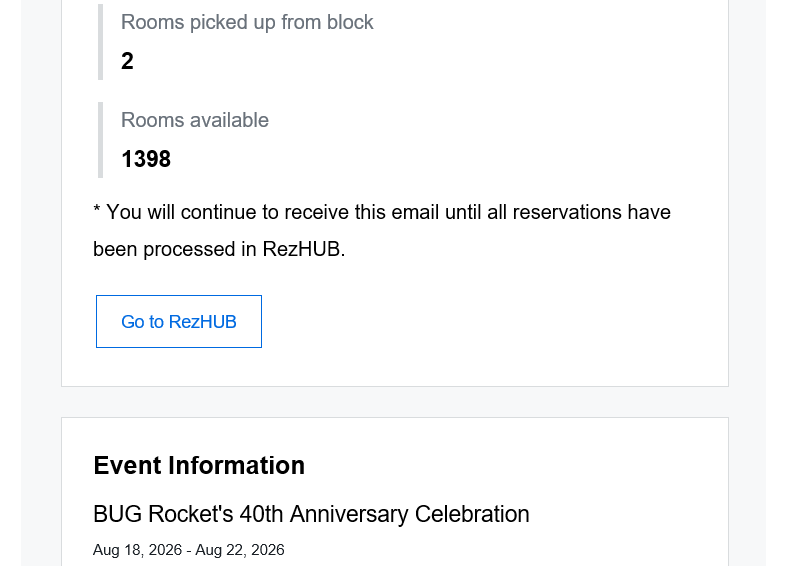
Non-Integrated Hotel Reservation Notification
The same improved targeting controls for selecting which hotels receive reservation notifications
Adjustable content with guidance on working in RezHUB
A new template optimized for reservation-related updates
Why it matters:
These updates make it easier for you to:
Send the right message to the right hotels
Keep system guidance separate from event-specific collaboration
Improve clarity and consistency across hotel communications
Next, we’re working on an Integrated Hotel Reservation Notification campaign to improve alerting for non-processed reservations, helping ensure hotels don’t miss or delay critical bookings.
More Control Over Room Category Images
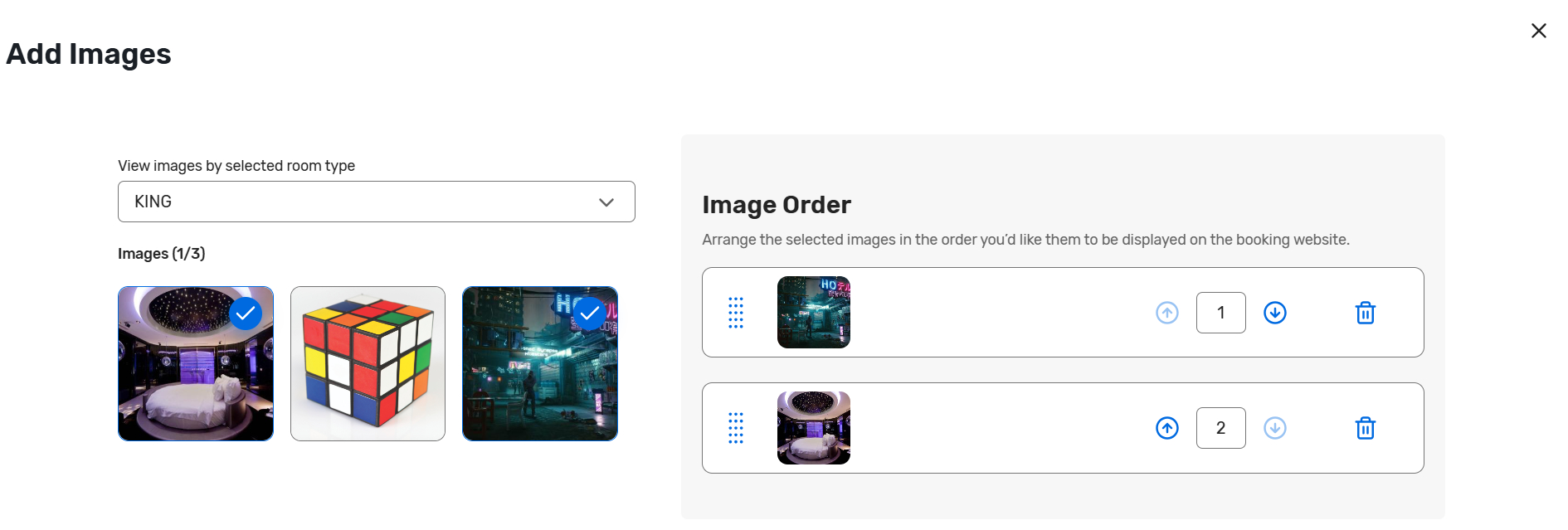
Room Categories let hotels and event owners group multiple room types under a single category. Previously, images were pulled from only one room type based on the sell order, potentially misrepresenting the overall category.
What’s changing:
You can now:
Choose which images represent each Room Category from all room type images in that category
Set the order in which those images appear on the booking site
Why it matters:
Managing images at the category level helps set clearer expectations for attendees, reduces surprises at check-in, and keeps the booking experience more consistent. We’re also planning support for uploading category-level images for even greater flexibility.
Additional Resources
Cvent Community: Do you have questions about the updates we've rolled out this window? As always, get questions answered in the Community via the Open Forum.
Beta Opportunities Page: Help us make Cvent Products better by being the first to test products before they're widely available. Join Beta Programs.
UX Research Panel: Be part of a select group of users who will help guide the future of Cvent's products. Join the UX Panel.
Q1 Product News Webinar [On-Demand]: Stay ahead of what's new and next with our Product News Webinar—watch anytime, at your pace. Watch Now.