- DATE:
- AUTHOR:
- Cvent Product News Team

Exchange Solutions Releases for August 19, 2026
Products covered under Exchange Solutions are Cvent Supplier Network, Event Diagramming, Passkey, Travel, Instant Book, Vendor Marketplace powered by Reposite.
Cvent Supplier Network
Contact Select All and Manual RFP Archiving
What's New?
This release introduces two enhancements to help you work more efficiently. You can now quickly select contacts across multiple venues when sending an RFP and manually archive completed RFPs to keep your workspace focused on active work.
Select All Contacts Across Venues
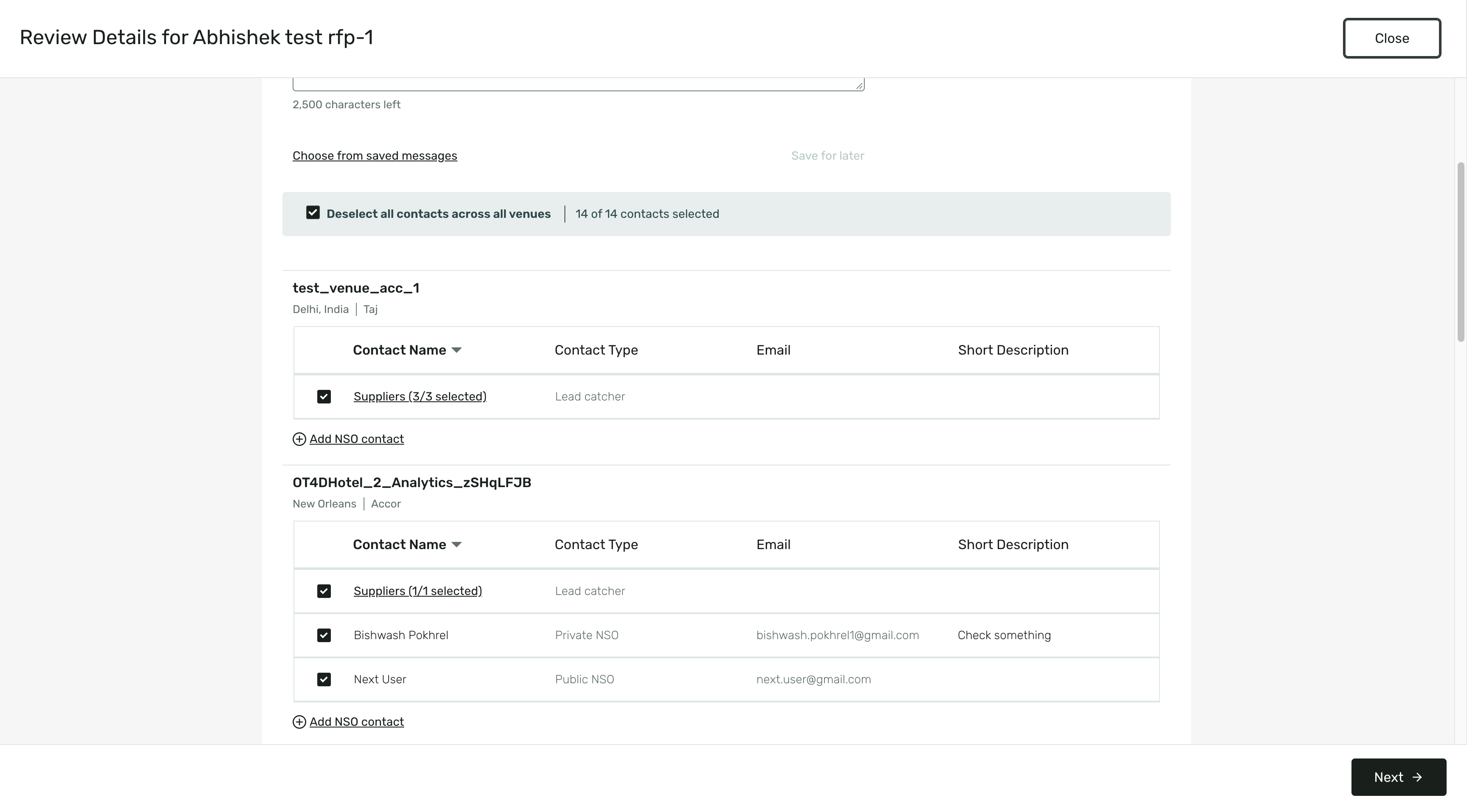
Use the Select All checkbox to instantly select all eligible NSO contacts across every venue included in your RFP.
Toggle the same checkbox to clear your selections and start over with a single click.
Lead Catcher and External Channel contacts are excluded from bulk selection for an initial send, consistent with the existing workflow.
Manual RFP Archiving
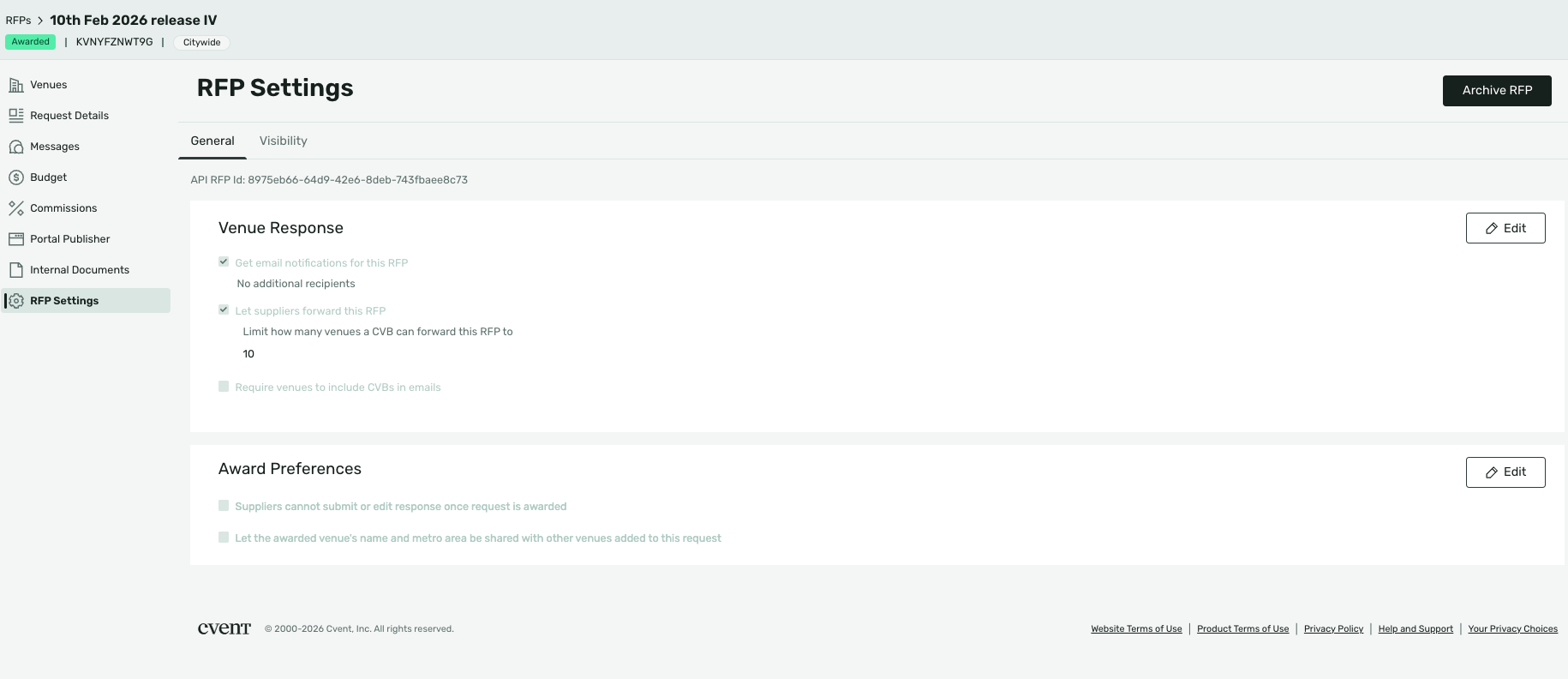
If you have full RFP management access, you can now manually archive eligible Awarded RFPs that are not already archived.
Archive an RFP from RFP Settings or the More Actions (⋯) menu on the RFP List page.
Before an RFP is archived, you'll be asked to confirm the action.
Once archived, the RFP is removed from active views, such as Current RFPs, while remaining available in Archived RFPs and other views that include archived items.
Archiving does not change an RFP's status. For example, an Awarded RFP remains Awarded, and you can restore a manually archived RFP at any time using the Unarchive option.
Benefits:
Save time by selecting contacts across multiple venues with a single click.
Work more efficiently by quickly clearing and updating contact selections.
Keep your workspace organized by archiving completed RFPs while keeping active work front and center.
Maintain flexibility by preserving RFP status and restoring archived RFPs whenever needed.
Modernized Canceled Spaces and Organization Profiles
What's New?
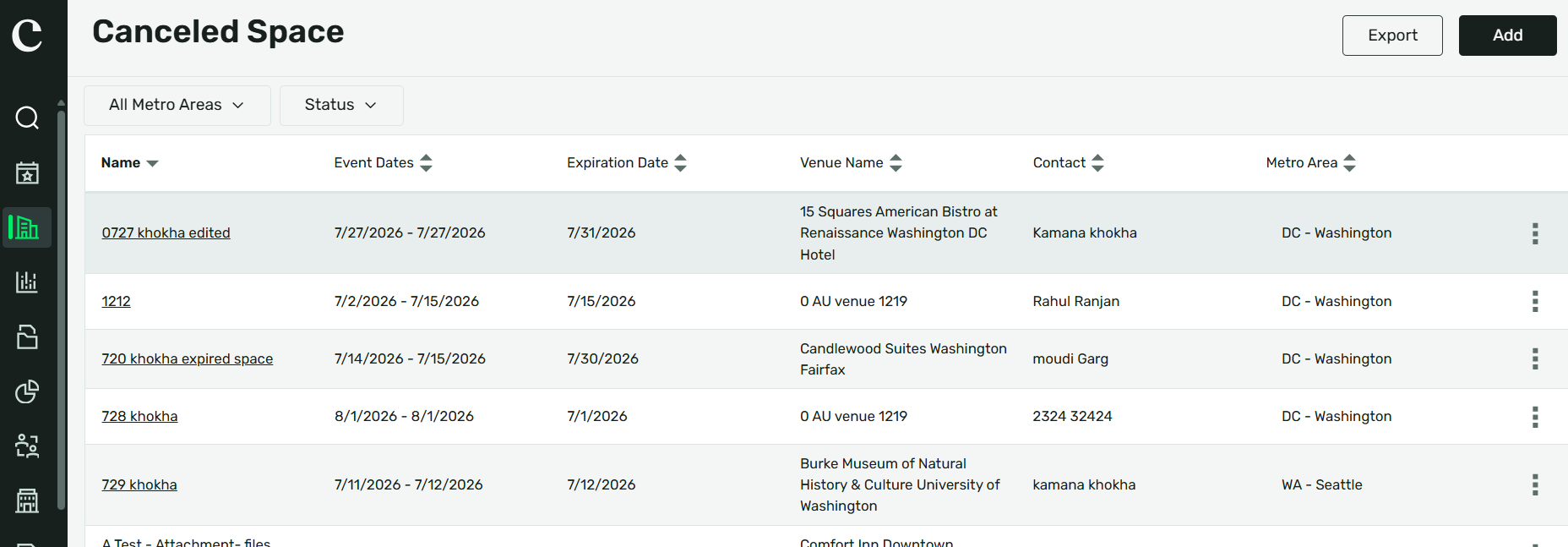
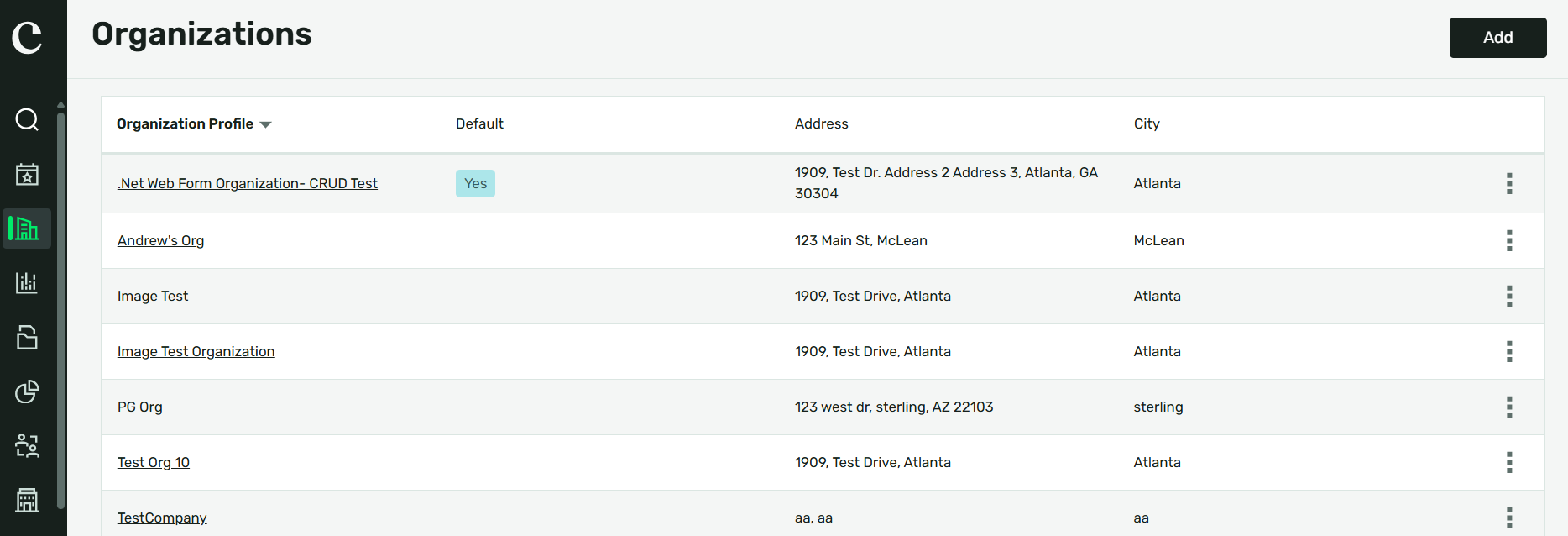
We've updated the Canceled Spaces and Organization Profiles pages with a modernized experience that aligns with the rest of your RFP management workflow. These enhancements provide a more consistent look and feel while making it easier to navigate and manage your information.
No action is required on your part. Your existing Canceled Spaces credits and Organization Profiles will automatically be available in the new experience. You can continue to access these pages through the standard Cvent product navigation.
Benefits:
Enjoy a more consistent experience with updated pages that match the rest of your RFP management workflow.
Navigate more efficiently with a modernized interface designed for ease of use.
Keep your existing data without any manual migration or setup.
Continue working without interruption, using the same navigation you're familiar with.
Verify RFP Contact Emails
What's New?
We’re introducing email verification for RFP key contacts to help protect your sourcing process and confirm that key contact email addresses are legitimate. This update applies when you add a key contact email address that is not already tied to an account user.
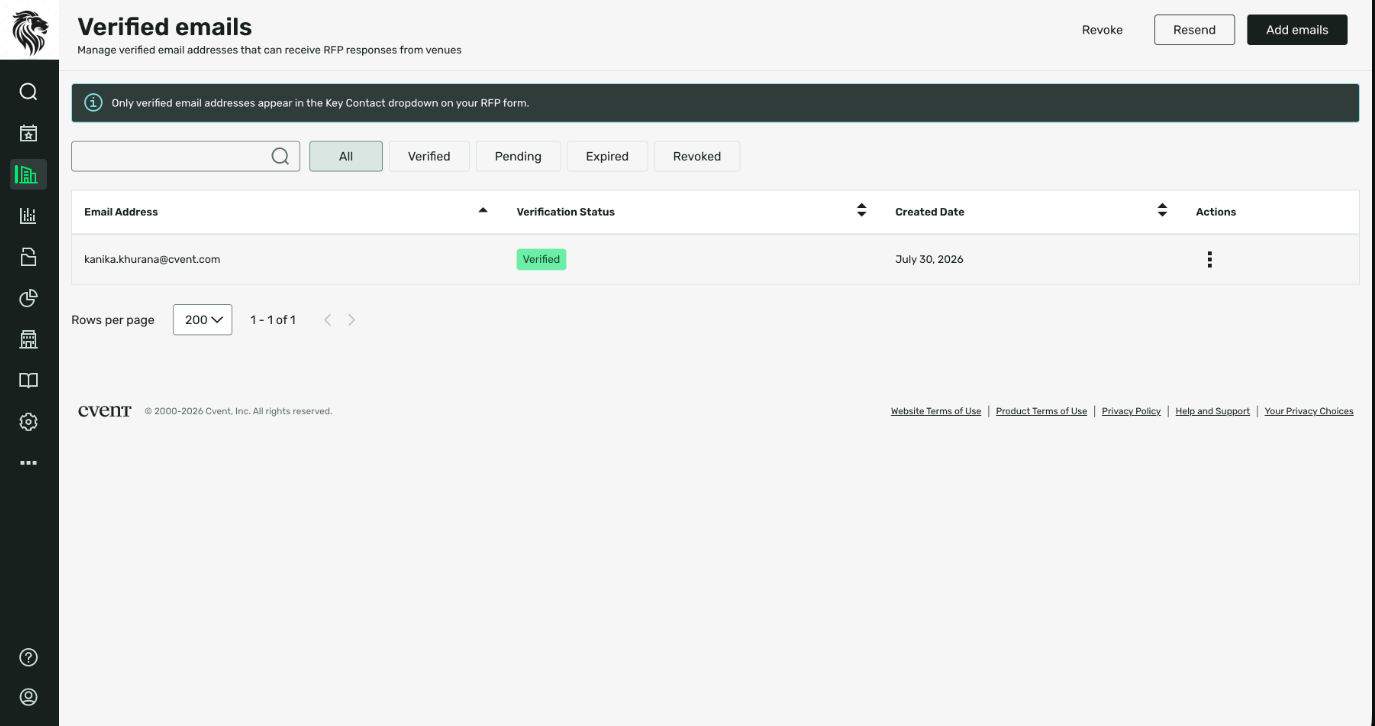
A new Verified Email section is now available under Sourcing. From there, planners can:
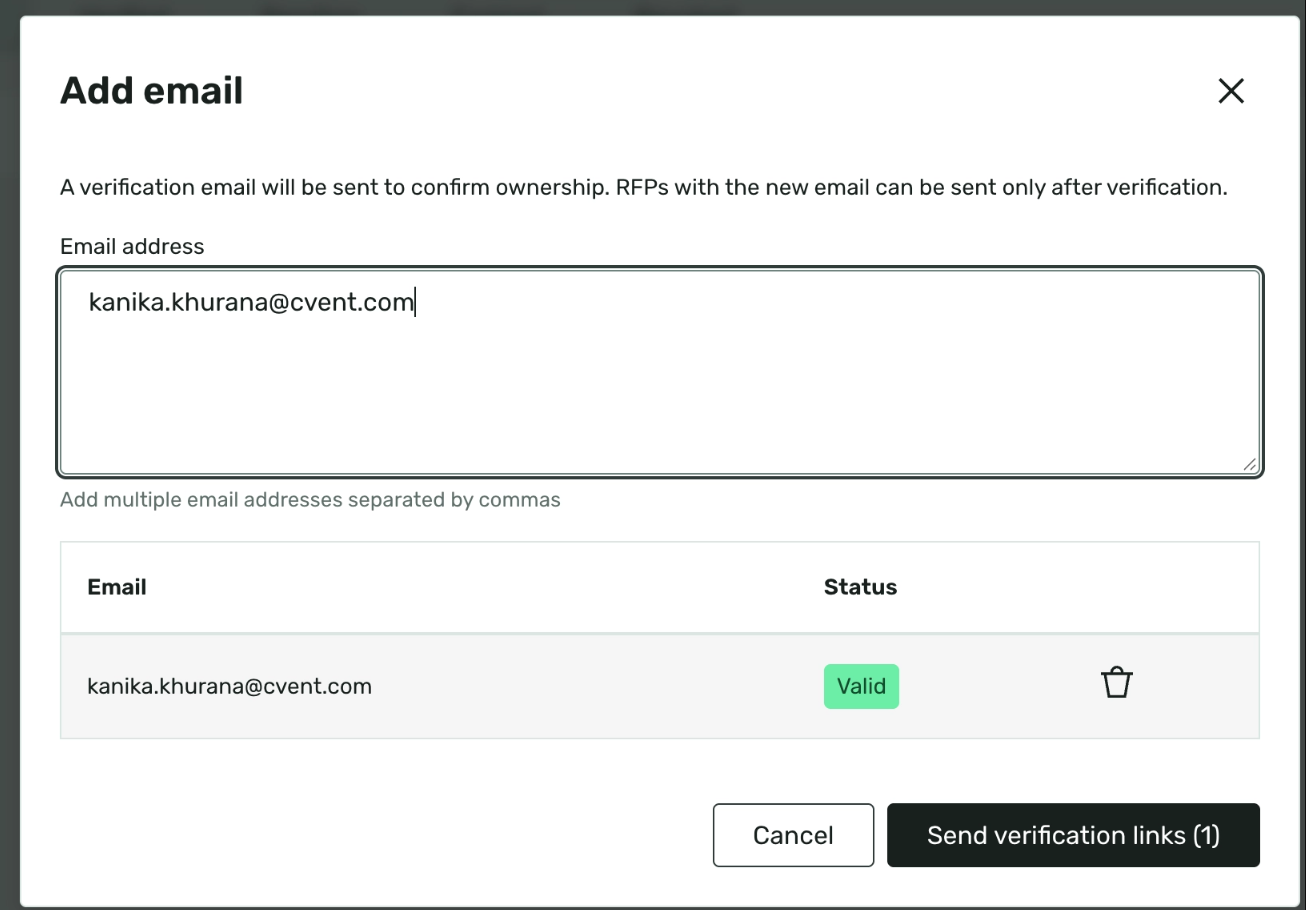
Add one or multiple email addresses
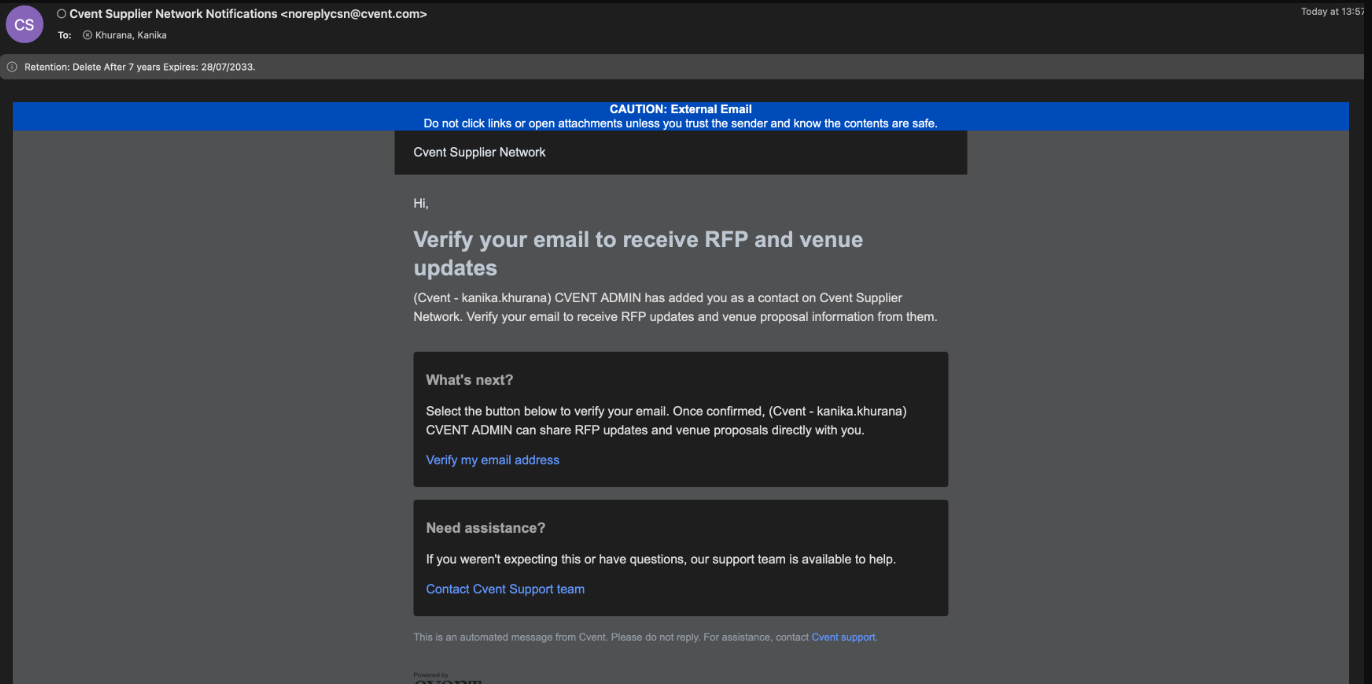
Send verification emails directly from the page
Track whether each address is Pending, Verified, or Expired
Resend expired verification emails
Revoke verification access for individual email addresses
Use bulk actions to resend or revoke multiple email addresses at once
Once an email address is verified, you can use it as an RFP key contact. Verification links stay active for 7 days.
This update is especially helpful for third-party planners or planners who source on someone else’s behalf and regularly use key contact email addresses outside their own account.
Benefits:
This change gives you a more secure and reliable way to manage RFP key contact emails. It helps reduce the risk of email spoofing while making it easier to keep approved contact details ready for sourcing.
Spend less time troubleshooting whether a contact email can be used for an RFP
Keep frequently used non-account-user email addresses organized in one place
Prepare now for a future update planned later this quarter that will prevent RFPs from being sent to unverified key contact email addresses
Add Email:
Verification Email:
Verified Emails in Account:
Verification Invites Expire After 7 Days:

Bulk Actions:

RFP Showcase Now Available in Europe
What's New:
RFP Showcase is now available for customers in the European region. This expansion brings the existing RFP Showcase experience to more users, allowing you to include eligible RFPs in Showcase as part of your existing sourcing workflow.
What to Expect:
RFP Showcase will be enabled by default for customers in the European region.
No setup or changes to your workflow are required—you can continue sourcing the way you do today.
This release expands access to the existing RFP Showcase experience rather than introducing a new workflow or process.
If you don't see RFP Showcase in your account, contact your Cvent Customer Success team to learn how to enable it.
Benefits:
With this release, you can:
Include eligible RFPs in Showcase as part of your existing sourcing process.
Access the same familiar RFP Showcase experience now available in the European region.
Continue managing your sourcing workflow without changing how you work.
Getting Started:
No action is required. RFP Showcase will be enabled automatically for eligible customers in the European region. If it's not available in your account, reach out to your Cvent Customer Success team for assistance.
Cvent Event Diagramming
Sharing Interactive Floor Plans
Expected Release Date: Available Now
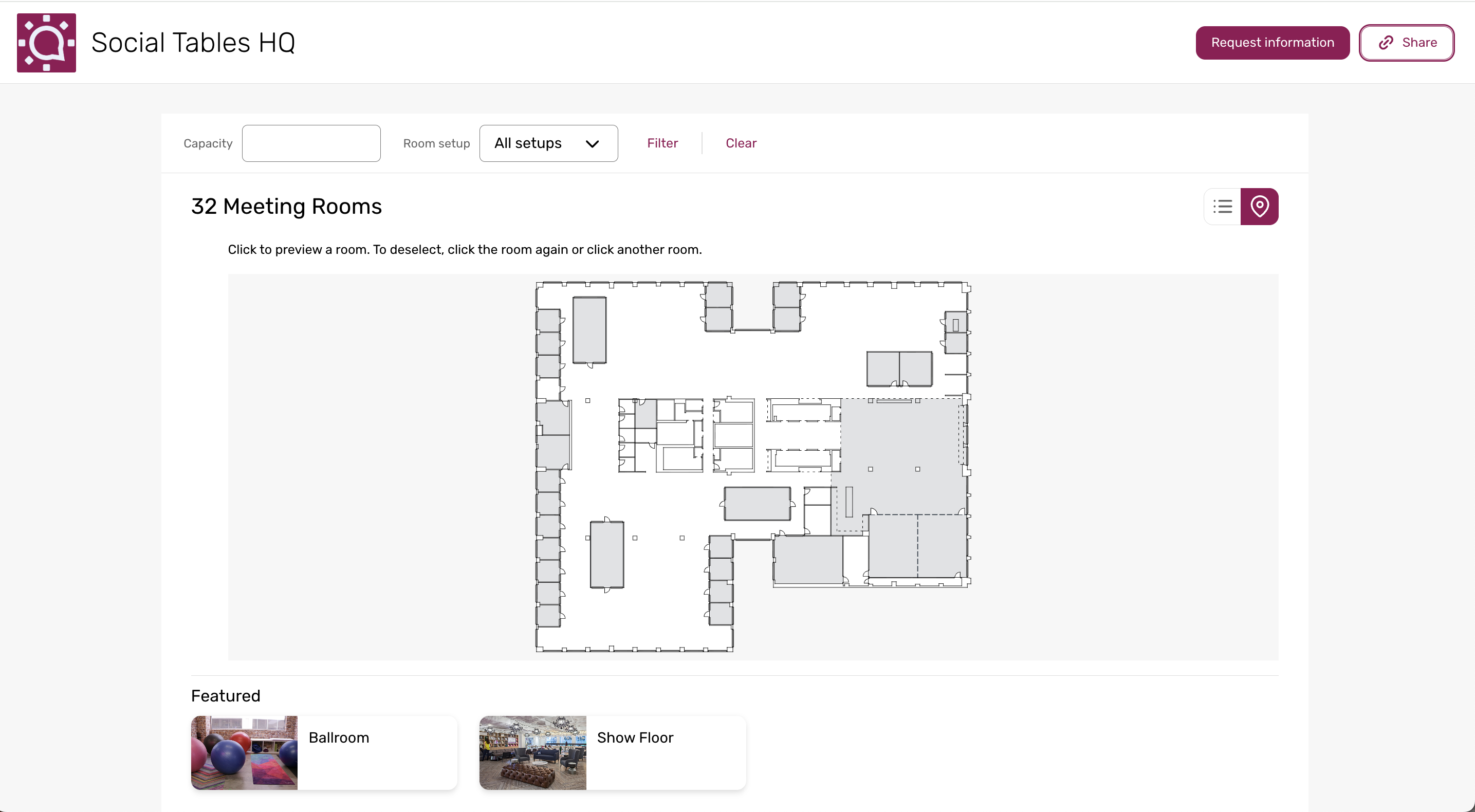
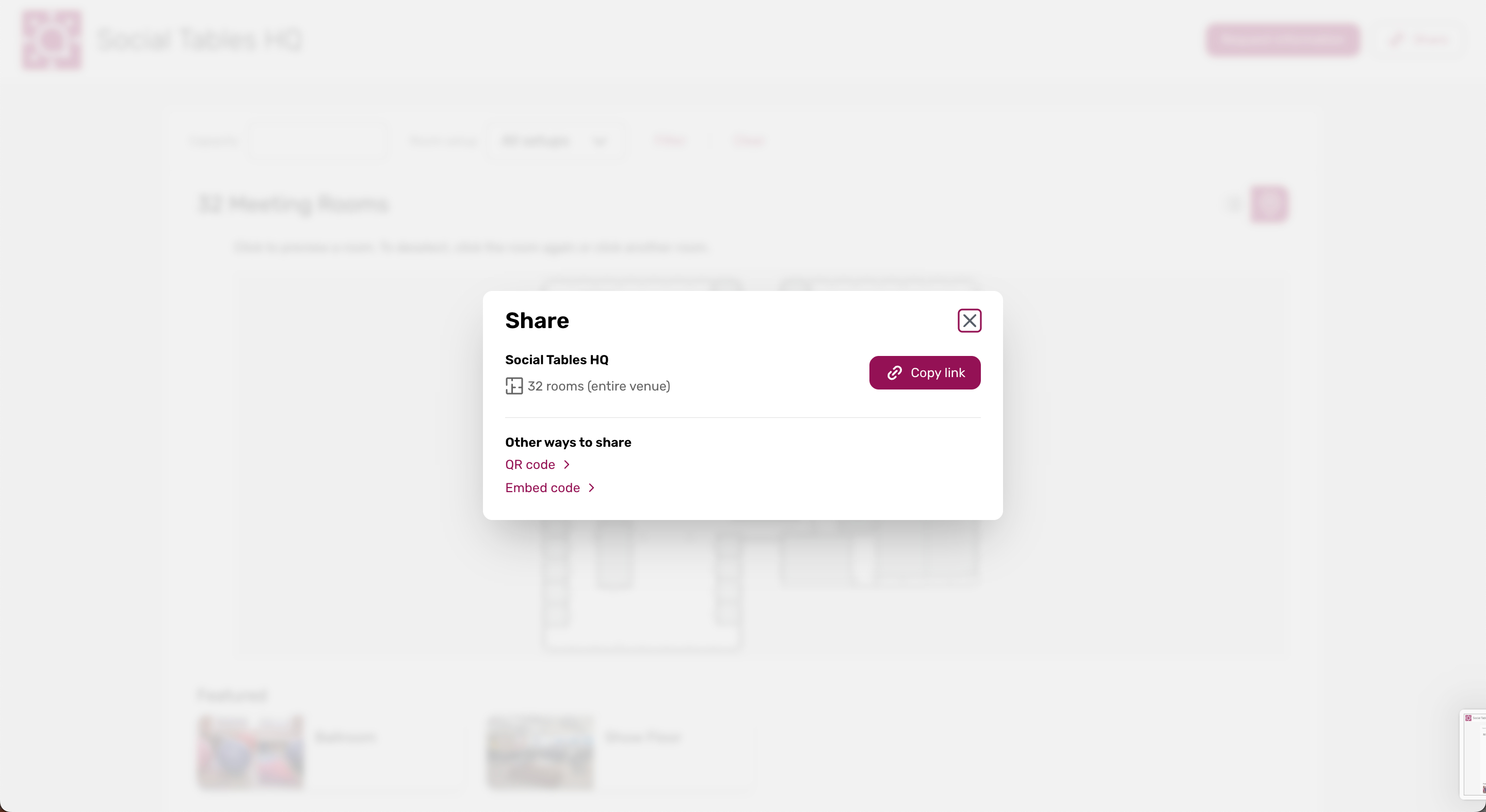
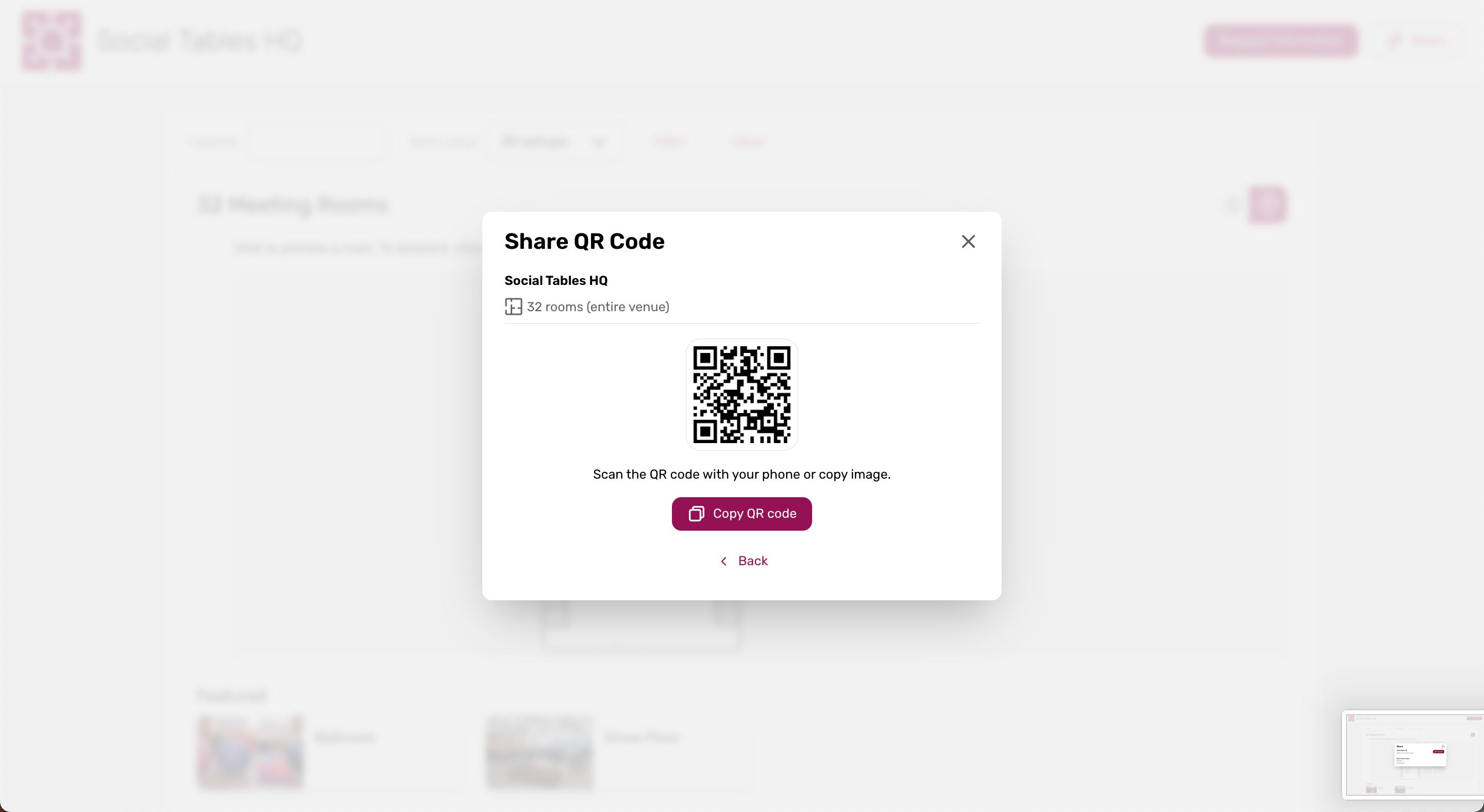
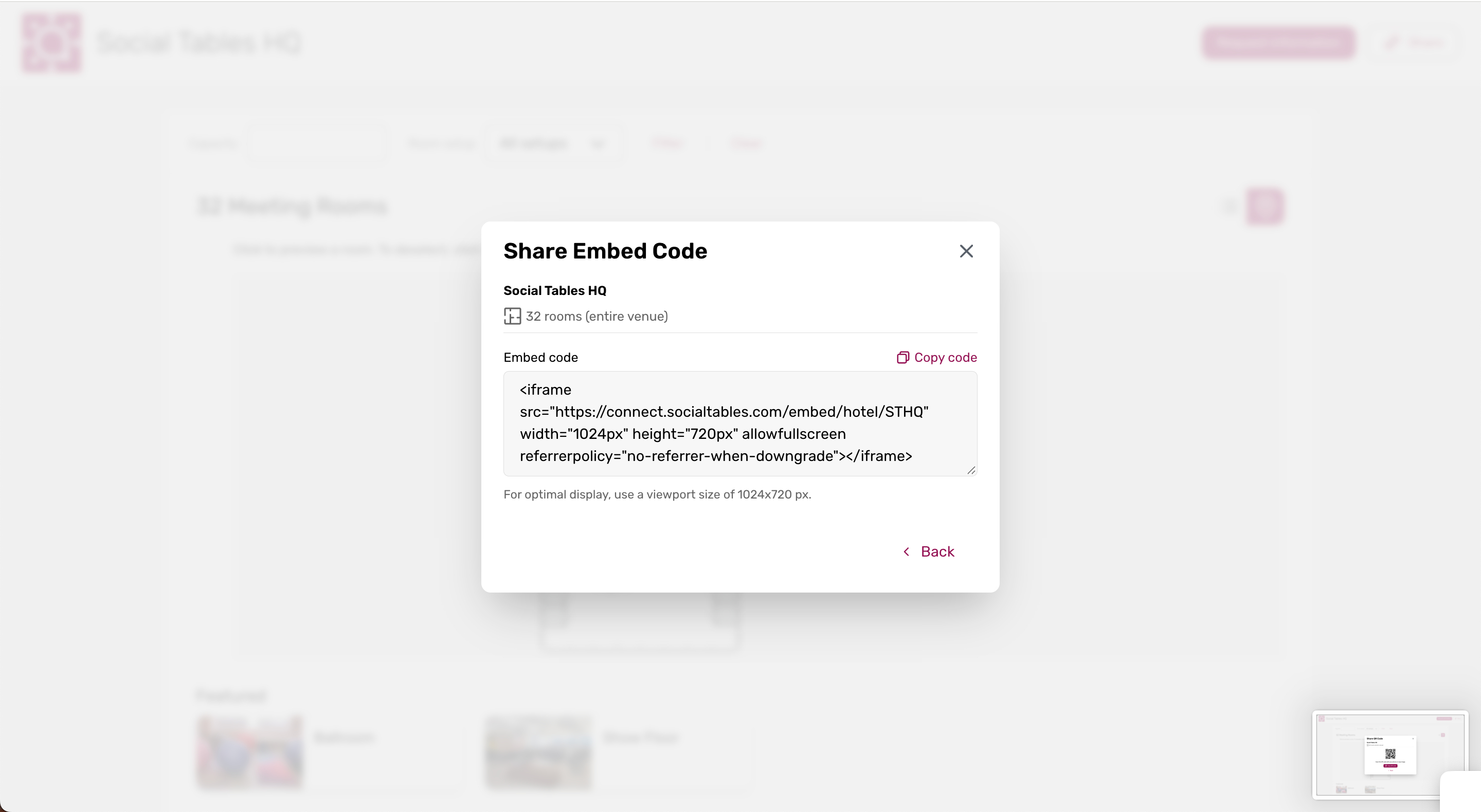
What's Changed: Hotel and venue teams can now share their Interactive Floor Plans (IFP) through a direct link, QR code, or embedded webpage. As a planner, you can access an IFP in the channel that is most convenient for you, whether it is shared in an email, included in event materials, or displayed on a venue website.
This update helps planners and other event stakeholders view venue and event information without needing to navigate to a specific platform or location.
Benefits: It is now easier to access the information you need when reviewing a venue or planning an event. You can open a shared IFP from more places, so you can explore event details in fewer steps.
Open an IFP directly from a link shared through email, messaging apps, or social media
Scan a QR code from printed materials, venue signage, or a presentation for quick access
View an IFP embedded on a hotel or venue website, blog, or internal portal
Access shared venue and event information in the places you already use
Additional Resources
Cvent Community: Questions about the above updates? As always, get answers in the Community via the Open Forum.
Beta Opportunities Page: Try new features and products out before full launch availability. Join Beta Programs.