- DATE:
- AUTHOR:
- Cvent Product News Team

Exchange Solutions Releases for December 2, 2026
Products covered under Exchange Solutions are Cvent Supplier Network, Event Diagramming, Passkey, Travel, Instant Book, Vendor Marketplace powered by Reposite.
Cvent Supplier Network
Proposal links now require login
Expected Release Date: Available Now
Overview
Proposal links in email notifications now require Cvent sign-in, adding an extra layer of security for supplier proposals and helping ensure only authorized team members can access them.
What's Changed:
When you select View proposal, Download proposal, or View responses in a proposal notification email, you'll be prompted to sign in with your Cvent username and password or through SSO. After signing in, you'll go directly to the requested page or download. If you're already signed in to Cvent, you won't need to log in again.
Benefits:
Keep proposal details private. Sign-in helps protect supplier submissions if an email is forwarded or a link is accessed from an unsecured device.
Support controlled access. Cvent authentication helps ensure proposal content is available only to authorized team members.
Share with greater confidence. You can forward proposal notifications to colleagues knowing that a sign-in is required to access the links.
Email open and click tracking suppressed for France and Italy
Release date: 12/02/2026
Overview:
If you send emails through Cvent's email platform, Cvent automatically suppresses open and click tracking when recipients open your emails or click links from within France or Italy. Your recipients' email experience stays the same: messages render normally, and links take them to their intended destinations.
What's Changed:
Cvent does not record email opens or link clicks that happen from within France or Italy. You don't need to change any settings.
Cvent determines the country based on where the open or click happens, not where your recipient lives or works. Tracking activity from other countries is unchanged.
Benefits:
Support your compliance efforts. Open and click tracking is automatically suppressed in France and Italy in response to local regulatory guidance.
Keep things familiar for your recipients. Your emails still render normally, and links continue to work as expected.
No setup required. The change applies automatically to emails sent through Cvent's email platform.
Cvent Event Diagramming
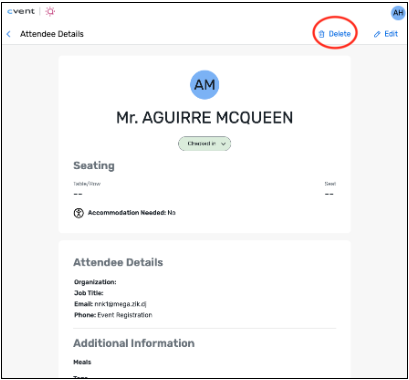
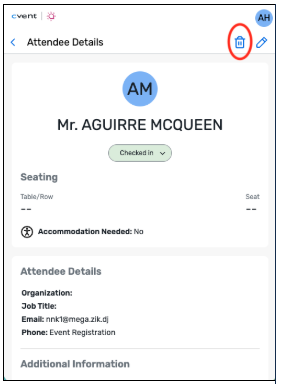
Delete Attendees from Check-in Web
Expected Release Date: Available Now
What's Changed: You can now delete an attendee directly from the attendee list in Check-in Web without leaving the check-in experience. A confirmation step helps prevent accidental deletions, and attendee counts update in real time.
Benefit: Quickly correct your attendee list during a live event by removing duplicate entries, last-minute cancellations, or incorrect records right where you manage check-in.
Attendee Grid Bulk Editing
Expected Release Date: Available Now
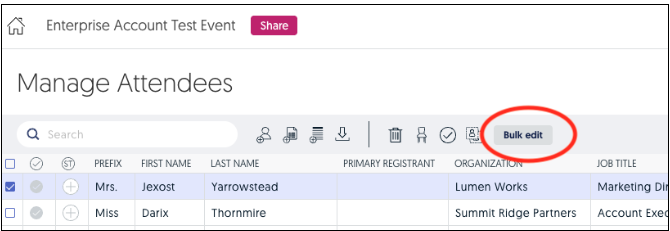
What's Changed: Planners can now select one or more attendees in the Attendee Grid and update their information in a single action, with bulk edits supported for up to 1,000 attendees at a time.
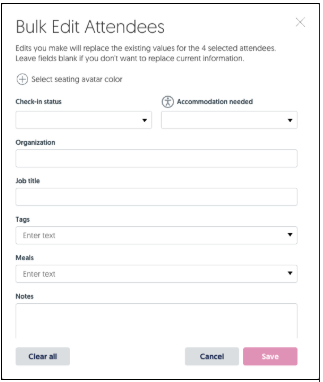
Bulk editing is available from the Bulk edit button. Only the fields you complete are updated; fields you leave blank stay unchanged.
For standard attendees, bulk-editable fields include Check-in Status, Avatar Color, Accommodation Needed, Organization, Job Title, Tags, Meals, Notes, and custom fields. Check-in Status can be set to Not checked in, Checked in, or Checked out. Accommodation Needed uses Yes/No options.
For Cvent-linked attendee lists, you can bulk edit Avatar Color, Accommodation Needed, and Seating Notes. Fields that sync from Cvent, such as Organization, remain locked.
Benefit: Save time when preparing large or complex events by applying consistent attendee details to a group at once. You can quickly assign shared tags, meals, colors, or notes without having to repeat the same update for each attendee.
Cvent Travel
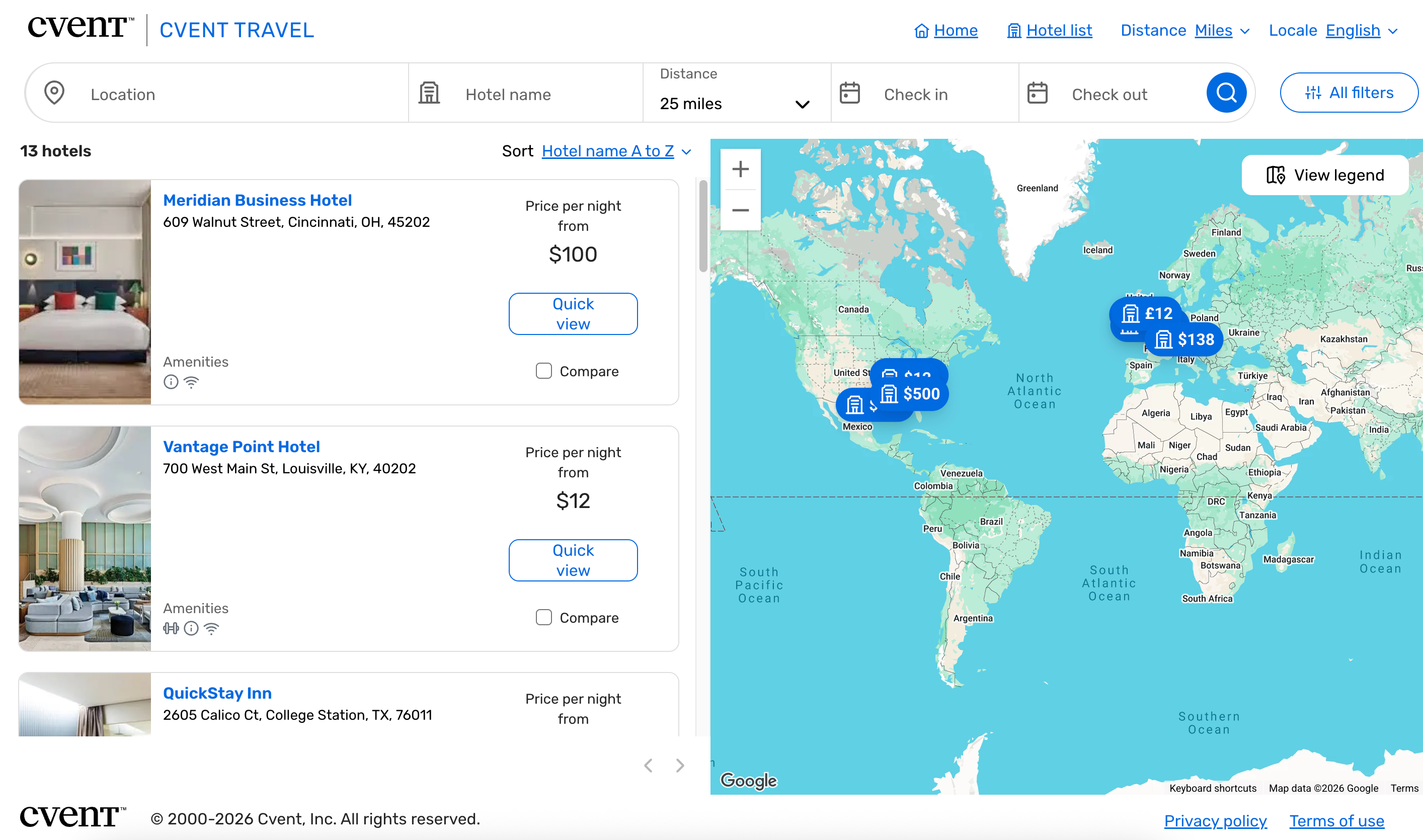
Find Hotels Faster
Expected Release Date: Available Now
What's Changed: The Cvent Travel Hotel Directory now gives travelers more ways to find the right hotel:
Browse the full hotel directory by leaving the location field blank.
Search by hotel name by entering any part of the name. Search is not case-sensitive and matches the hotel names configured by your program admins.
Search by city, address, or office to find hotels by distance.
See a map that works across more regions. In regions where Google Maps isn’t available, the directory now uses Azure Maps instead of Bing Maps so the map can load reliably.
Benefit: Travelers can find the hotel they need from a name, a location, or the full directory—without extra steps. These flexible search options make it easier to quickly narrow down the right hotel while planning travel.
Additional Resources
Cvent Community: Questions about the above updates? As always, get answers in the Community via the Open Forum.
Beta Opportunities Page: Try new features and products out before full launch availability. Join Beta Programs.