- DATE:
- AUTHOR:
- Cvent Product News Team

Exchange Solutions Releases for June 17, 2026
Cvent Supplier Network
Google Reviews & Ratings on Venue Profiles
Overview:
Google Ratings help you evaluate venues with greater confidence by providing an independent view of venue quality and guest sentiment directly within the Venue Profile. This additional layer of insight makes it easier to compare options, validate decisions, and move through the sourcing process more efficiently.
What's Changed:
Google Ratings are now available on Venue Profiles within CSN, giving you access to trusted, third-party ratings and reviews directly within the sourcing experience.
How It Works:
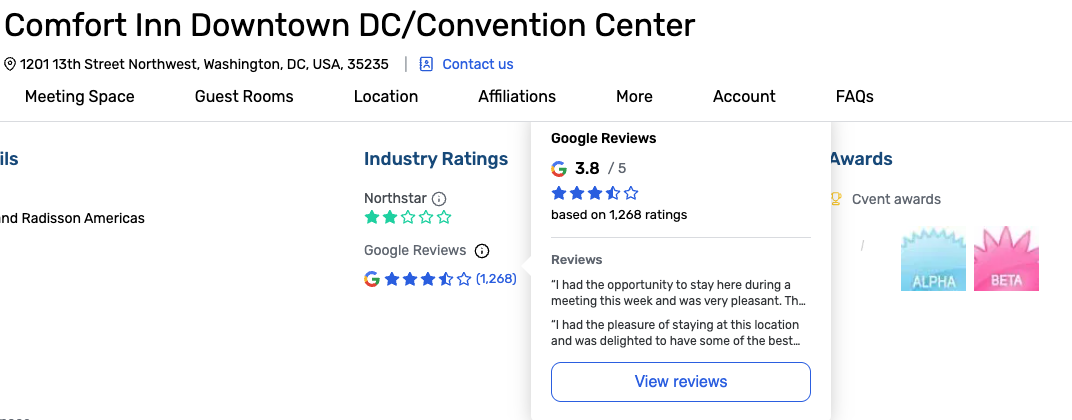
When viewing a Venue Profile on CSN, you'll automatically see the Google Rating displayed within the existing Industry Ratings section.
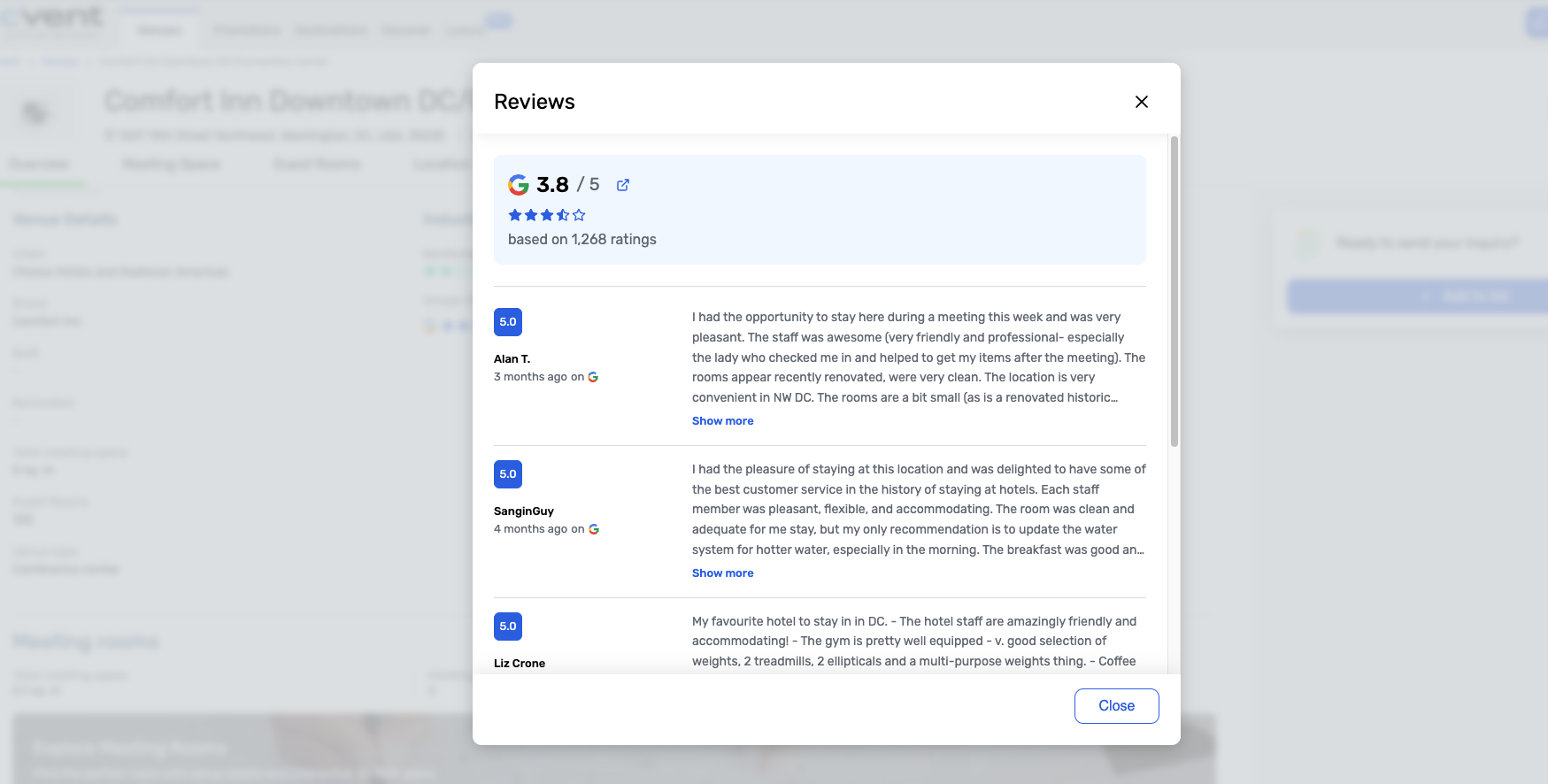
You can hover over the Google Rating to view additional rating details and click View Reviews to open a modal displaying up to five Google reviews.
What you'll see:
A Google Rating within the Industry Ratings section, including a star rating, average score, and total review count.
A hover tooltip with additional rating details.
A View Reviews option that opens a modal displaying up to five Google reviews.
Why it matters:
Google Ratings provide a trusted, third-party perspective alongside existing industry ratings, helping you quickly answer questions like:
Is this venue well-regarded beyond what the venue is telling me?
What are real guests and event attendees saying about this venue?
Benefits:
Gain a trusted, third-party perspective to help validate venue quality beyond venue-submitted information.
Make more informed decisions with insights from real guest and attendee experiences.
Evaluate venues faster with Google Ratings and reviews displayed directly within the Venue Profile.
Compare venues more efficiently without leaving your sourcing workflow.
Important Notes:
Additive, not replacing — Google Ratings appear alongside existing industry ratings and do not replace any existing ratings on the Venue Profile.
Independent and trusted — Ratings and reviews are sourced directly from Google and cannot be edited by venues.
Logged-in users only — Google Ratings are only visible to authenticated users.
No action required — Google Ratings appear automatically on eligible Venue Profiles with no setup needed from venues.
Availability may vary — Ratings are displayed only when Google rating data is available for the venue.
Cvent Passkey
Start Transfer Dates Stay In Sync
What's Changed: If you update a hotel’s Reservation Access date in Passkey, the related Start Transfer date will now update automatically to keep the same timing offset between the two dates. This also applies when an Event Cutoff date change causes Passkey to automatically update hotel Reservation Access dates that were set to the day after the cutoff date.
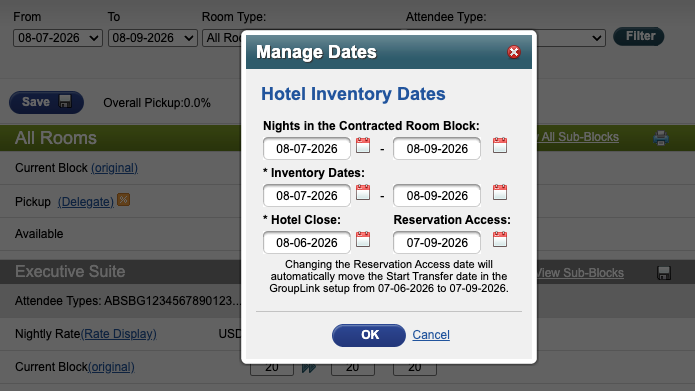
Benefit: This update helps keep your reservation availability and transfer timing aligned automatically, so you don’t have to worry about those dates drifting out of sync after a change.
Reduce manual follow-up when reservation timing changes.
Maintain consistent timing between reservation access and start transfer dates automatically.
Avoid mismatches that could affect reservation availability and transfer timing.
Cvent Vendor Marketplace powered by Reposite
Reposite Vendor Showcase 2.0
Create and Manage Vendor RFPs in the CSN Planner Experience
Overview:
Reposite Showcase 2.0 brings vendor sourcing directly into the Cvent Supplier Network (CSN) Planner experience, making it easier for you to move from venue sourcing to vendor sourcing without leaving the platform.
What's Changed:
You can now opt in to vendor sourcing directly during the CSN RFP flow, continue into vendor RFP creation from within Cvent, and manage vendor RFP activity in a dedicated Vendors tab. The Cvent Supplier Network and Reposite also stay aligned through bi-directional sync across both experiences.
Benefits:
This update creates a more connected sourcing workflow for you by reducing manual steps, keeping venue and vendor RFP activity visible in one place, and making it easier to move from venue sourcing into vendor sourcing.
Feature Details:
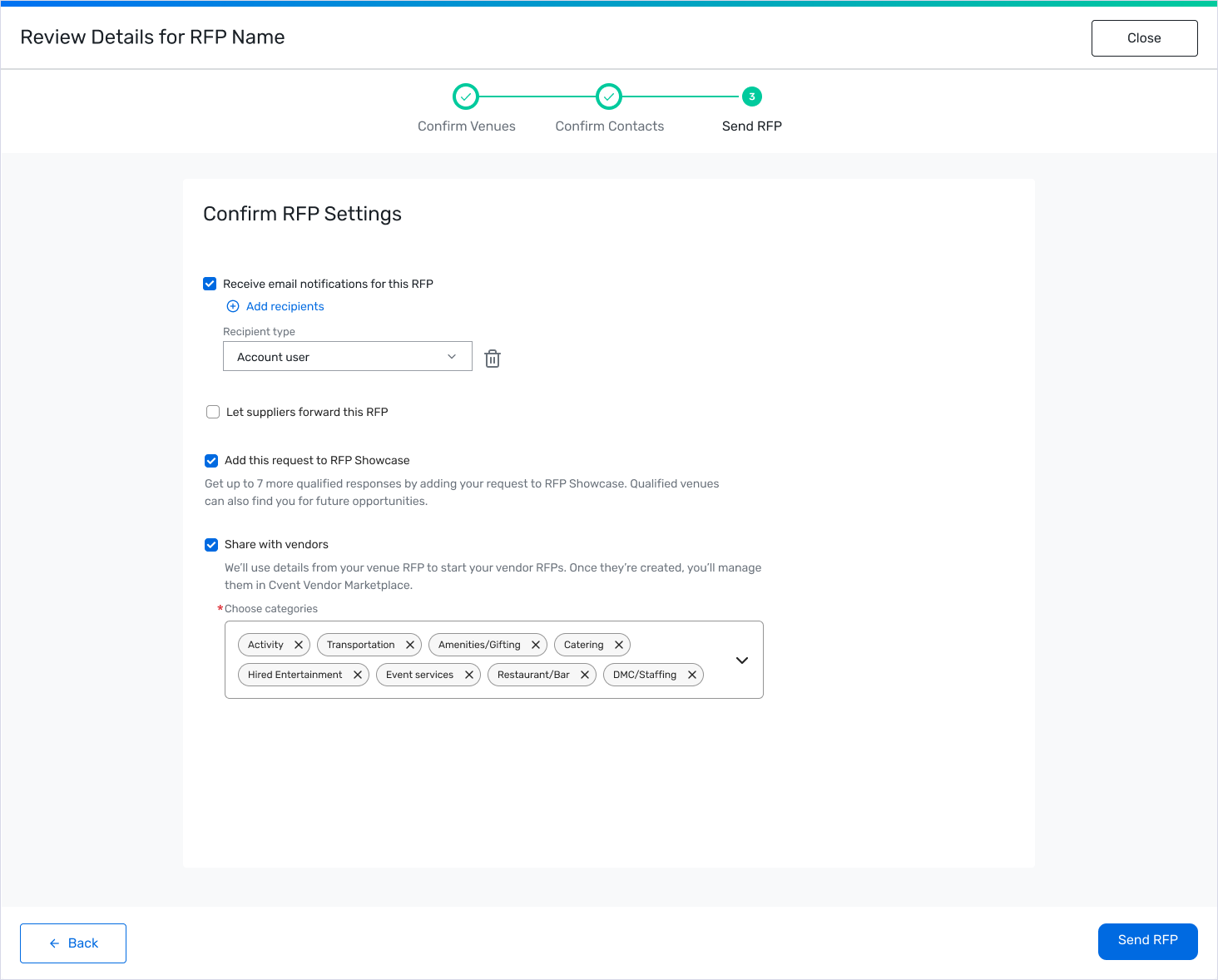
Share with Vendors opt-in
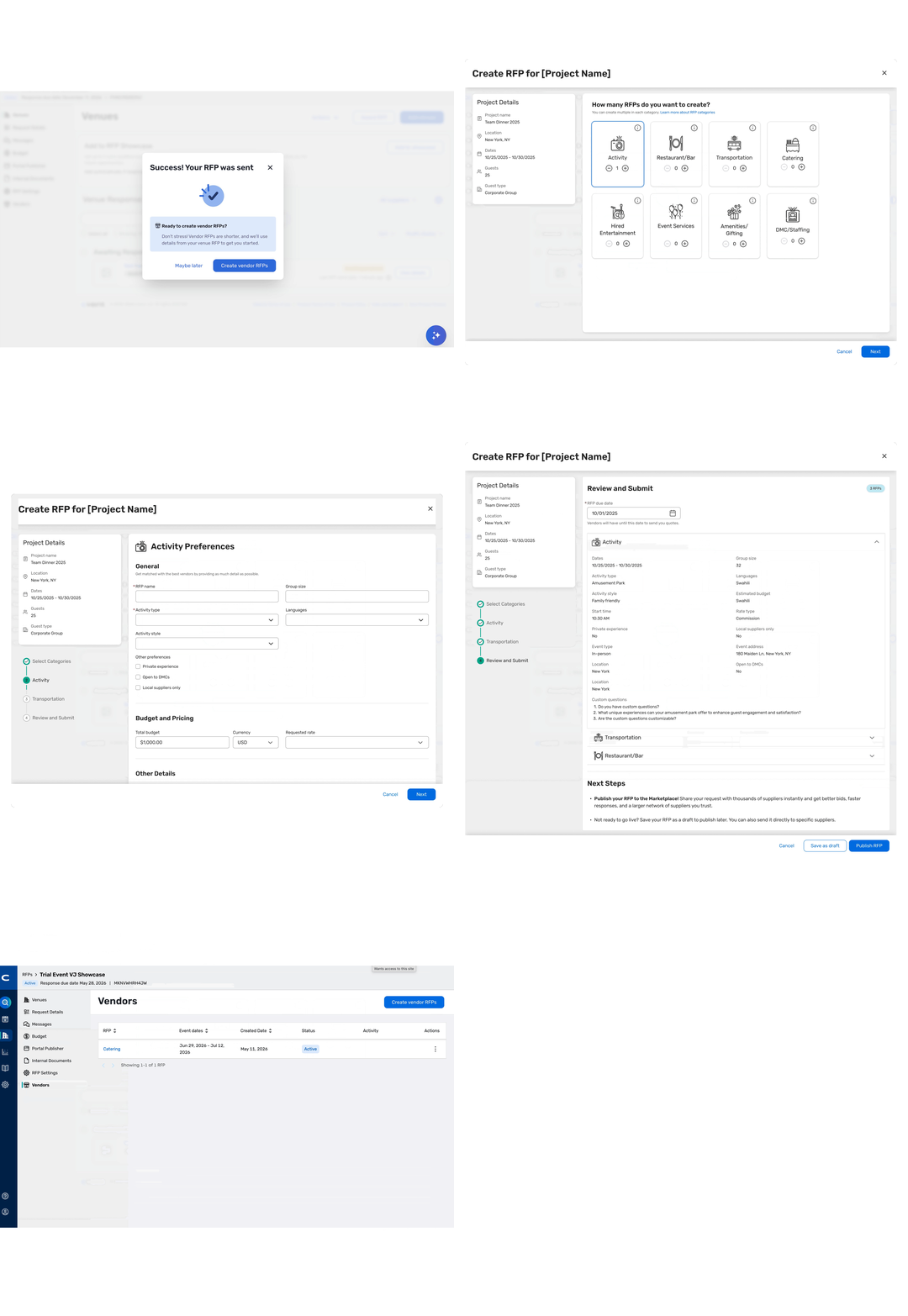
You can now select a new Share with Vendors option during the CSN RFP send flow and choose vendor categories to kick off vendor sourcing faster.
Seamless continuation into vendor RFP creation
After submitting a CSN RFP, if you opt in, you’ll be prompted to continue into the vendor RFP workflow within the CSN Planner experience. If you’re an eligible SSO-connected user, this launches a streamlined authentication flow into vendor RFP creation.
New Vendors tab for tracking and management
Once a vendor RFP is published, you can view it in a new Vendors tab within the CSN RFP. This tab provides visibility into live status and activity, along with actions to Publish, Edit, Award, or Remove vendor RFPs through Reposite.
Bi-directional sync between CSN and Reposite
CSN venue RFP details sync to the Reposite project dashboard, and vendor RFPs created in Reposite sync back to the Vendors tab in CSN for a more connected workflow.
Important Notes:
This feature is available to you when:
Vendor Marketplace powered by Reposite is enabled for your account.
Reposite SSO is enabled for your account and user.
Your account is licensed as Non-Enterprise.
You have access to both Reposite and the CSN Planner experience.
Additional Resources
Cvent Community: Questions about the above updates? As always, get answers in the Community via the Open Forum.
Beta Opportunities Page: Try new features and products out before full launch availability. Join Beta Programs.