- DATE:
- AUTHOR:
- Cvent Product News Team

Plan & Promote Releases for June 17, 2026
Registration
Event Calendar: Calendar View
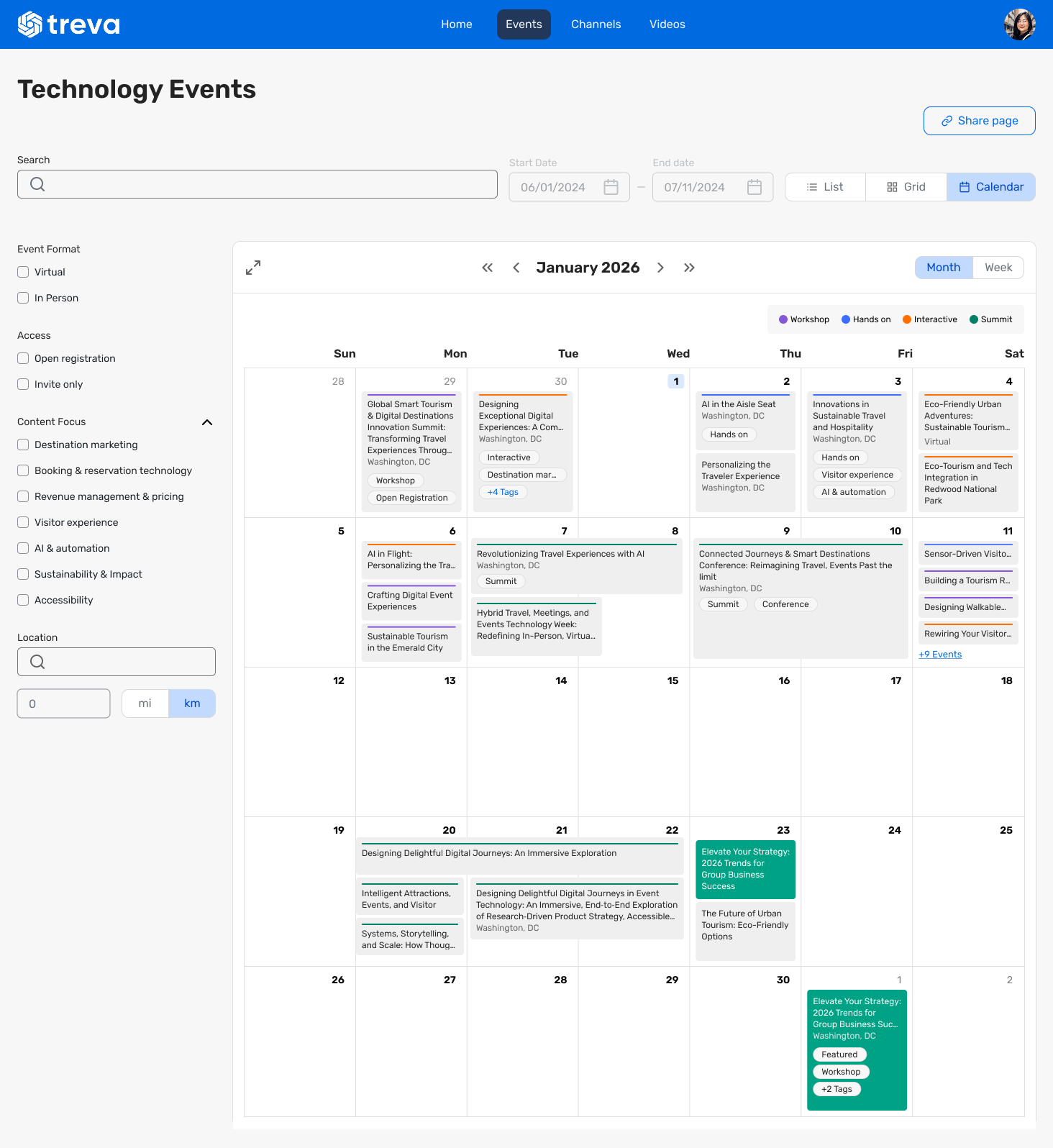
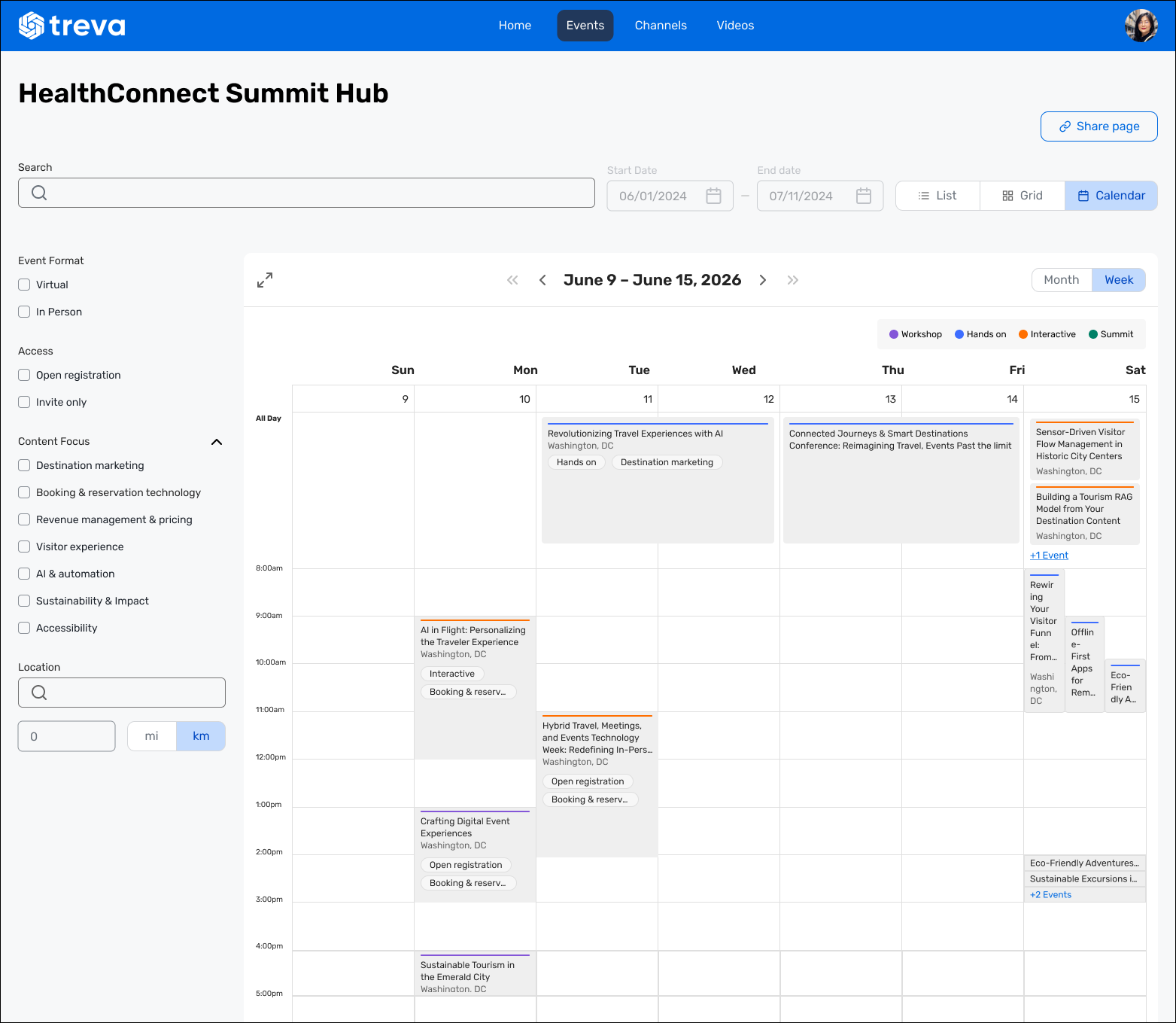
Event Calendars now support a Calendar View — a new layout option that lets attendees browse events on a familiar monthly or weekly grid, alongside the existing List and Grid views. This new view option is available everywhere on the platform that supports calendars, including Attendee Hub, Events+, and Access Portal.
What's New
Calendar layout option: Set Calendar as the default layout for your Event Calendar in Events+, Attendee Hub, and Access Portal. Attendees can also switch between Calendar, List, and Grid views on demand.
Month and Week views: The calendar supports Month and Week view modes, with navigation controls to move forward and backward by month, week, or year. Clicking a date in Month view drills into Week view for that week.
Color-coded events with a tag legend: Event cards display a color indicator based on their primary tag, with a legend above the calendar mapping each color to its tag.
Universal Reports: Usage Details & Usage Summary
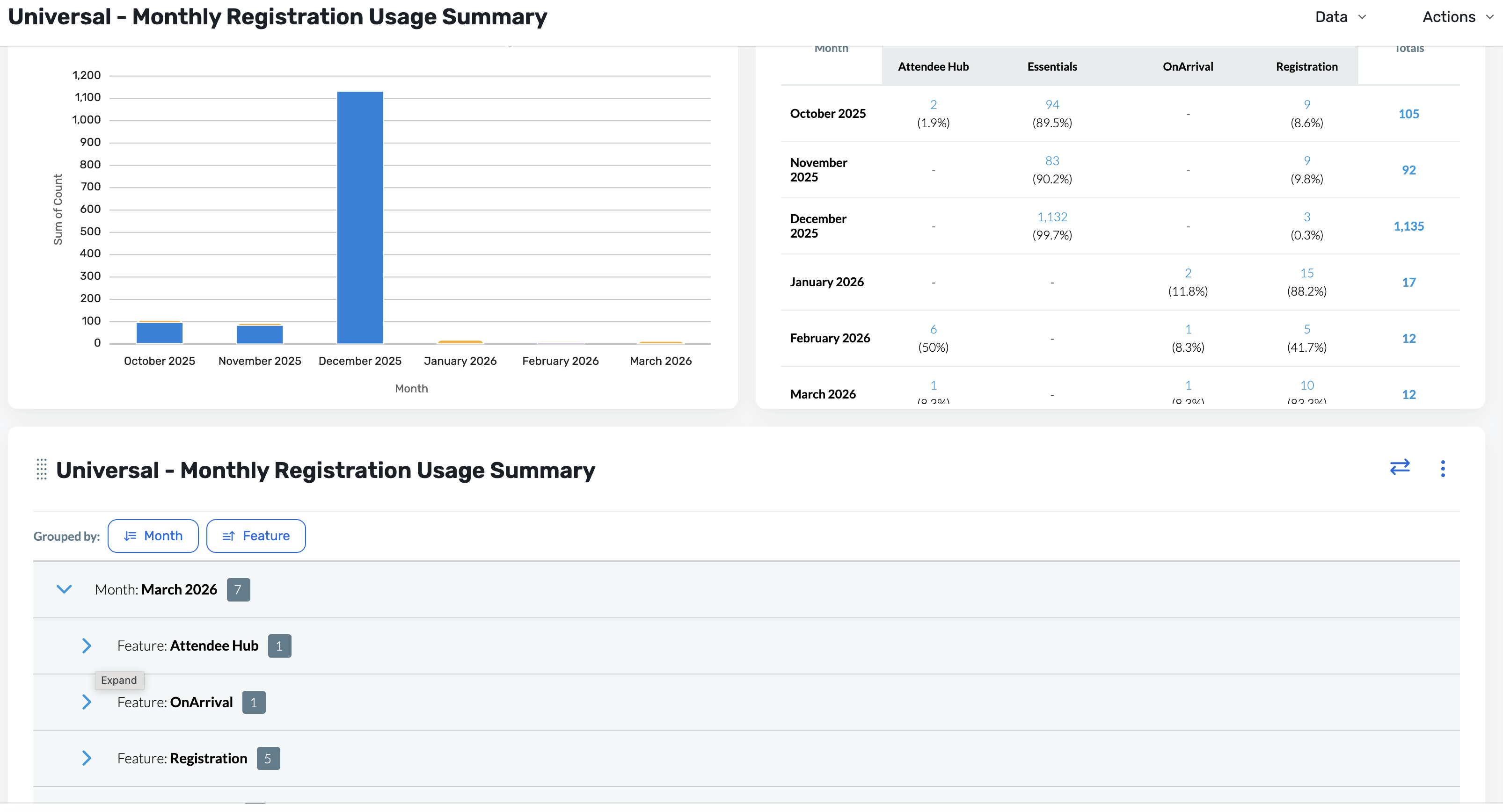
You can now view usage across core products in one place with the new Universal Reports experience. The new Universal Usage Details and Universal Usage Summary reports bring together reporting for Registration, Attendee Hub, OnArrival Premium, and Essentials, making it easier for you to understand activity across products without switching between multiple reports.
What’s new
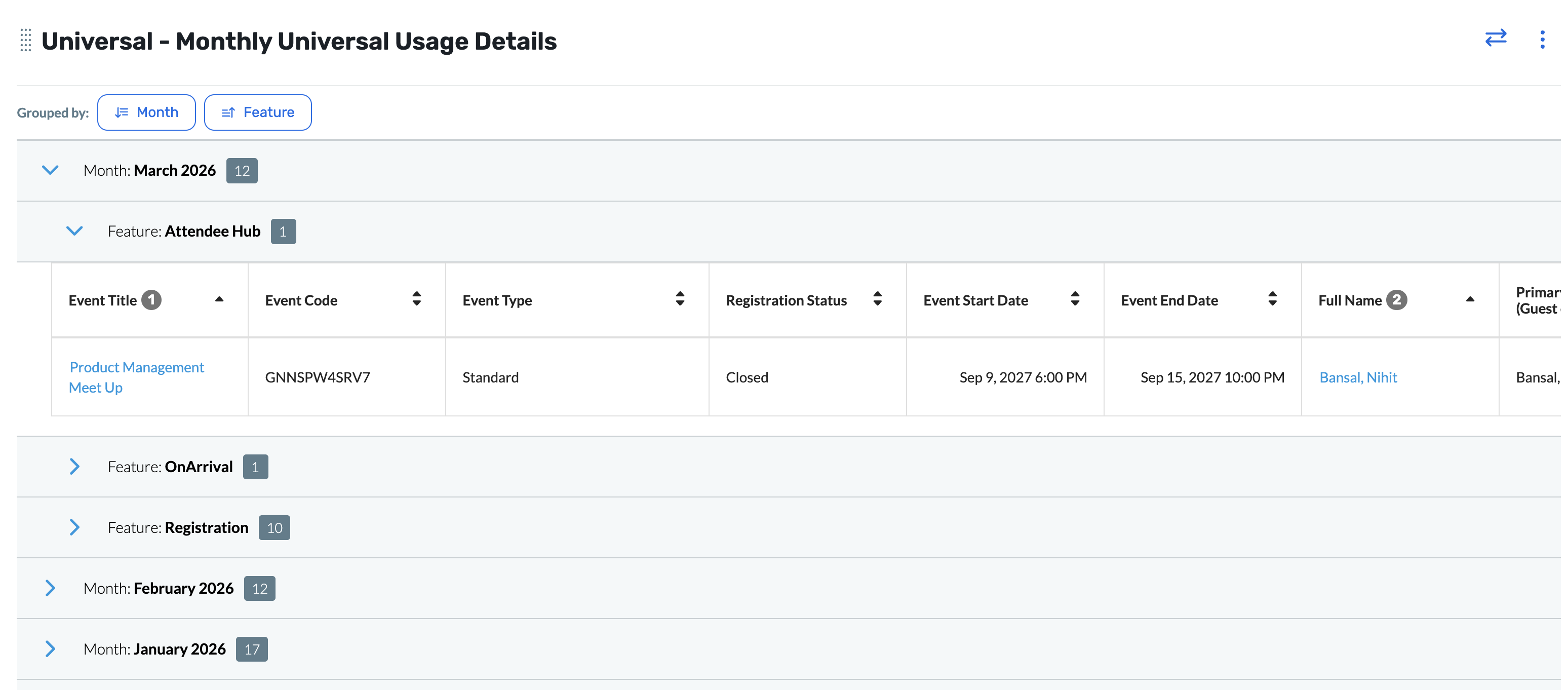
Two new reports: Universal Reports now includes both a Details report and a Summary report.
Built for planners: These reports are designed to help you view and analyze usage across core products in one consolidated experience
Cross-product visibility: View usage across Registration, Attendee Hub, OnArrival Premium, and Essentials in a single reporting experience
Simplified reporting workflow: Reduce the need to navigate between separate product-specific reports to understand overall usage
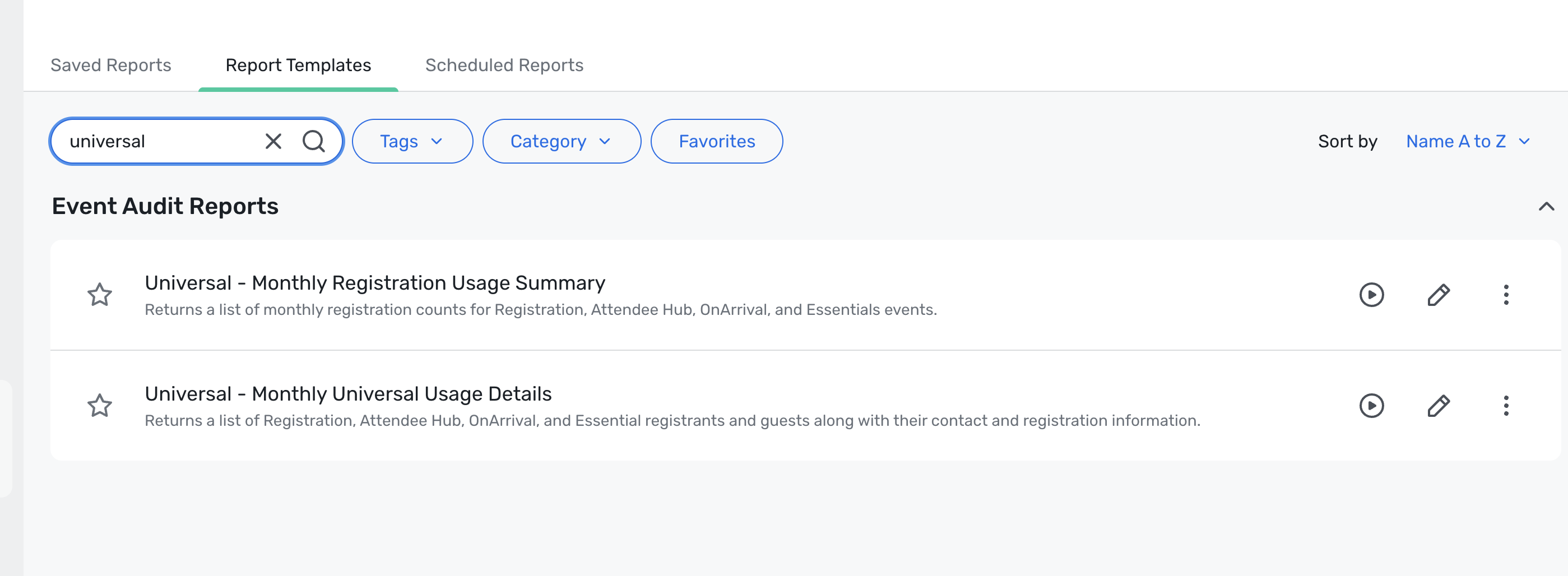
Access: Admin > Reports > Report Templates
Reports List
Usage Details
Usage Summary
Important considerations
Search timeframe limited to one year: Because these reports combine data across multiple products, the available search timeframe is currently limited to the past year to support performance
Some columns are not included: Since this is a consolidated view across product lines, certain product-specific columns that do not apply universally have been left out to avoid confusion
Only relevant product categories appear: If you do not have a given product line, you will not see categories for that product in the report. For example, if you only use Registration and Attendee Hub, you will not see categories for OnArrival Premium or Essentials
Existing reports remain available: Product-specific reports are still available for those who need more detailed or specialized reporting fields, but we want to champion the Universal Reports experience as much as possible to help consolidate reporting over time
What to expect
These reports are designed to give a more unified view of product usage across events and programs. We’ll continue monitoring performance and adoption as customers begin using the new reporting experience.
Cvent Payments: Transactions Details Report
We’ve introduced a new Cvent Payments Transactions Details report to give easier access to the financial transaction data needed for reconciliation and reporting.
What’s new
Users with Cvent Payments enabled can now access a new report in Admin > Reporting > Reports > Report Templates by searching for Cvent Payments Transactions Details.
The report includes the same fields and capabilities as the existing Transactions report, with additional Cvent Payments-specific financial data. New data points include:
Reserve Amount
Credit Card Processing Fee
Tax
Payout Amount
Settlement Date
Reserve Release Date
You can also export the report to CSV and save it to Saved Reports, consistent with existing report workflows. The report is categorized under Financial Reports for easier discovery.

Benefits
This enhancement makes a previously inaccessible subset of financial data available in a more accessible format, helping planners reconcile transactions more easily.
By surfacing more detailed transaction information directly in the product, this release is intended to improve planner satisfaction and reduce operational overhead for both planners and internal teams.
Profile Image Cropper
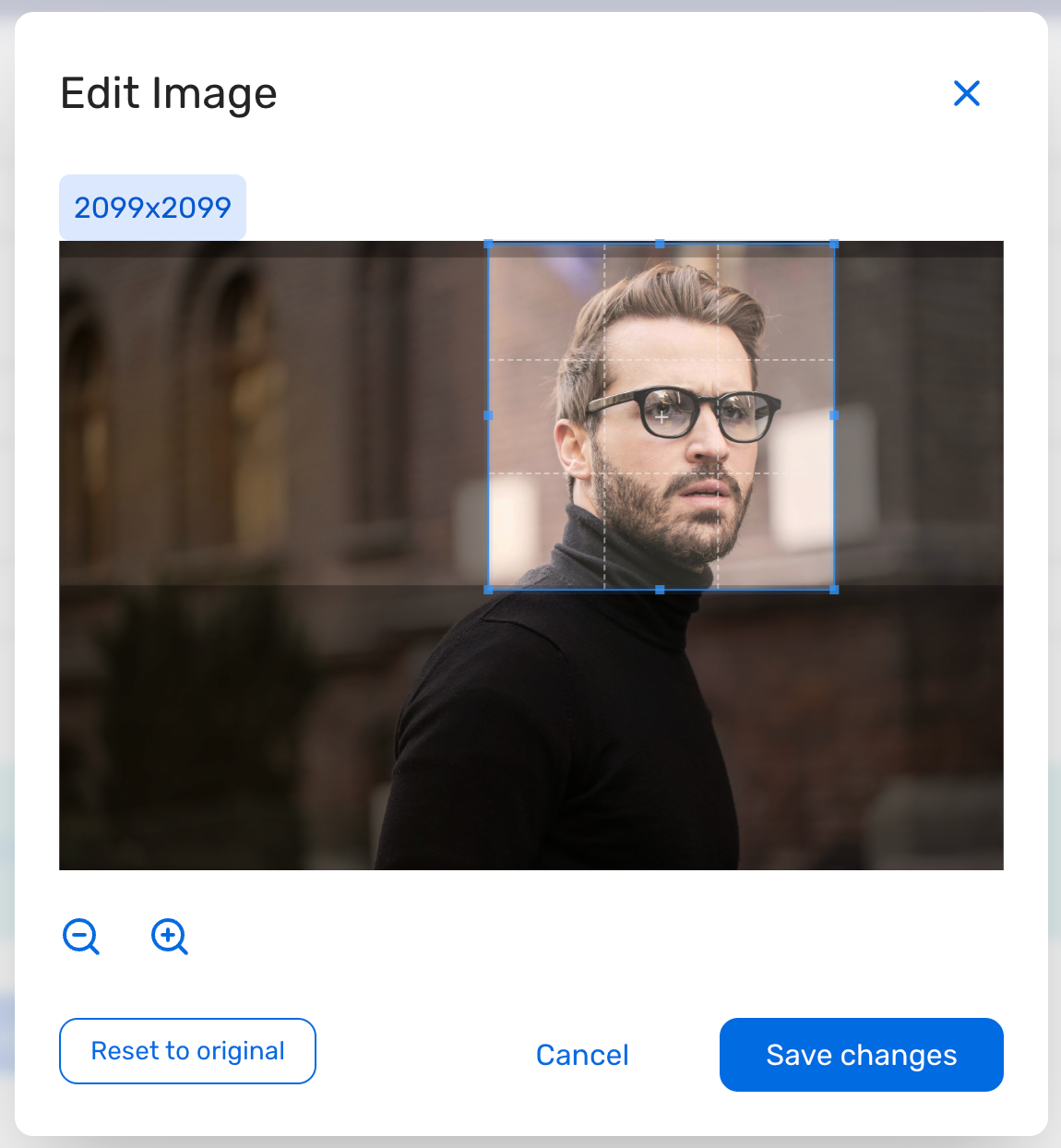
We’re excited to introduce a Profile Image Cropper in the Profile Image widget during registration, giving attendees more control over how their profile photo appears by letting them crop and adjust it before saving.
Now, attendees can intentionally frame their image during upload, helping reduce manual cleanup and improve consistency across downstream surfaces like badges or the event app.
What do you need to know?
Better attendee control – When an attendee selects an image to upload, a cropping modal opens, allowing them to adjust the image's framing before saving.
Familiar cropper experience – The cropper supports zoom in/out, a square crop preview/overlay, reset, and confirm actions.
Less manual correction for planners – Improving image framing at upload reduces the post-registration cleanup planners often need to do later. The new cropper can be seamlessly integrated with the registration modification workflow, making it easier to update invitees on already uploaded images.
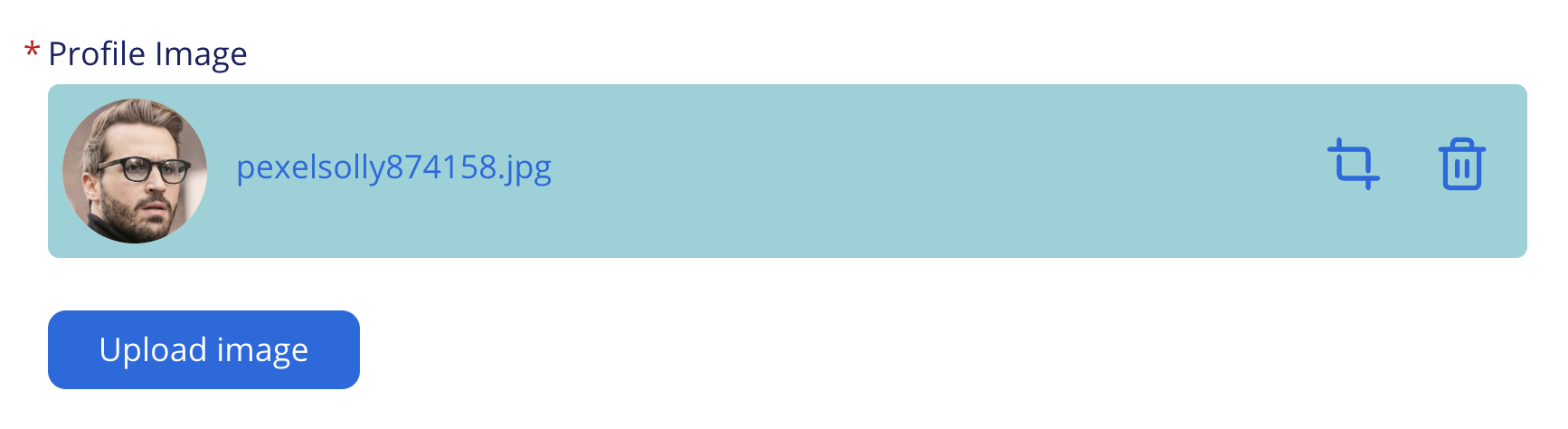
The upload flow is designed to remain seamless and does not impact existing events using this widget.
REST API for Event Vouchers
We’re adding new read-only REST API support for Event Vouchers, making it easier to retrieve voucher data and track which attendees used a specific voucher within an event.
With this update, planners and integrated systems can:
Retrieve the list of event vouchers configured for an event.
Retrieve the list of attendees linked to a specific voucher in an event.
Why this matters
Today, voucher configuration and usage are visible in the UI, but programmatic access through REST APIs has been limited. These new endpoints provide standardized access to voucher and voucher-usage data, enabling teams to more easily support reporting, reconciliation, and external system integrations.
What’s included
This release includes two new GET endpoints:
List Event Vouchers for a given event by Event ID.
The endpoint will return the details like-
Voucher code - Voucher code set by the planner
Description - Voucher description
Usage - Count of the number of vouchers used by attendees
Capacity - total capacity for voucher set by planner
Last modified by
Last modification dates
List Attendees by Voucher for a given event and voucher by Event ID and Voucher ID.
The endpoint will return the attendee ID for the invitees associated with the voucher code.
Key things to note
The new endpoints are -
List event vouchers - GET/events/{eventId}/vouchersList voucher attendees - GET/events/{eventId}/vouchers/{voucheId}/Attendees
Both support pagination, sorting with limit, and token query parameters.
The List Event vouchers endpoint also supports filtering based on voucher code and Last modification date.
Detailed documentation for the endpoint can be found on the Cvent Developer Portal under "Events".
Exhibitor Management
Exhibitor Custom Field Visibility
With this release, you will have greater control over Exhibitor Custom Fields. You can now set any field to be visible and editable to all exhibitors, a selection of exhibitors, read-only for exhibitors, or hidden from the exhibitor experience entirely. This provides greater flexibility for collecting and communicating the right exhibitor information.
Types of Exhibitor Custom Fields
External Exhibitor Custom Fields: Control which exhibitors a custom field applies to, including options to make it available to all exhibitors or to selected exhibitors. This helps reduce clutter for exhibitors by showing only the fields that are relevant to them.
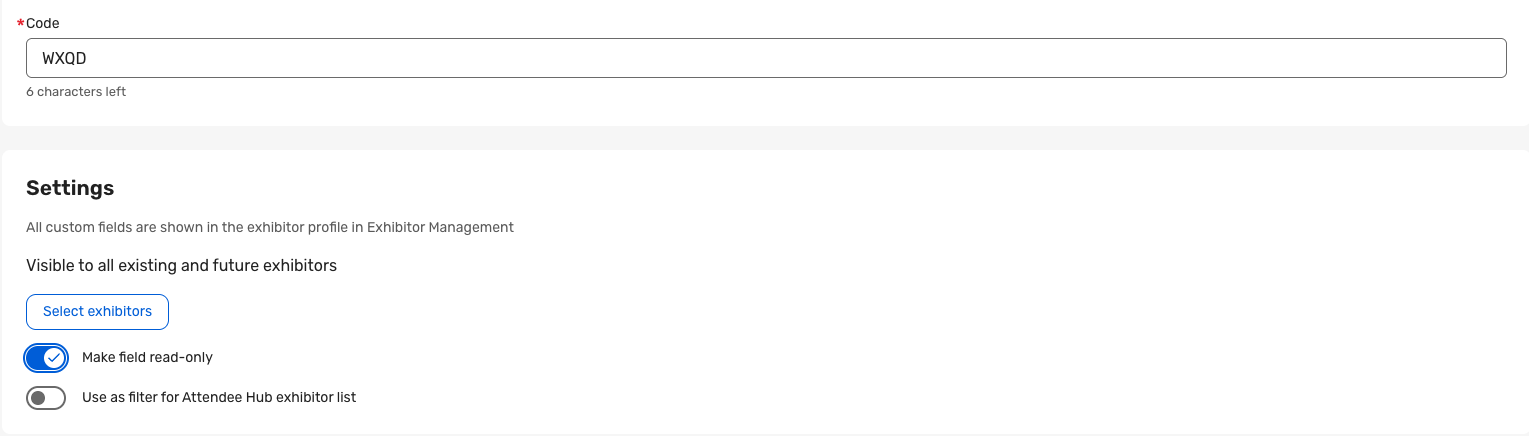
Read-Only Exhibitor Custom Fields: Mark the custom fields as read-only so exhibitors can still see the information, but cannot edit it. This gives you the flexibility to collect or update responses first, then lock the field once the value should no longer be changed by exhibitors. These fields can be made visible on AttendeeHub.
Internal Exhibitor Custom Fields: Create Exhibitor Custom Fields that are strictly planner-facing. These can be used similarly to Internal Information fields on an attendee record. These fields appear only in Exhibitor Management, are editable by planners, and do not appear in the Exhibitor Portal or Attendee Hub for exhibitors to view or respond to. This is useful for tracking internal operational details without exposing those fields to exhibitor admins.
How it works
External fields are visible to all by default, but you can select specific exhibitors to restrict access to that custom field. You can then further customize the visibility of the custom fields, as follows:
Read-only fields are planner-provided custom fields that exhibitors can view but not edit.
Internal fields are always planner-managed, optional, and applied to all exhibitors when No Exhibitors is selected.
Question Code for Custom Fields
Exhibitor Custom Fields now support a Question Code. This allows support for different fields with the same name — something that wasn't previously supported.
How it works
A 4-character code is automatically generated by default when a new field is created.
Planners can customize this code to any value between 4 and 10 characters, as long as it is unique within the event.
During import, a Question Code is required for each field — any field missing a Question Code will fail to import.
Additional Resources
Cvent Community: Do you have questions about the updates we've rolled out this window? As always, get questions answered in the Community via the Open Forum.
Beta Opportunities Page: Help us make Cvent Products better by being the first to test products before they're widely available. Join Beta Programs.
UX Research Panel: Be part of a select group of users who will help guide the future of Cvent's products. Join the UX Panel.