- DATE:
- AUTHOR:
- Cvent Product News Team

Spend & Workflow Releases for April 22, 2026
Budget Management
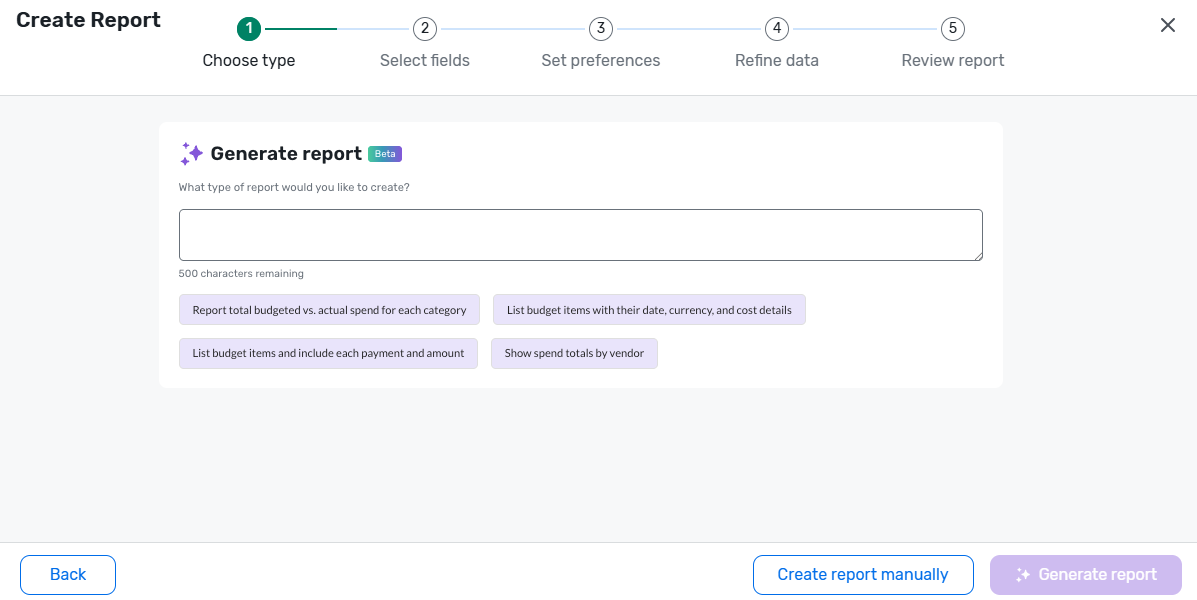
Create Budget Reports in Build Your Own Reports
What’s changed: You can now create fully customizable Event Budget reports in Build Your Own Reports (BYOR), using the same trusted budget fields and filters from the existing Budget Overview report while choosing your own layout, groupings, and prompts. This lets you save reusable budget report templates tailored for stakeholders such as finance, sourcing, and event owners.
Benefit: Planners get flexible, self-serve visibility into budget and spend performance, so they can quickly answer specific budget questions without relying on a single canned report or manual exports. Teams can focus on the exact slice of budget data they care about (by category, vendor, time period, or version) and ensure everyone is working from consistent, reliable budget views.
New GET Budget Vendor REST API
What’s changed: We’ve added a new GET Budget Vendor REST API and a matching CSV export from the Vendors page so you can pull all account-level vendor records and details in a paginated, filterable format (by Vendor ID, Name, Country, State).
Benefit: This gives your teams and integrations a single, reliable source of vendor master data for budgeting, reporting, and reconciliation, reducing manual data pulls from the UI and ensuring downstream systems always use an accurate, up-to-date vendor list.
Meeting Request Form
Event Languages
What’s changed: Meeting requesters can now set an Event Language directly on the meeting request form, and that language is automatically applied to the event website, registration, and emails when the event is auto-created (including Essentials and webinar events).
Benefit: This prevents events from defaulting to the account or requester language, helping multilingual organizations launch events in the correct language from the start and reducing manual rework to fix event, registration, and email language after creation.
Additional Resources
Cvent Community: Do you have questions about the updates we've rolled out this window? As always, get questions answered in the Community via the Open Forum.
Beta Opportunities Page: Help us make Cvent Products better by being the first to test products before they're widely available. Join Beta Programs.
UX Research Panel: Be part of a select group of users who will help guide the future of Cvent's products. Join the UX Panel.