- DATE:
- AUTHOR:
- Cvent Product News Team

Spend & Workflow Releases for October 7, 2026
Products covered under Spend & Workflow are Budget Management, Meeting Request Form, Access Portal.
Access Portal
Find venues faster with Supplier Category Filters in Access Portal
Access Portal users can filter Simple RFP venue searches by their organization’s existing supplier categories.
What’s Changed:
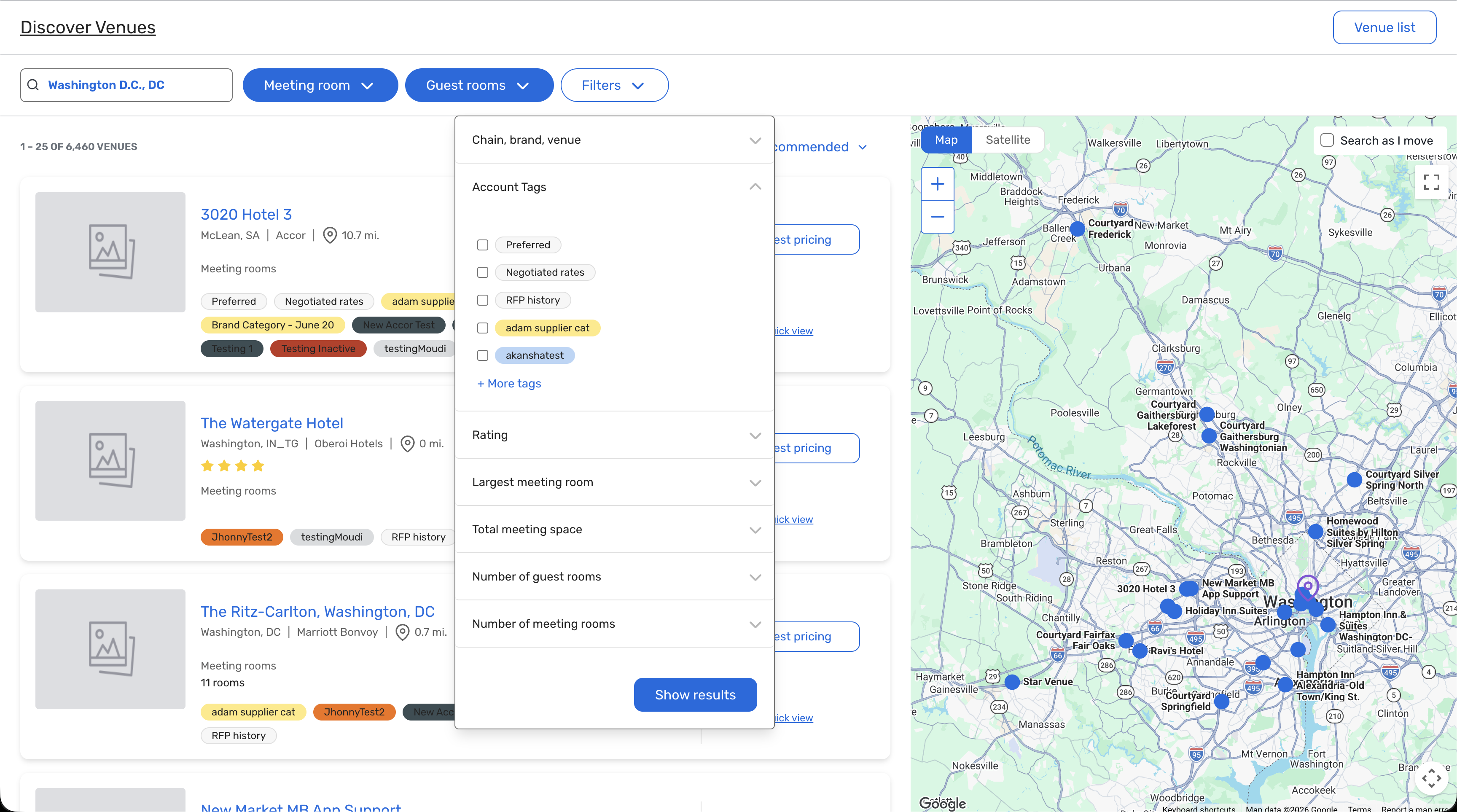
Use the new Account Tags filter to find venues by supplier category.
Select multiple categories at once. Results include venues matching any selected tag.
Find venues marked Preferred, offering Negotiated rates, or with RFP history—when those relationships exist for your account.
See supplier categories in the colors assigned by your admin.
Apply multiple selections with one click on Show Results, rather than running a new search after each selection.
Keep long tag lists manageable with + More tags and quick access to previously selected categories.
No new admin setup is required. Existing supplier category visibility and user-group settings continue to apply.
Benefit:
Skip the scrolling and get to the right venues faster. Planners can narrow results to properties aligned with their organization’s supplier relationships and booking preferences—making venue sourcing more relevant and efficient.
Easier Way for Access Portal Managers to Analyze Content Assignments
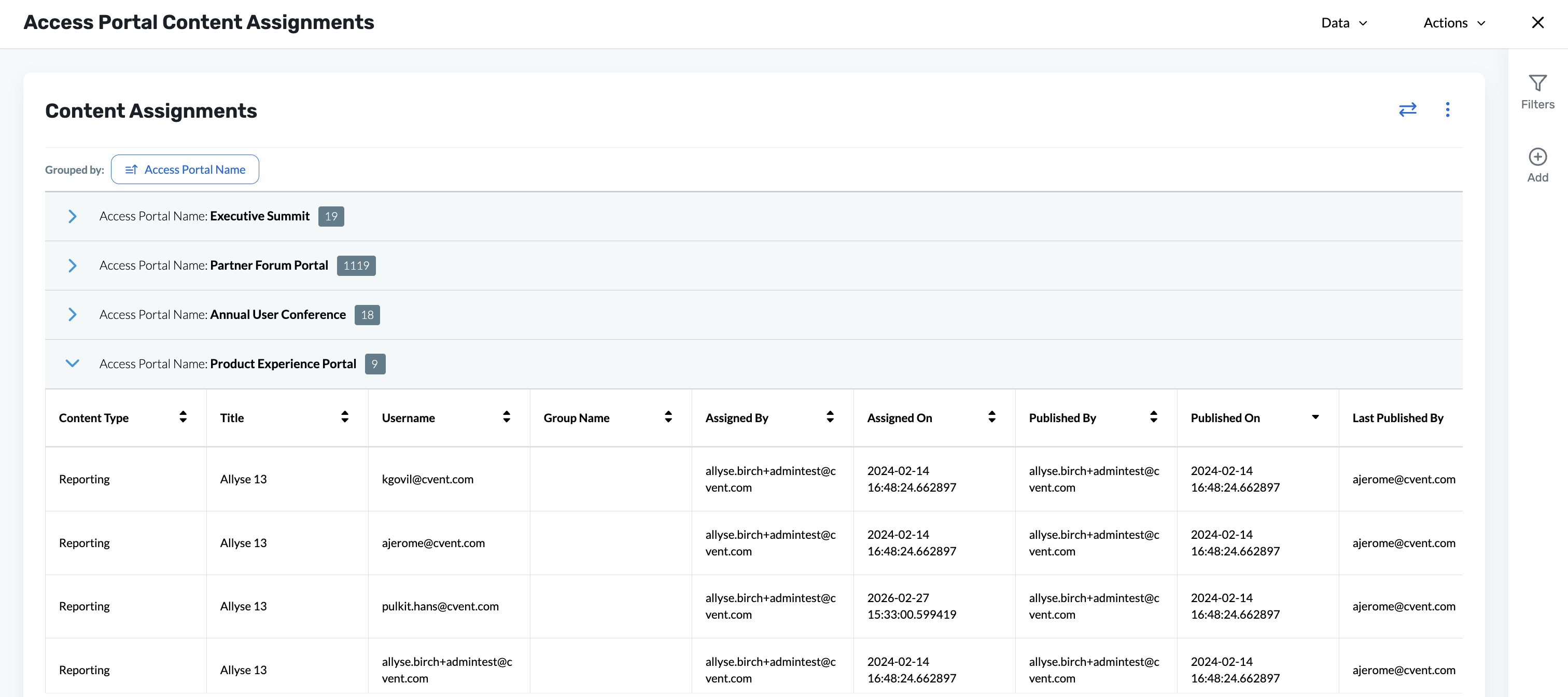
Access Portal managers can use one report to see who has access to what across every portal, content type, and user group.
What’s Changed:
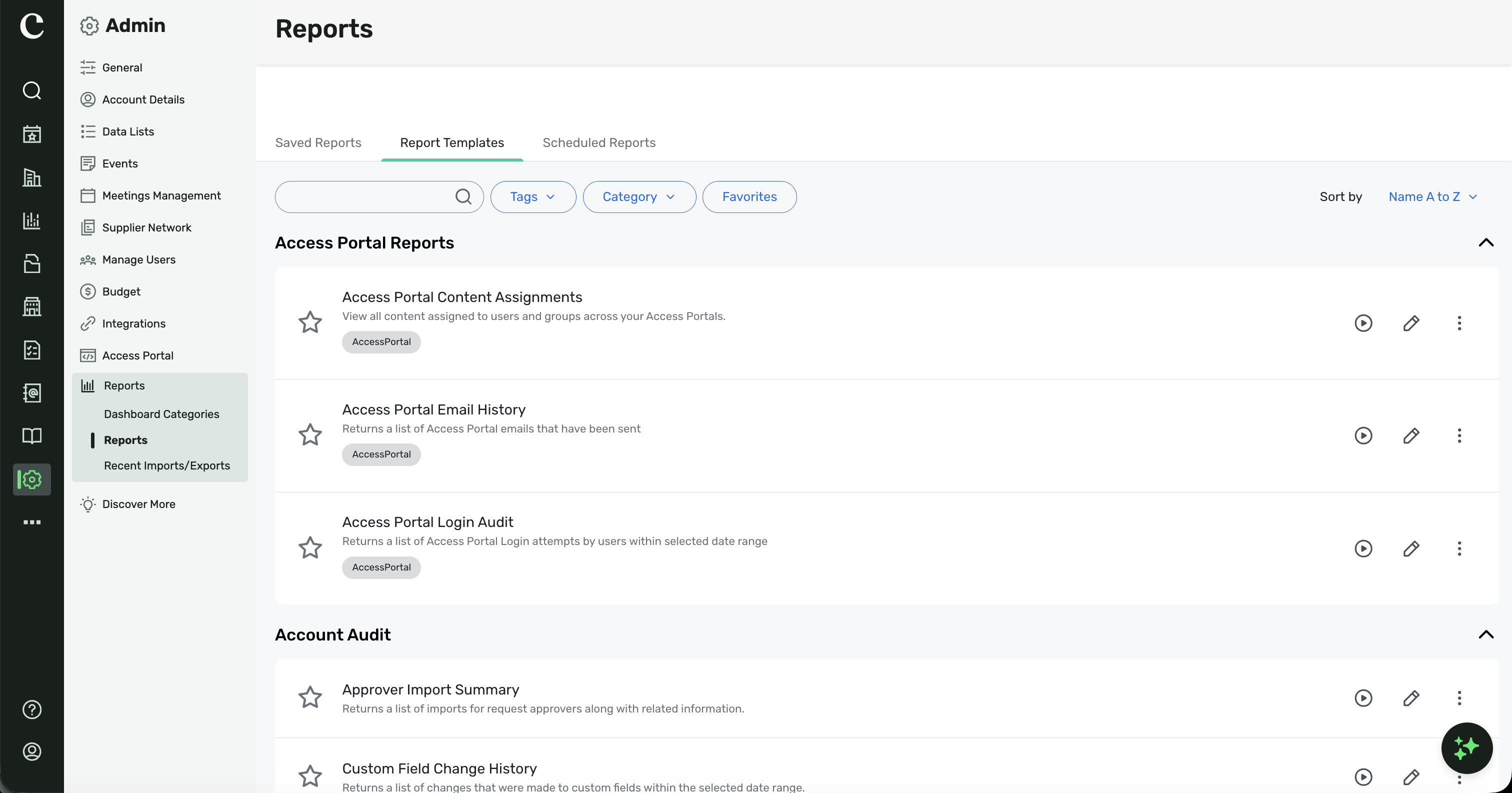
Find the new Content Assignment Report in Cvent Standard Reports to review content assignments across your account.
See content published to All Portal Users listed for every applicable user and group, so no assignments are missed.
Group results by Access Portal by default, or customize the report with up to three grouping levels.
Review important details, including when content was published and who assigned it.
Administrators and account users with report-viewing permissions can access the report. Access Portal users can also use it when the report is published to their portal.
Benefit:
Replace time-consuming manual checks with one complete view of content access. Audit assignments faster, spot gaps before major events, and keep access controls on track across large or compliance-sensitive programs.
Meeting Request Form
Multi-Column Layouts for Meeting Request Forms
Design shorter, easier-to-scan Meeting Request Forms by placing related fields side by side.
What’s Changed:
Administrators can arrange fields in 2-, 3-, or 4-column layouts within a form section.
Choose from flexible width options, including 50/50, 66/33, 33/33/33, and 25/25/25/25.
Use drag-and-drop editing to place fields in any column.
Group related questions—such as start and end dates or city and country—on the same row.
Existing single-column layouts continue to work as configured.
Sub-questions are supported up to one level deep in multi-column sections.
The Sleeping Room Requirement Grid, Meeting Room Requirement Grid, and Budget Estimate Widget aren’t supported in multi-column sections.
Benefit:
Create more compact, intuitive forms that are easier to scan and complete. By grouping related fields horizontally, you can reduce the perceived length of complex forms and help requesters submit information more efficiently.
Additional Resources
Cvent Community: Questions about the above updates? As always, get answers in the Community via the Open Forum.
Beta Opportunities Page: Try new features and products out before full launch availability. Join Beta Programs.