- DATE:
- AUTHOR:
- Cvent Product News Team

Trade Show Solutions Releases for June 3, 2026
Reminder: The Jifflenow release dates will have slightly different launch dates from the Cvent cadence in the near future, as we continue to align product release development work. This week's post features four Jifflenow releases.
Jifflenow
My Schedule on Jifflenow Mobile App
Expected Release Date: May 24, 2026
See your personal event agenda the moment you log in on mobile.
What’s Changed
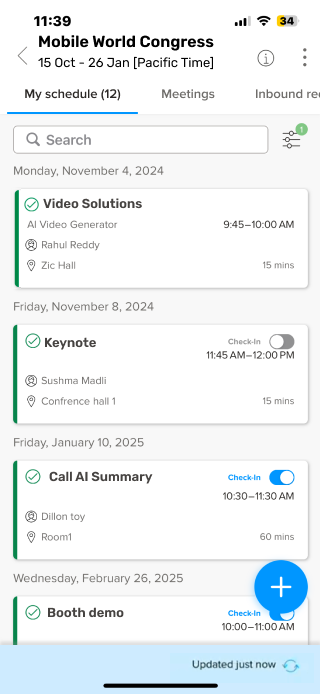
Jifflenow mobile is introducing My Schedule, a personalized view that brings together the meetings and sessions a user is directly part of in one place.
Requestors, Attendees, and Executive Assistants will now land on My Schedule by default when they open an event in the mobile app.
For roles with “View all meetings” enabled, the Meetings tab will still be available for quick access to the broader event schedule.
Meeting Managers and Junior Meeting Managers will continue to land in the Meetings view by default.
This release also adds smart scroll, persistent tab selection by event, and support across phones, tablets, light mode, dark mode, and offline use.
Benefit
My Schedule makes mobile faster and easier to use by removing extra navigation and putting each user’s schedule front and center from the start.
Instead of switching through a multi-step flow to get from All Meetings to a personal view, users can get there in zero extra taps.
That means less friction on site, quicker confirmation of what’s next, and an easier experience for occasional event participants who need to self-serve without extra guidance.
Staff Scheduling
Expected Release Date: June 5, 2026
Manage staff activities and customer meetings in one place — no extra tools needed.
What’s Changed:
Native Experience: Staff Scheduling is now built directly into eEvent as an Activity engagement type — no separate module, no switching between disconnected tools.
Flexible Setup: Create one or more Staff Scheduling Activity engagement types to organize activities the way your event demands.
Activity Groups: Reuse existing Topics as Activity Groups to keep activities organized, filterable, and easy to manage.
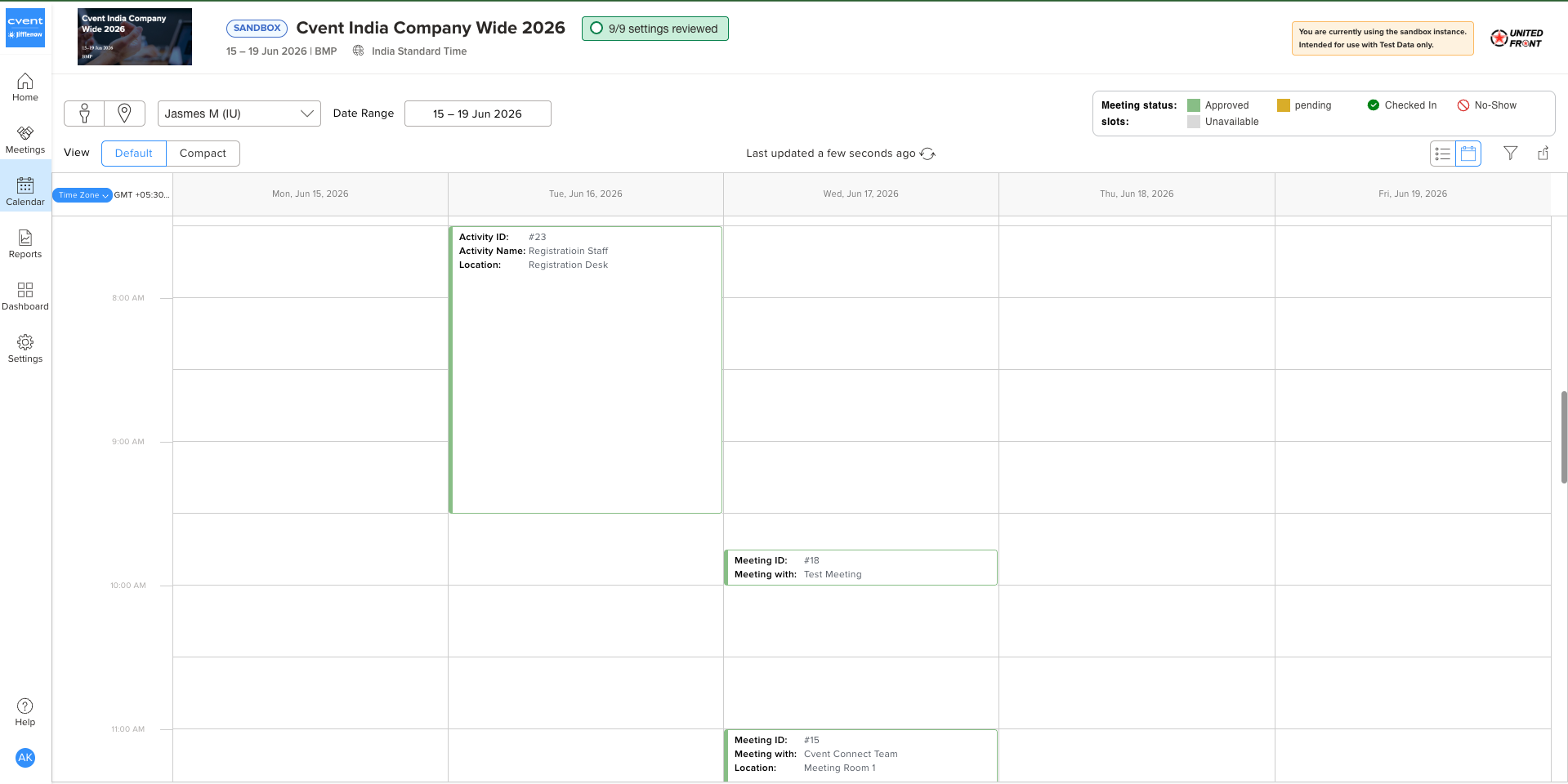
Dedicated Activities Tab: A new tab in the Meeting List supports single creation, bulk upload/export, capacity settings, location booking, and self-assignment — all in one spot.
Unified Calendar: Staff activities and customer meetings now appear side-by-side in the master calendar for a complete picture of on-floor scheduling.
Familiar Workflows: Check-in, no-show, transfer, re-invite, cancel, and bulk operations work the same way you already manage meetings.
Benefit:
For Event Organizers: Build and adjust your schedule in minutes, not hours. Fewer errors mean less firefighting on event day — and complete autonomy from start to finish.
For Booth Staff: Clarity on where to be and when. Real-time role details and mobile-first updates mean staff arrive prepared, every shift.
For Your Event Program: Greater consistency, compliance, and scalability — built into every event you run.
Note: Staff Scheduling is available for Tier 1 and Tier 2 events. Reach out to your Customer Success rep to schedule a call and see how it can fit into your Jifflenow program.
Automatic Meeting Cancellation
Expected Release Date: June 5, 2026
Cancel meetings automatically when all external attendees decline—no manual cleanup required.
What’s Changed:
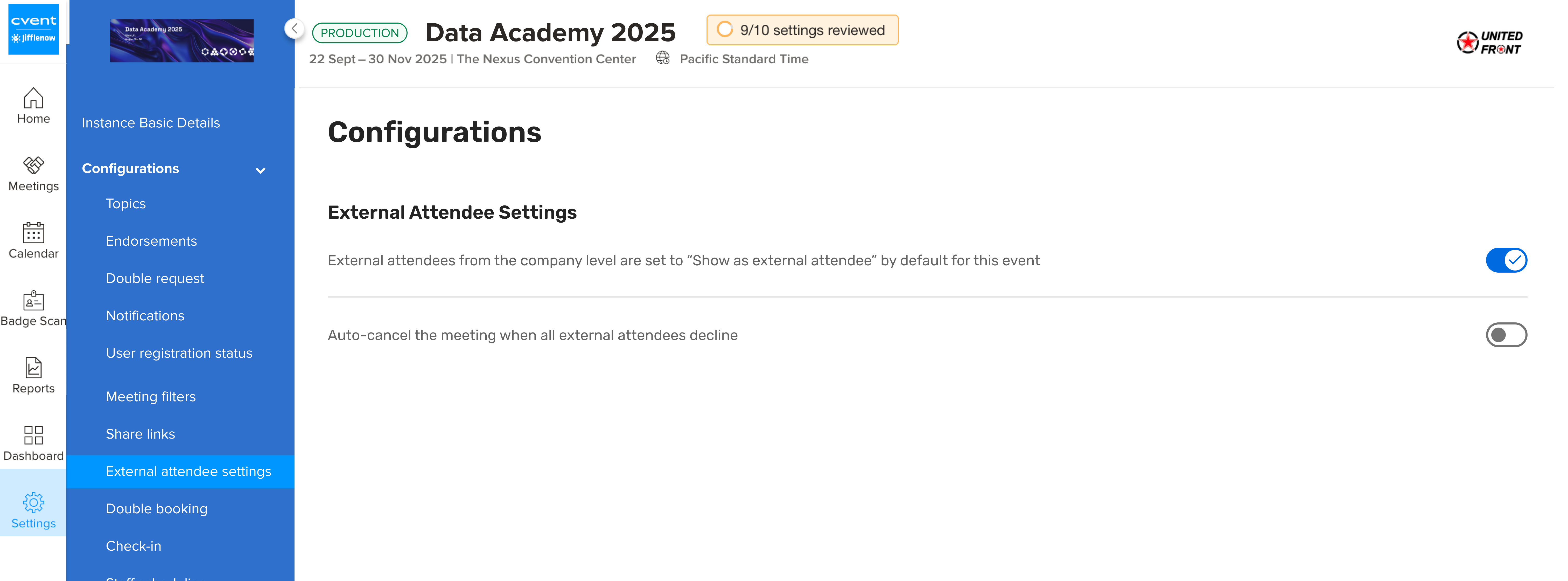
A new event-level On/Off setting lets teams choose which events use auto-cancellation and which still require manual review.
The feature is off by default for both new and existing events, so nothing changes unless your team enables it.
Every auto-cancellation is logged in Meeting History with a clear system-generated reason, making it easy to distinguish from manual cancellations.
Auto-cancellation works across standard meetings, consecutive meetings, and MST meeting types.
This update is designed for Meeting Managers and event teams that want cleaner scheduling workflows without giving up control.
Benefit:
Scheduling cleanup becomes one less thing your team has to think about. By automatically canceling meetings that no longer have any external attendees, Jifflenow helps reduce manual follow-up, keeps calendars more accurate, and gives Meeting Managers more time to focus on higher-value event work.
New Filter: No Survey Response
Expected Release Date: June 5, 2026
Spot meetings with zero survey responses faster—no manual cross-checking required.
What’s Changed:
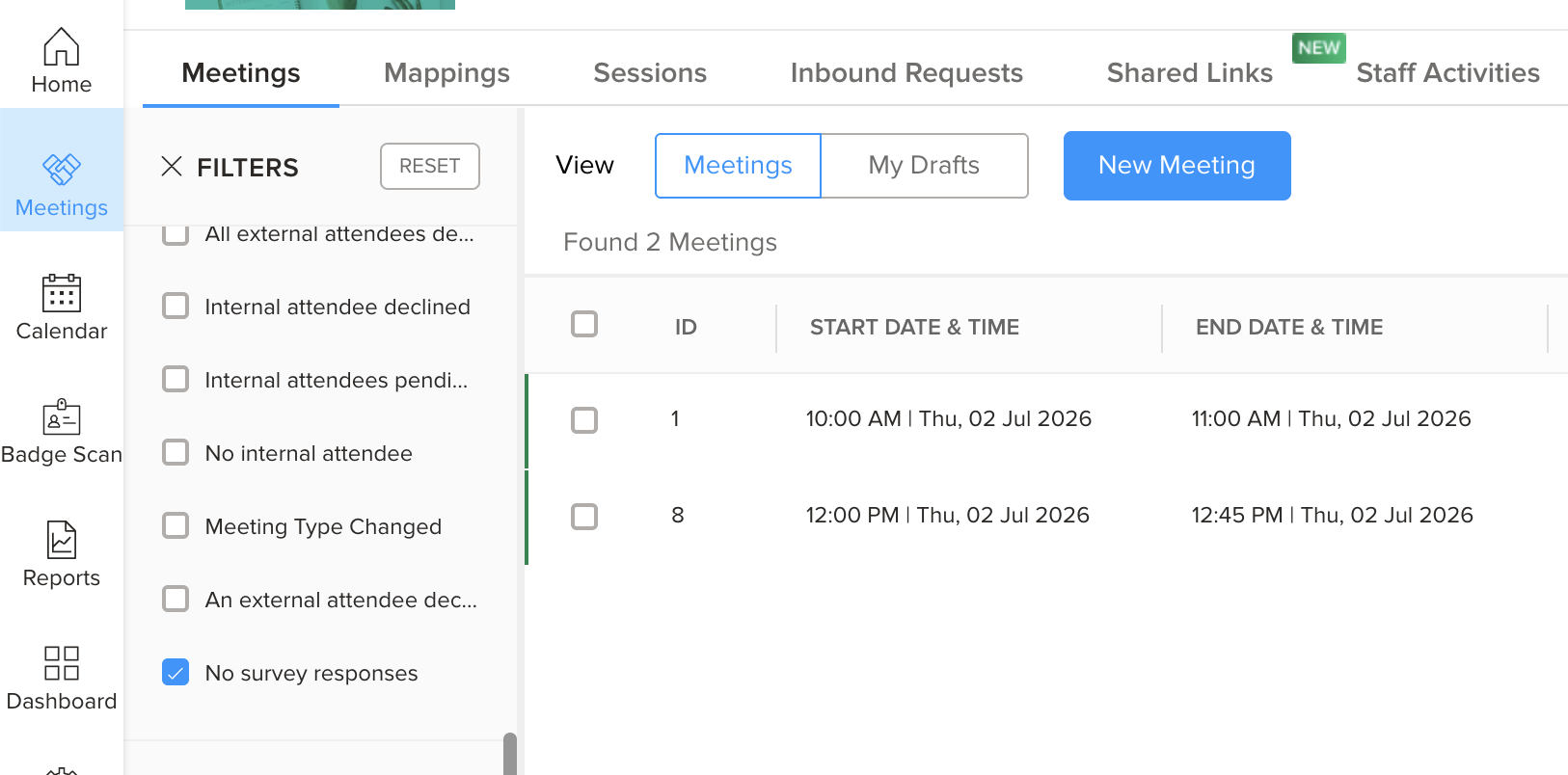
Jifflenow is adding a new No survey responses filter under Meeting Needs Attention.
Once enabled in configuration, users can apply the filter directly from the Meetings list to find meetings with exactly zero filled survey responses.
The setting is off by default, so customers must turn it on before users will see it.
The filter works alongside existing filters like date range, owner, and status, and it respects current sorting and pagination.
The same option will also be supported in On-Demand reports and Mobile when enabled.
Any configuration changes are recorded in Event History for traceability.
Benefit: This release makes it much easier to catch meetings that still need follow-up by surfacing ones with no survey feedback in just a few clicks. It cuts out the manual work of comparing reports against meeting records and helps teams move faster, especially when they’re managing a high volume of meetings.
Additional Resources
Cvent Community: Do you have questions about the updates we've rolled out this window? As always, get questions answered in the Community via the Open Forum.
Beta Opportunities Page: Help us make Cvent Products better by being the first to test products before they're widely available. Join Beta Programs.
UX Research Panel: Be part of a select group of users who will help guide the future of Cvent's products. Join the UX Panel.