- STAGE:
- Development
iCapture: Salesforce Email Activity Logging
iCapture: Salesforce Email Activity Logging
Booth and marketing emails you send through iCapture can now appear in Salesforce. Each sent email is automatically logged as a completed Task on the related Lead or Contact, so your sales team can see event follow-up without leaving Salesforce.
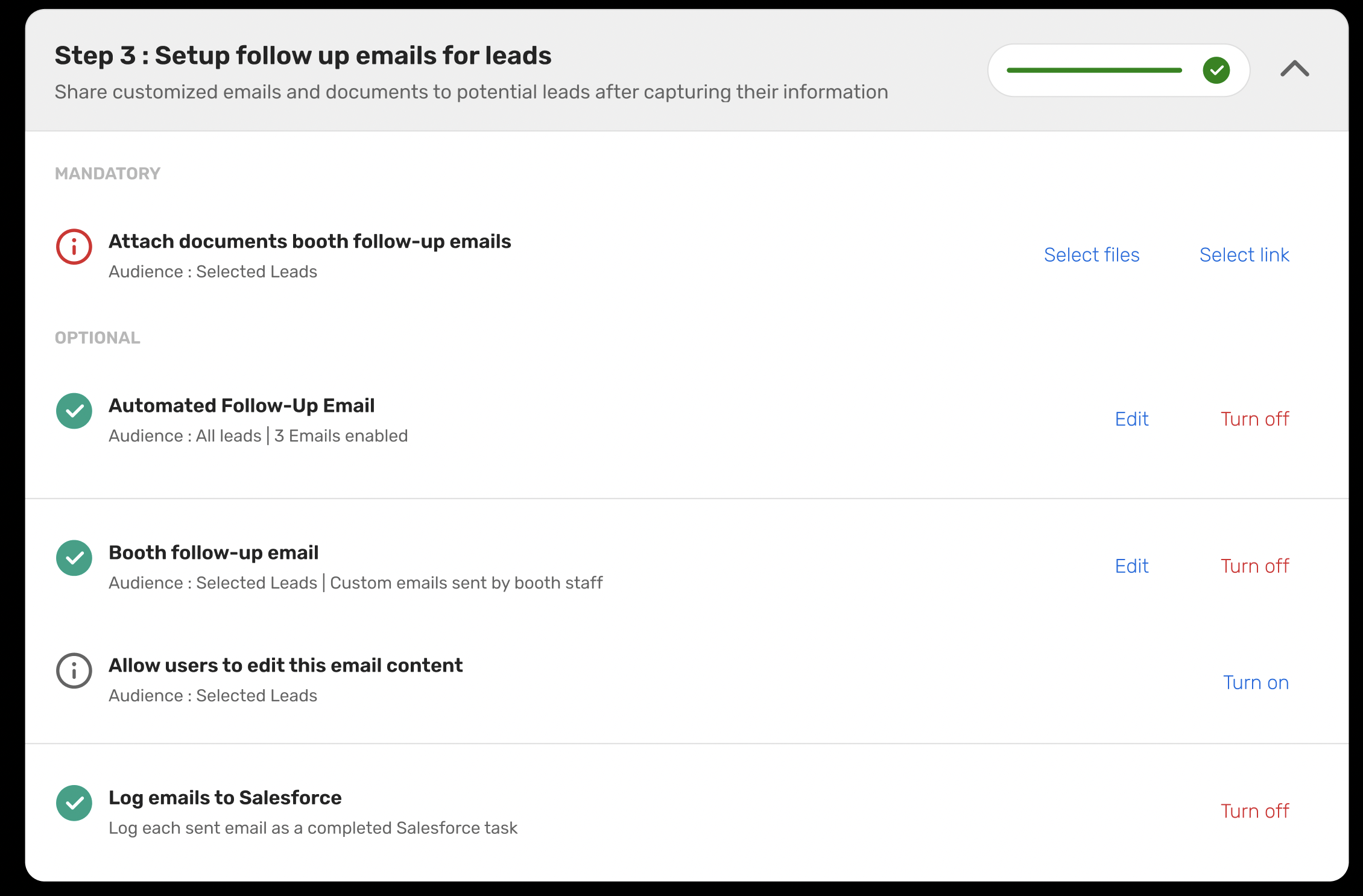
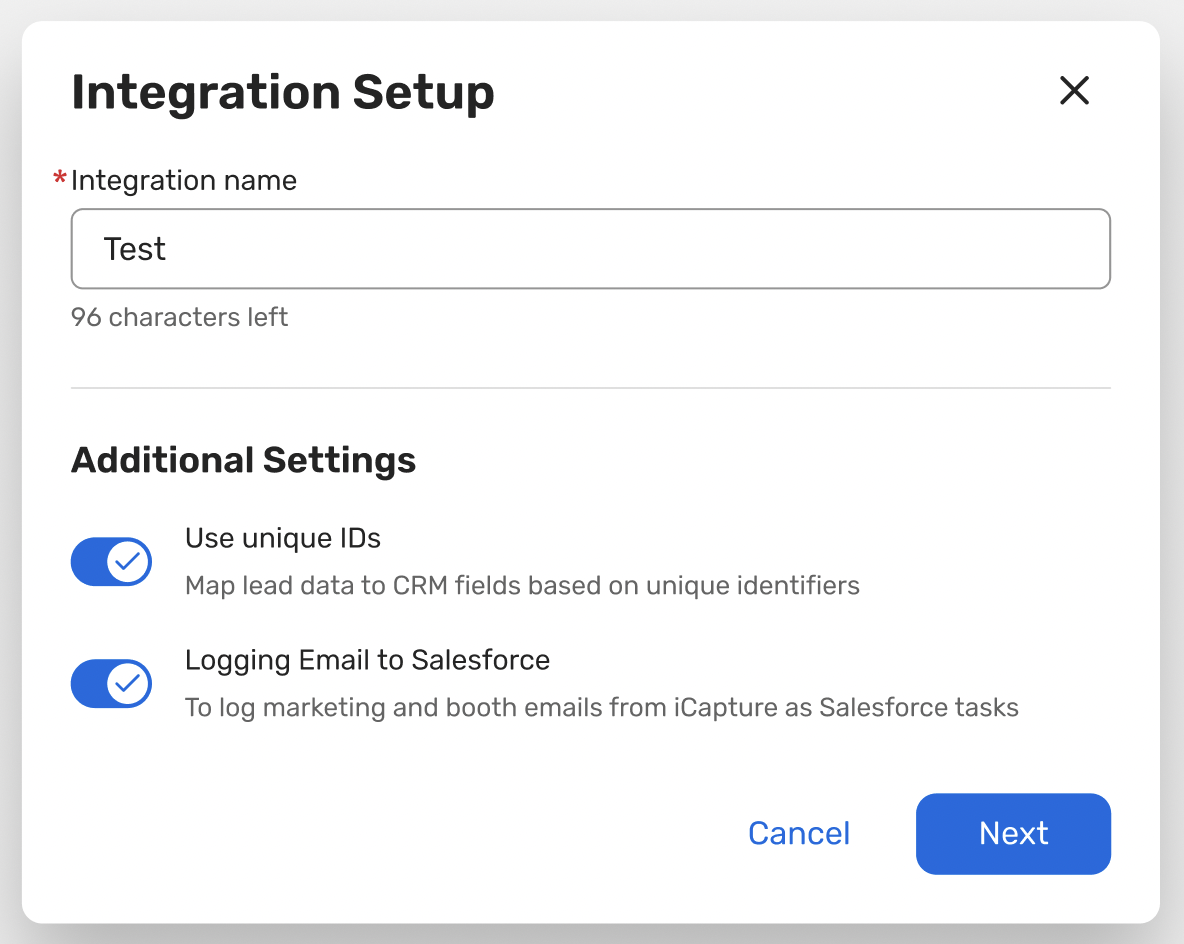
This feature is available to all customers with an iCapture Salesforce integration. To use it, turn on email logging in your Salesforce integration settings and on each lead form you want to log emails from.
With this release, you'll be able to:
Give sales full visibility into event outreach. Each logged Task shows who sent the email, the event it came from, the full email body and any resources included, all in the Lead or Contact's activity history.
Choose which lead forms are logged. Turn logging on for the Salesforce integration, then pick the lead forms whose emails you want logged.
Log booth, automated and delayed emails. Booth emails, automated follow-ups and delayed emails are all logged once they send.
Log to more than one Salesforce org. If you have multiple Salesforce integrations, each one with logging turned on gets its own Task.
Keep your Salesforce setup as it is. iCapture uses the standard Salesforce Task object, so there are no custom fields, objects or field mapping to set up.
Good to know: only emails sent after logging is turned on are logged, and only the send itself is recorded, not opens or clicks. Tasks are logged to Leads and Contacts only, not to custom objects. The Task date is based on UTC.