- STAGE:
- Recently Released
- PROJECTED DONE:
- July 2026
Jifflenow: Configurable Session Timeout
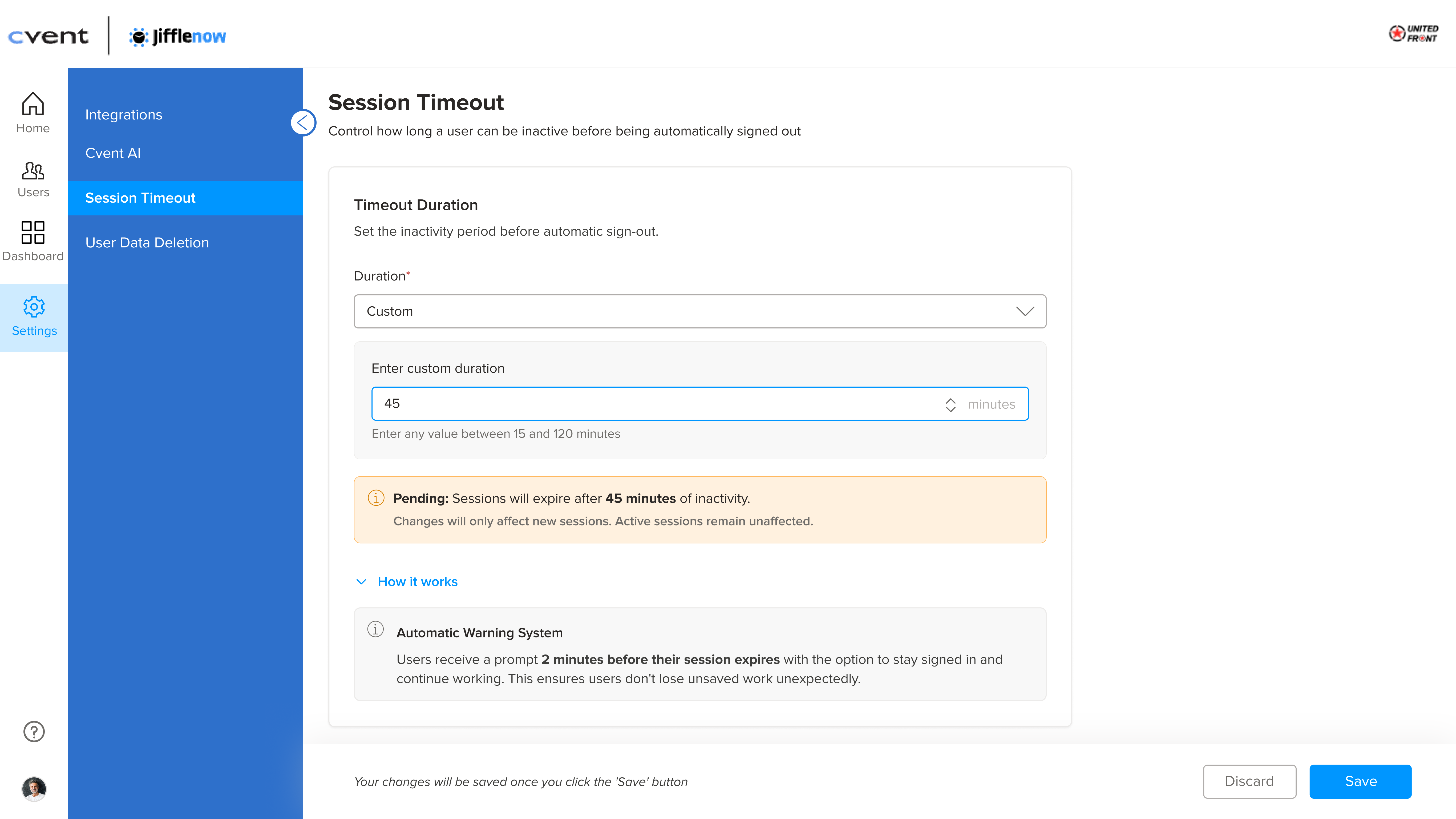
A configurable session timeout allows Meeting Manager to control how long users can remain inactive before being automatically signed out in the Jifflenow Web platform. Meeting Managers with "Can manage settings" can set timeout durations from 15 minutes to 2 hours, ensuring Jifflenow aligns with your organization's internal security policies.
Key Highlights
Custom Timeout: Meeting Managers with "Can manage settings" can set session timeout durations from 15 minutes to 2 hours in the company settings page.
Safe Default: The timeout defaults to 60 minutes — existing behavior is preserved for all customers
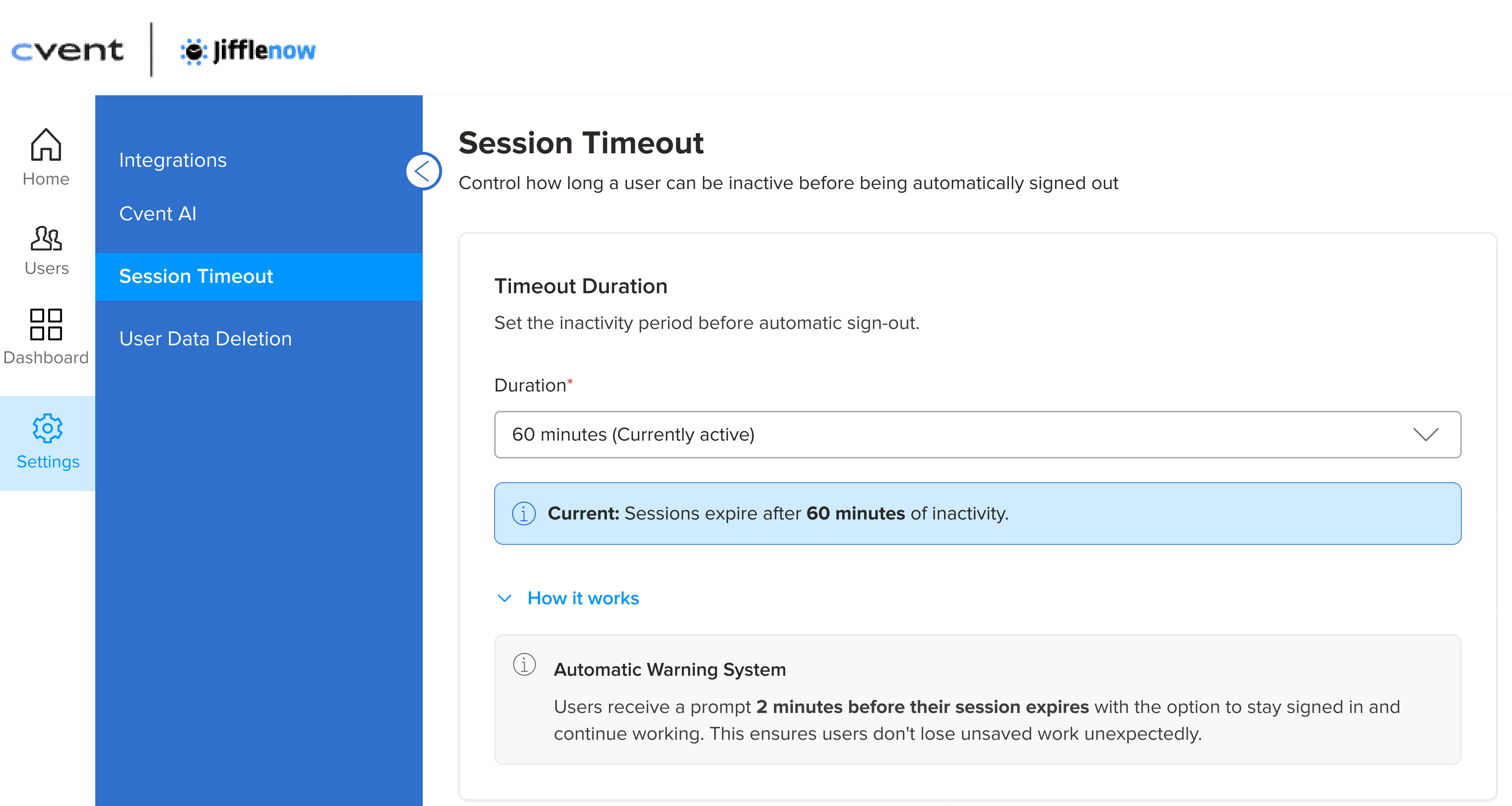
Predefined Options: Choose from preset values (15, 30, 45, 60, 90, or 120 minutes) or enter a custom duration to match your exact policy requirement.
Why Does It Matter
Security Compliance: Customers with strict inactivity policies can now align Jifflenow with their internal security standards without workarounds.
Self-Service Control: Meeting Manager with "Can manage settings" can configure timeout settings independently — no support ticket required.
Note
Session timeout configuration is available on the Jifflenow web platform, allowing customers to precisely control web-based inactivity settings.
Mobile and SFDC sessions each follow their own dedicated timeout behavior