- STAGE:
- Development
- PROJECTED DONE:
- Next month
Jifflenow: Master Calendar Enhancements
Jifflenow Master Calendar is getting a major upgrade built for the pace and complexity of live events. Today, Meeting Managers and Junior Meeting Managers spend valuable time manually re-selecting the same users and rooms, applying filters from scratch, and clicking into meetings just to confirm basic details. This update introduces saved named calendar views for both users and locations, advanced filtering by meeting type and topic, and richer meeting information surfaced directly in calendar cells. Together, these changes dramatically reduce the time it takes to find availability, resolve conflicts, and stay on top of scheduling — whether you're planning ahead or reacting in real time on the event floor.
Key Highlights
Saved User Views: Meeting Managers and JMMs can now create named calendar views for specific user groups and open them with a single click without re-selecting participants each time.
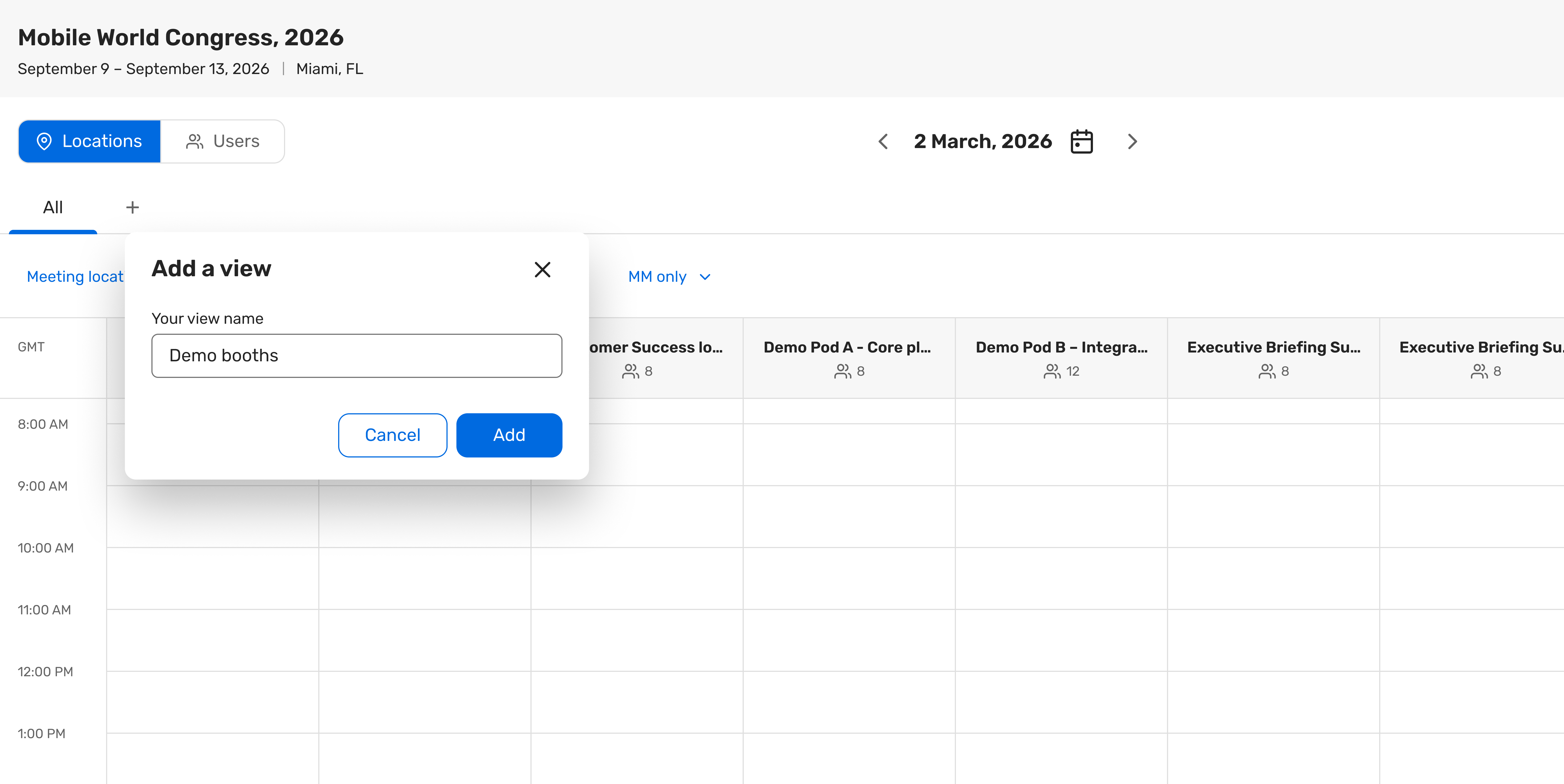
Saved Location Views: Named multi-location views let users save, pin, and reorder prioritized room sets so high-value rooms appear first, and frequently compared subsets are always one click away.
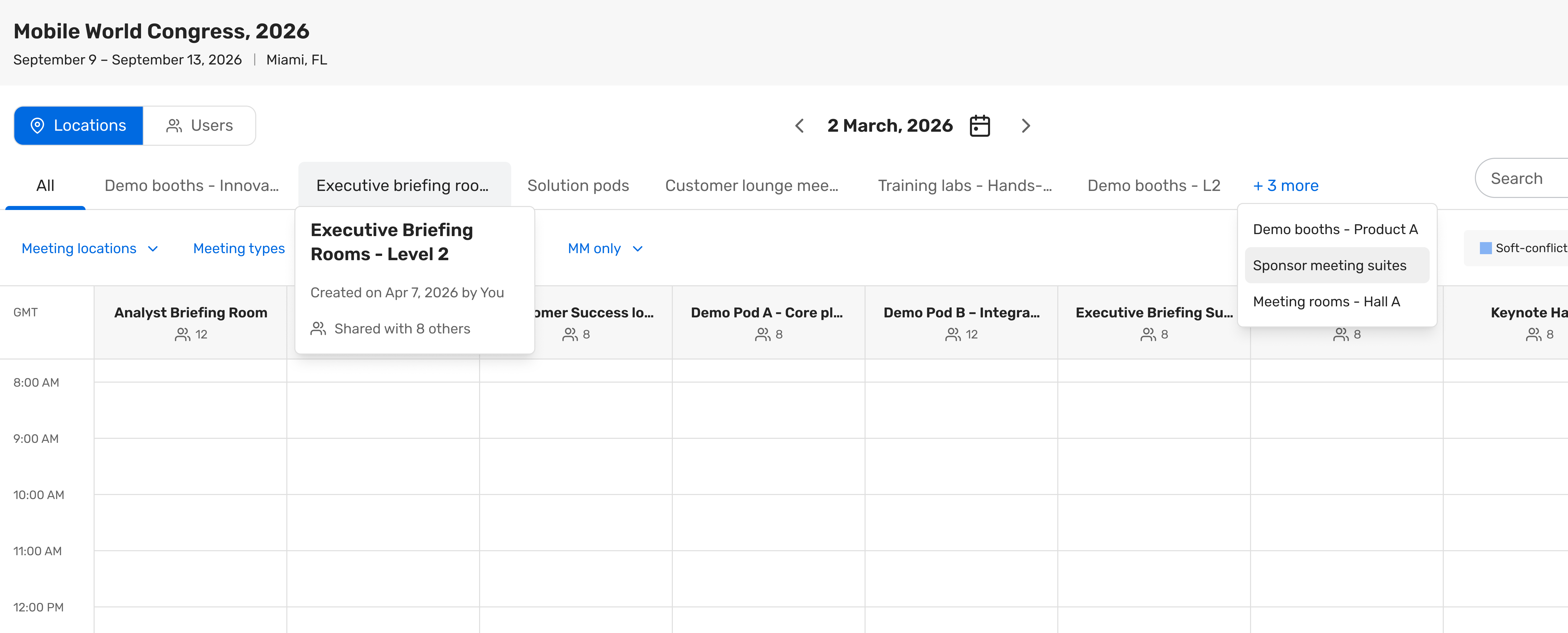
Side-by-Side Calendars: Both user and location views render selected participants and rooms in parallel columns, making it immediately clear where availability overlaps or conflicts exist across a group.
Shareable Views: Saved views can be shared with other MMs, JMMs, and specific users — recipients can use and save as their own copy, with all access governed by their existing permissions.
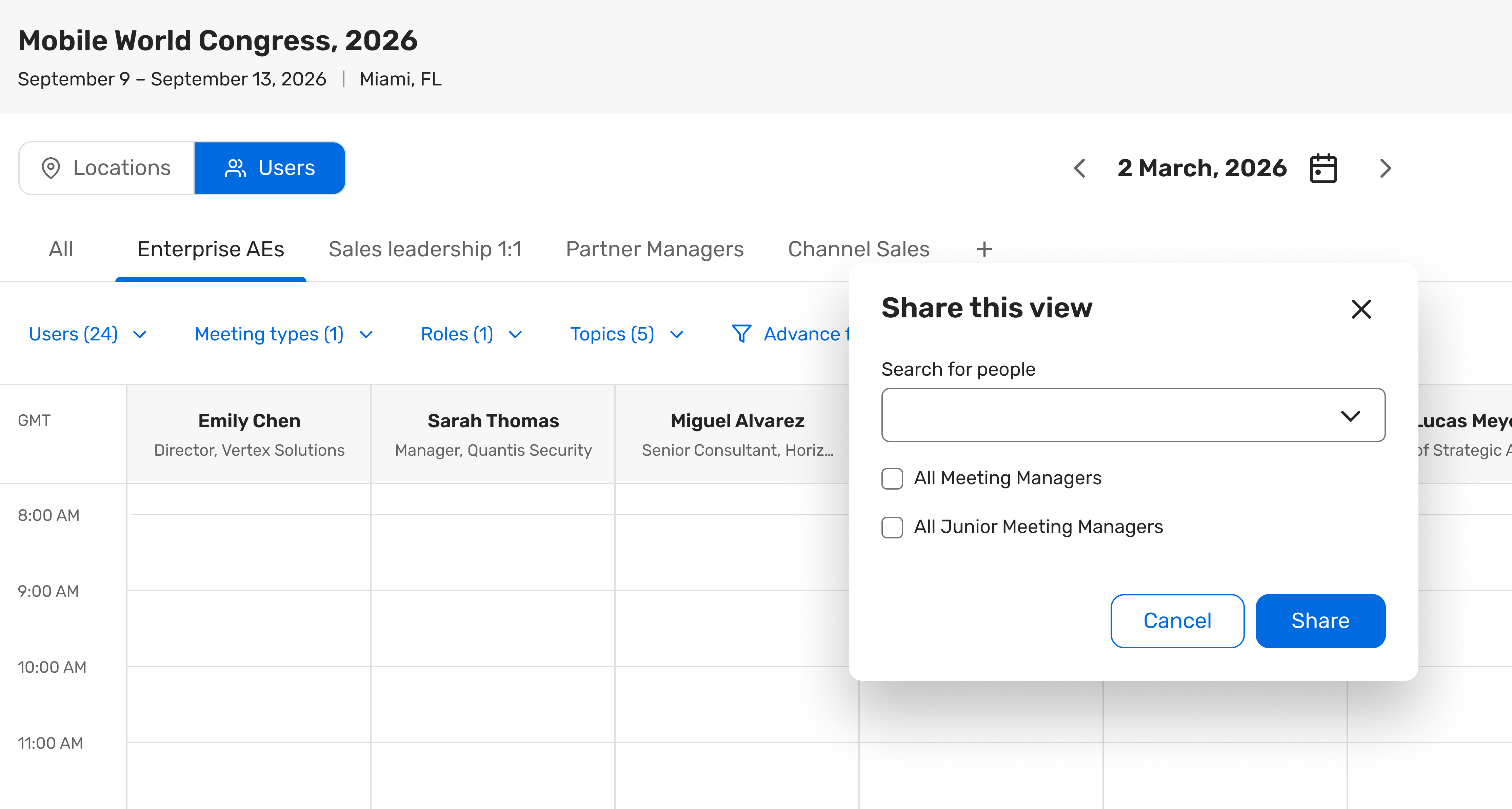
Advanced Filtering: New filters for meeting type, topic, and attendee title join the existing filter set for both user and location calendars, letting teams focus on exactly the right slice of the schedule.
Richer Meeting Cells: Calendar slots and hover states now surface meeting type, topic/activity group, and requestor name inline — reducing the need to open individual meetings just to confirm context.
Persistent State: Saved views, filter selections, and calendar mode choices (single vs. multi-user/location) persist across sessions and tabs so teams always pick up where they left off.
Why Does It Matter
Faster Decisions: MMs and JMMs can switch between saved views in a single action — eliminating the manual re-selection that slows down every scheduling decision on the event floor.
Less Rework: Saved views stay current with edit and delete controls, so teams update an existing group rather than rebuilding views from scratch when participants or rooms change.
Smarter Prioritization: Rooms and users can be pinned and reordered within views to reflect operational priority — not just alphabetical order — so the most important locations and participants are always front and center.
Instant Context: Meeting type, topic, and requestor information visible directly in calendar cells means fewer clicks to understand what's scheduled and who's involved.
Note
This enhancement applies to the web-based multi-user and multi-location Master Calendar.
Mobile is out of scope