- STAGE:
- Recently Released
Jifflenow: No Survey Response Filters
This feature adds a configurable "No survey responses" option under Meeting Needs Attention, making it easier for teams to quickly identify meetings with no submitted survey responses. Once enabled in configuration, users can apply the filter in the Meetings list to find meetings that need follow-up without manually comparing reports and meeting records.
Key Highlights:
Configurable Filter: A new No survey responses option can be enabled in the Meeting Needs Attention Filters configuration.
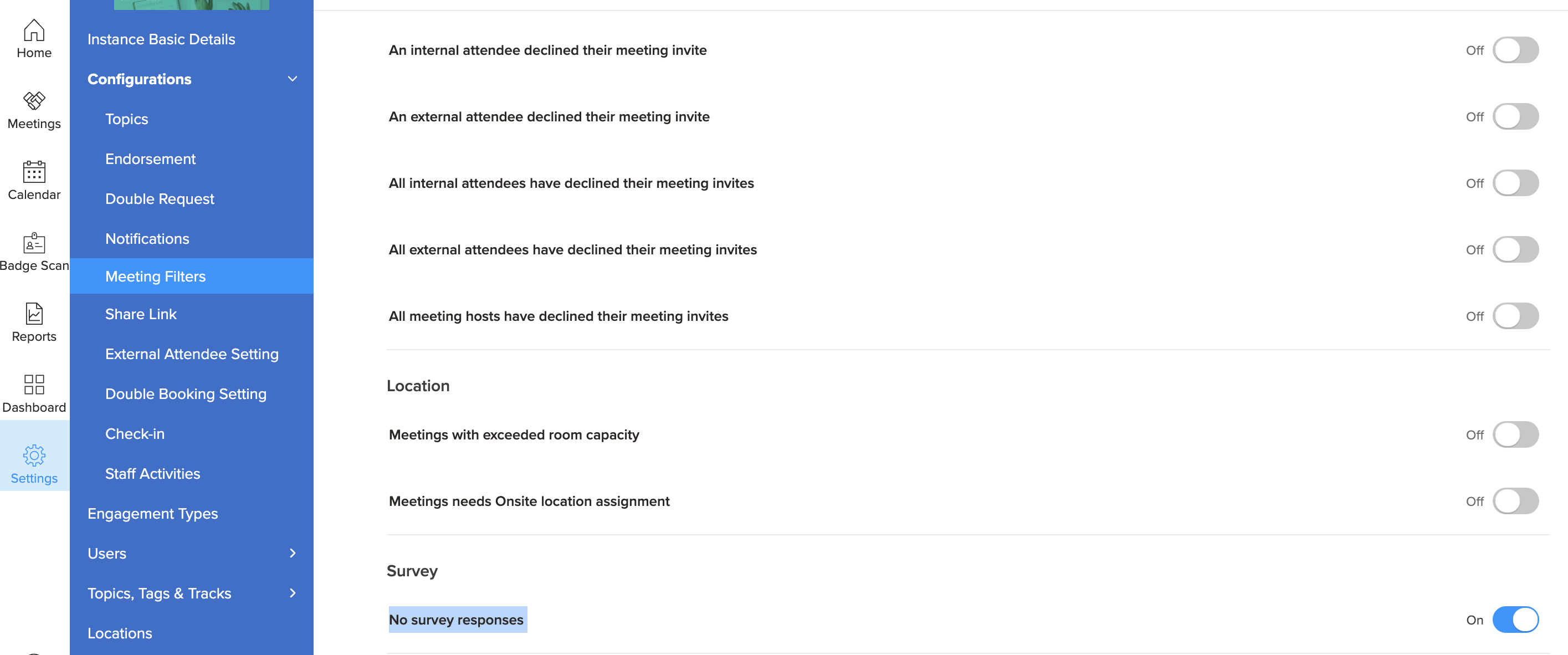
Default Off: The setting is turned off by default, so customers must explicitly enable it before users see it.
Targeted Results: When selected, the filter shows only meetings with a total count of filled survey responses exactly zero.
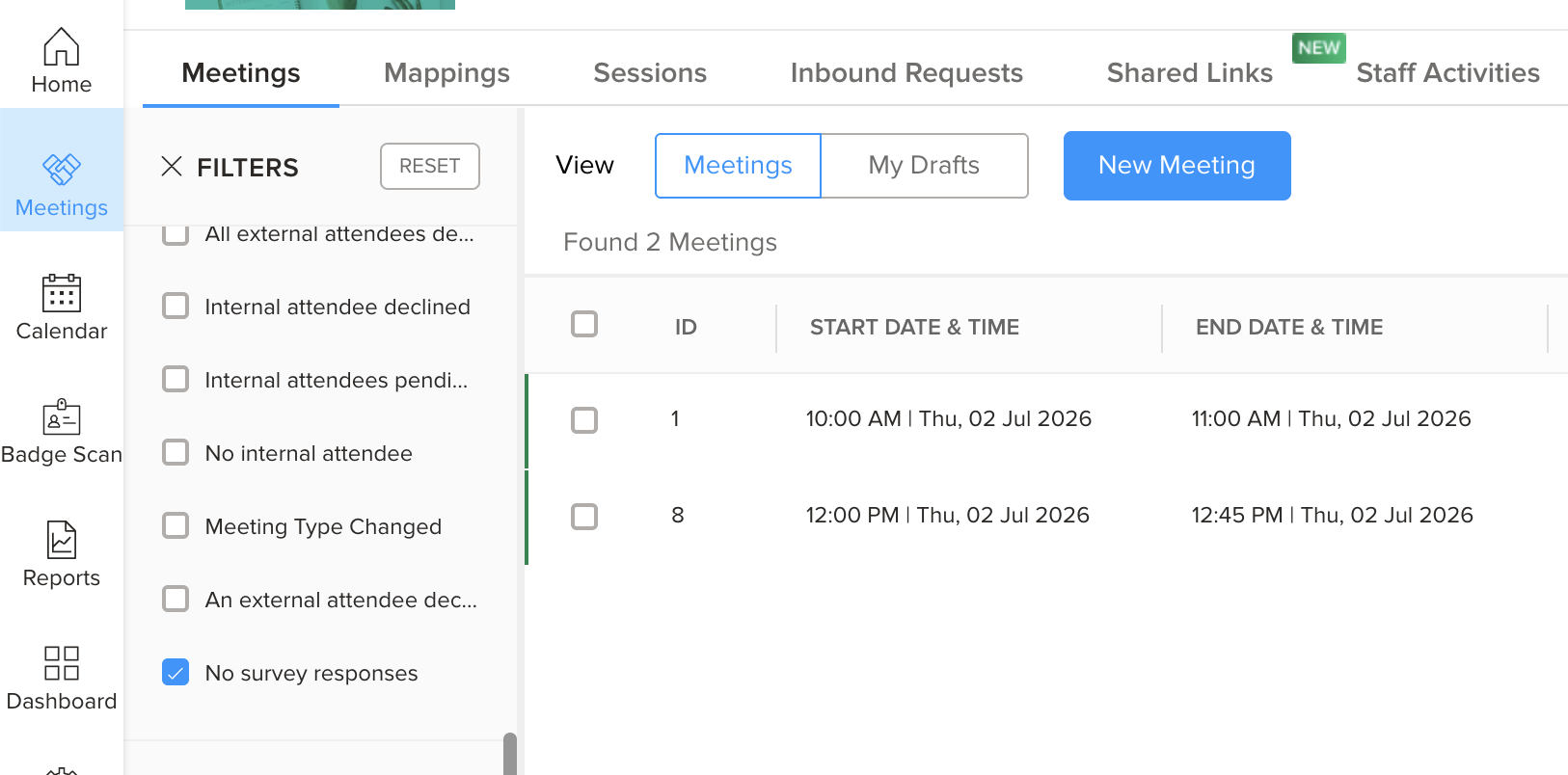
Flexible Pairing: The filter works alongside existing filters such as date range, owner, and status, while respecting current sorting and pagination.
Broader Reach: The same option is also supported in On-Demand reports, Mobile, when enabled.
History Tracking: Configuration changes are recorded in Event History for traceability.
Why it should matter
Faster Follow-Up: Helps teams quickly spot meetings with no survey feedback so they can take timely action.
Less Manual Work: Reduces the need to open survey reports and manually compare them against meetings.
Better Scale: Improves efficiency for teams managing large volumes of meetings.