- STAGE:
- Recently Released
- PROJECTED DONE:
Jifflenow: Salesforce MR 5.5
Expected Release Date: 27 Feb, 2026
We’re excited to introduce Salesforce MR 5.5 for Jifflenow. This release focuses on clearer scheduling decisions, richer meeting context, stronger privacy controls, and smoother onsite operations, all without forcing users to leave Salesforce.
Key Highlights
1. Check-in & No-show Only User Privilege
What’s New
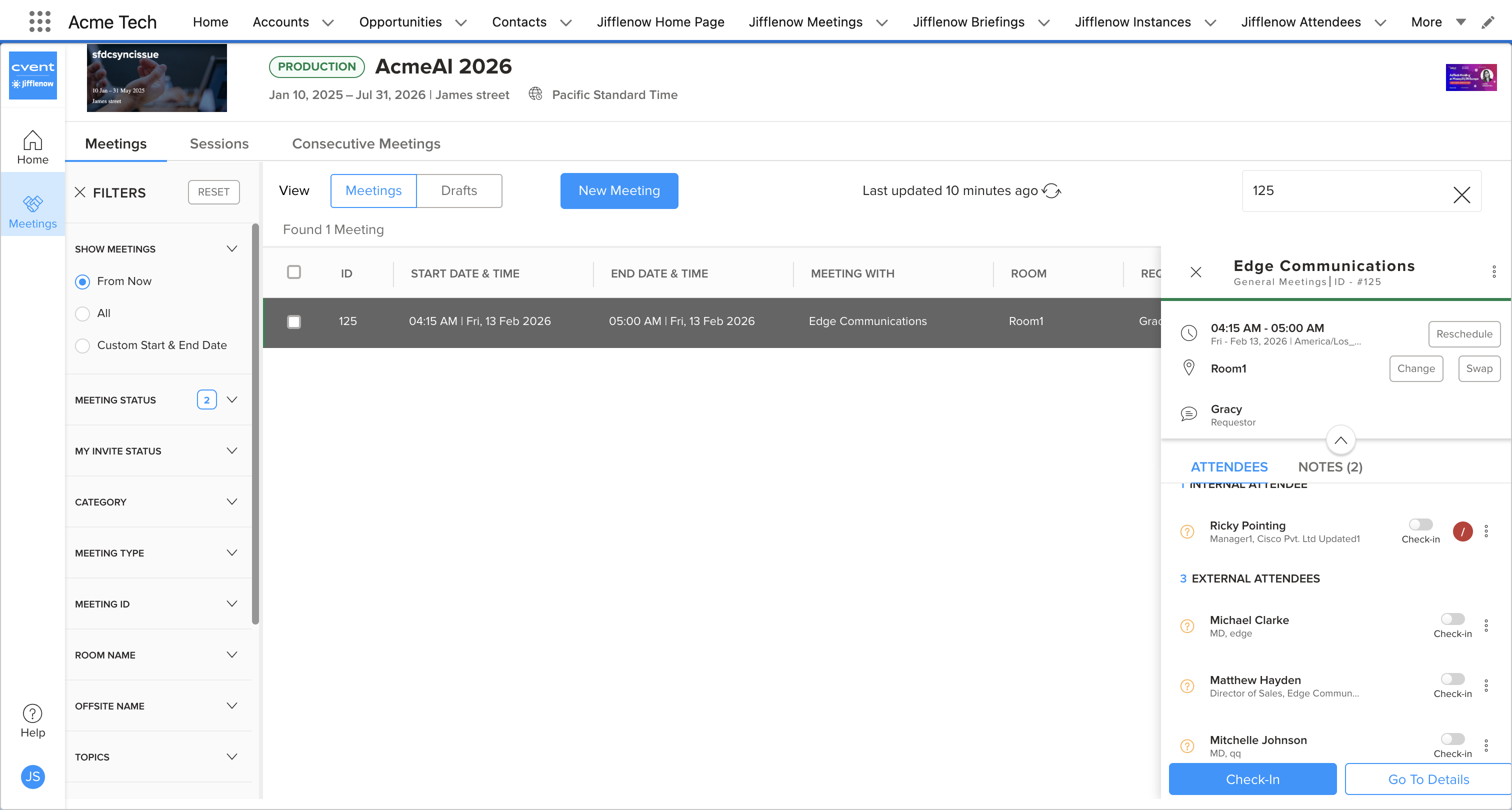
A dedicated “Check‑In & No‑Show Only” role lets admins give temporary or onsite staff the ability to check in attendees and mark no-shows directly from Salesforce, without granting broader meeting-edit rights or requiring them to use the Jifflenow web app.
Why it matters
Role-Specific Privileges: On-site teams can manage check-ins for their event meetings in Salesforce, reducing time spent at the on-site desk and reducing context switching.
Configurable Settings: Meeting Managers can enable "Can perform check-ins" under user profile event settings.
2. Improved Meeting Notes Directly in Salesforce
What’s New
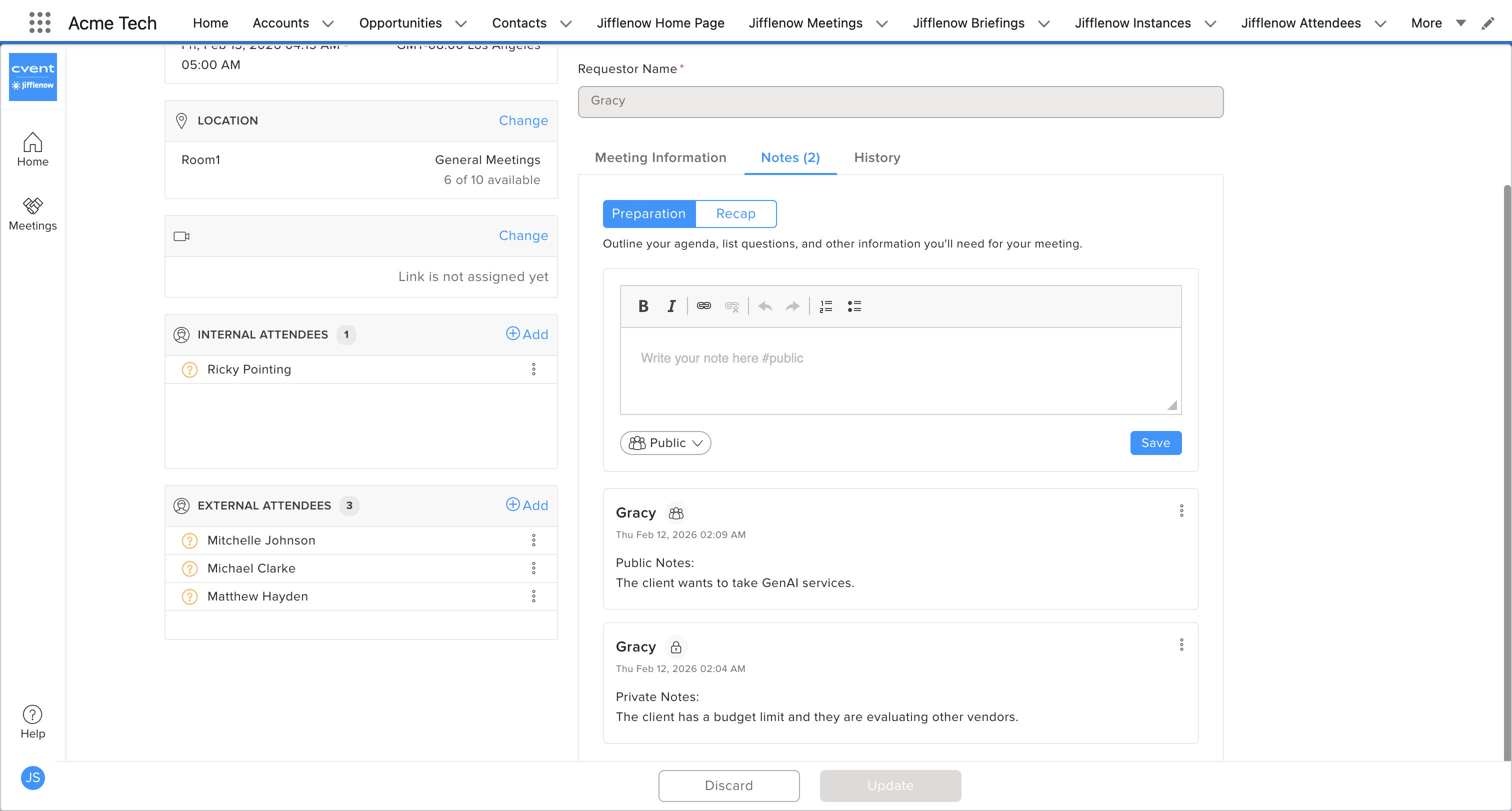
Add Preparation Notes while booking meetings (e.g., customer context, goals, key questions).
Add Recap Notes after the meeting from the meeting details page.
Public prep and recap notes are synced to the Salesforce Jifflenow Meeting record, so anyone viewing the record understands why the meeting was booked, what happened, and what’s next.
Why it matters
Single source of truth: Meeting context, outcomes, objections, and action items live alongside the opportunity/account, not scattered across emails and personal docs.
Reduced context loss: Requestors are more likely to capture key details at the right time (during booking and immediately post-meeting).
3. Inline Conflict Visibility for Double-Booked & Double-Requested Attendees
What’s new
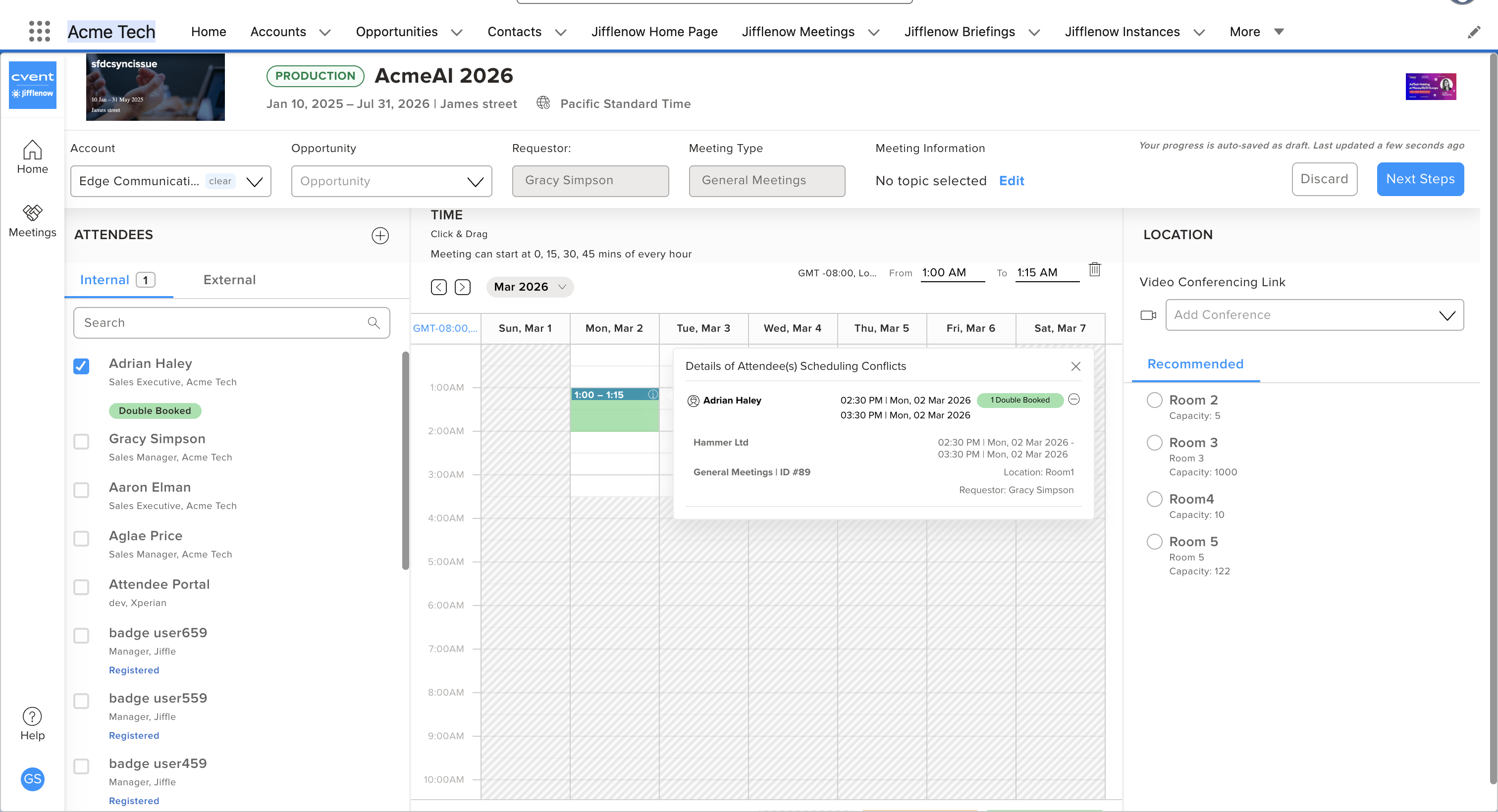
Surface double-booked and double-requested internal attendees while scheduling a meeting
Conflicts are displayed as tags across all key booking views – attendee list, meeting details, meeting preview, and confirmation – so users don't have to infer them from calendars or other tools.
Why it matters
Faster, clearer scheduling: Requestors can immediately see which attendees are at risk of conflicts and adjust time slots, or attendee lists in place.
Reduced back-and-forth: By resolving conflicts before sending invites, sales teams avoid confusion and rework with participants.
4. Improved Experience When Attendees Become Unavailable (Edit Flow)
What’s new
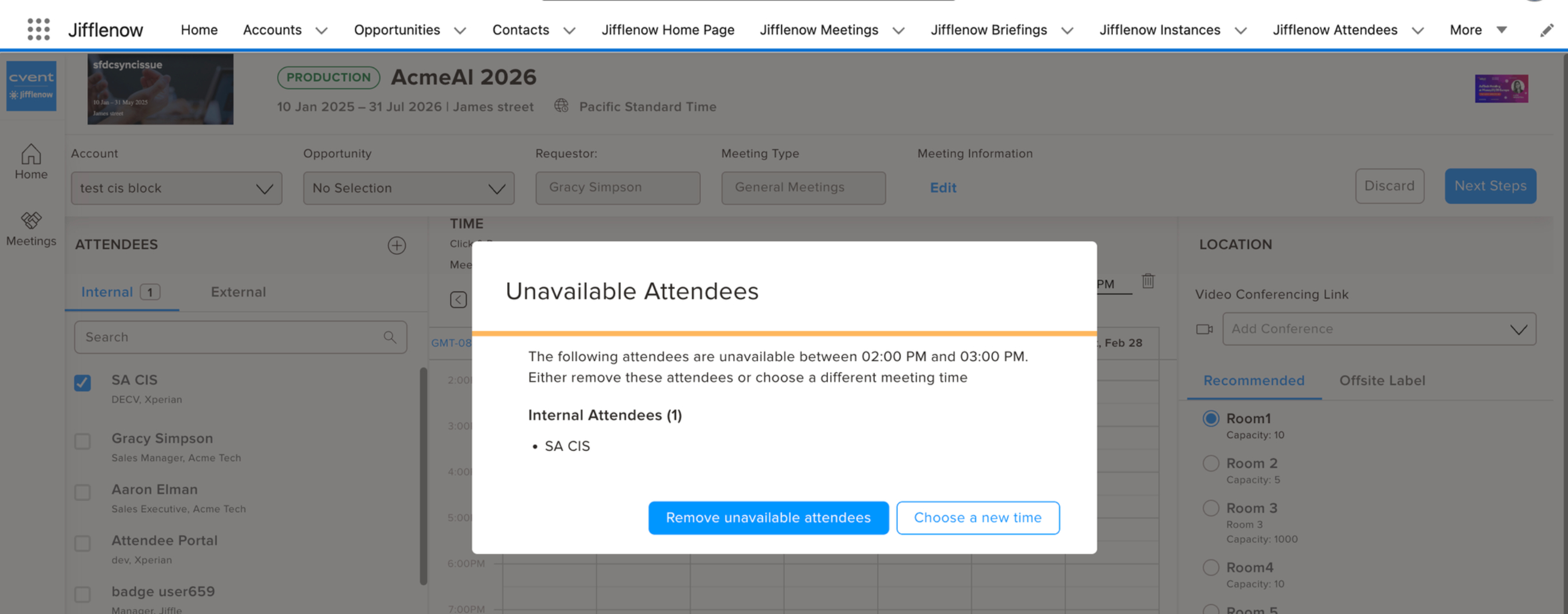
When attendees become unavailable for a selected slot, it now shows a clear, persistent pop-up listing which attendees are unavailable, instead of silently removing the time slot and displaying a brief toast notification.
Users get actionable options such as “Remove from meeting” or “Select new time slot” without leaving the edit flow.
Why it matters
Resolve conflicts in a single edit: Requestors can immediately act on conflicts, either by adjusting attendees or time, without multiple rounds of edits or manual investigation.
More predictable UX: Users see exactly what changed and why, reducing confusion and rework.
5. Easy Cleanup of Unregistered Attendees
What’s new
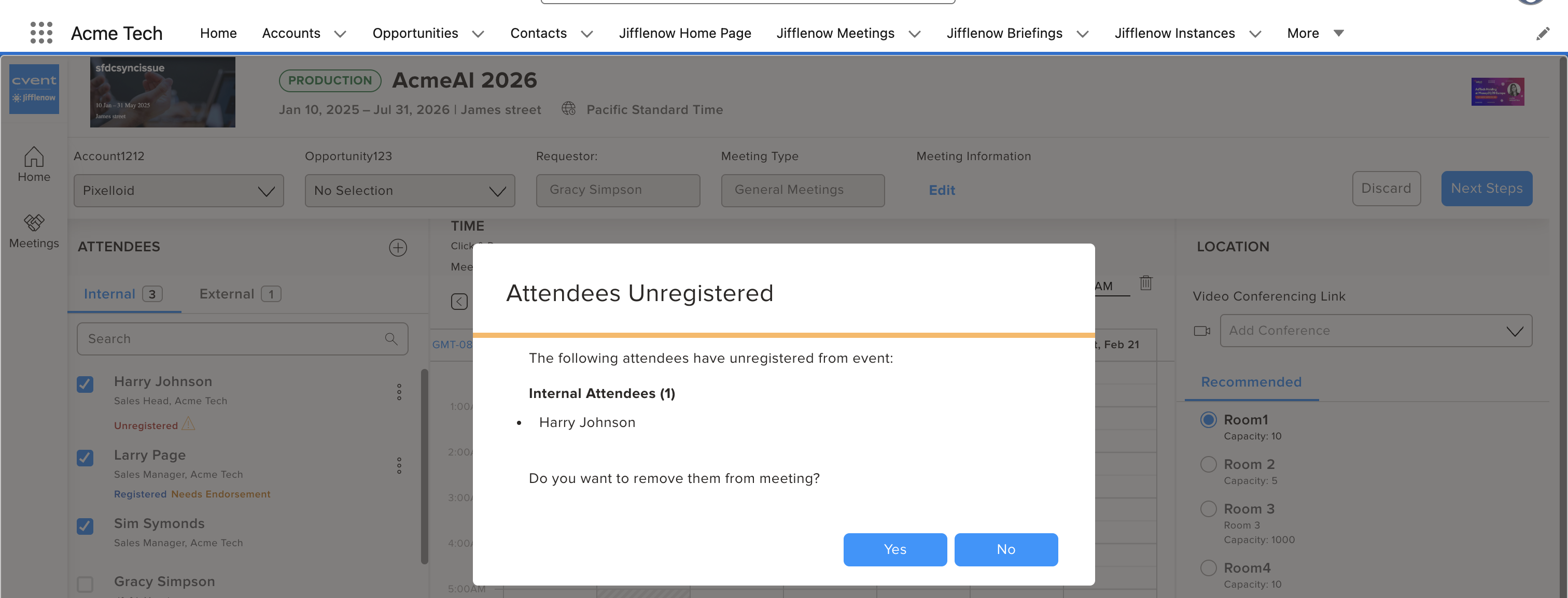
Jifflenow Salesforce App now shows clear alerts when a meeting contains unregistered attendees, so requestors immediately know which meetings are at risk.
A simplified, in-context UI lets you remove one or many unregistered attendees in a single step from within the edit meeting details view
Why it matters
Rapid remediation: Requestors can quickly clean up invalid attendees and keep data aligned with Cvent and other integrated systems.
Less friction in day-to-day operations: A consistent, intuitive UI reduces errors and speeds up attendee maintenance.
6. Consistent PII Deletion Across Jifflenow Web and Salesforce App
What’s new
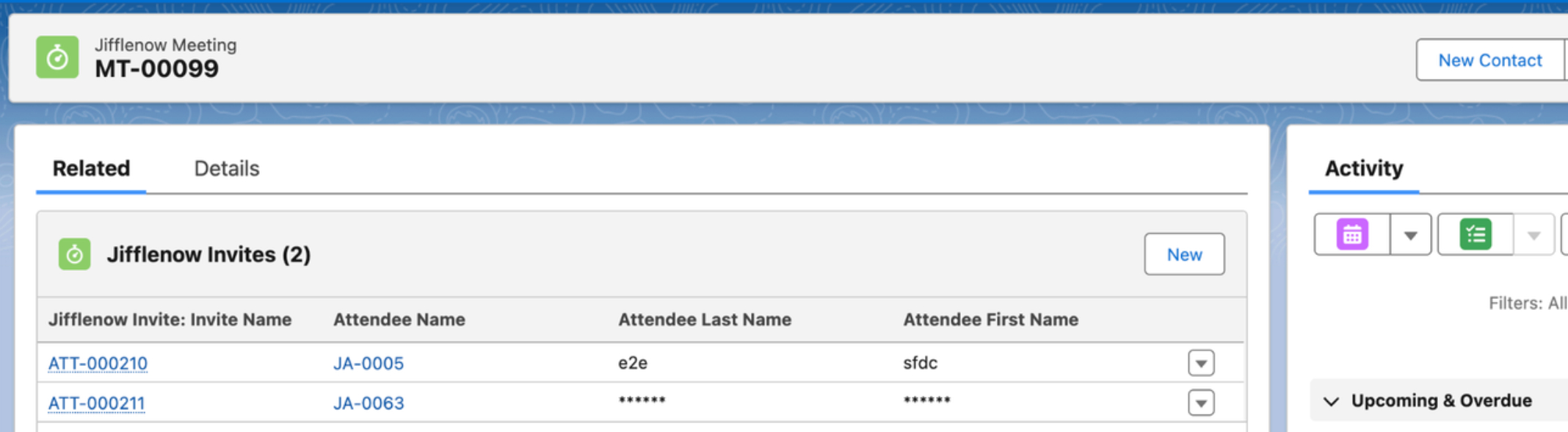
Deleted External User PII action taken in Jifflenow Web is reflected consistently in Jifflenow Salesforce App, so both systems tell the same story.
Why it matters
Compliance without losing insight: Teams can still see that a meeting occurred and that an external attendee was present, without exposing their personal data after PII deletion.
Parity across surfaces: Salesforce users no longer see something different from what appears in Jifflenow Web for the same meeting.
7. Accurate Cancelled-Meeting History in Salesforce Activities
What’s new
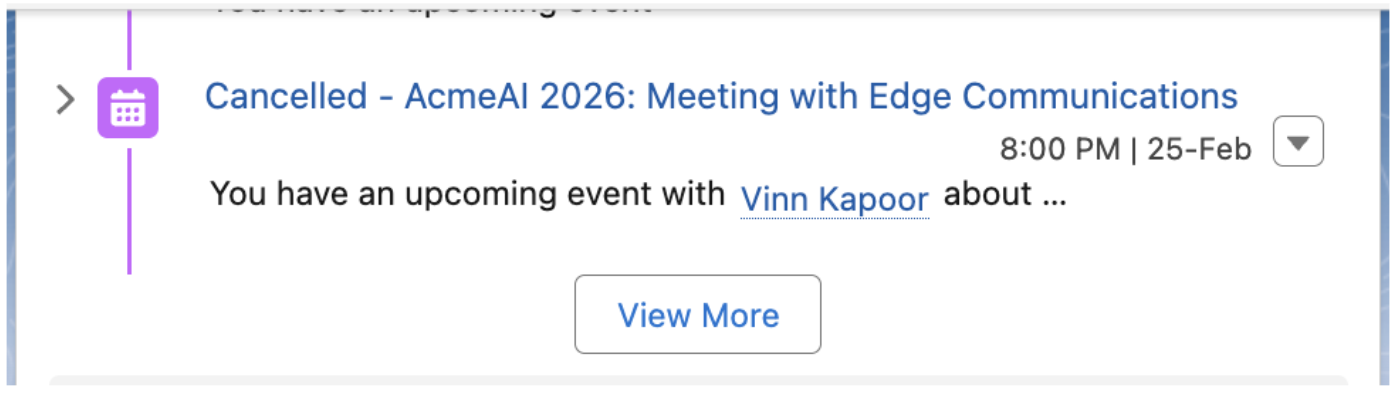
Jifflenow Salesforce Activity records and the Jifflenow Meetings module now clearly indicate when a meeting is cancelled and why.
Previously, cancelled meetings could still appear as upcoming in the Account → Activity list; these now display with a “Cancelled – <reason>” style indicator.
Why it matters
Trustworthy timelines: Sales and events teams get an accurate picture of which meetings are live vs. cancelled directly from Jifflenow Salesforce, without cross-checking Jifflenow Web.
Faster next-step decisions: With cancellation reasons visible, users can quickly decide whether to reschedule, re-invite, or move on.
Smarter scheduling. Richer context. Stronger privacy. All inside the Jifflenow Salesforce App