- STAGE:
- Development
Opted-out and Unsubscribed indicators on Attendee list
Some attendees have opted out of emails or unsubscribed from an event’s emails. When a planner sends an email from an Essentials event or a Webinar, Cvent quietly skips these attendees. The planner is never told, so they see fewer recipients than attendees and think something is broken.
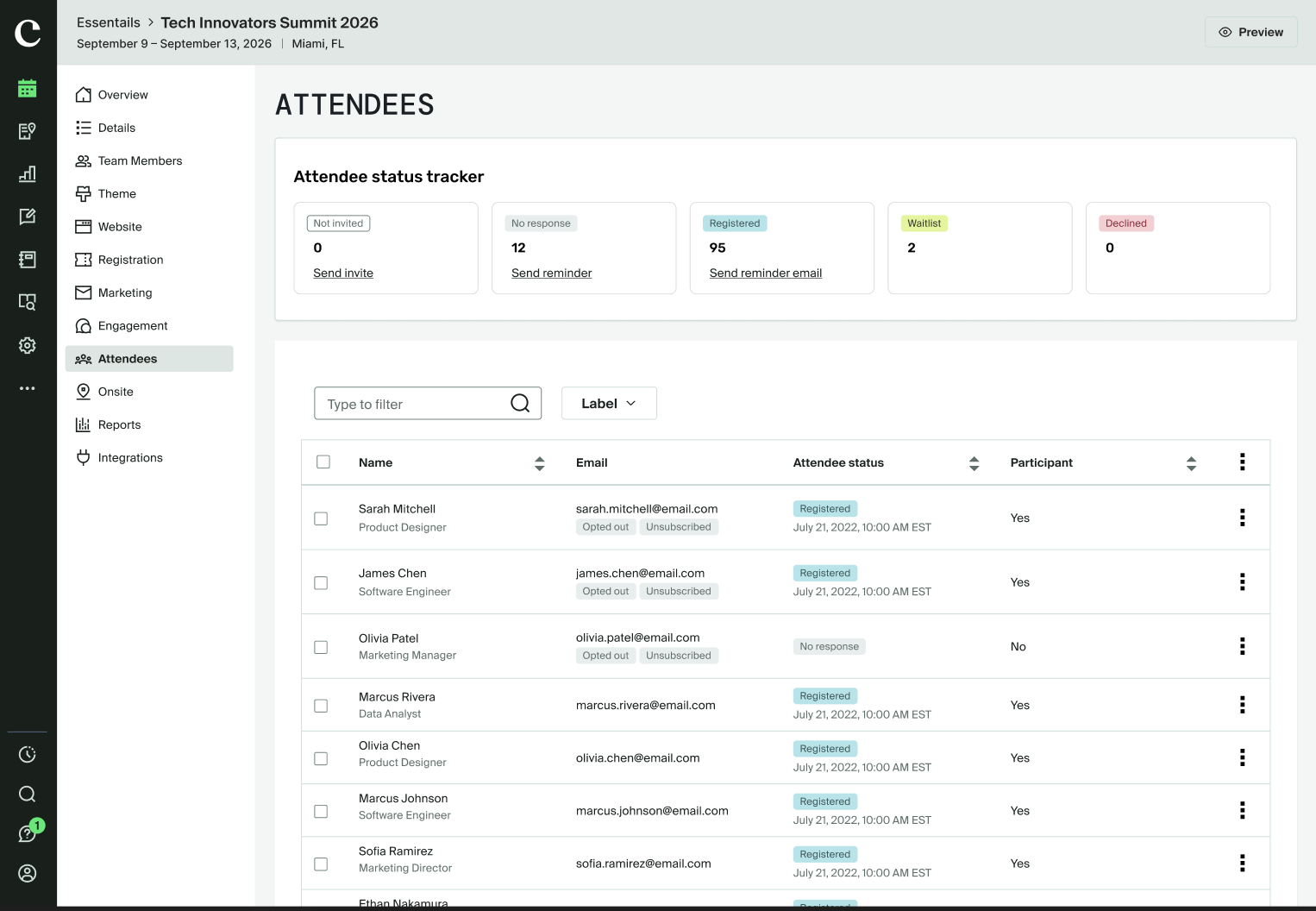
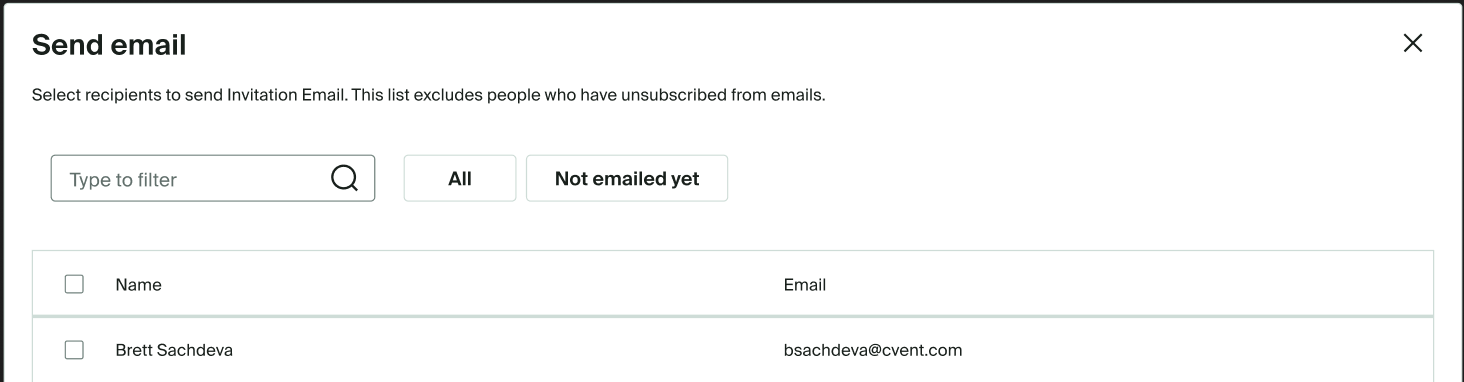
We will now show planners which attendees won’t get emails and why. A tag appears next to those attendees on the Attendee List, and a short message appears in the Send email and Send now steps. There’s nothing new to set up, and each attendee’s choice not to get emails is still respected.
What this solves
Attendees are skipped without warning – Cvent leaves out attendees who opted out or unsubscribed, but never tells the planner.
The numbers don’t add up – A planner with 5 attendees sees only 2 recipients and has no idea why.
No way to check ahead of time – The Attendee List now shows who unsubscribed, and who opted out of emails.
What’s included
“Opted out” and "Unsubscibed" tag on the Attendee List: Attendees who opted out or unsubscibed of emails show an appropriate tag under their email address.
A message in Send email: The step for choosing recipients now says the list leaves out attendees who opted out or unsubscribed.
Works for Essentials events and Webinars The same tags and messages appear for both event types.
Key Benefits
Planners know which attendees won’t get an email, and why
Fewer “my email didn’t send” support calls
Attendees’ choice not to be emailed stays respected, and now it’s visible
No extra setup for anyone