- STAGE:
- Development
- PROJECTED DONE:
- This month
Generate UTM Parameters to track campaign performance
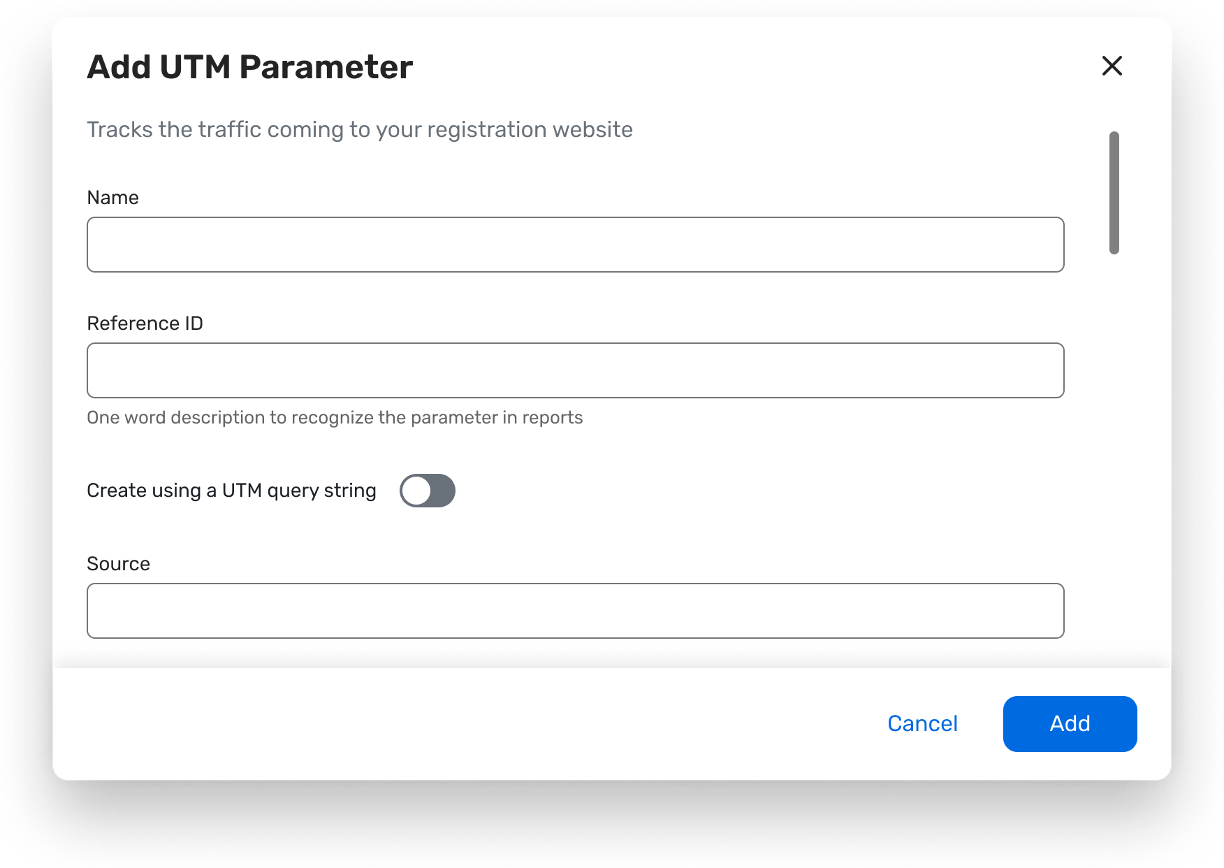
Cvent Webinar and Cvent Essentials will include a built-in UTM builder so you can create trackable registration links so organizers can create, track, and report on campaign traffic without leaving Cvent. This enhancement builds on our existing UTM tracking and reporting and makes it faster and less error‑prone for teams to understand which channels are driving engagement and registrations.
Why this Matters:
Gives user a single, consistent view of marketing performance across channels—all within the Cvent platform.
Reduces manual errors
Enables clients to optimize ad-spend by capturing more attribution data
Functionality:
Organizers can generate UTM parameters directly from the event-level Marketing tab in Webinar and Essentials.
Supported UTM parameters include source, medium, campaign, term, content, Ref ID, plus custom fields for additional tracking needs.
To prevent tracking errors, the UI provides guidance on disallowed characters (for example: avoid ampersands, question marks, spaces, and certain symbols in UTM values).