- DATE:
- AUTHOR:
- The Supplier & Venue Solutions Product News Team

Attract Group Business Releases for April 8, 2026
Cvent Supplier Network
New Navigation for Users
Expected Release Date: 4/8/2026
What's Changed: We’re excited to share that a new navigation experience is coming to the Cvent Supplier Network (CSN), making it easier than ever for you to find what you need.
The navigation and app switcher are moving to a left-bar, global navigation that anchors CSN workflows in a single place and keeps them visible as you work.
Watch this Intro Video to the New Navigation
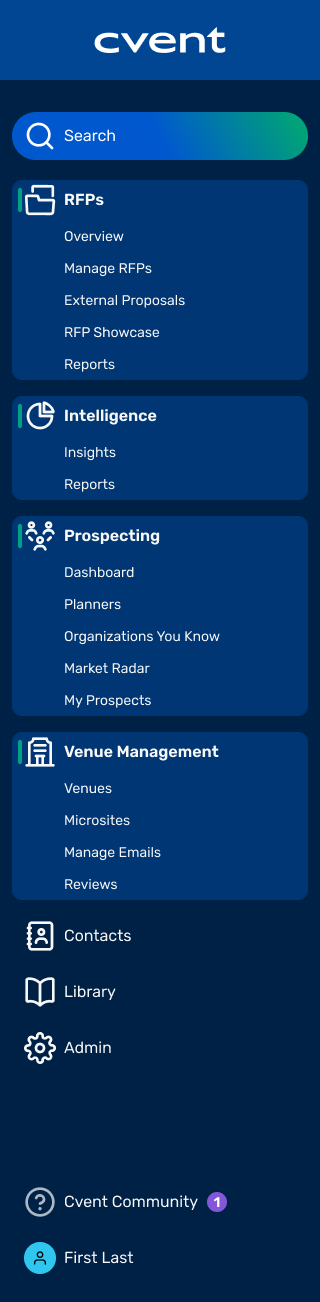
As part of the new navigation, we have also updated the structure of some of the menus, making related capabilities easier to find and manage together. The new CSN Supplier navigation structure is displayed as follows:
RFPs
Consolidates RFP management tools, including the Overview, Manage RFPs, External Proposals, RFP Showcase, Reports, and Response Automation.
Intelligence
Business Intelligence Reports and Custom Insights can be accessed under the newly named Intelligence section.
Prospecting
Planner Navigator can be accessed under the newly named Prospecting section, which includes the Dashboard, Planners You Know, Planners To Meet, Organizations You Know, and My Prospects.
Venue Management
Houses features like Venues, for profile management, Microsites, Email, and Reviews.
Search and Recent Items
Quickly search across records or re-open recently accessed RFPs, reports, and views from one place.
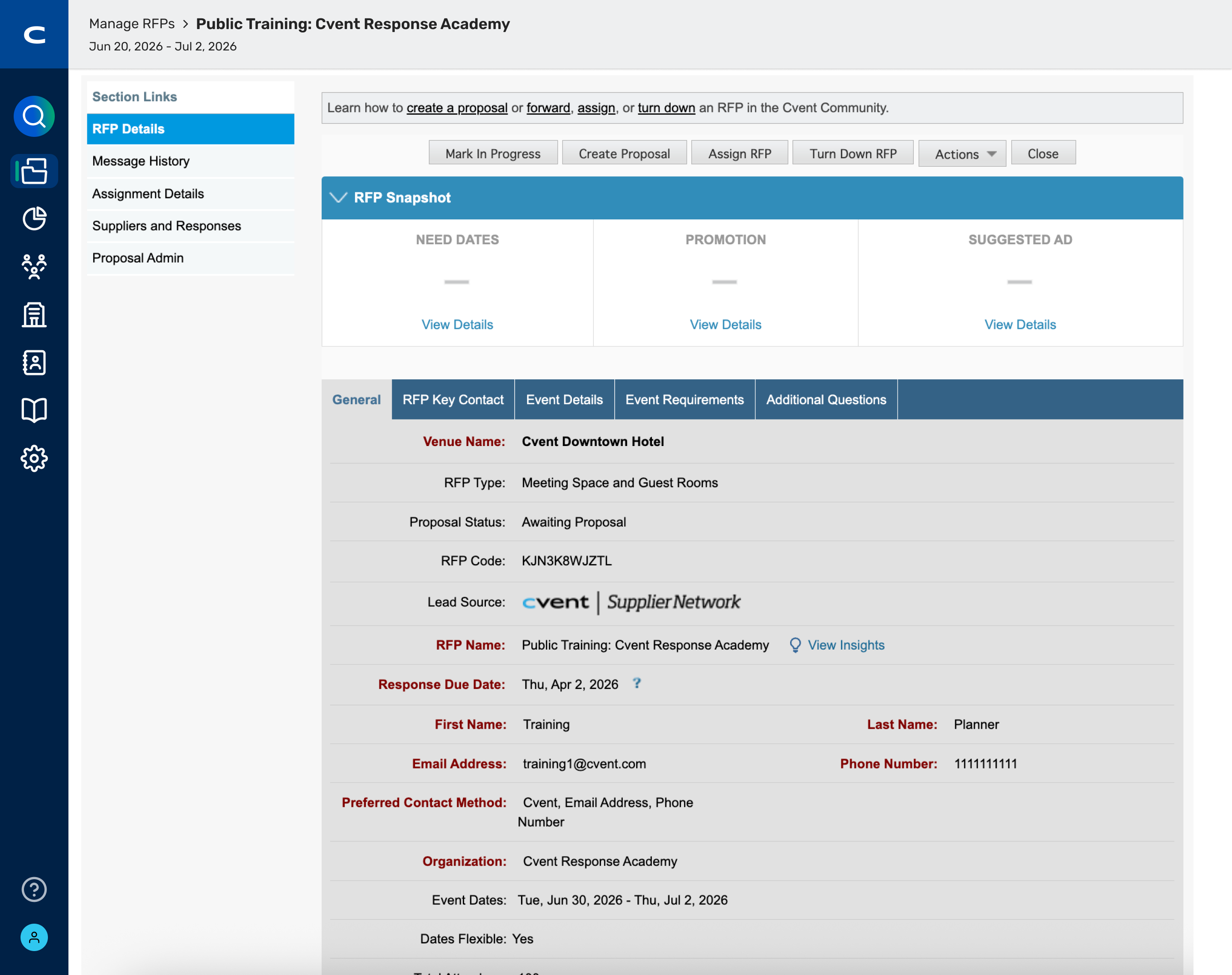
Benefits: The new, more responsive navigation helps you get started faster, jump into your day quickly, and move between key workflows with fewer clicks. The redesigned navigation focuses on:
Helping suppliers find and move through RFP workflows more quickly.
Reducing confusion and making things feel more connected by grouping related tasks into clear modules, so you always know where to go next.
Providing a more consistent, modern, and clean interface with bolder visuals that feels easier to use.
Release Plan:
April 8 2026 – May 6 2026
The new navigation experience will be released, but users will be defaulted to the old navigation.
A banner at the top of the screen will invite them to try the new navigation. They can switch freely between the new and old navigation using the banner.

May 6 2026 – July 1 2026
Users will be defaulted to the new navigation.
They can still switch back to the old navigation via the same banner.
After July 1 2026
The new navigation becomes the only option going forward.
Switching back to the old navigation will no longer be available
Who is impacted by the New Navigation?
This update affects all Cvent Supplier Network Supplier users
Planner Navigator (Group Pipeline Intel)
Organizations You Know Enhancements
Expected Release Date: 3/25/2026
What's Changed: We are redesigning the Dashboard in Planner Navigator to make it easier to understand your pipeline, act faster, and surface insights from Organizations You Know. The new experience organizes both existing and new widgets into three sections that match a typical prospecting workflow:
Discover
Prospecting Assistant Picks
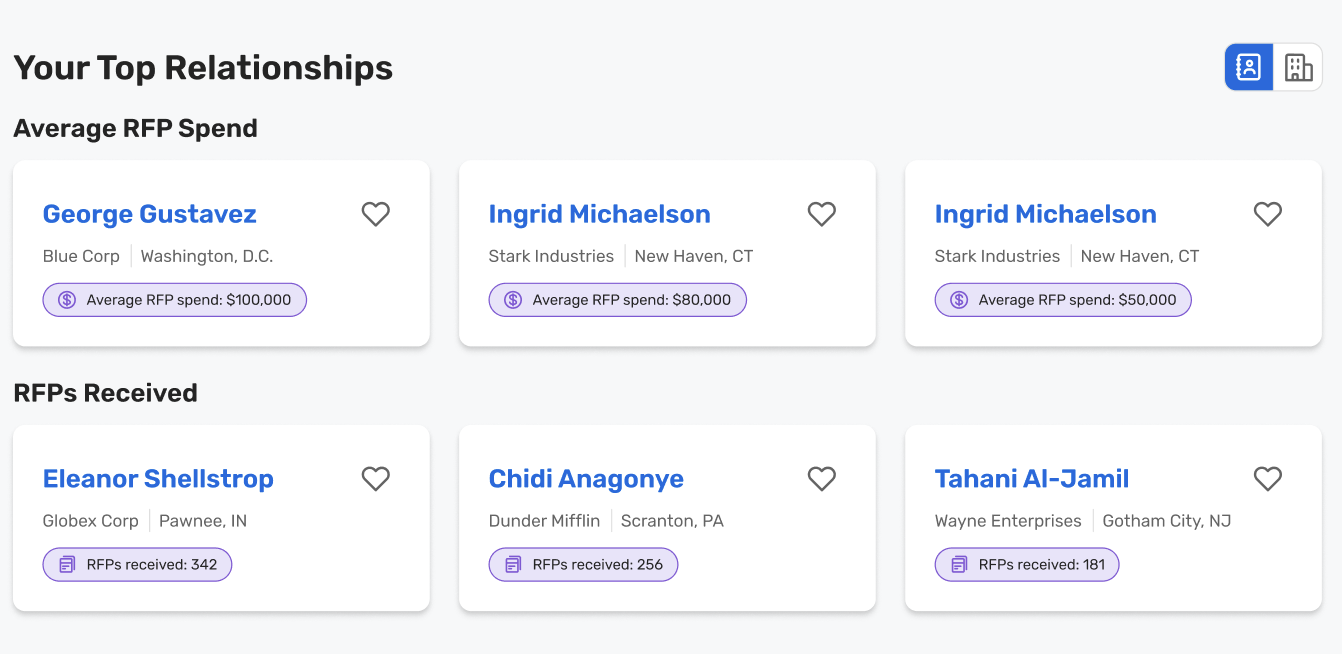
Your Top Relationships
The Discover section brings together insights that help you quickly understand what changed in your universe and where you may be missing demand.
You'll see updated versions of:
Missed Opportunities
What’s New?
Need Dates
The old Planner Organizations widget has been replaced with a new widget under What’s New?, is now powered by Organizations You Know.
Clicking this widget will now take you directly to Organizations You Know, instead of Planners to Meet.

The Prospecting Assistant Picks section is designed to act as a “shortlist” of who to prospect this week, combining planner- and organization-level signals in one place.
The existing Recommended Planners widget is moving under the new Prospecting Assistant Picks section.
A new Organizations to Focus On widget will be added as an account-level counterpart to Recommended Planners.
Within Organizations to Focus On, the Growing Relationships bucket will highlight Organizations You Know that are increasing their:
RFPs sent to you
Conversion rate
Room nights
This gives you a simple way to see which organizations are trending up with your property and should be prioritized for outreach.

The Your Top Relationships section helps you see where your strongest planner relationships and highest-value accounts are today, so you can protect and grow them.
The existing Your Top Planners by RFPs widget is being renamed to RFPs Received. It will continue to show the planners sending you the most RFPs.
A new Average RFP Spend widget will surface planners with the highest average RFP spend with your property, so you can:
Quickly spot your most valuable planner relationships
Prioritize nurturing and expanding those accounts
Benefits:
Scan your dashboard faster: Related widgets are grouped into Discover, Prospecting Assistant Picks, and Your Top Relationships so the layout matches how your sales teams actually prospect and makes it easier to find what you need.
See both planners and accounts in one place: With Organizations You Know and the new Organizations to Focus On widget on the dashboard, you can prospect at both the planner and organization level without jumping between tabs.
Spend time where you can make an impact: New and enhanced widgets like Growing Relationships, RFPs Received, and Average RFP Spend highlight where momentum and revenue potential are highest, helping you focus prospecting time where it matters most.
Visit our Community with questions
Do you have questions about anything we’ve rolled out this window?
As always, get questions answered in the Community via the Open Forum.