- DATE:
- AUTHOR:
- The Supplier & Venue Solutions Product News Team

Convert Group Business Releases for July 22, 2026
Response Assistant (Group Pipeline Intel)
Response Assistant General Availability
Expected Release Date: 07/14/2026
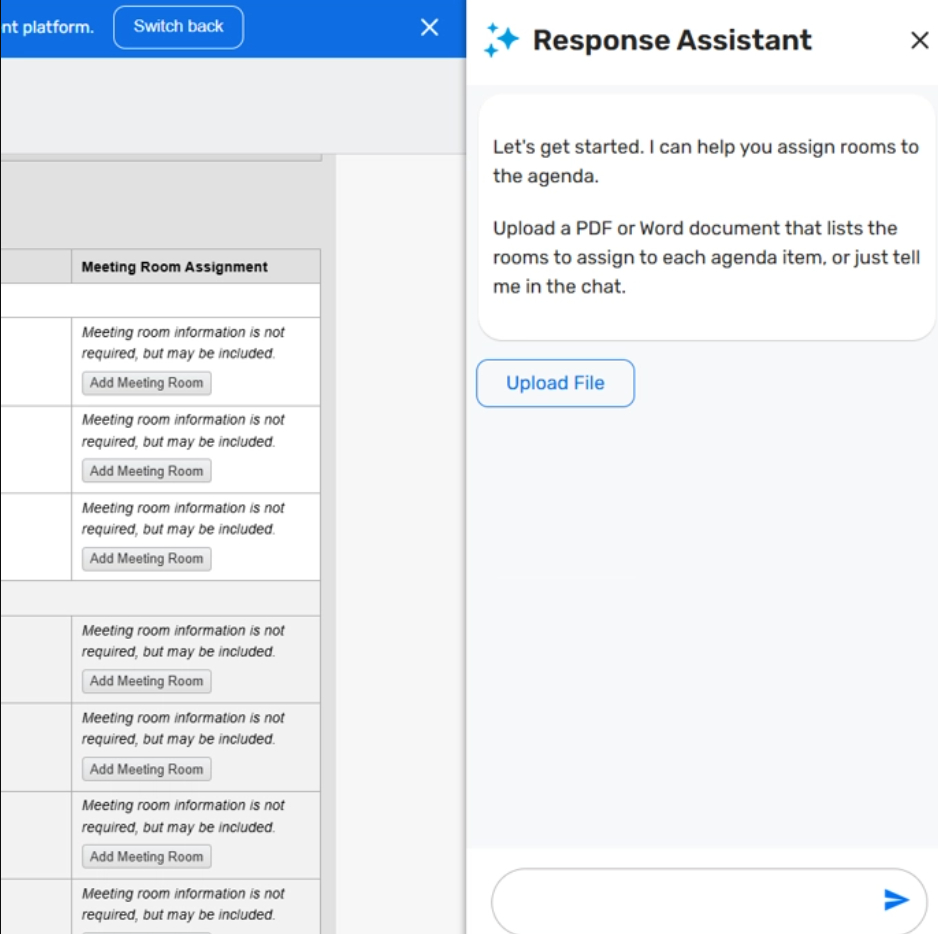
What's Changed: Response Assistant is getting two updates designed to help venue teams complete response work faster. For GPI and CventOne customers, you can now upload a Word or PDF file with room assignments for agenda items, and you can also use natural language to assign, swap, or remove rooms in bulk instead of updating each agenda item one by one.
We’re also updating the custom question answer generation experience by moving it into the side panel for a more consistent in-product experience.
Benefit: These updates help you spend less time on repetitive response tasks and make it easier to work with room and question details at scale.
Reduce duplicate entry by uploading room assignment information you may already have in your S&C system.
Save time by assigning, swapping, or removing rooms in bulk through a natural-language conversation with the assistant.
Get a more streamlined custom question workflow with improved performance, better success rates, and a more consistent experience.
Visual Element:
Hotel Website Solutions (White Label)
Route White Label RFP Emails to Your GSO
Expected Release Date: 07/22/2026
What's Changed: Enterprise suppliers can now work with Customer Support to set a pre-defined Global Sales Office (GSO) contact for White Label RFPs. Once this option is enabled, White Label RFP email notifications will automatically go to that GSO contact for all applicable submissions. If a planner also enters a GSO in the White Label RFP form, both GSOs will receive the email notifications.
Benefit: This update makes lead routing more consistent and reduces the need to enter the same GSO details again and again in the White Label RFP form.
Send White Label RFP notifications to the right contact more reliably.
Cut down on repeat manual entry for planners.
Help suppliers manage incoming leads more efficiently.
Visit our Community with questions
Do you have questions about anything we’ve rolled out this window?
As always, get questions answered in the Community via the Open Forum.