- DATE:
- AUTHOR:
- The Supplier & Venue Solutions Product News Team

Improve Group Business Releases for May 6, 2026
Cvent Reporting Framework
The following updates apply to Cvent Reports across products including CSN reporting, CSN Business Intelligence, Cvent Passkey, and Cvent Transient.
Enhanced Table Widgets in Reports
Expected Release Date: 05/06/2026
What's Changed: We’ve refreshed the report table widget experience to make it easier to scan, compare, and work with your data, without changing how your reports actually work behind the scenes.
Clearer layout and alignment: Each value now sits in its own dedicated cell with consistent spacing and alignment, so long text and dense grids are easier to read at a glance.
Improved readability: Header styling and row structure are more defined, making it easier to follow a row across the grid and distinguish columns in wide reports.
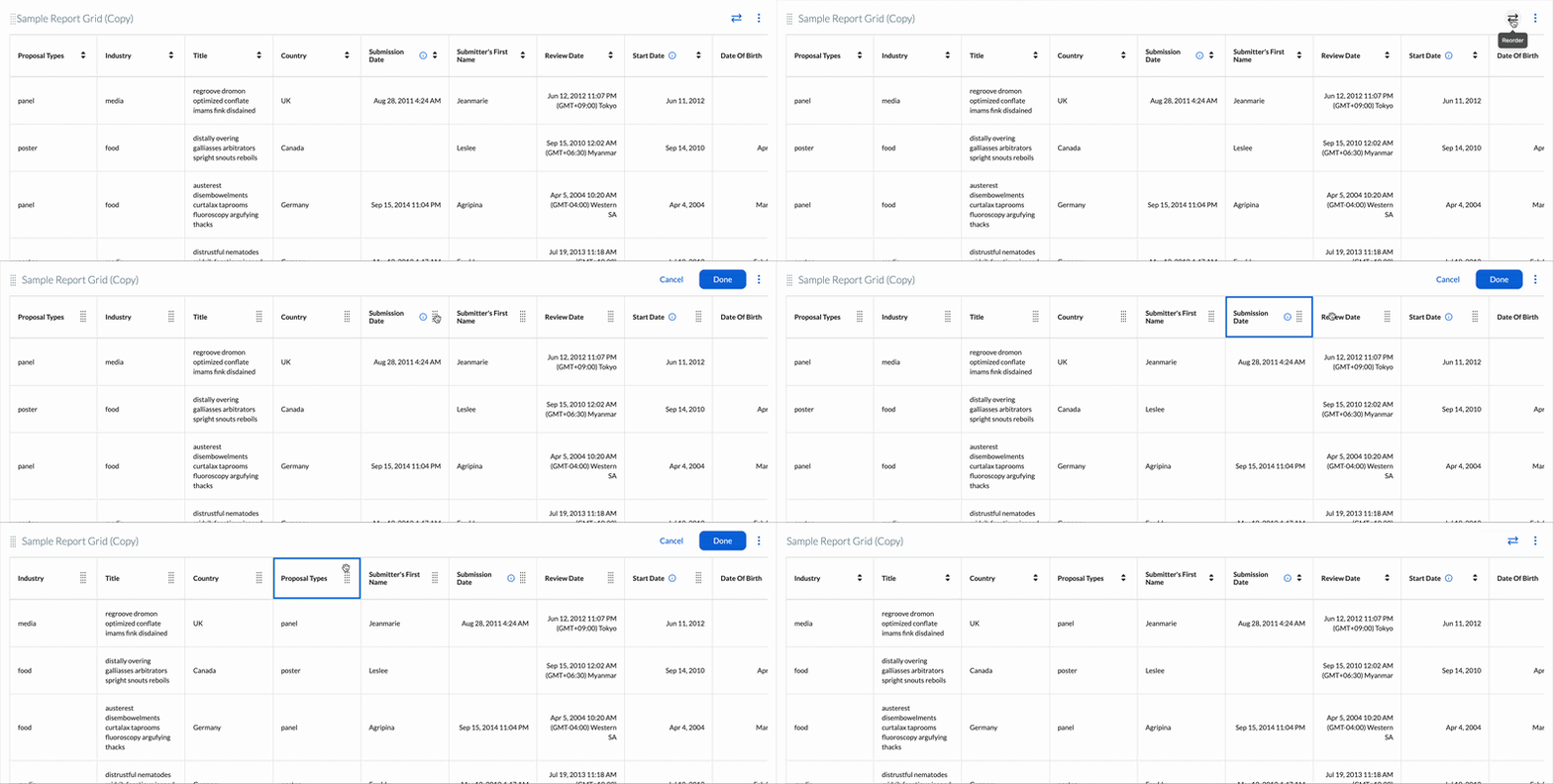
Reorder columns with drag-and-drop: Use the Reorder columns control to drag and drop columns into the order that works best for your analysis, no need to edit the report definition itself.
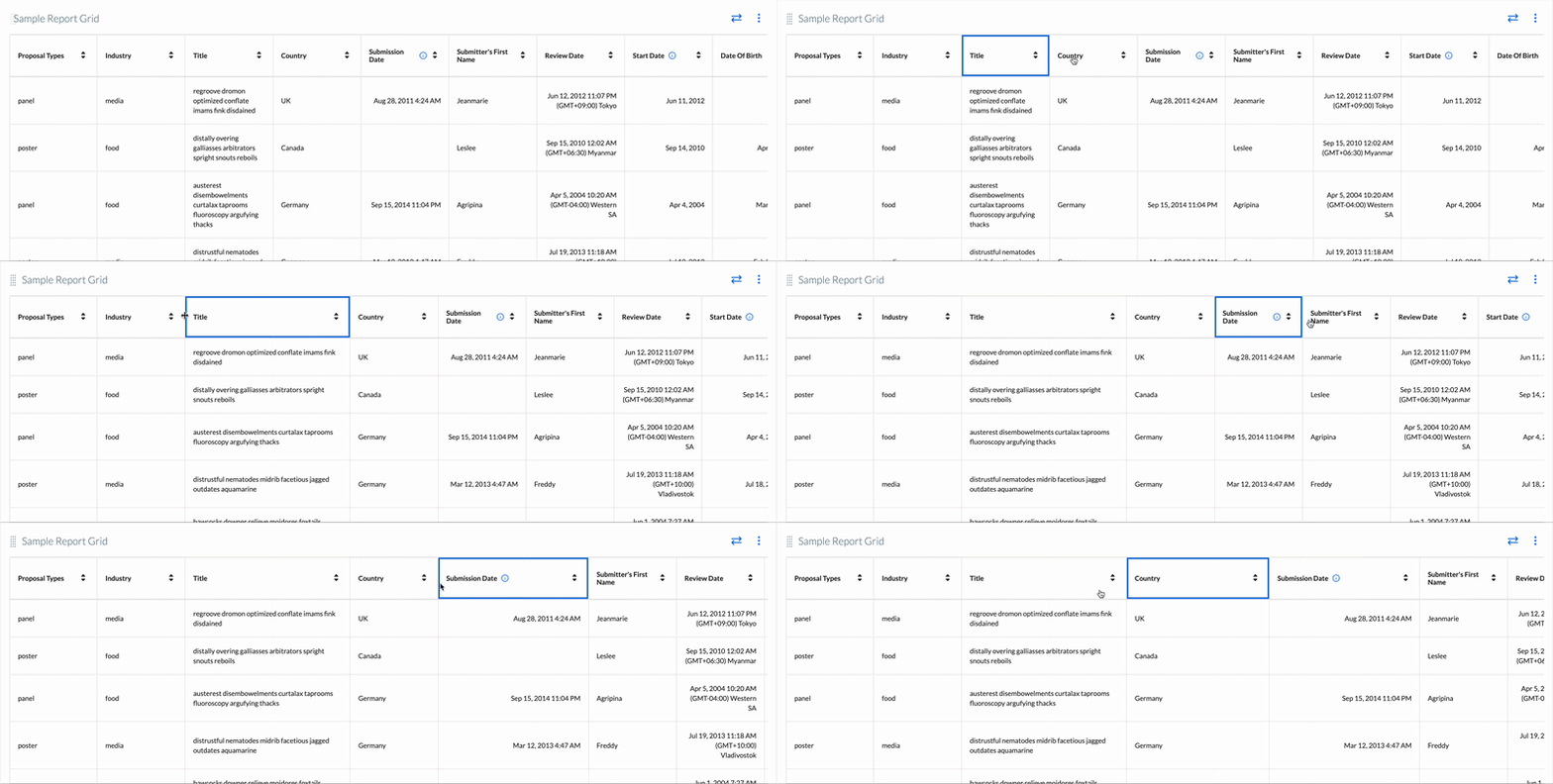
Resize columns directly in the grid: Adjust column widths so important fields (like titles or names) get more space, while less critical columns can be compressed.
Applies across reports: The new grid layout will be available for all reports and works alongside your existing reporting capabilities, without changing any current functionality.
Benefit: This update makes it easier for you to quickly understand and act on your report data, especially in wide or complex tables.
Scan dense reports faster with clearer cell structure and stronger visual separation between rows and columns.
Customize your view on the fly by reordering and resizing columns without changing the underlying report definition.
Keep existing workflows intact since the new layout does not alter any existing reporting functionality.
Drag and drop to reorder columns:
Resize columns:
New Gauge and Donut Charts in Reports
Expected Release Date: 05/06/2026
What's Changed: We’ve added new gauge and donut chart types, plus more flexible legend controls, so you can better visualize performance and category breakdowns in your reports.
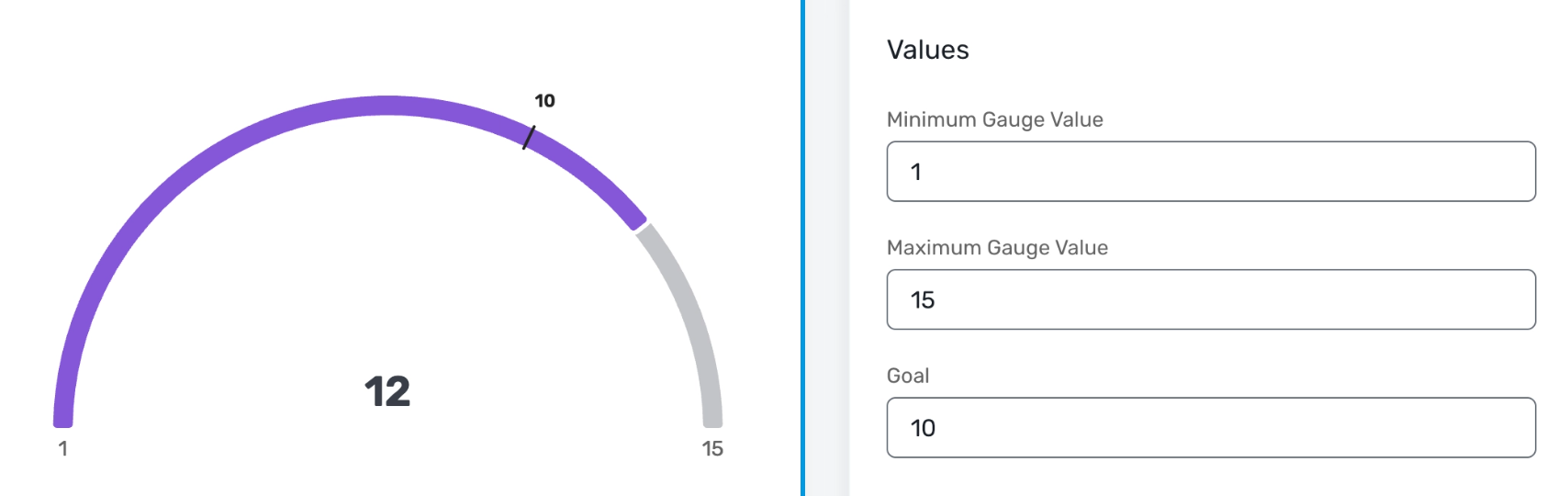
Gauge charts let you track a single KPI (like registrations or revenue) against a goal, with configurable minimum, maximum, and target values and multiple style options (thin, medium, thick).
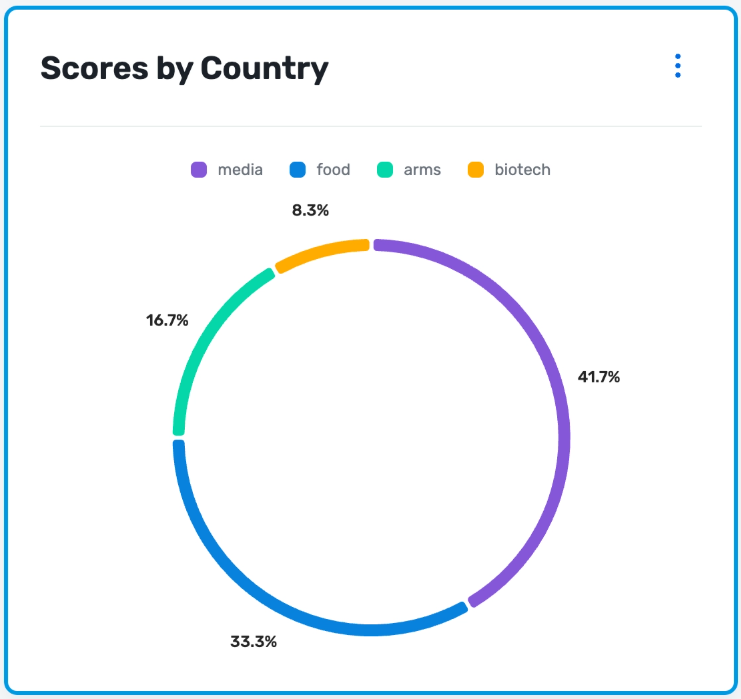
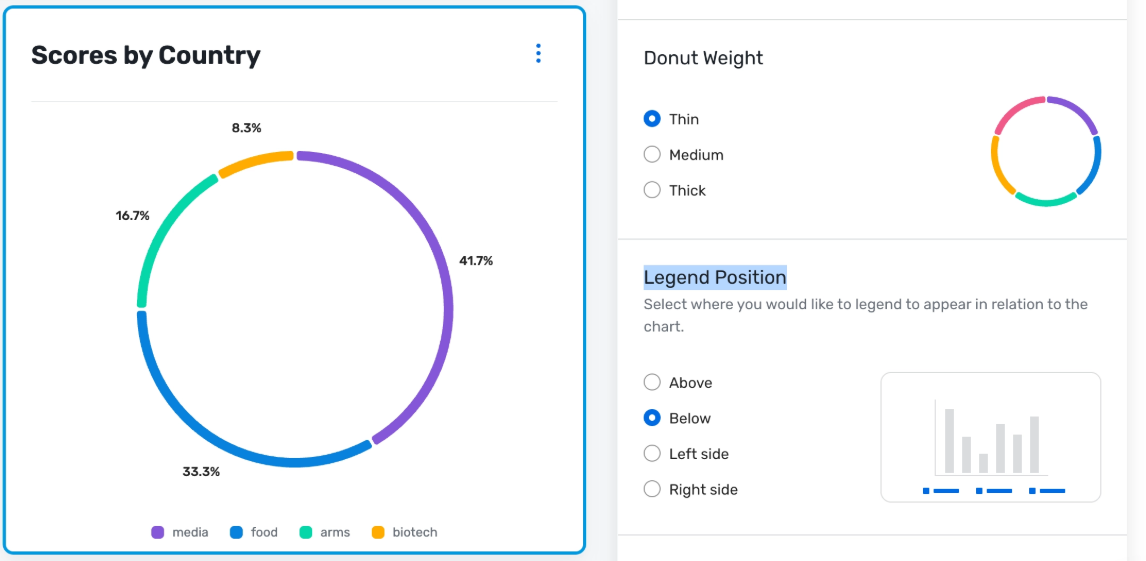
Donut charts offer a cleaner, more modern alternative to pie charts for category breakdowns, also with thin, medium, and thick ring styles.
For donut, pie, gauge, stacked bar, and stacked column charts, you can now choose where the legend appears (top, bottom, left, or right) to better fit your layout or slide design.
All existing reporting behavior (data, filters, access, exports) remains the same, only visualization options are expanding, and the change applies across all reports in these products.
Benefit: These updates give you more control over how you present your data, making it easier to communicate progress to stakeholders and quickly spot what needs attention.
Track goals at a glance with gauge charts that clearly show if you’re behind, on track, or ahead of plan.
Tell a clearer story with donut charts that make dense category breakdowns easier to read in dashboards and presentations.
Fine-tune your layouts by positioning legends where they best fit your slides or reports, reducing clutter and label overlap
A quick best practice: gauge charts work best when you’re tracking a single KPI against a well-defined goal; they’re not ideal for detailed multi-category comparisons.
Gauge Chart:
Donut Chart:
Legend Positioning:
Download report charts as images
Expected Release Date: 05/06/2026
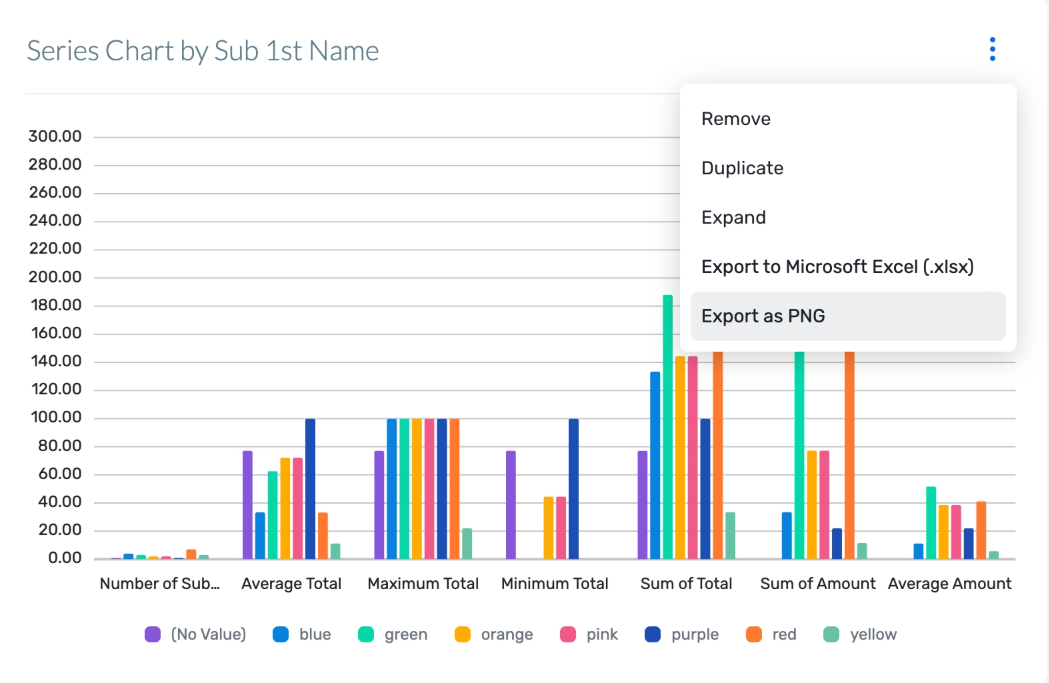
What's Changed: Report users can now download high-resolution PNG images of their charts, so you can quickly reuse clean, on-brand visuals in presentations, documents, and email updates; no screenshots required.
Each supported chart in Reporting now includes an Export as PNG option in the chart controls. When you select this option, the system generates a high-resolution PNG that preserves the labels, legends, and colors exactly as you see them in the report. The exported images are optimized for common uses like slide decks, status reports, and email updates, so you don’t need extra editing or cleanup.
This option will appear wherever supported charts are available in reporting across Event Management Platform, Exhibitor Management, Passkey, Reporting, Supplier Network, and Surveys. Exporting as PNG is not available for grids. Existing reporting workflows are unchanged. This only adds a new way to export chart visuals for use outside the application.
Benefit: This update makes it much easier to share polished reporting visuals with stakeholders without spending time on manual cleanup or design tweaks.
Key benefits include:
Faster sharing: Quickly drop ready-to-use chart images into slides, docs, and emails.
On-brand visuals: Preserve colors, labels, and legends exactly as configured in your reports.
Less manual work: Skip screenshots and image editing—your exported file is presentation-ready.
Export Option in Reports:
Visit our Community with questions
Do you have questions about anything we’ve rolled out this window?
As always, get questions answered in the Community via the Open Forum.