- DATE:
- AUTHOR:
- The Supplier & Venue Solutions Product News Team

Manage Group Business Releases for April 22, 2026
Cvent Passkey
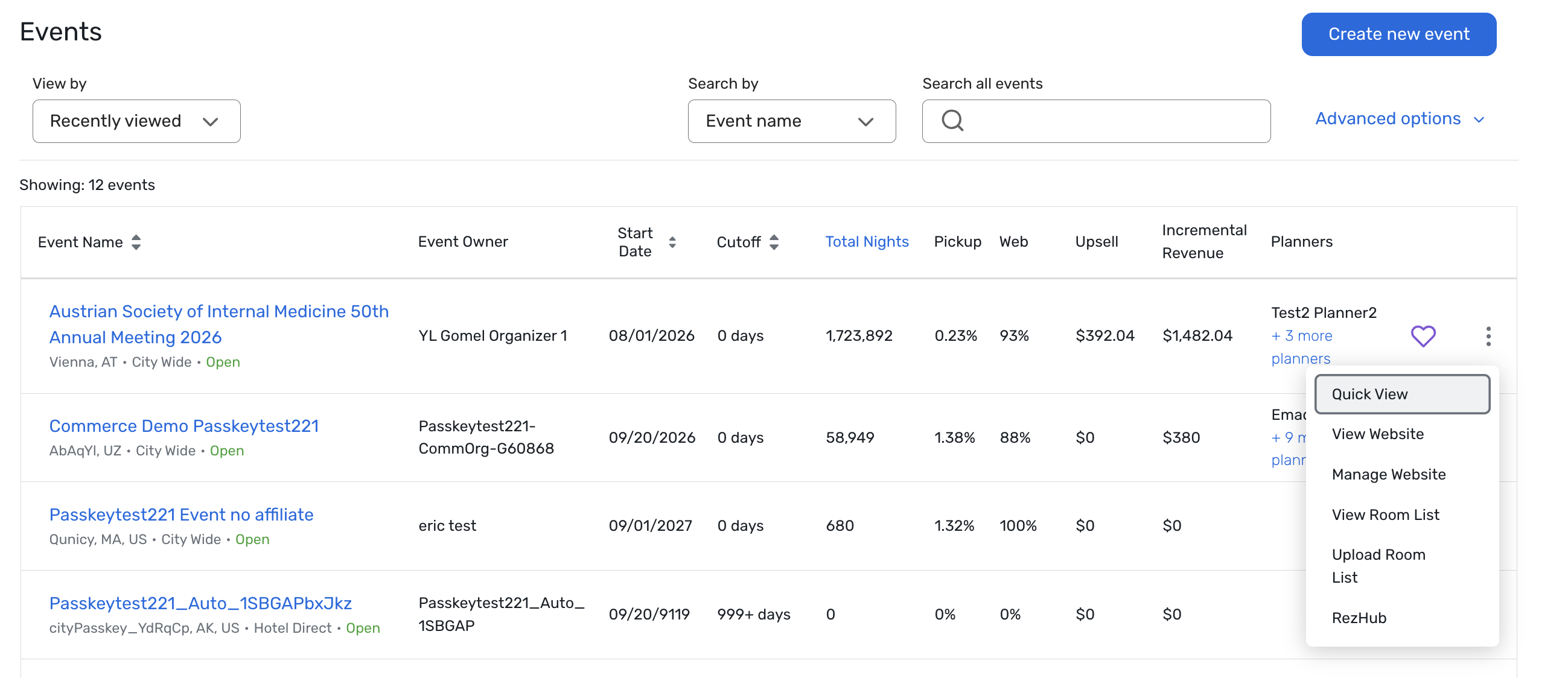
Event Dashboard Quick View
Expected Release Date: Rolling out starting 04/22/2026
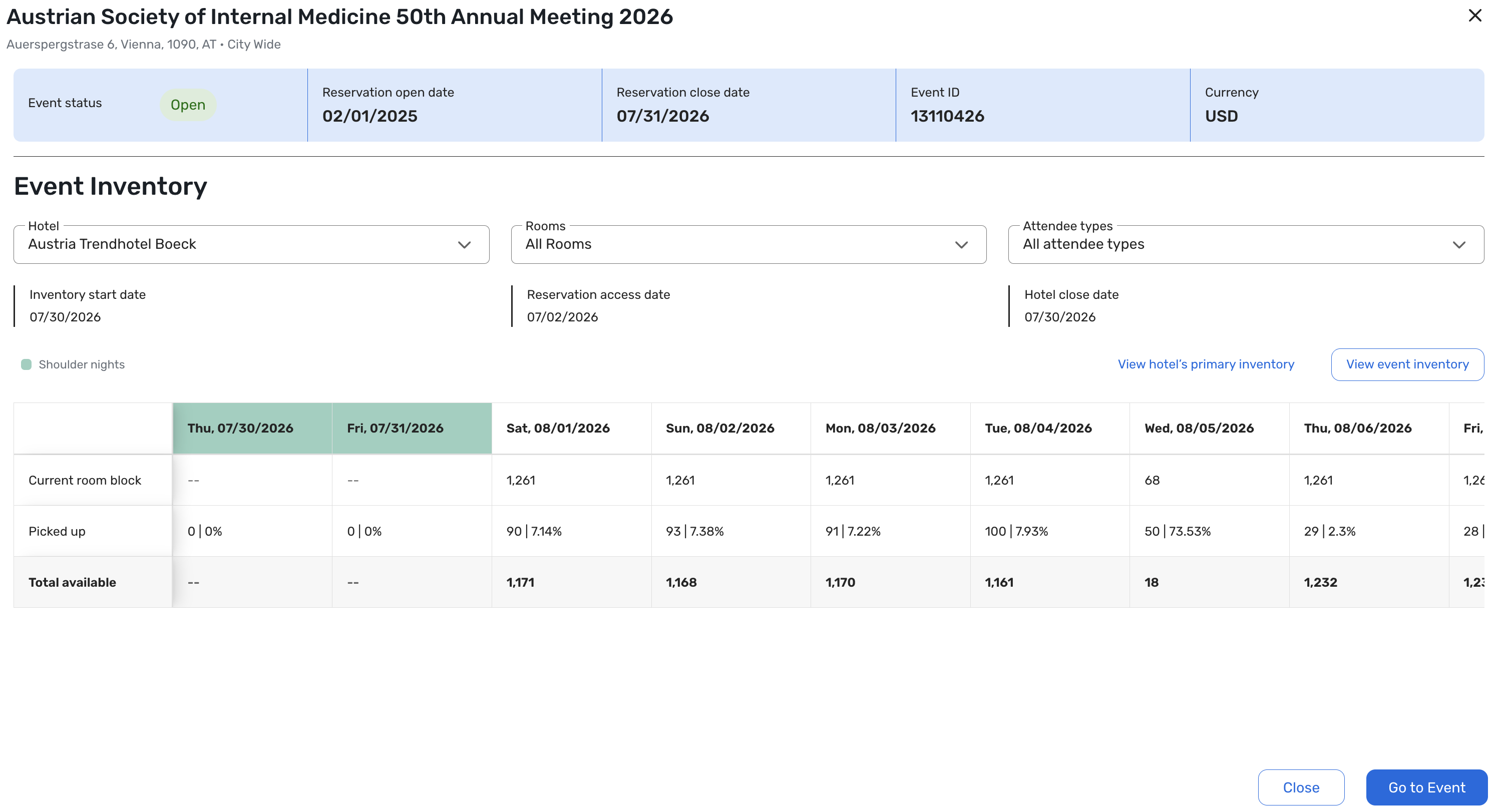
What's Changed: We’ve added an Event Dashboard Quick View in Passkey so hotel users can see how a group block is performing at a glance, right from the event home page.
The new quick view includes:
A high-level event summary with details like event status, reservation open/close dates, event ID, and event currency.
Key inventory and access dates, including inventory start date, reservation access date, and hotel cut-off date.
A night-by-night grid showing contracted block, pickup, and remaining inventory for the hotel, along with shoulder dates and configuration flags.
Filters for attendee type and room type, so you can quickly focus on the parts of the block that matter most to you.
The Quick View opens from the event listing/home page for eligible events and is a read-only summary; any changes still happen in the detailed configuration and inventory pages.
Access respects existing permissions, so users only see data they’re already authorized to view.
As part of this release, free-sell rooms continue to be counted in the overall Picked Up numbers; in an upcoming update, free-sell inventory will be displayed separately in the Quick View.
Benefit: This update gives hotel teams a fast, reliable way to understand how an event is tracking without having to open multiple reports or pages.
Quickly see whether you’re on track by night for a group, and which nights or room types may need attention right now.
Spend less time hunting for basic pickup numbers and more time on revenue decisions, risk management, and conversations with the event owner or brand.
Reduce the risk of missing problem nights or room types by seeing block health, pickup, and remaining inventory in one consolidated view.
Visit our Community with questions
Do you have questions about anything we’ve rolled out this window?
As always, get questions answered in the Community via the Open Forum.