- DATE:
- AUTHOR:
- The Supplier & Venue Solutions Product News Team

Manage Group Business Releases for April 8, 2026
Cvent Passkey
Custom Event Location
Expected Release Date: 04/08/2026
What's Changed: Passkey now lets you define a custom event location that’s used on the attendee booking site and for hotel distance calculations. In addition to your existing Primary Event Location, you can now add one custom location in event setup and decide how it’s used in the booking experience. This update primarily impacts event organizers configuring events in Passkey and attendees using the booking site to find nearby hotels.
With the new custom location, organizers can:
Move the map pin manually.
Enter a specific address.
Define precise latitude and longitude coordinates.
Enter a unique location name.
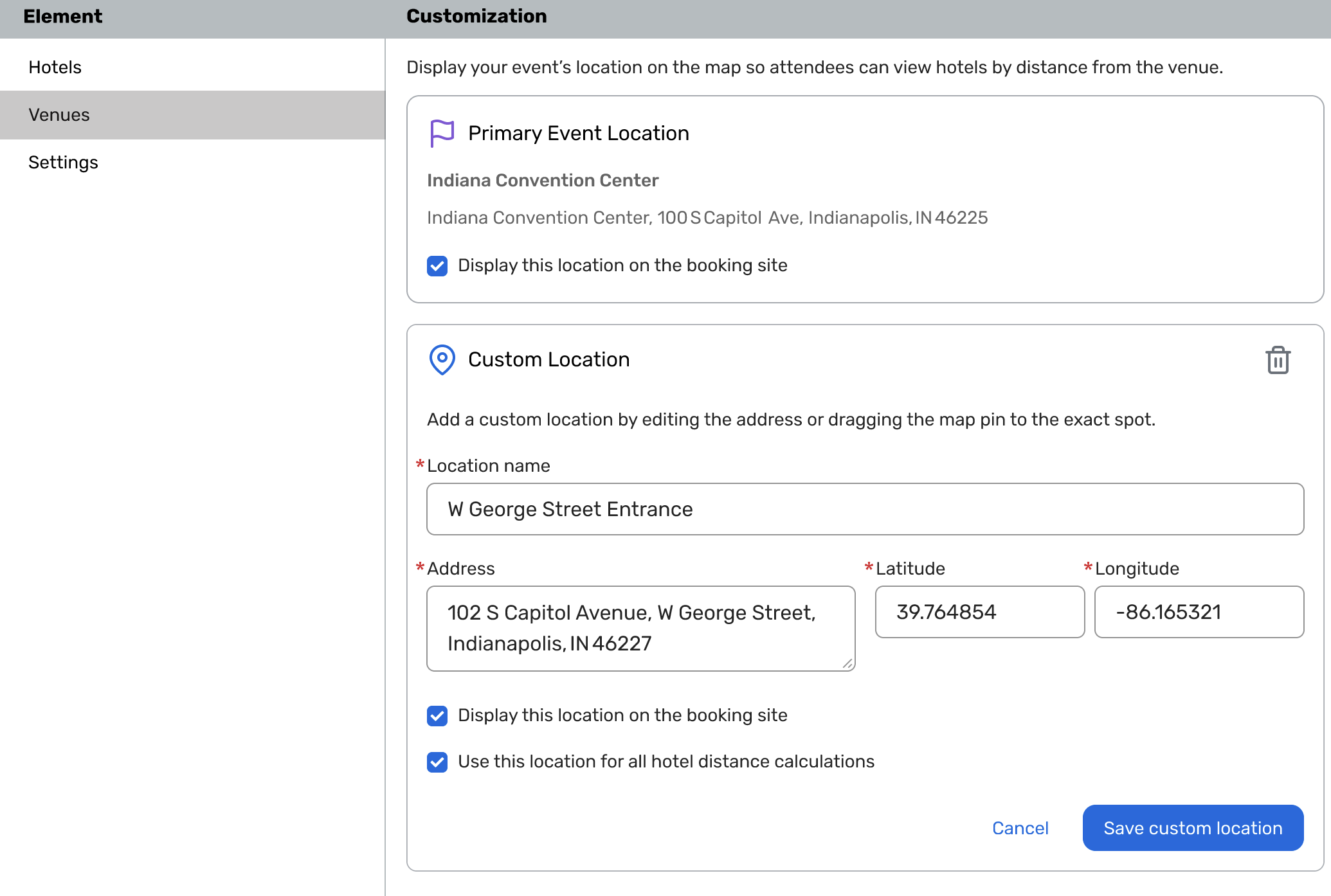
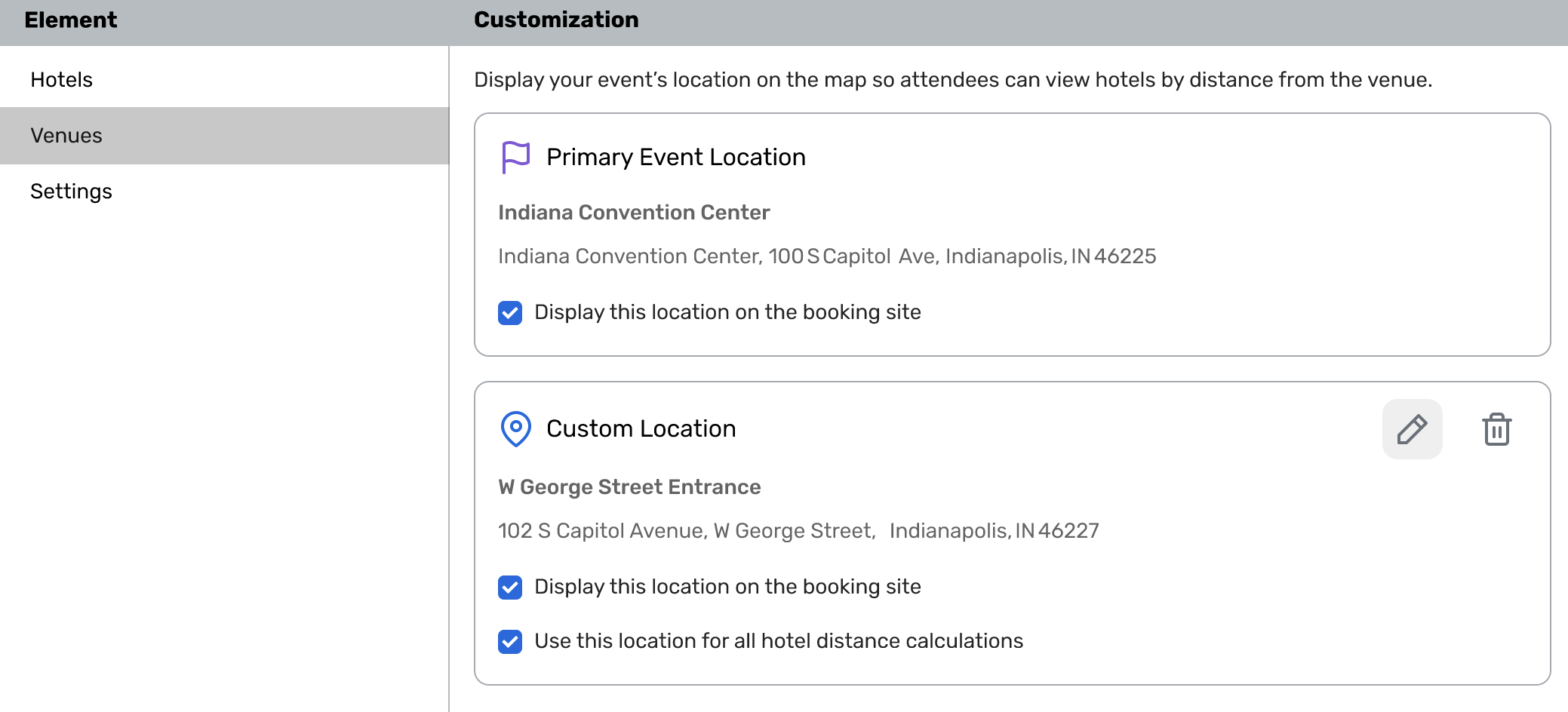
Once configured, you can choose to:
Display this location on the booking site (as a pin on the attendee map).
Use this location for all hotel distance calculations so distances are based on exactly where you want attendees to arrive.
Modernized Find Reservation Search in Passkey
Expected Release Date: Rolling out starting 04/09/2026
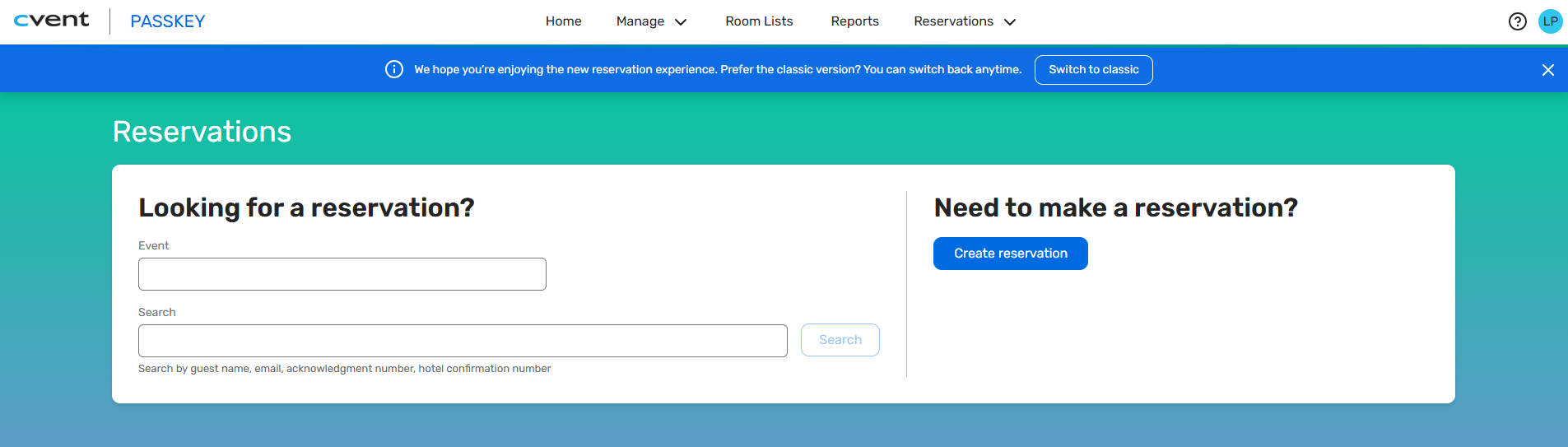
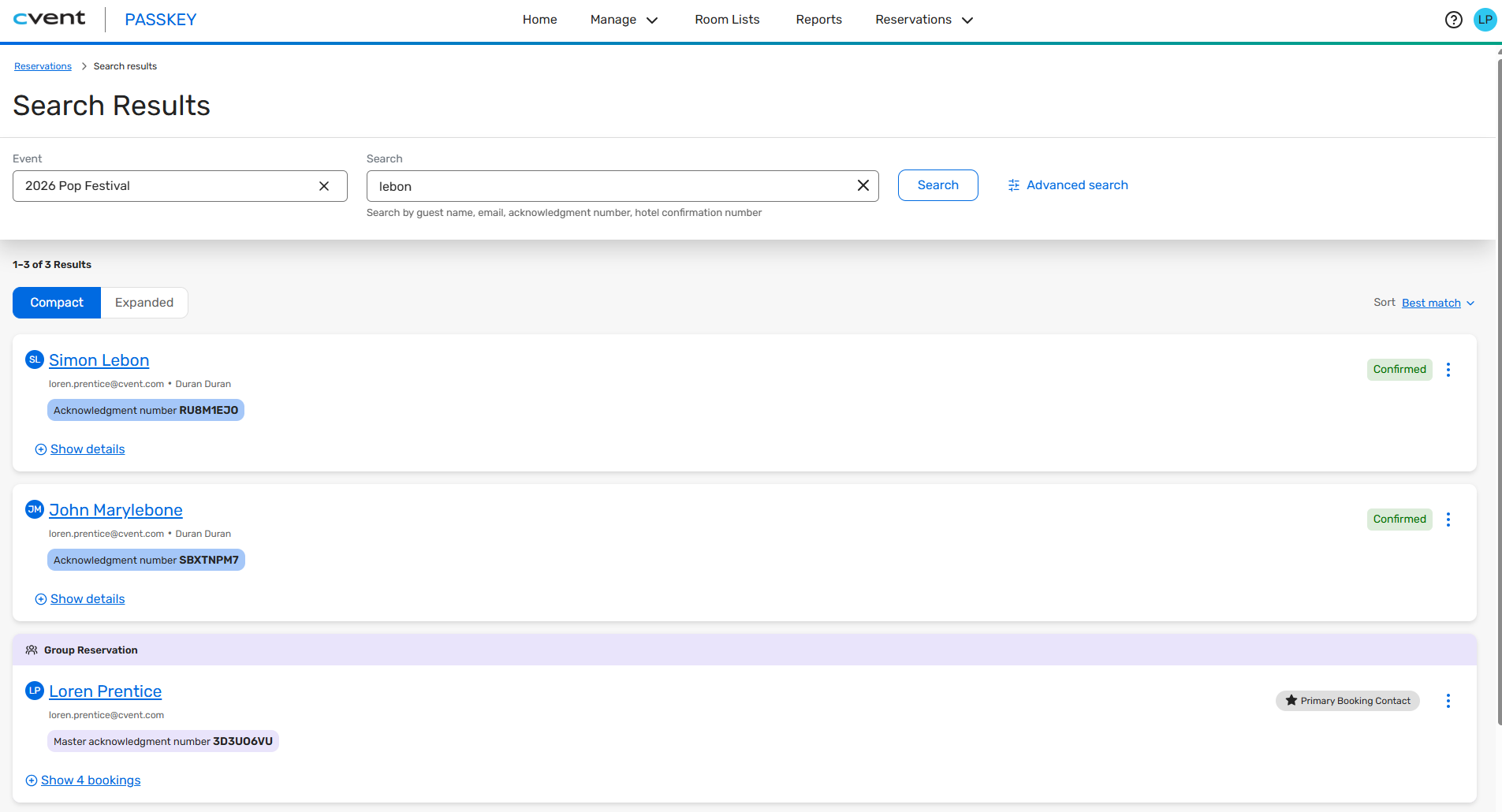
What's Changed: We’ve redesigned the Find a Reservation experience in Passkey, available from the global Reservations menu. The new workflow is streamlined to help you quickly locate and manage reservations across multiple events, with a modern interface and more flexible search options—especially useful for call center agents and anyone handling a high volume of guest inquiries.
Key changes include:
A refreshed search page optimized for fast lookups, showing results as you type.
A unified results view that displays both individual reservations and group bookings together, so you don’t have to switch between views.
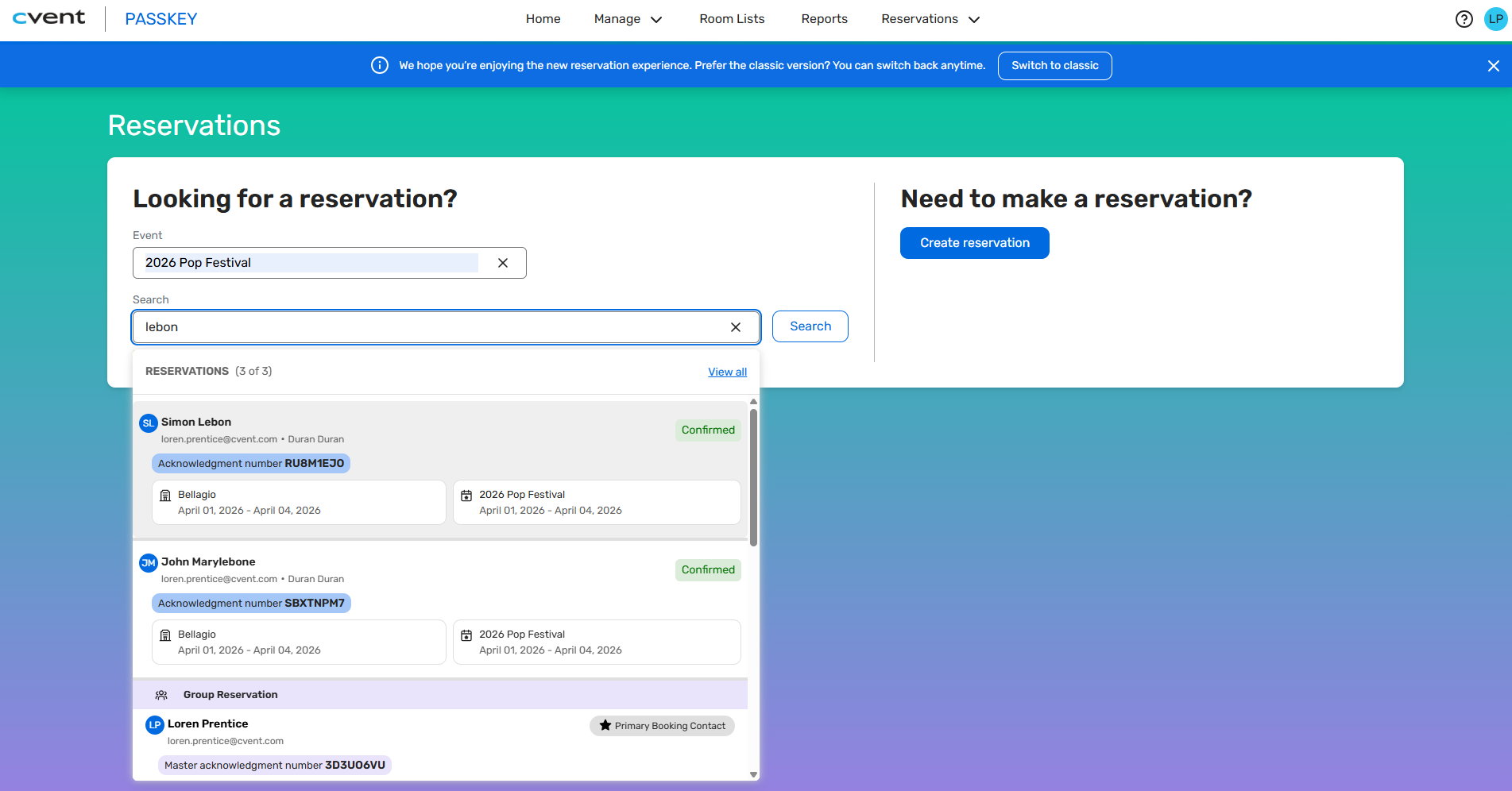
Clear visual cues to distinguish group bookings and quick access to both the master acknowledgment number and individual acknowledgment numbers for each booking.
Search results that let you expand or collapse group bookings, see individual reservations, and sort by options such as best match or last updated.
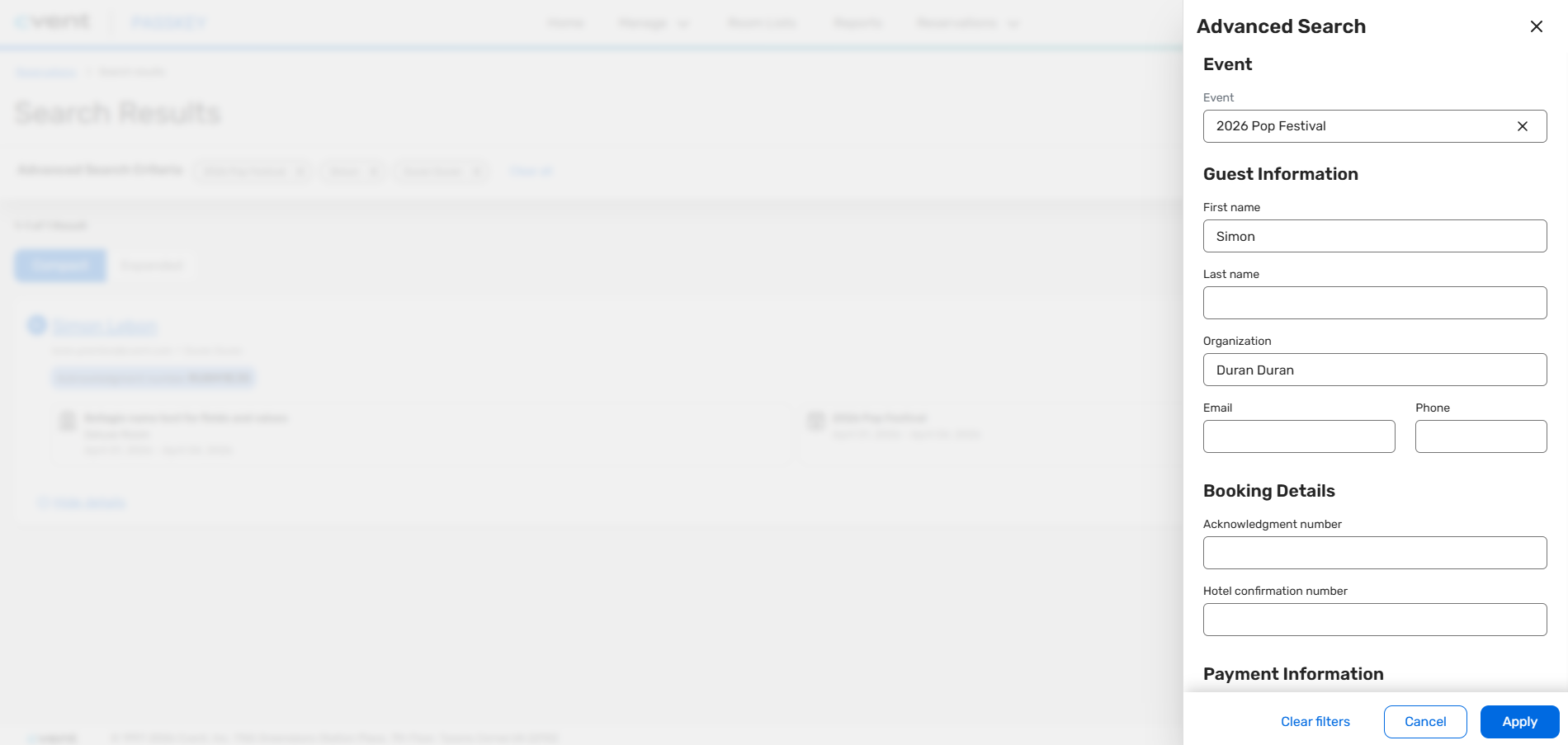
An Advanced Search option for more complex lookups, allowing you to refine by details like guest name, organization, contact information, acknowledgment or hotel confirmation numbers, and payment card details (card type and last 4 digits).
A simple path to create a new reservation directly from the search page when needed.
For now, you can still switch back to the classic search interface if needed, and the in-event Manage Reservations menu will continue to show the classic experience until it’s updated in a future release.
Benefit: This update is designed to help your teams, especially call center agents, work faster and with more confidence when assisting guests. With smarter search, clearer results, and fewer clicks, they can spend less time hunting for information and more time focusing on high-quality, personalized service.
You’ll see benefits such as:
Faster reservation lookups with responsive, type-ahead search and results in a single, consolidated view.
More efficient handling of group bookings, with clear visuals and easy access to both group and individual acknowledgment numbers.
Greater flexibility for complex searches, thanks to advanced filters across guest, event, and payment details.
Improved guest experience, as agents can quickly find accurate information and resolve questions on the first call.
Visit our Community with questions
Do you have questions about anything we’ve rolled out this window?
As always, get questions answered in the Community via the Open Forum.