- DATE:
- AUTHOR:
- The Supplier & Venue Solutions Product News Team

Manage Group Business Releases for August 5, 2026
Cvent Passkey
Simpler GroupLink Setup
Expected Release Date: 08/05/2026
What's Changed: Setting up GroupLink for a Passkey event now follows a clearer, guided experience designed to help hotel users complete setup more easily and with fewer mistakes. Instead of moving across multiple tabs with extra approval steps, you’ll move through setup in a defined sequence with clearer labels, visible setup status, and fewer manual actions required.
Hotel users will see updated section names during setup:
Rooms is now Room Type
Groups is now Attendee Type
Blocks is now Sub-Blocks
Benefit: This update makes GroupLink setup easier to follow from start to finish, so you can configure events with more confidence and less back-and-forth. By guiding you through each step and removing unnecessary approval actions, the experience is more efficient and easier to complete accurately.
Spend less time navigating across tabs during setup.
Reduce the chance of setup errors caused by unclear labels or missed steps.
Complete transfers faster with fewer manual approval actions.
See setup status clearly throughout the process with visible Setup Incomplete and Setup Complete badges.
Here’s a quick look at how the updated setup experience works:
Setup moves through four steps in order: Event Setup, Room Type, Attendee Type, and Sub-Blocks.
Each step includes Save, Next, and Previous controls, and Next saves and validates before moving forward.
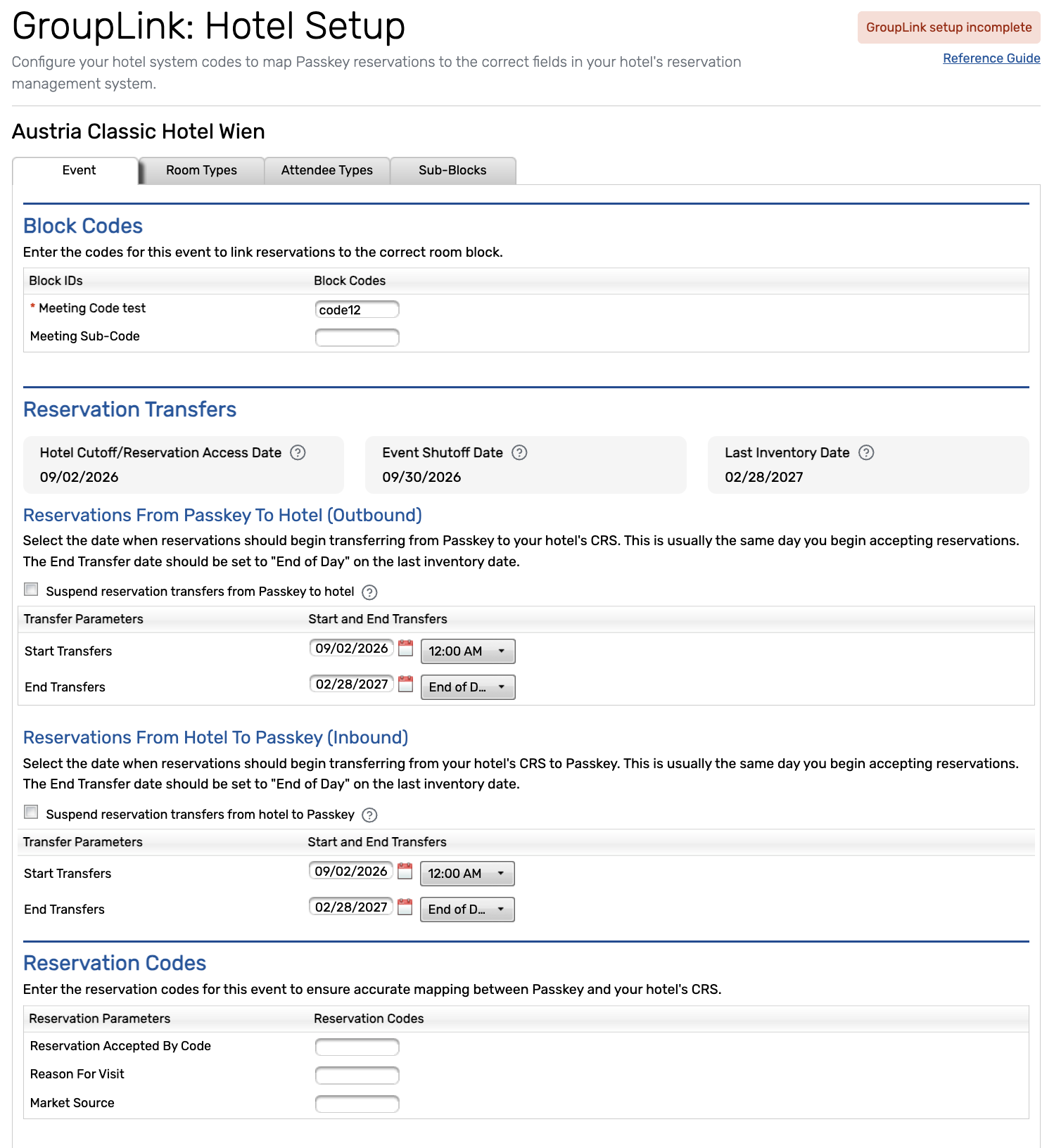
Room types, attendee types, and sub-blocks are ready for transfer when saved, so no separate approval step is needed.
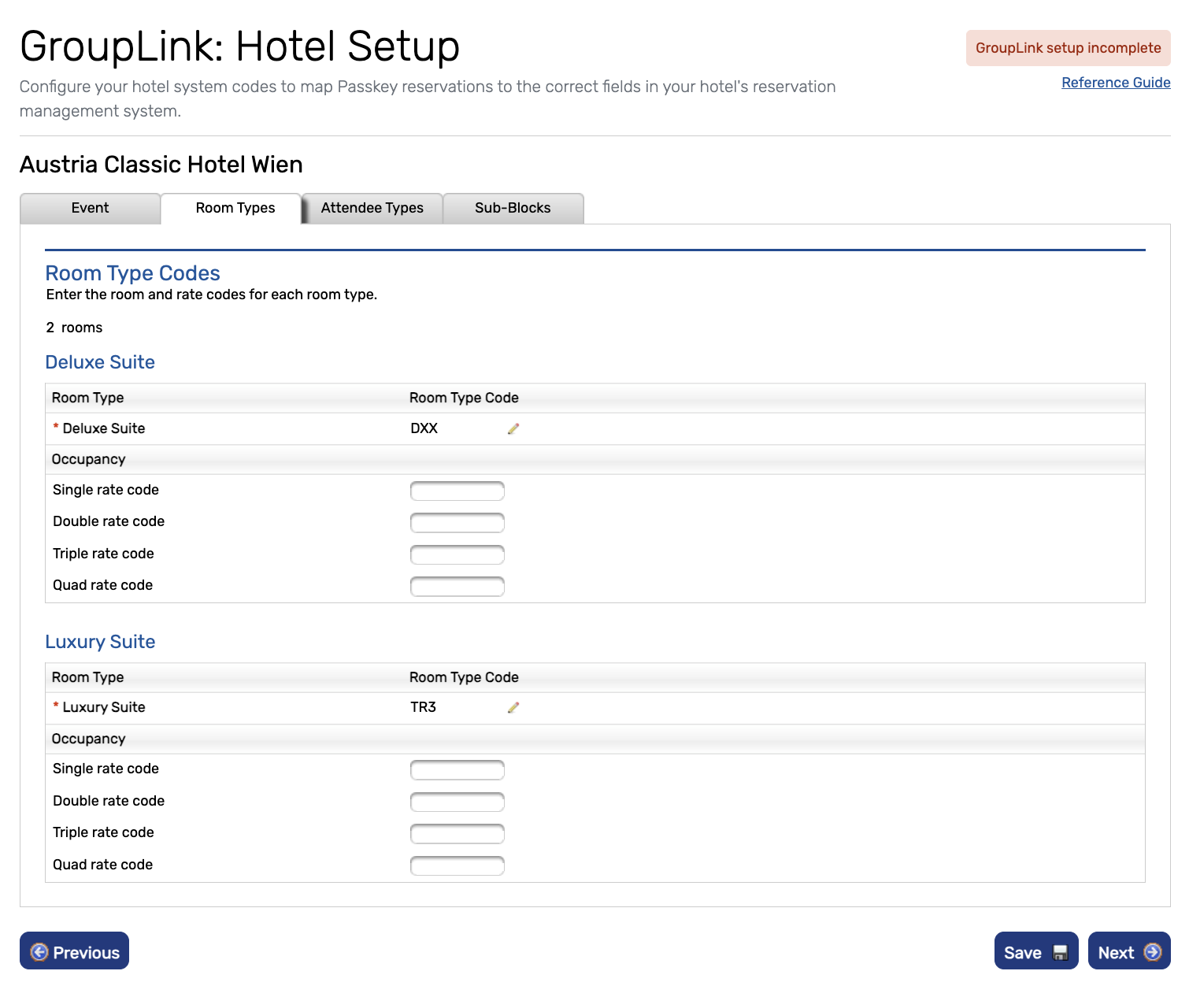
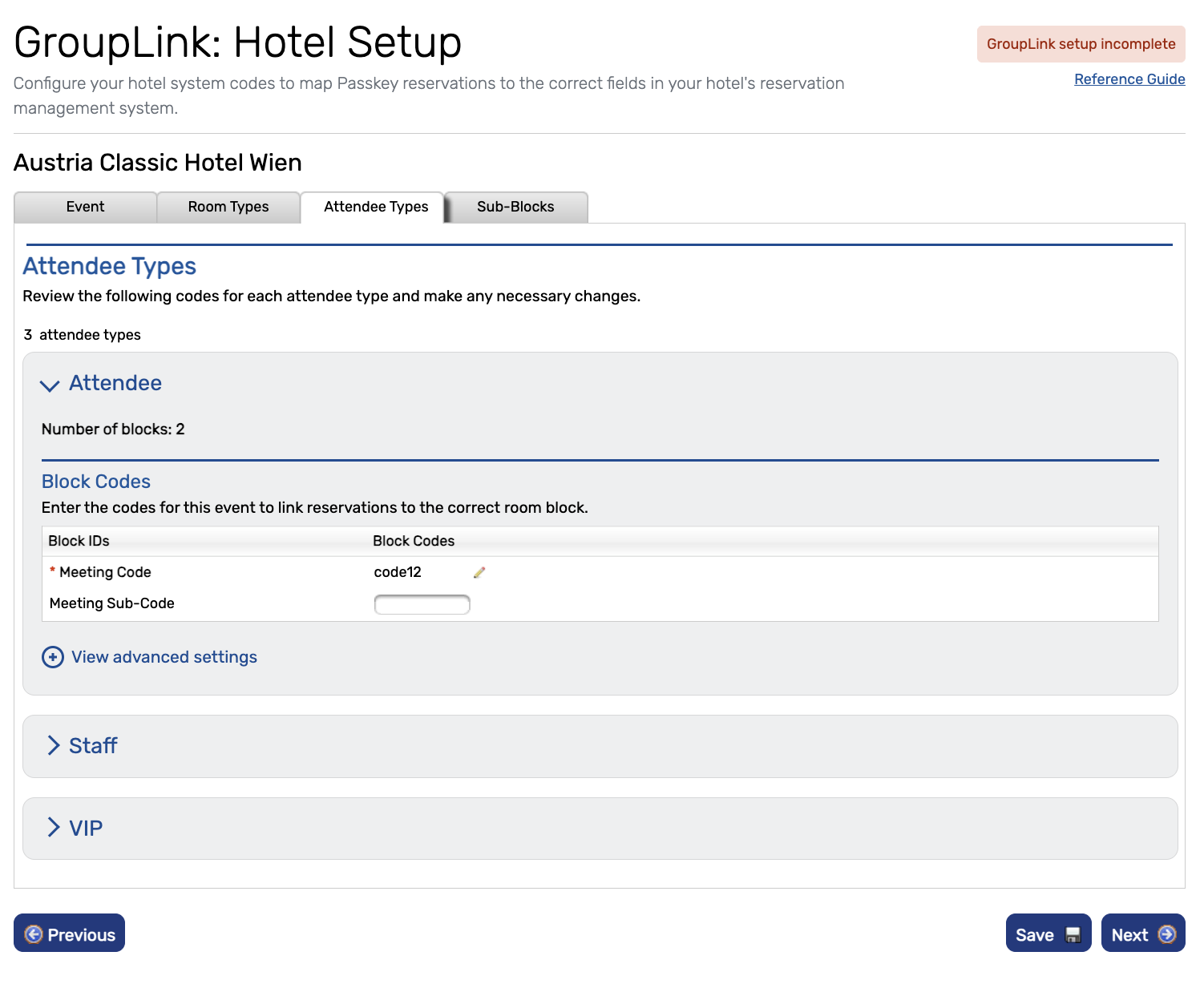
On the final step, selecting Finish GroupLink Setup marks setup as complete. After that, users can return directly to any tab to make updates.
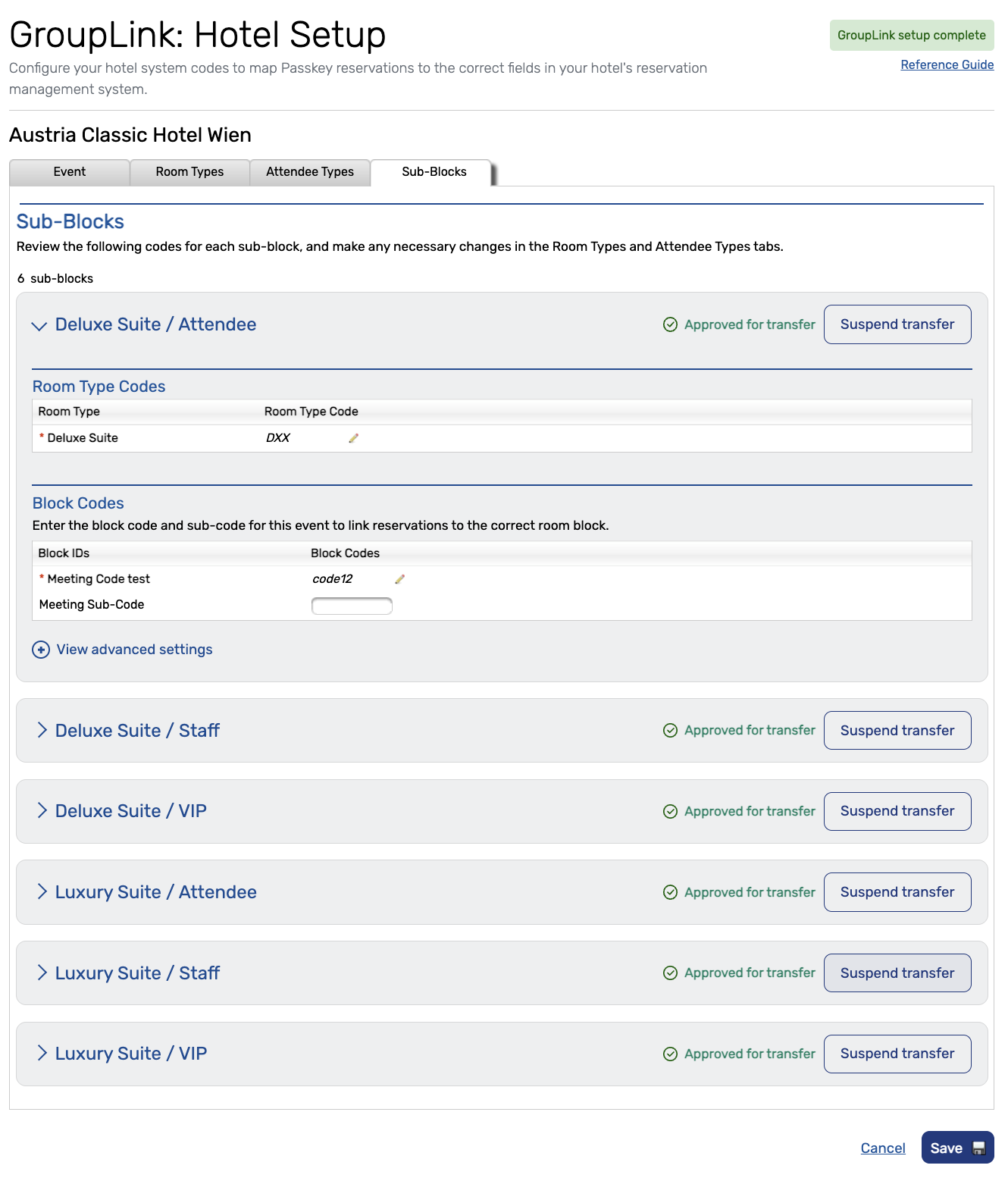
If you need to stop a specific sub-block from transferring, you can use Suspend Transfer during the final step.
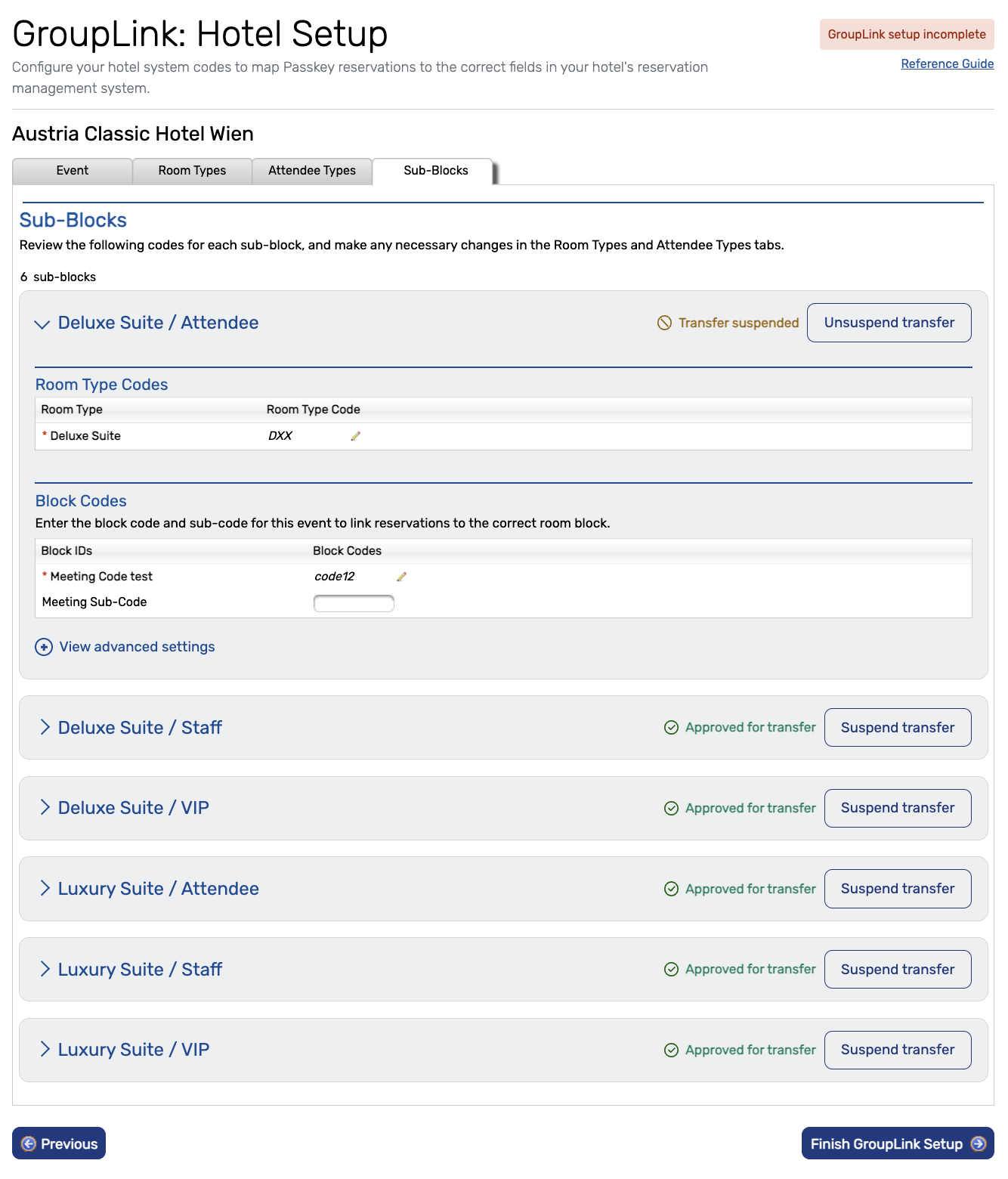
During initial setup, tab switching is limited until setup is complete.
Visit our Community with questions
Do you have questions about anything we’ve rolled out this window?
As always, get questions answered in the Community via the Open Forum.