- DATE:
- AUTHOR:
- The Supplier & Venue Solutions Product News Team

Manage Group Business Releases for September 2, 2026
Cvent Passkey
Hotel Contacts, All in One Place
Expected Release Date: 09/02/2026
What's Changed:
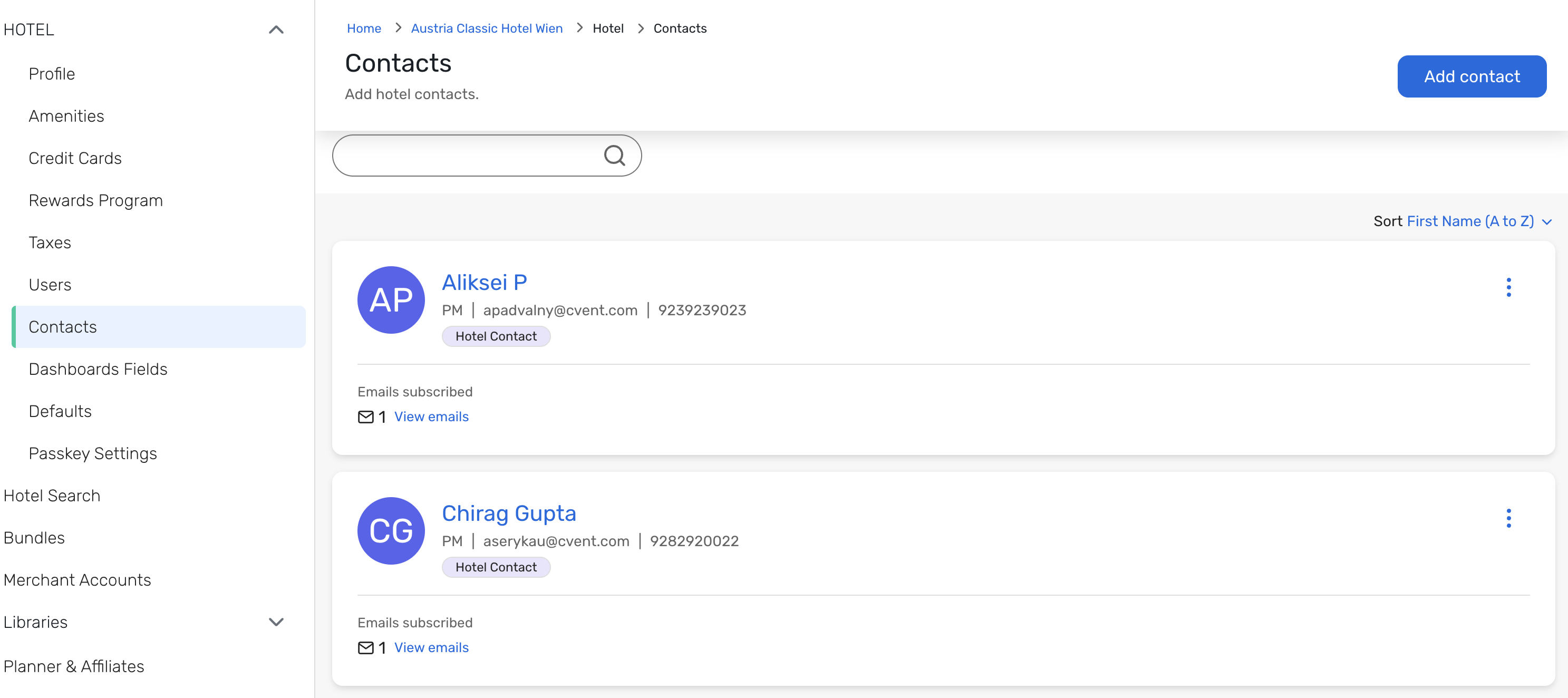
Hotel contacts in Passkey will have a new dedicated home in Hotel Setup. From the new Hotel Contacts section, hotel users can add, view, edit, and remove contacts in one centralized library.
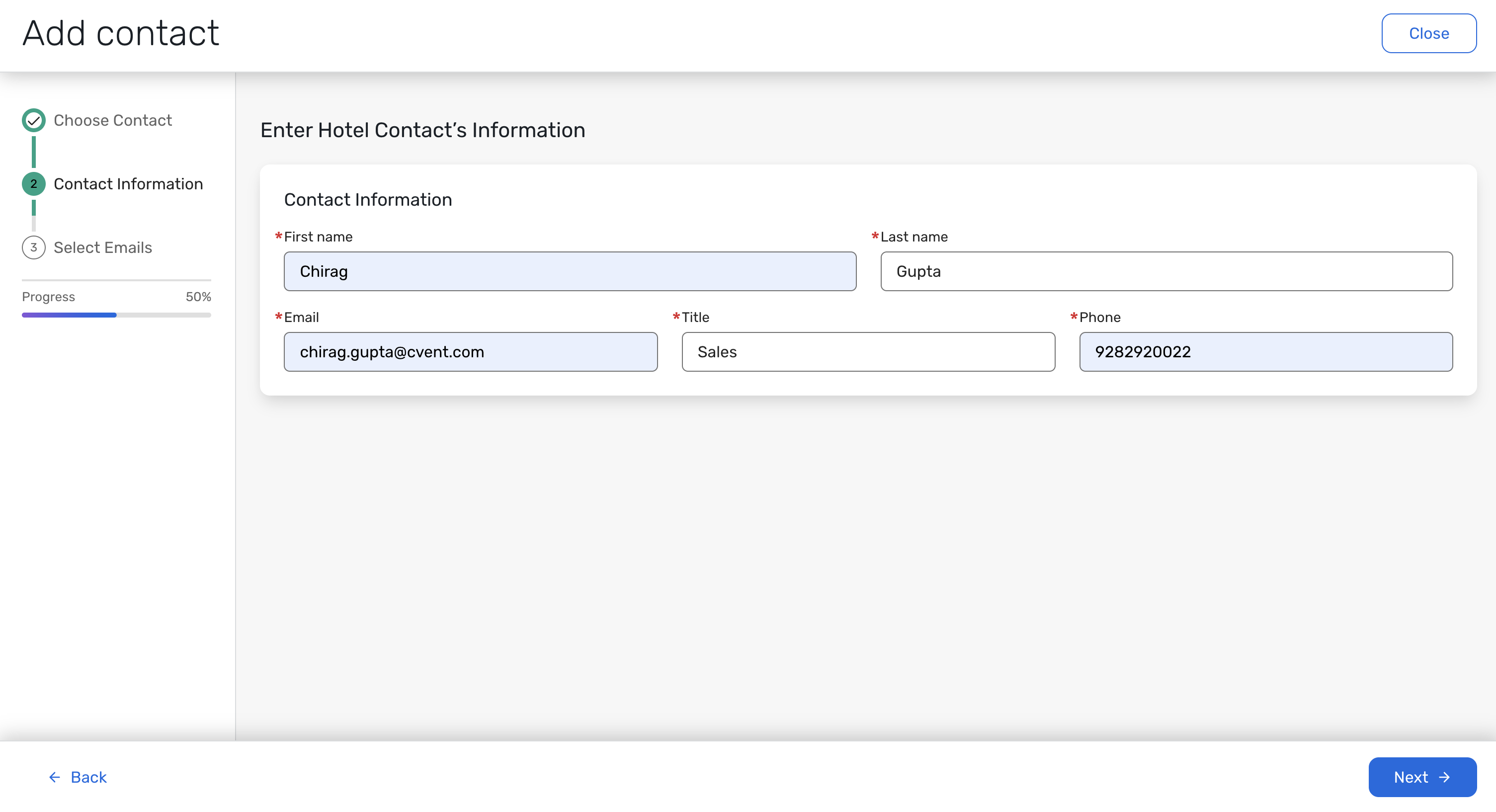
Each contact can include a first name, last name, title, email address, and phone number. Your existing hotel contacts will automatically appear in the new library, so you will not need to recreate them.
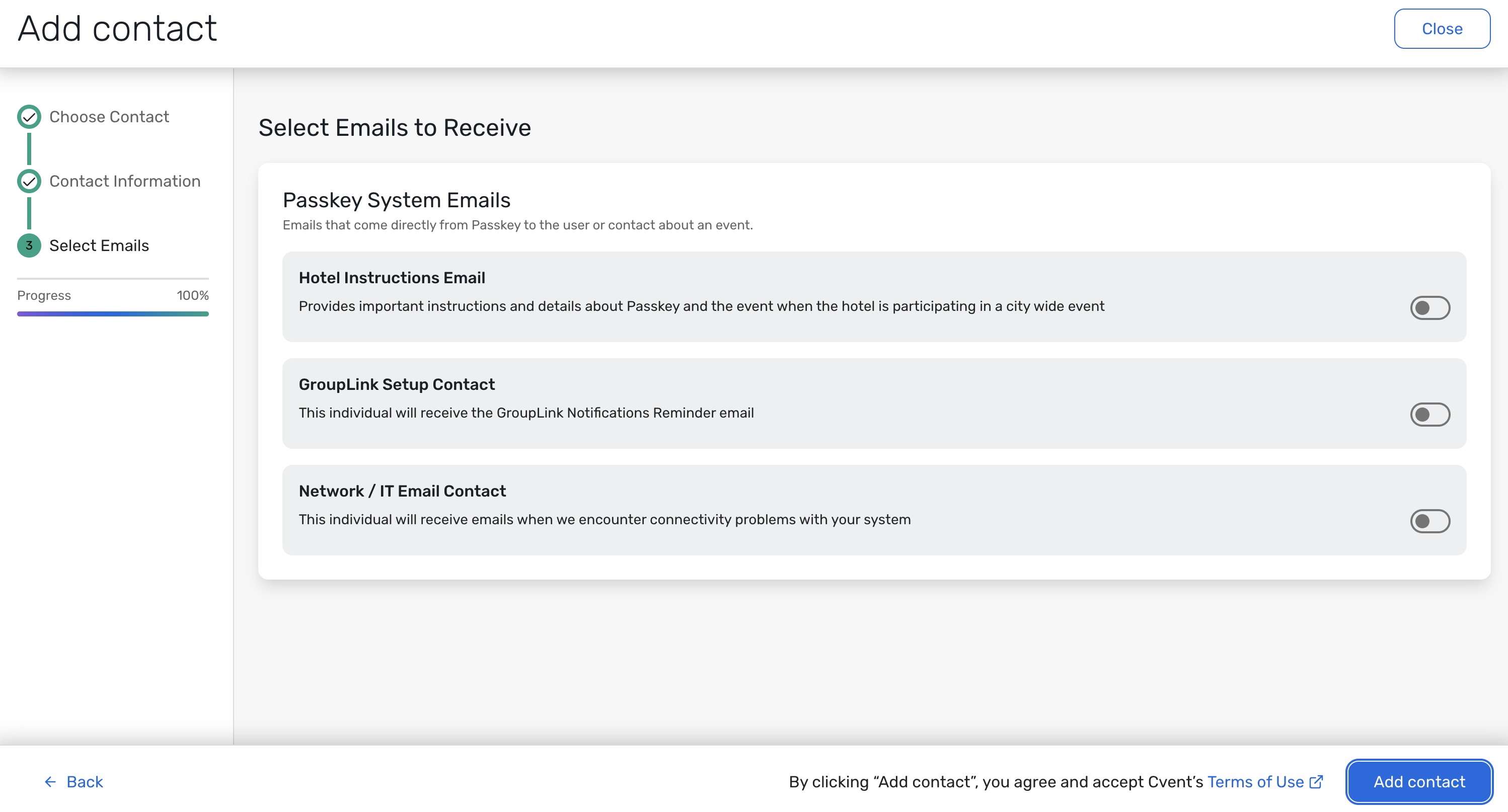
The GroupLink Setup Contact and Network/IT Email Contact fields are moving from the Hotel Profile > GroupLink section to Hotel Contacts. You can use contacts from this library for communications and reminder workflows, including Hotel Instructions, GroupLink-related workflows, and Network/IT contact emails.
This update applies to hotel-level contacts only. Organization contacts and event-level hotel contacts will continue to work as they do today. Existing Hotel Profile permissions will continue to control access to Hotel Contacts.
Benefit:
Managing hotel contacts should be simple. With one centralized library, you can keep contact details organized and use the right contact across key communications and reminders without maintaining the same information in multiple places.
Save time by managing hotel contacts in one location.
Help reduce duplicate entry by reusing contacts across applicable workflows.
Keep your existing contact list intact with no action needed at launch.
How It Works:
In Hotel Setup, select Hotel Contacts to open your hotel’s contact library.
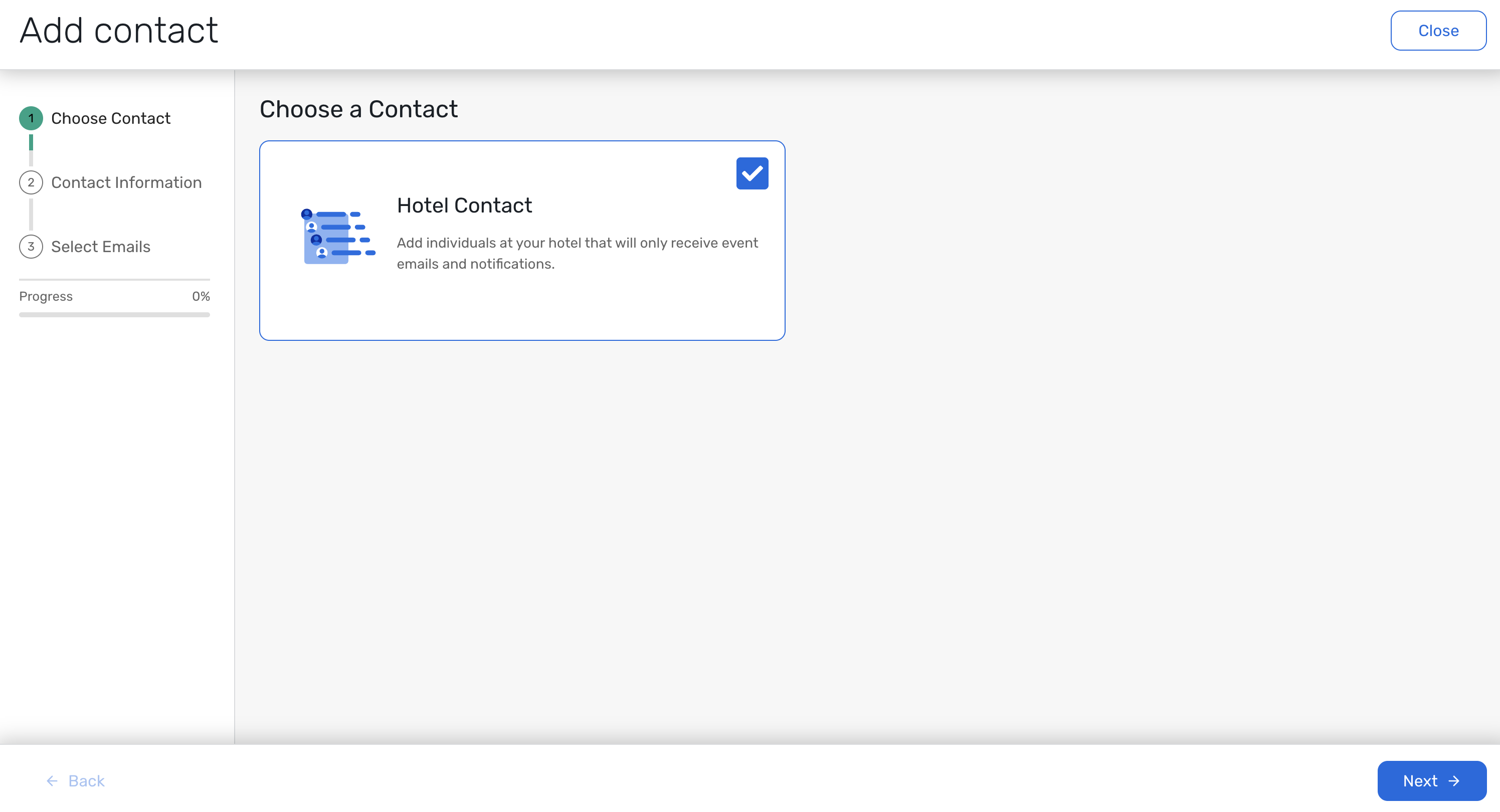
Select Add Contact to create a contact, then enter their name, email address, title, and phone number.
Use contacts from the library in applicable communications and reminder workflows, including Hotel Instructions, GroupLink-related workflows, and Network/IT contact emails.
Continue managing reminder settings from the existing Hotel Profile section or GroupLink settings.
Visit our Community with questions
Do you have questions about anything we’ve rolled out this window?
As always, get questions answered in the Community via the Open Forum.