- DATE:
- AUTHOR:
- Cvent Product News Team

Attendee Engagement Releases for November 4, 2026
Products covered under Attendee Engagement are Attendee Hub, Events+, Appointments, OnArrival, LeadCapture, Webinar and Essentials.
Attendee Hub
Session Snapshots Insights Export
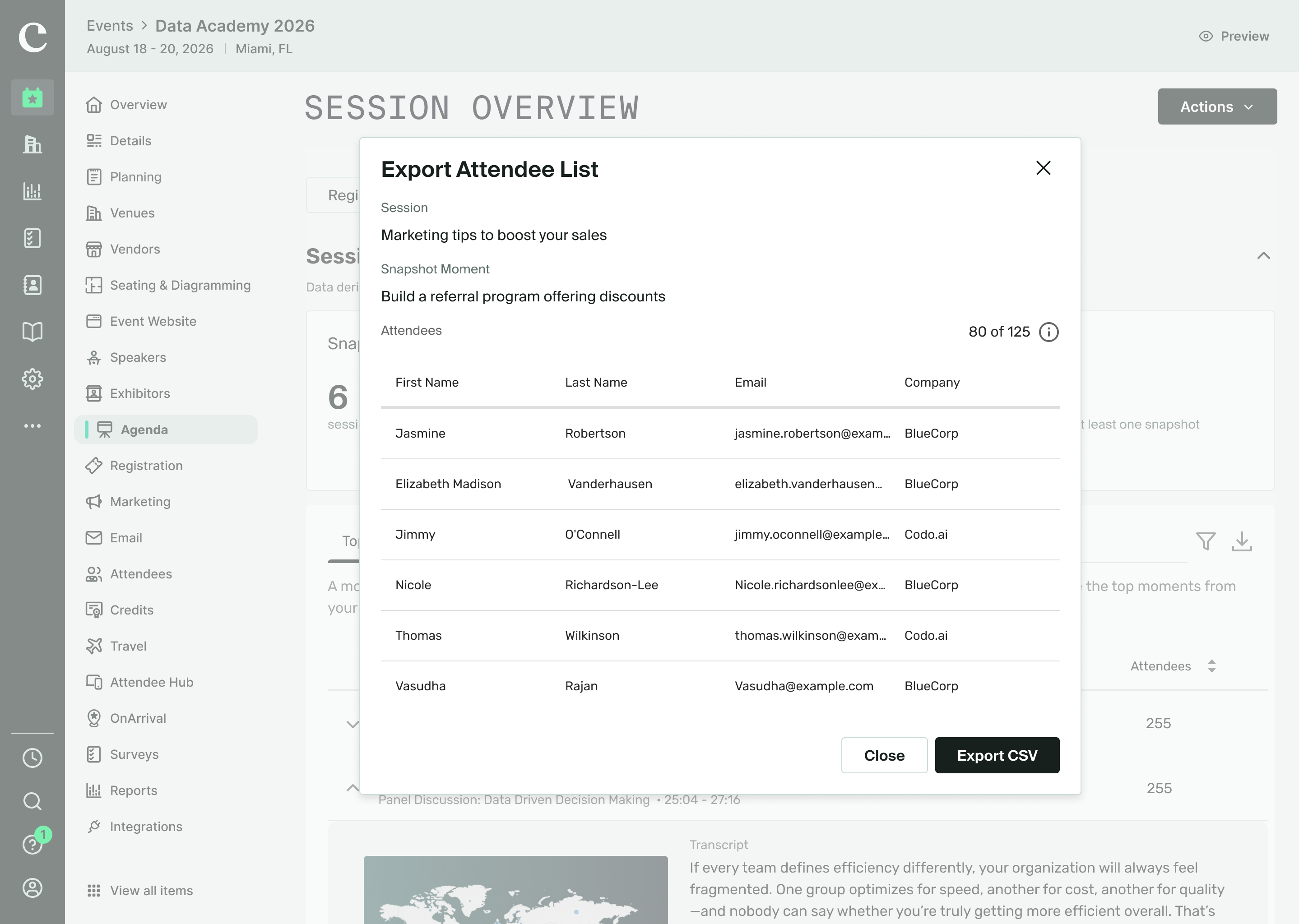
What's Changed: You can now see a list of the attendees who took snapshots during a session or at a top snapshot moment, and export those lists for a single session, a single moment, or in bulk. You can also export a PDF of one or more top snapshot moments, including the transcript segments and screenshots.
Benefit: You get a closer look at which attendees were interested in a session or a specific part of its content. The PDF export makes it easy to share your top snapshot moments with the people who need to see them.
Attendee Hub Event App Updates
See a summary of the app enhancements that have been rolled out in each release window here.
Events+
Embeddable Widgets
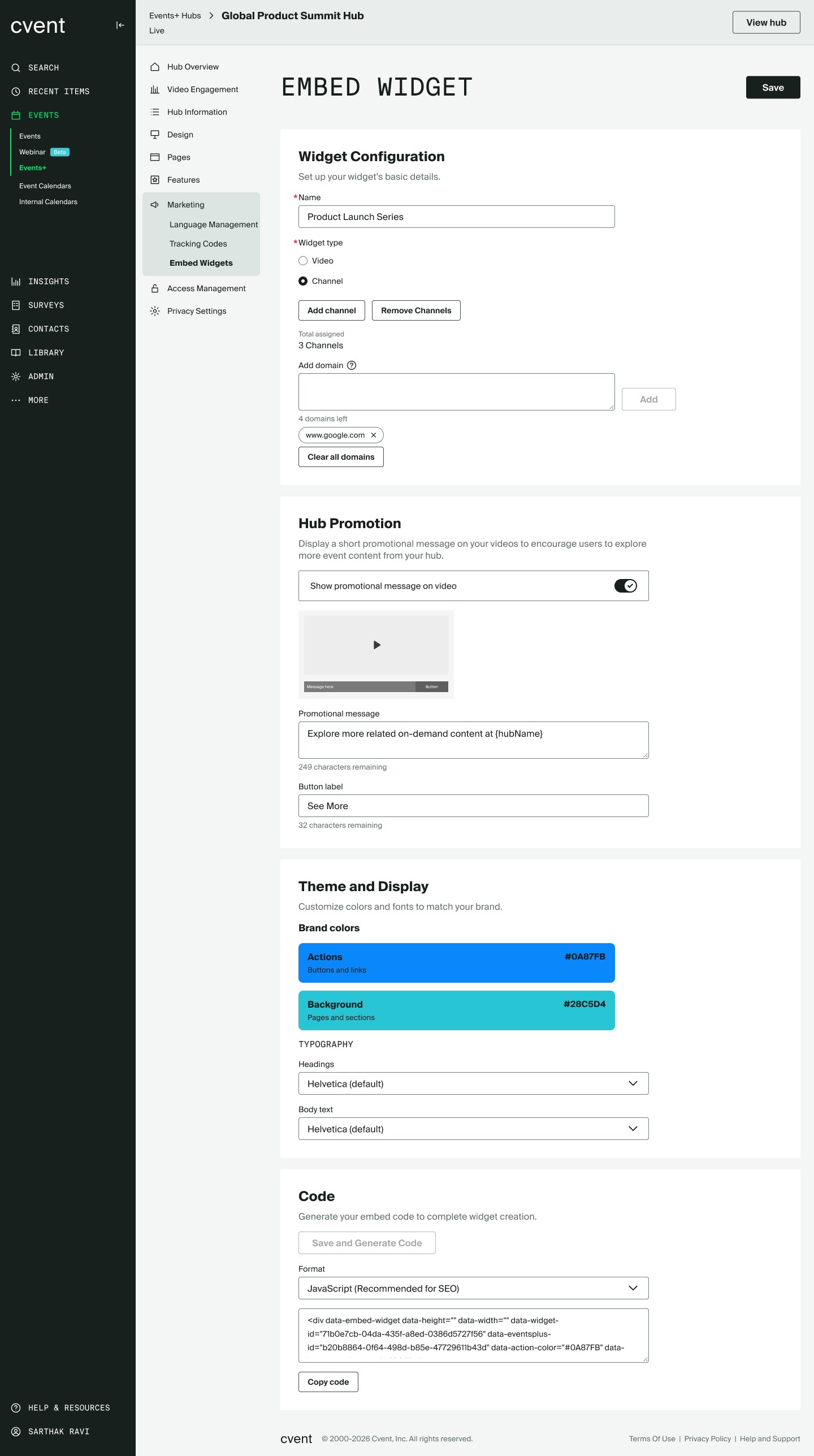
What's Changed: You can now show your Events+ videos and channels right on your own website. Choose the content you want to display, generate an embed code, and place it on any page of your site.
Benefit: Your videos and channels can live on the busy pages of your own site instead of only on a separate hub URL. Any changes you make show up automatically, so you don't have to swap out the embed code.
OnArrival
OnArrival Badge Designer: Account Badge Templates
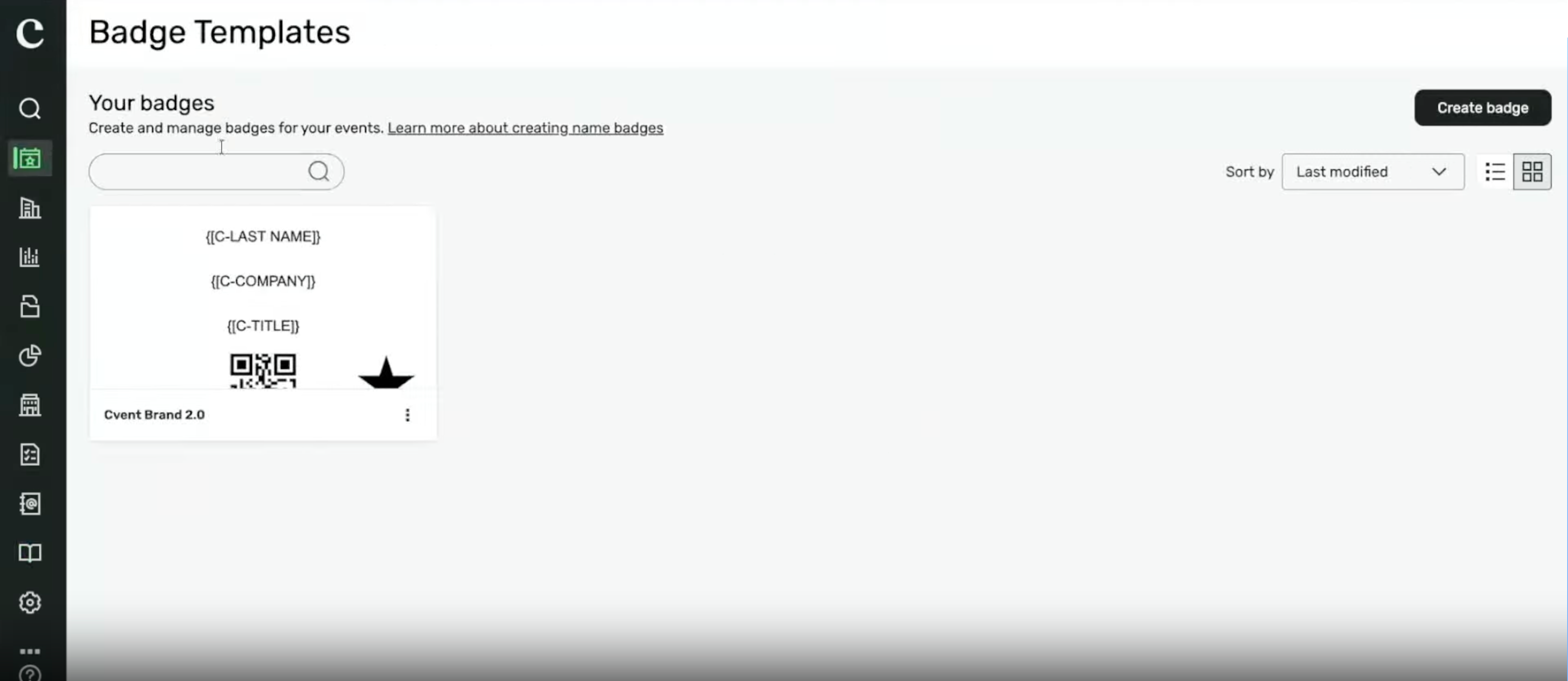
Account Badge Templates let you design a badge once and reuse it across Cvent Essentials and Standard events. Admins build and manage templates in one place, and planners select from them when setting up badges for an event, so nobody has to start from a blank badge every time.
Today, badges are often managed at the event level. Teams may need to recreate designs or copy events to reuse them, which adds work and reduces branding consistency. A centrally managed template library gives admins control over approved designs and visibility, and helps planners find the right badge for each event.
For admins...
Manage templates centrally. Create, edit and retire templates in Library > Templates > Badges, so planners always work from a current, approved set.
Check what will print before it prints. Preview any template with sample data and download a print-ready proof before it reaches an event.
Show the right templates in the right events. Set visibility conditions, such as event category or a custom field like "Region", so planners and event organizers only see templates that fit their event.
Control who can do what. A new OnArrival Badges library permission sets who can build templates, who can edit badges made from them, and who can create a badge from scratch when templates are available.
For planners and event organizers...
Create badges in minutes. Clicking Create badge opens your account's templates, with the layout, data tags and print settings already set up. Users with permissions for the OnArrival Badges library can still create a badge from scratch when they need something one-off.
Customize without breaking standards. With the right permission, make event-specific changes, like a new title or sponsor artwork, without touching the master template.
Works in any event. Use the same template in Essentials and Standard events, and it adjusts to fit what each event supports.
Get ready... the Create badge flow in events is changing
The "Create badge" option in events now leads with templates. "Create from scratch" stays available as a secondary option for users with Full Access to the OnArrival Badges library. Existing badges become templates automatically, and every template is available in every event.
Before rollout, admins should:
Review existing badge templates in Library > Templates > Badges & Certificates. Remove or update outdated designs so planners see a clean, current list.
Let planners know that templates are now the recommended starting point for new badges.
Essentials
Account Badge Templates
Design a badge once, then reuse approved templates across Cvent Essentials and Standard events.
What’s changed
Admins: Create, manage, preview, and control template visibility from one central library.
Planners and event organizers: Start with an account template when creating a badge, with its layout, data tags, and print settings already in place.
Authorized users: Make event-specific edits without changing the master template. Users with the right access can still create a badge from scratch when needed.
Existing badges become templates automatically.
Benefit
Spend less time recreating badge designs and make it easier to keep event badges consistent. Choose a ready-to-use template, make permitted updates, and get started without a blank badge.
Essentials and Webinar
New "Owner" Filter on Event List
Find the right events faster by filtering shared event lists by organizer.
What’s changed
Filter events by one or more organizers directly from the event list.
The filter appears automatically when events belong to multiple organizers, and its options update as you apply other filters.
Available in Cvent Essentials and Cvent Webinars, with no administrator setup required.
Includes events created in the product, through a Meeting Request Form, or via Access Portal.
The filter resets when you reload the page.
Benefit
Spend less time scanning a shared event list. Narrow results to the organizer or organizers you need, using options drawn from the events currently shown.
Question Tags for Consent Questions
Add tags to consent questions to keep consent data consistent and easier to report and sync across Essentials and Webinar events.
What’s changed
Admins can add or manage tags on consent questions in registration templates. Those tags carry over to events created from the template.
Organizers can tag consent questions at the event level. Tags inherited from admin-managed templates are visible but can’t be edited by organizers.
Tagged consent questions appear in cross-event reports alongside other tagged registration questions.
Benefit Keep consent data organized across events, find it in cross-event reports, and make it easier to sync with integrated systems such as marketing automation platforms—without exporting and reconciling data event by event.
Date Change:
Registration & Website Template Relocation - see the original announcement here.
Additional Resources
Cvent Community: Questions about the above updates? As always, get answers in the Community via the Open Forum.
Beta Opportunities Page: Try new features and products out before full launch availability. Join Beta Programs.