- DATE:
- AUTHOR:
- Cvent Product News Team

Exchange Releases for May 20, 2026
Cvent Supplier Network
Save and Revisit Favourite Venues in Cvent Supplier Network Search
What’s Changed:
Finding the right venue often means comparing multiple options. Until now, when you used Cvent Supplier Network search, you had to rely on browser bookmarks, spreadsheets, or memory to keep track of preferred venues during your search. While supplier tags were available, they were visible to other planners within the same account and were not designed for personal use.
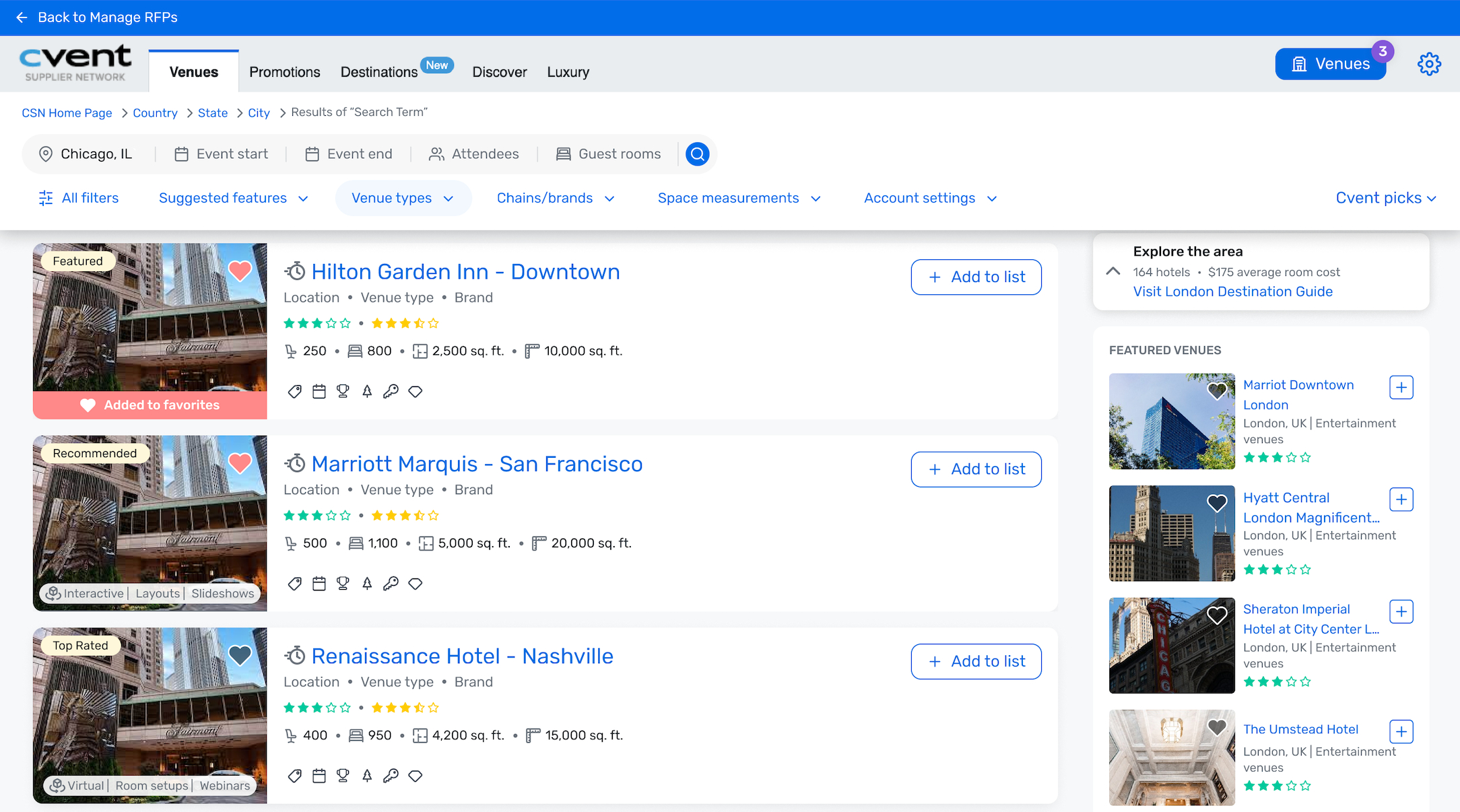
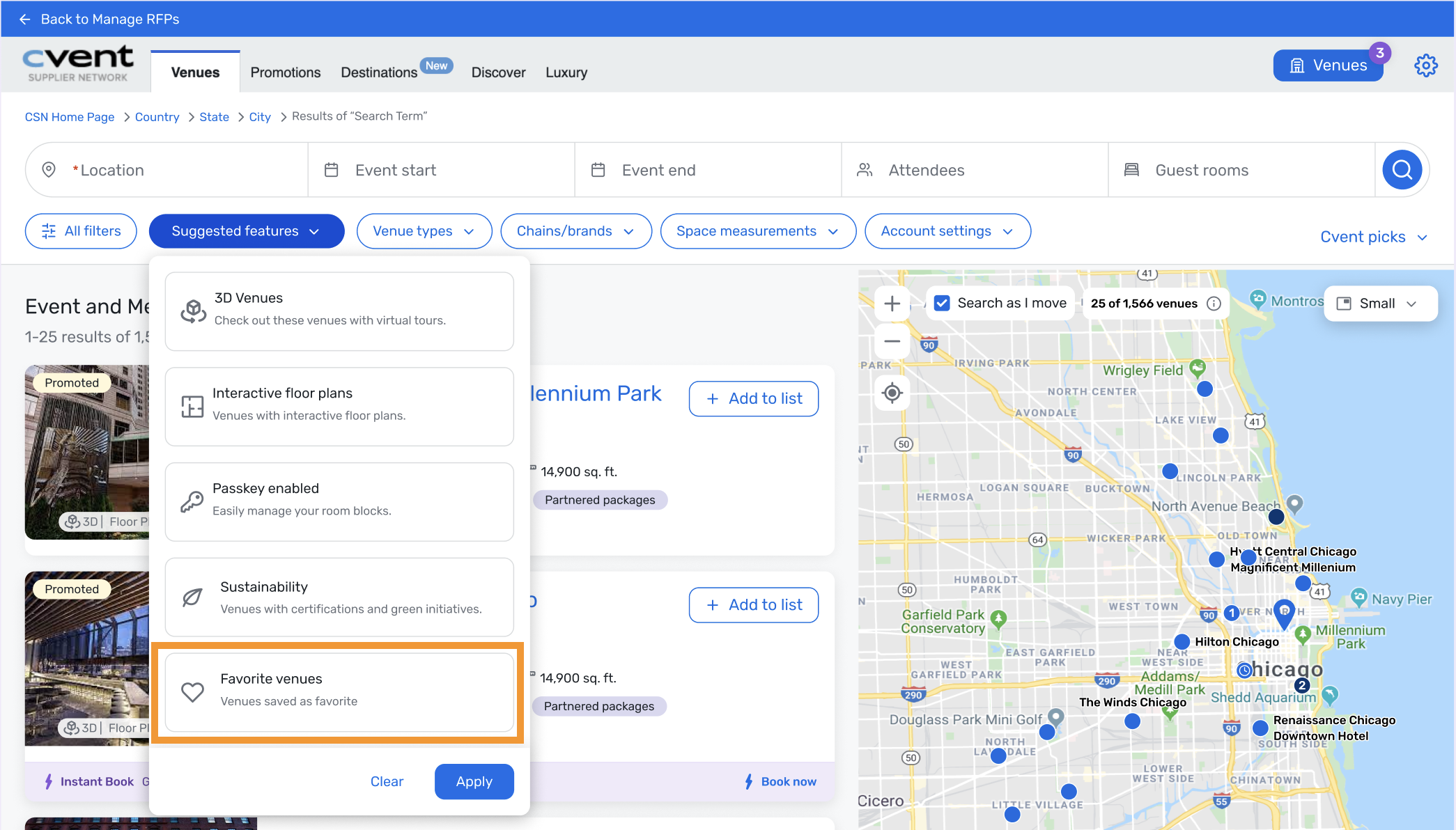
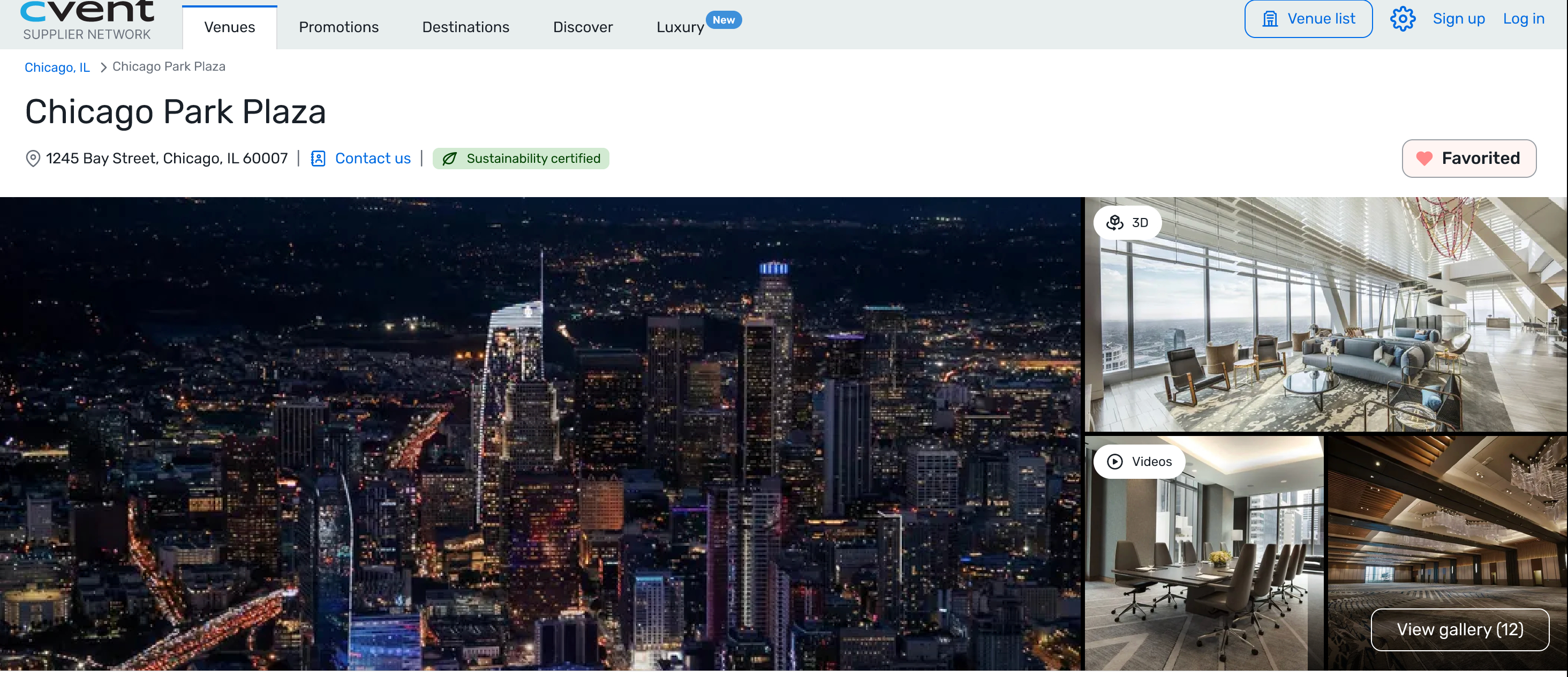
With this release, if you’re signed in, you can now mark venues as favorites directly from Cvent Supplier Network search pages. You can also filter search results to view only your favourited venues, making it easier to return to top choices and narrow your options more efficiently.
This feature is available to signed-in users. If you try to favorite a venue as a guest, you’ll be prompted to log in or create a Cvent account.
Benefits:
Save top venue choices for easy access later without relying on browser bookmarks, spreadsheets, or memory.
Quickly narrow results to preferred options by filtering to only your favourited venues in a selected location.
Refine searches more efficiently by combining favourite venues with other available filters, such as 3D or Instant Book.
Search Results Page
Filter on Search Results Page
Venue Profile Page
Get Help and Support Without Leaving Your Workflow
With the Cvent Assistant in Cvent Supplier Network, you can get answers faster without leaving the work you’re doing. Instead of switching tools to search for help, you can ask questions as they come up, in natural language, and get answers grounded in relevant Cvent Community content with cited sources.
When you need more help, the Cvent Assistant can also guide you to the right support path.
What’s new:
With the Cvent Assistant, you can now:
Ask support questions directly in product
Get answers with cited sources grounded in relevant Cvent Community content
Choose the right next step when you need additional help, including:
Create a case to submit a support request with the details needed for follow-up
Submit feedback to share input on a feature, workflow, or experience
Request a callback so support can contact you directly
Start a live chat with a support agent for more immediate help, when available
Use AI-generated summaries to make case or feedback submission easier, without having to repeat yourself
Submit files and screenshots for review when escalating an issue
Benefits:
This new capability makes it easier to get help in the moment, so you can stay focused on what you’re trying to accomplish. By bringing support directly into your workflow, the Cvent Assistant reduces the friction of switching between tools and channels and helps you resolve questions faster.
It also creates a more connected support experience by combining self-service guidance with knowledge from the Cvent Community, while still giving you clear paths to deeper support when needed.
Bottom line:
The Cvent Assistant makes support easier to access, easier to trust, and easier to act on—so you can get help in the moment without breaking your flow.
Powered by CventIQ intelligent capabilities, the Cvent Assistant is Cvent’s AI-driven, permission-aware planning assistant embedded across the platform to help you move faster from intent to action. This new capability is the start of a growing family of experiences that will support you with in-product guidance, event and attendee workflows, data insights, and AI-generated content to help you plan, execute, and optimize every event experience.
Availability:
This capability is available in Cvent Supplier Network on the planner side. You can access help and support across products, and receive answers on topics covered by the Cvent Community Knowledge Base.
Cvent Passkey
Sustainability Info For More Hotels
Expected Release Date: Rolling out starting 05/21/2026
What’s Changed: Passkey will now display sustainability credentials for a broader set of hotels. In addition to credentials synced through BeCause, Passkey can now also show sustainability information that hotels manage directly in their Cvent Supplier Network venue profile. This update helps make sustainability details available more consistently across the hotel booking experience in Passkey.
Benefits: You’ll be able to see sustainability information for more hotels in Passkey, including hotels that do not use BeCause. That gives you a more consistent way to evaluate hotel options and make informed decisions during the booking process.
Broader coverage: More hotels can showcase sustainability credentials in Passkey.
More consistency: Sustainability information is presented in a unified way at the hotel level, regardless of how it is managed in Cvent Supplier Network.
Better decision-making: Reliable, comparable hotel-level sustainability details help support evaluation during the booking journey.
Cvent Travel
Streamlined Login via Single Sign-On (SSO)
What's Changed: Buyers and travel managers can now sign in to Cvent Travel using their existing corporate credentials through their organization’s identity provider, instead of managing a separate username and password.
A new Login with SSO option appears on the login page, where users enter their corporate domain and are redirected to their organization’s sign-in experience. Once they’re authenticated, they’ll land in Cvent Travel with the same roles and permissions they already have today. Traditional username-and-password login will still be available, so teams can adopt SSO at their own pace.
SSO supports both SP-initiated and IdP-initiated login flows, and works with identity providers that support SAML 2.0 or OpenID Connect (OIDC).
Prerequisites: To enable SSO for your organization, you’ll need:
An active Cvent Travel license.
A corporate identity provider that supports SAML 2.0 or OIDC.
A Cvent Travel application configured in your identity provider.
Existing user accounts in Cvent Travel.
The required identity provider configuration details for setup.
This functionality is available to purchase as an add-on. If you’re interested in licensing SSO for Cvent Travel, please contact your Cvent account manager.
Benefits: This update gives your team a simpler, more secure way to access Cvent Travel using the sign-in experience they already know. It can also reduce login friction and cut down on the time spent managing separate passwords:
Simpler access: Users can sign in with their corporate account instead of maintaining separate credentials for Cvent Travel.
Stronger security alignment: Authentication is managed through your organization’s identity provider, so your existing access controls apply automatically.
Less support overhead: SSO can help reduce password reset requests and account lockouts caused by forgotten or expired credentials.
Faster day-to-day use: With IdP-initiated login, users can launch Cvent Travel directly from their company’s SSO portal.
Additional Resources
Cvent Community: Do you have questions about the updates we've rolled out this window? As always, get questions answered in the Community via the Open Forum.
Beta Opportunities Page: Help us make Cvent Products better by being the first to test products before they're widely available. Join Beta Programs.
UX Research Panel: Be part of a select group of users who will help guide the future of Cvent's products. Join the UX Panel.