- DATE:
- AUTHOR:
- Cvent Product News Team

Plan & Promote Releases for March 25, 2026
Registration
Automatic Timing and Eligibility Controls for Invitee-action Triggered Emails using Dynamic Segment Filters.
This release improves invitee action-triggered custom emails that use Dynamic Audience Segments. We're adding a system-managed processing window of 5 minutes and a final eligibility check so these emails are triggered when segment membership and attendee data are fully up to date, no configuration changes required from you.
This keeps each message aligned to the invitee's latest status and eligibility, reducing incorrect or conflicting communications without any extra setup.
Definition: Invitee action - triggered custom emails that use Dynamic Audience Segments
These are custom event emails that:
Are configured to send automatically based on an invitee action (for example, Registered, Canceled, Declined), and
Have at least one Dynamic Audience Segment applied as an audience filter.
Standard registration confirmation emails, and any automatically sent custom emails without a Dynamic Audience Segment filter, are not included in this definition and are not affected by the new 5‑minute delay.
What's New?
System-Managed Timing for Invitee Action Emails
Invitee action–triggered emails that use Dynamic Segments now include a built-in 5-minute delay before delivery. This processing window allows:Attendee data added/updated during the action to fully process
Dynamic Segment rules to re-evaluate and assign the correct audience segment membership
The delay is fixed and system-managed to ensure consistent behavior across events.
Eligibility Validation at Time of Send
At the moment an email is supposed to be sent, the system performs a final check to confirm the invitee still meets:The required invitee action trigger (e.g., registered, canceled, declined)
The current invitee status
Any associated Dynamic Segment criteria
If the invitee no longer qualifies, the email is automatically suppressed.
Applies to Existing and New Emails
This enhanced timing and validation apply to:All existing invitee action–triggered emails, and
Any new emails created going forward
Why This Matters
Invitee action–triggered emails are some of the most critical communications in an event lifecycle. By introducing smarter timing, real-time validation, and clear in-product guidance, this update strengthens trust in automation and delivers a more polished experience for both planners and attendees.
Important Notes
The 5-minute delay applied to invitee–action–triggered emails is fixed and cannot be configured.
The behavior applies to both existing and newly created emails
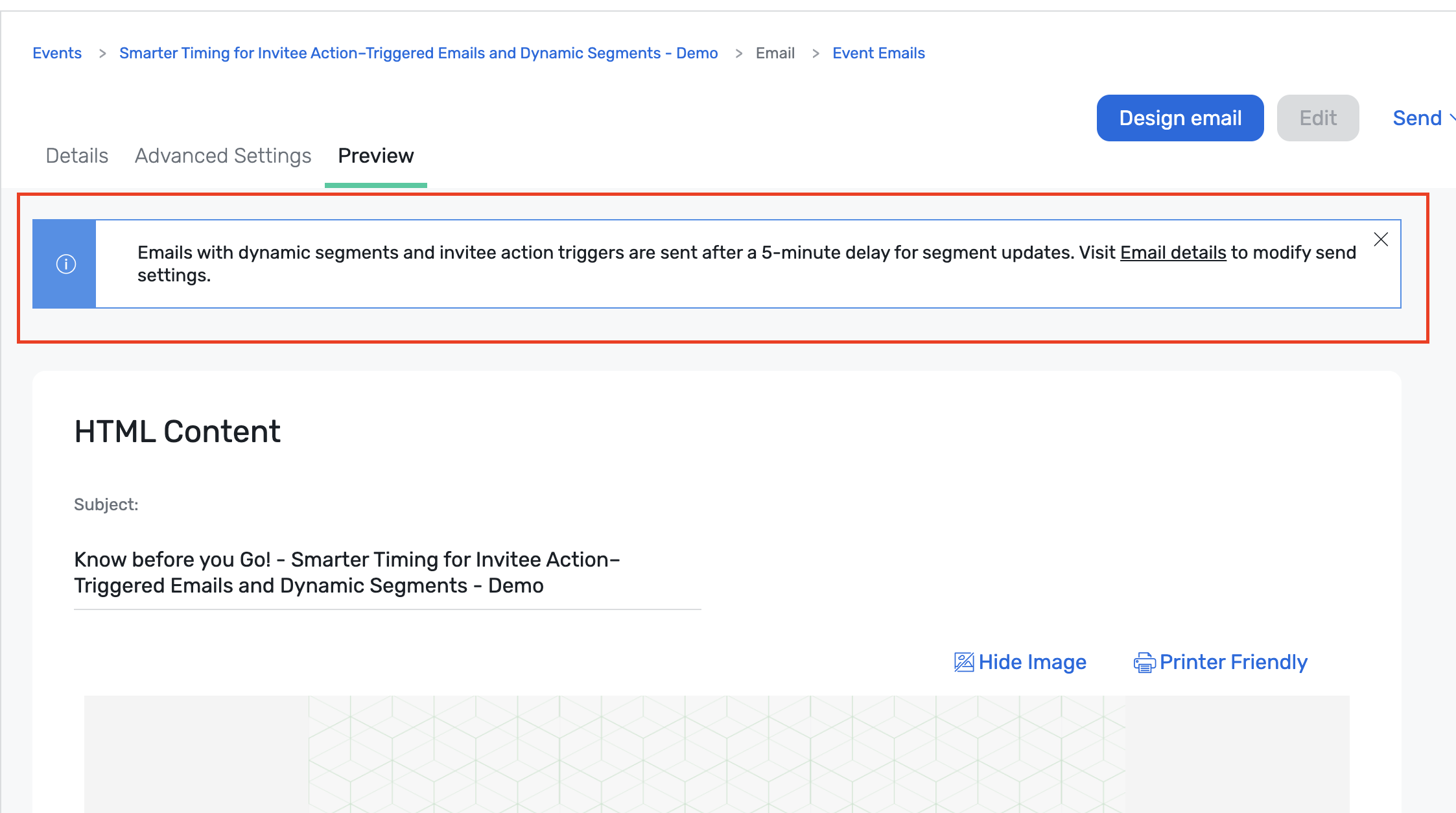
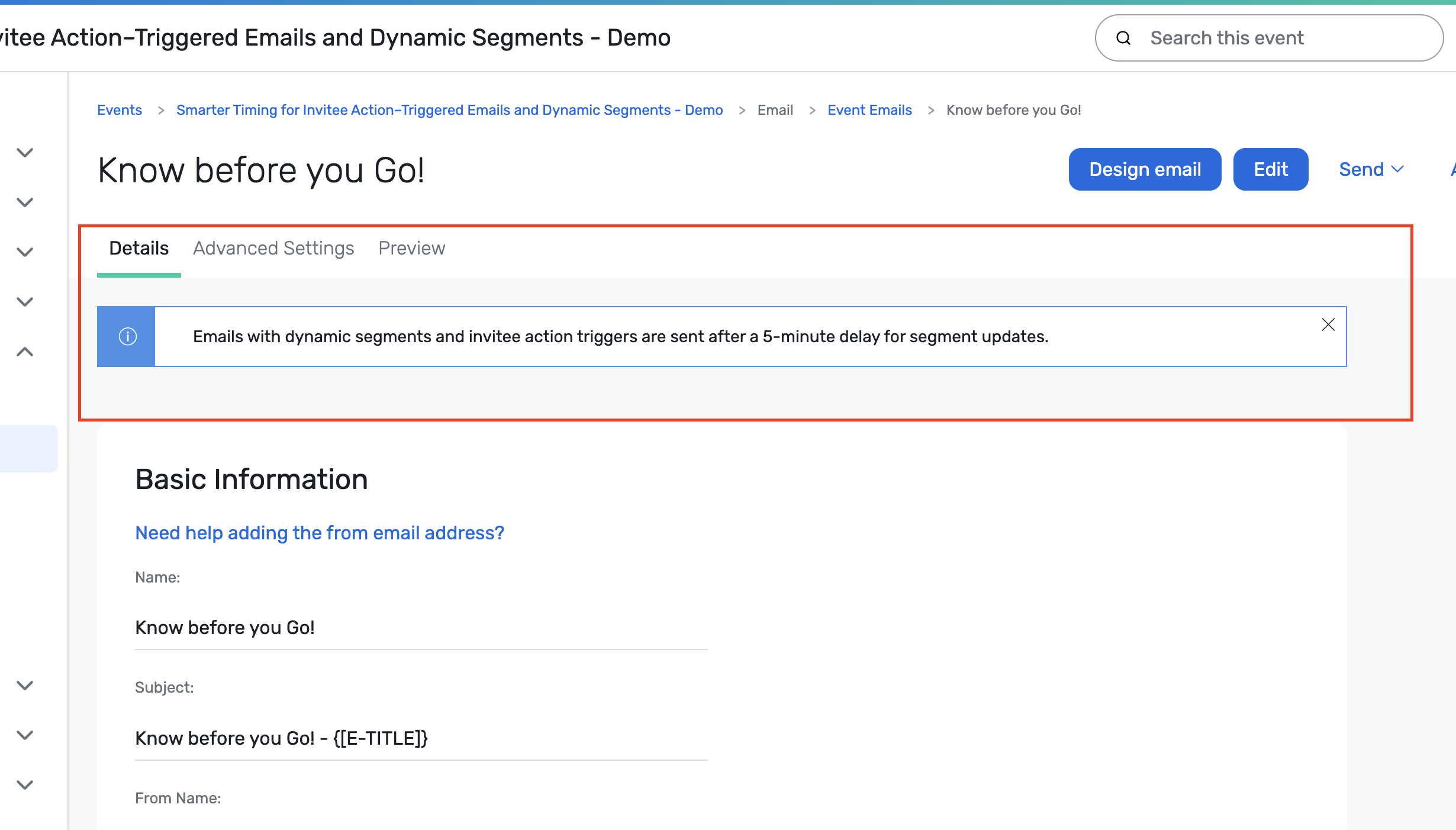
An informational alert on the email details page explains this behavior
Total Event Program - Event Group-to-Group comparison
Comparing event groups in Total Event Program (Cross Event Insights) gives you a dedicated workspace to evaluate your portfolios side by side. So you can quickly see which programs, regions, formats, or teams drive the most engagement, generate the most net‑new contacts, and stay on (or over) budget.
Instead of exporting separate reports, building pivot tables, and manually aligning timeframes and metrics, you can now compare multiple groups in one place, using familiar metrics and widgets enhanced with baseline trends and multi‑group visuals.
The experience is tightly integrated with existing Cross Event Insights. Still, it is purpose‑built for multi‑year analysis and program‑level decision making, helping you decide what to scale, where to optimize spend, and which parts of their portfolio are truly performing best.
Key highlights:
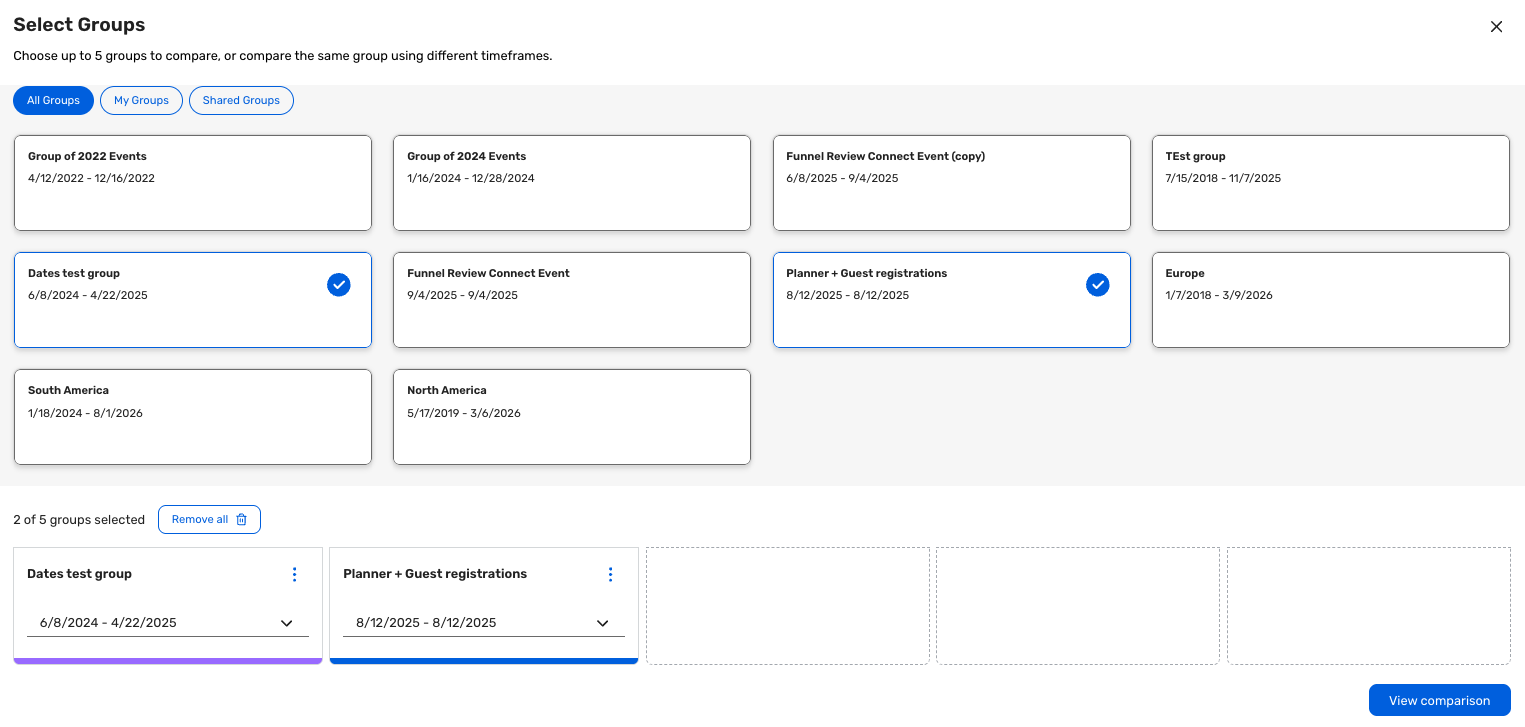
Multi‑group selection and baseline: Choose multiple event groups, assign a baseline, and see consistent color‑coding across the comparison view.
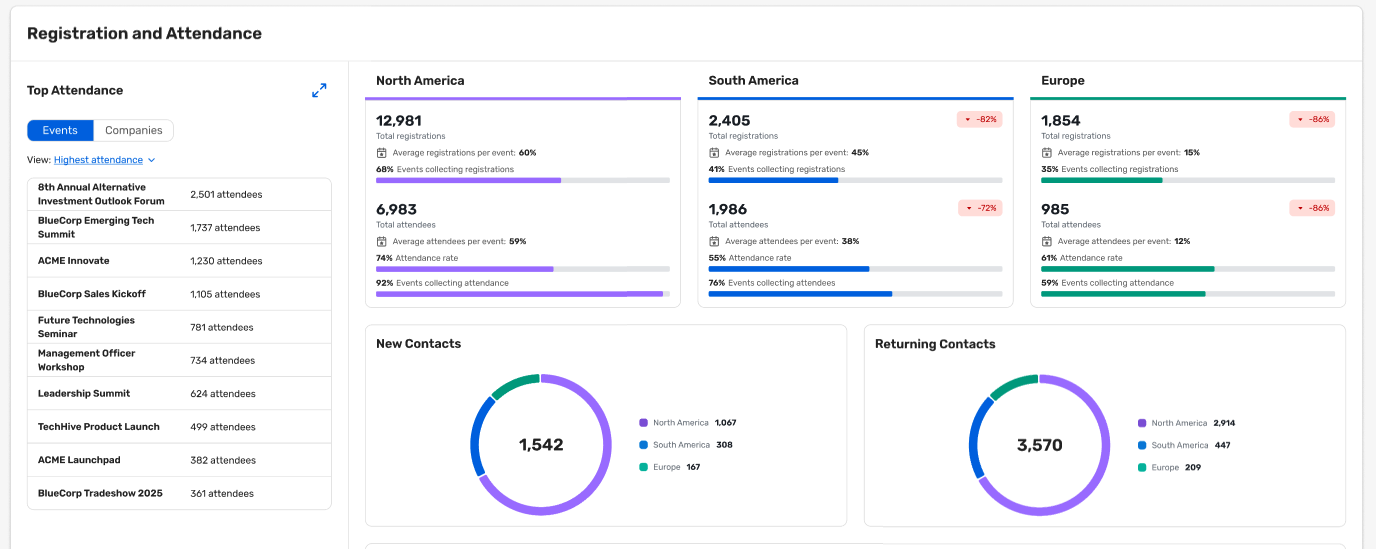
Full registration and attendance funnel comparisons across programs to see which convert invitations and web traffic most efficiently and where drop‑off occurs.

New vs. returning contact breakdowns by program to understand which event strategies are best for acquisition versus nurture and retention.
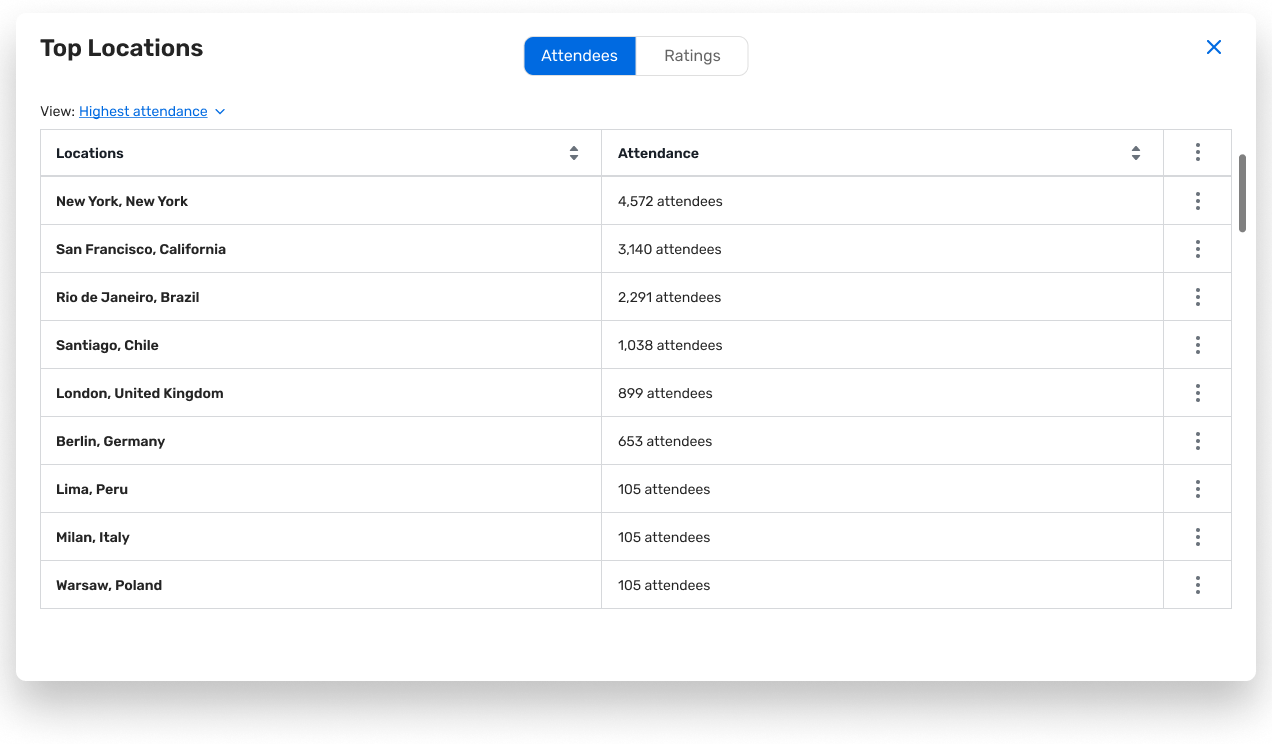
The ability to spot peak seasons, top locations, venues, and format mix to inform calendar planning, staffing, and channel/venue strategy.

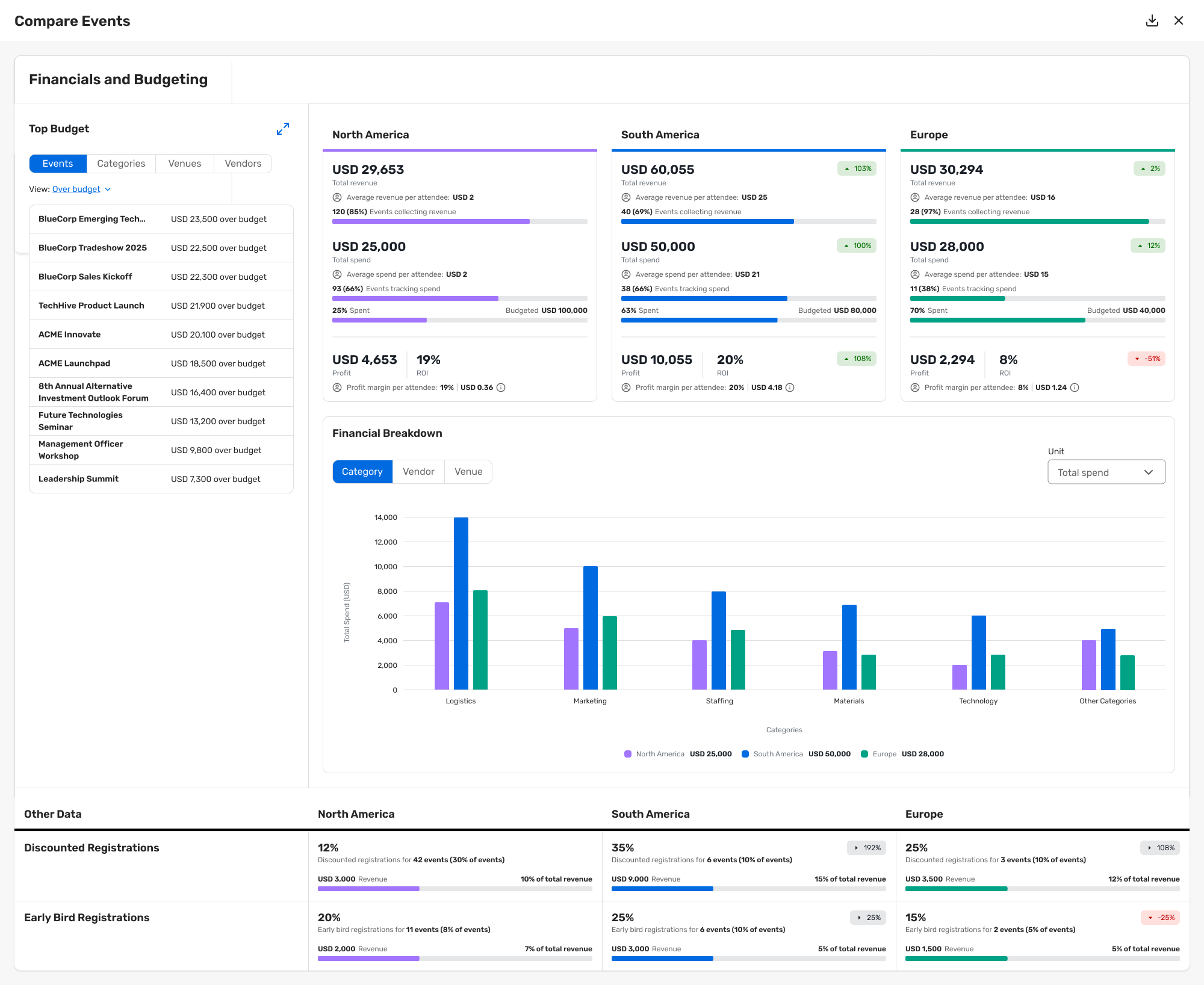
Clear visibility into over‑ and underspend, profitability, and value per attendee by program over time compared to a baseline.
Feedback and Engagement: Benchmark event and session ratings, NPS, polls, Q&A, and chat engagement against your baseline program.

Event Insights - XLS & CSV Export
We're expanding Sharing Insights with new CSV and Excel (.xlsx) exports so you can take data from Session Insights, Registration Insights, and Cross Event Insights directly into your analysis and reporting workflows.
This enhancement focuses on data‑complete, analysis‑ready exports, addressing long‑standing gaps where on‑screen insights didn't cleanly translate into files.
Who this release is for: Event Program Managers, Senior Planners, Event Marketers, and Marketing Ops
Need to quickly move from dashboard to spreadsheet to answer detailed questions, build custom cuts of the data, or align with external reporting templates.
Frequently share insights with RevOps, Finance, Sales, and executives who expect Excel files they can manipulate on their own.
Want confidence that exports are complete and trustworthy, so they no longer need to cross‑check multiple reports or rebuild them manually.
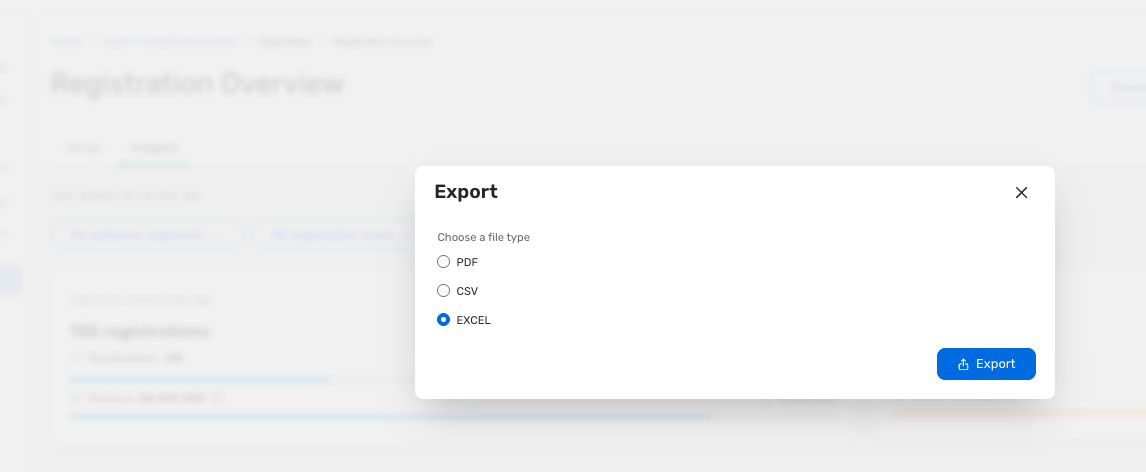
With CSV and Excel exports, these users can:
Pull complete, analysis‑ready data from Session, Registration, and Cross Event Insights in seconds.
Combine insights with data from CRM, budget sheets, and attribution models — without re‑entering or re‑formatting metrics.
Provide stakeholders with files that are immediately useful rather than static visuals that require extra work.
Date Change
New Navigation for Users will now be released TBD. Read more about this release.
Exhibitor Management
Introducing New Exhibitor Management Experience
In this update, we have streamlined the Exhibitor Management experience for Planners. Exhibitor Management will now load directly in Event Management, rather than opening a new page, making it look and feel part of the Cvent platform. These updates also include new versions of the Exhibitor List with quality-of-life improvements and additional functionality, as well as a more integrated workflow for exhibitor custom fields.
What's new
Exhibitor List
The Exhibitor List page now features a new layout that provides valuable data points on exhibitors and sponsors at an event. Revamped filters, sort options, and search capabilities will make it easier for customers to quickly find exhibitors with missing data or to check the trade show's overall status.

Exhibitor Custom Fields Editor
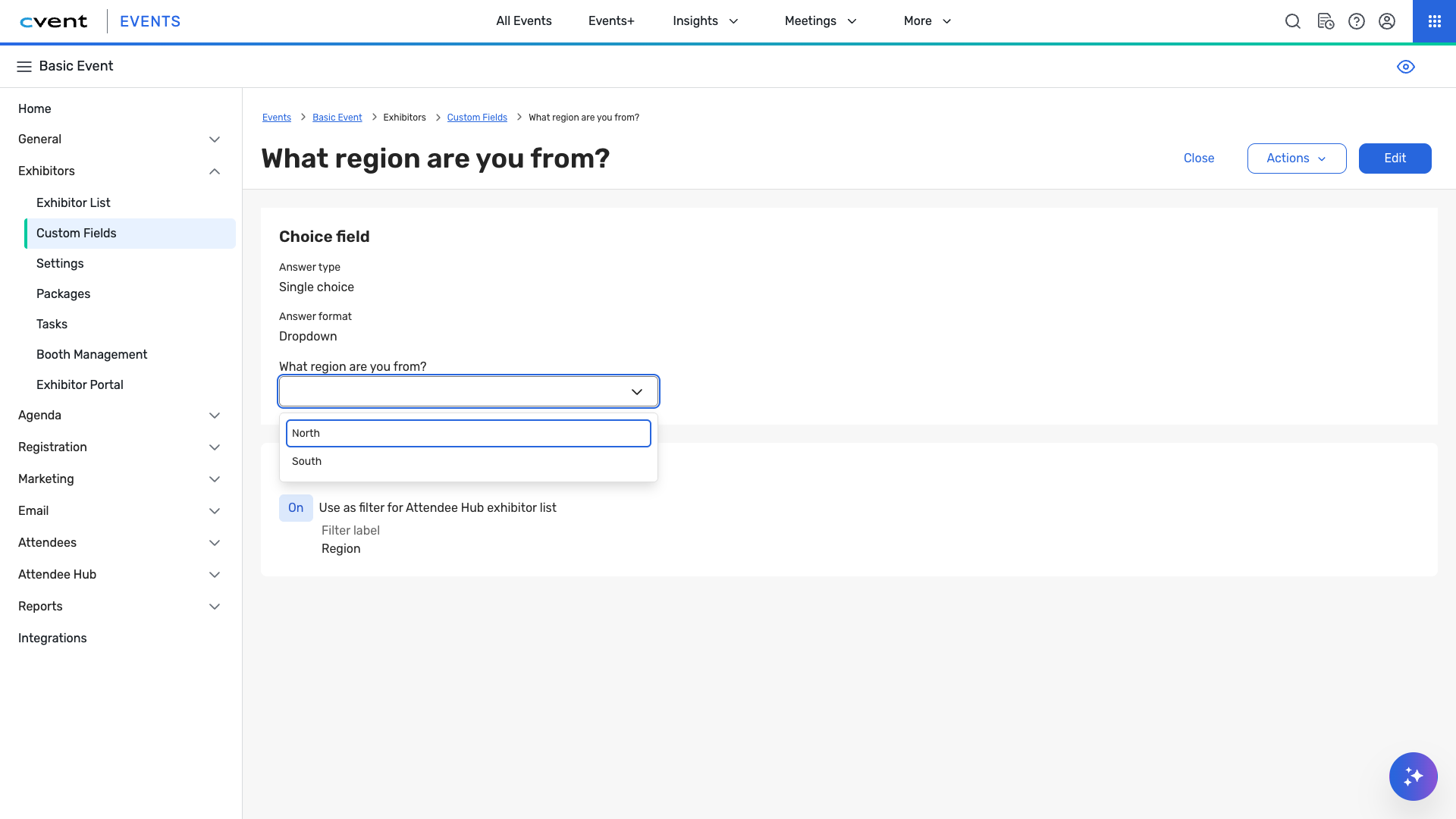
Our refreshed editor improves efficiency by integrating the layout, interface, and accessibility. Question types have been designed with a streamlined approach, including a new question-duplication feature to speed up editing. Answers to the custom fields are now provided from within the exhibitor's profile, rather than in a separate workflow.
Things to know
Other than the Exhibitor List page, all other pages maintain the same functionality.
Some settings and tools have been consolidated to improve the user experience. Check the Knowledge Base for more details.
Many of the other pages will be updated and released over time.
Exhibitor Custom Pages
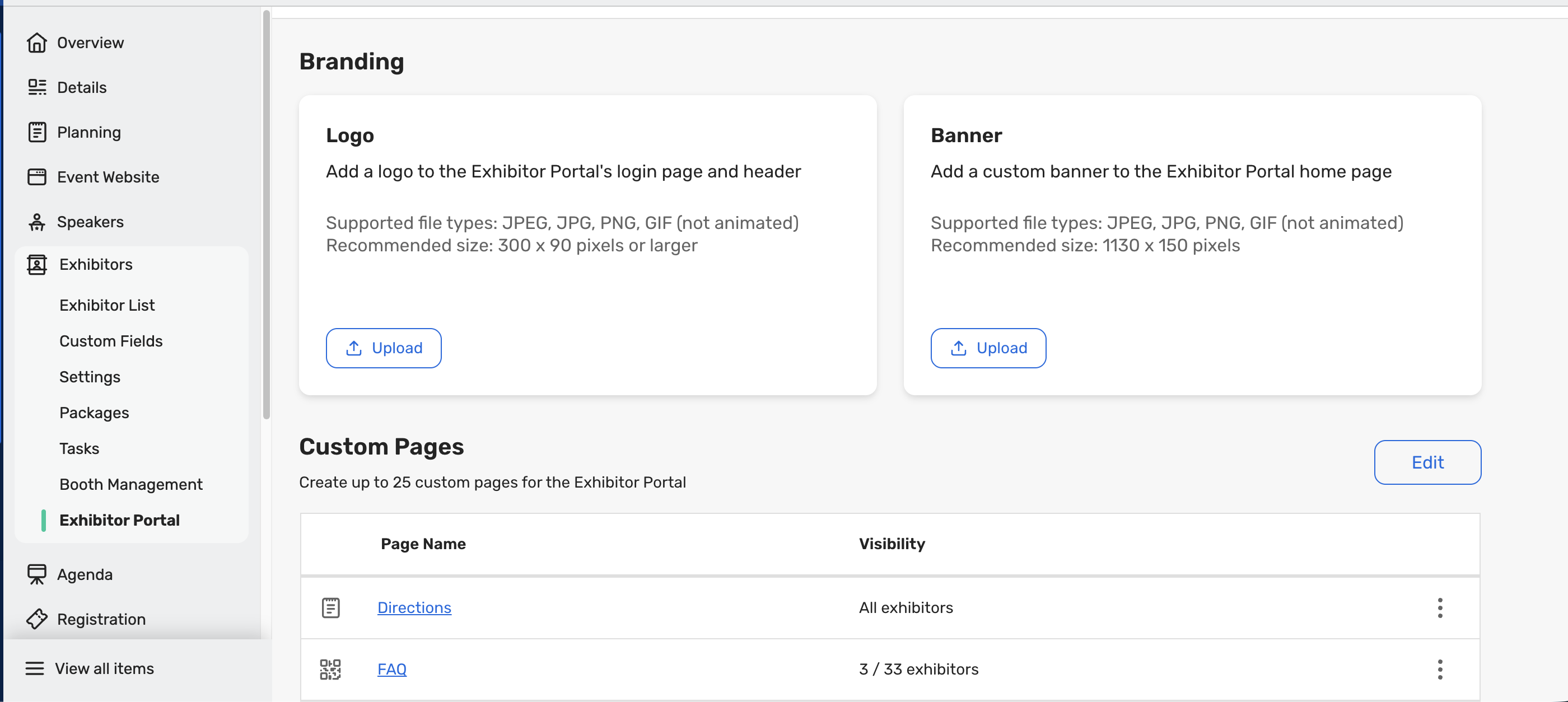
Event planners can create Custom Pages for Exhibitors to share event-specific information directly in the Exhibitor Portal. This gives exhibitors a single, reliable place to access important content, while helping planners reduce manual communications and streamline how information is shared. For example, planners can create FAQs, Know-Before-You-Go documents, venue contact documents, etc., to centralize important information for exhibitors without it getting lost in Tasks or emails.
What do you need to know?
The Exhibitor Portal Logo and Banner options are now consolidated within the Exhibitor Portal tab alongside the new Custom Pages feature for easier access and management
Event Planners can create up to 25 Custom Pages per event.
Planners can configure page visibility using the following options:
Visible to all exhibitors. This is the default for pages.
Visible to selected exhibitors only
Hidden
Event Theming is not yet supported for Custom Pages.
Within the Exhibitor Portal, Exhibitor Admins will only see the Custom Pages that have been made visible to them by the Event Planner
Additional Resources
Cvent Community: Do you have questions about the updates we've rolled out this window? As always, get questions answered in the Community via the Open Forum.
Beta Opportunities Page: Help us make Cvent Products better by being the first to test products before they're widely available. Join Beta Programs.
UX Research Panel: Be part of a select group of users who will help guide the future of Cvent's products. Join the UX Panel.
Q1 Product News Webinar [On-Demand]: Stay ahead of what's new and next with our Product News Webinar—watch anytime, at your pace. Watch Now.