- DATE:
- AUTHOR:
- Cvent Product News Team

Plan & Promote Releases for October 21, 2026
Products covered under Plan & Promote are Registration, Abstract Management, Speaker Resource Center, Exhibitor Management, and Payments.
Registration
E‑Invoicing is now available for Registration Packages
Registration package invoices are now supported to be e-invoice compliant for European countries. This is an extension to the solution delivered for Registrations in August
With this release, Cvent sends package-order invoicing data to the Access Point Provider configured for the customer. The provider can use that data to generate the e-invoice and route it through the network it supports. Cvent provides the data handoff; it does not generate the invoice or act as the Access Point.
How it works
You can configure the package e-invoicing setup following the same steps that are used for the registration of e-invoices (E-Invoicing setup), and connect the webhook to the Access Point Provider using the steps below
In Admin → Integrations → Integration Apps → E-Invoicing tile → Setup
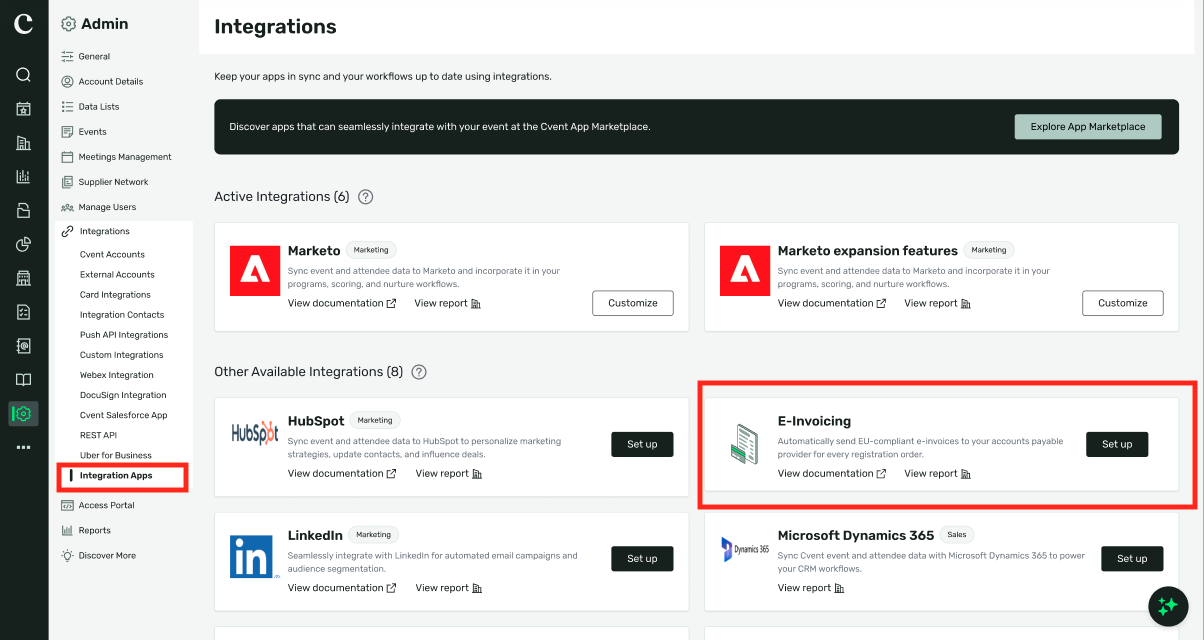
Find the e-invoicing tile, on first setup it will be under "Other Available Integrations". After first setting up the account, it will be under "Active Integrations" . Click Set up (or 'Customize' if already configured).
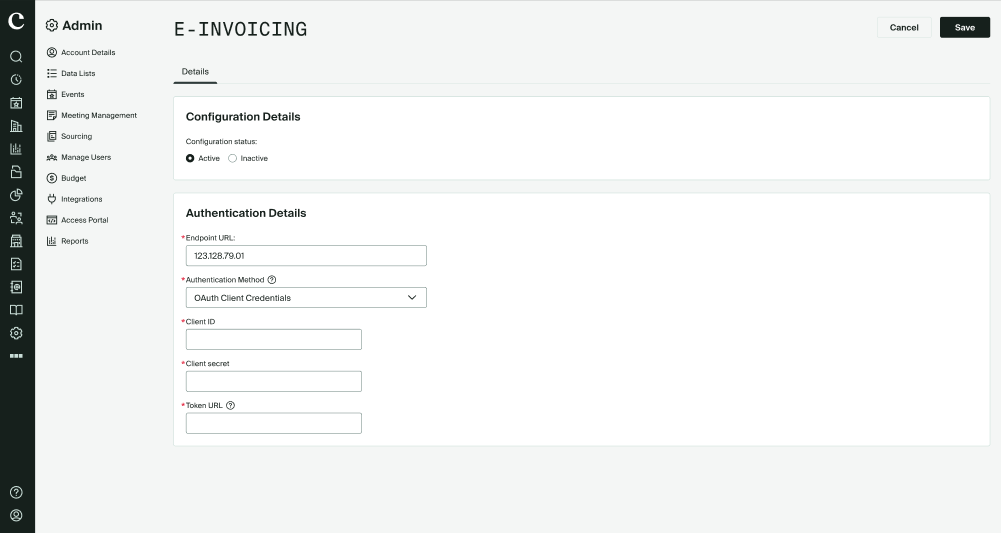
Enter the endpoint URL provided by your Access Point Provider, and set the configuration status to Active.
Choose Token‑based or OAuth authentication (confirm with your Access Point Provider) and enter the relevant credentials.
The package purchase identifies the purchasing organization or Group Manager as the buyer, with the required buyer details collected for that order.
When a package order is created, a webhook message is triggered with e-invoicing data to the configured Access Point Provider.
The provider uses the data to generate the e-invoice and routes it through the network it supports.
Reporting Refresh: A Cleaner Report View and Easier Field Selection
Expected Release Date: October 7, 2026
The report view is getting a cleaner layout. Actions that used to sit inside dropdowns are now in plain view, and field selection works the same way whether you're editing a report or building one from scratch. You can get to what you need faster, with less hunting through menus.
Key capabilities include:
Key actions, now one click away. The Data and Actions dropdowns are gone, and the actions they held are now on screen:
Data, Export and Publish in the right-side toolbar, alongside Filters and Add.
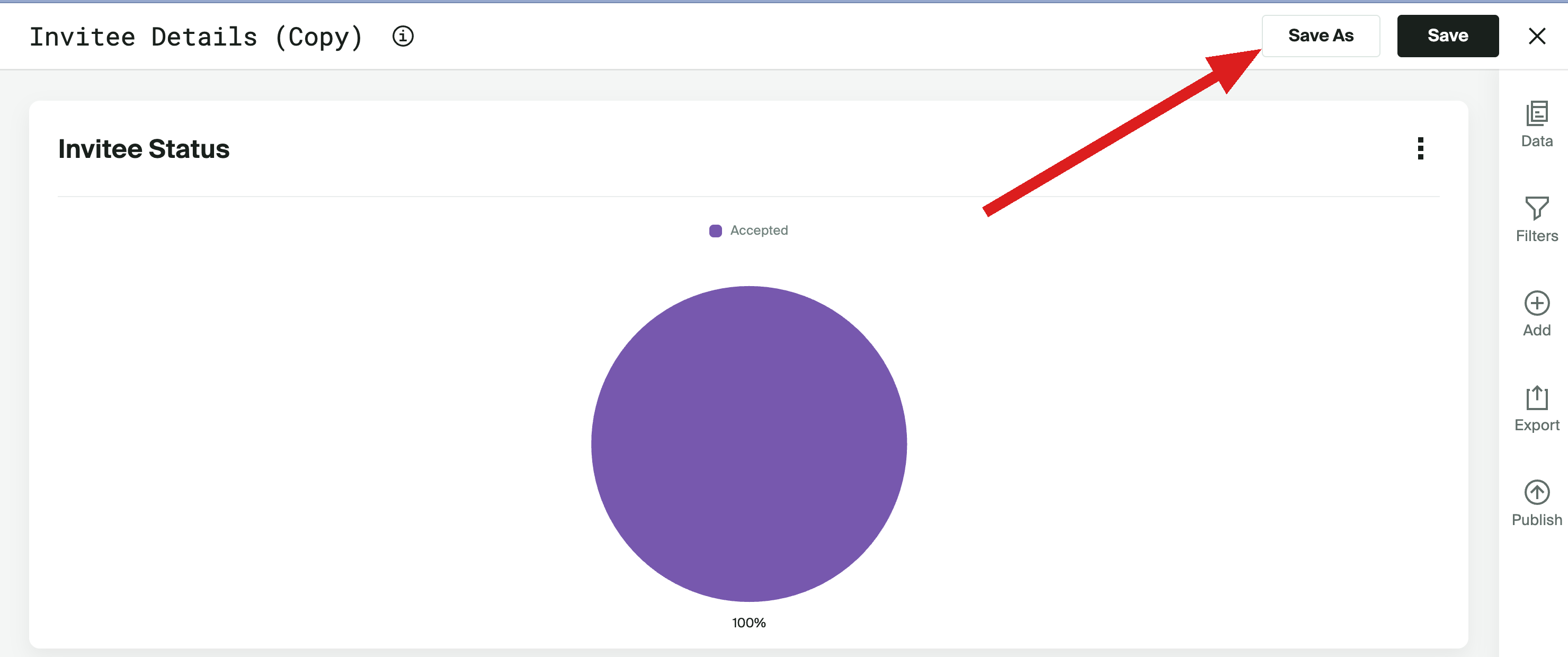
Save and Save As in the report header, so saving no longer starts with opening a menu.
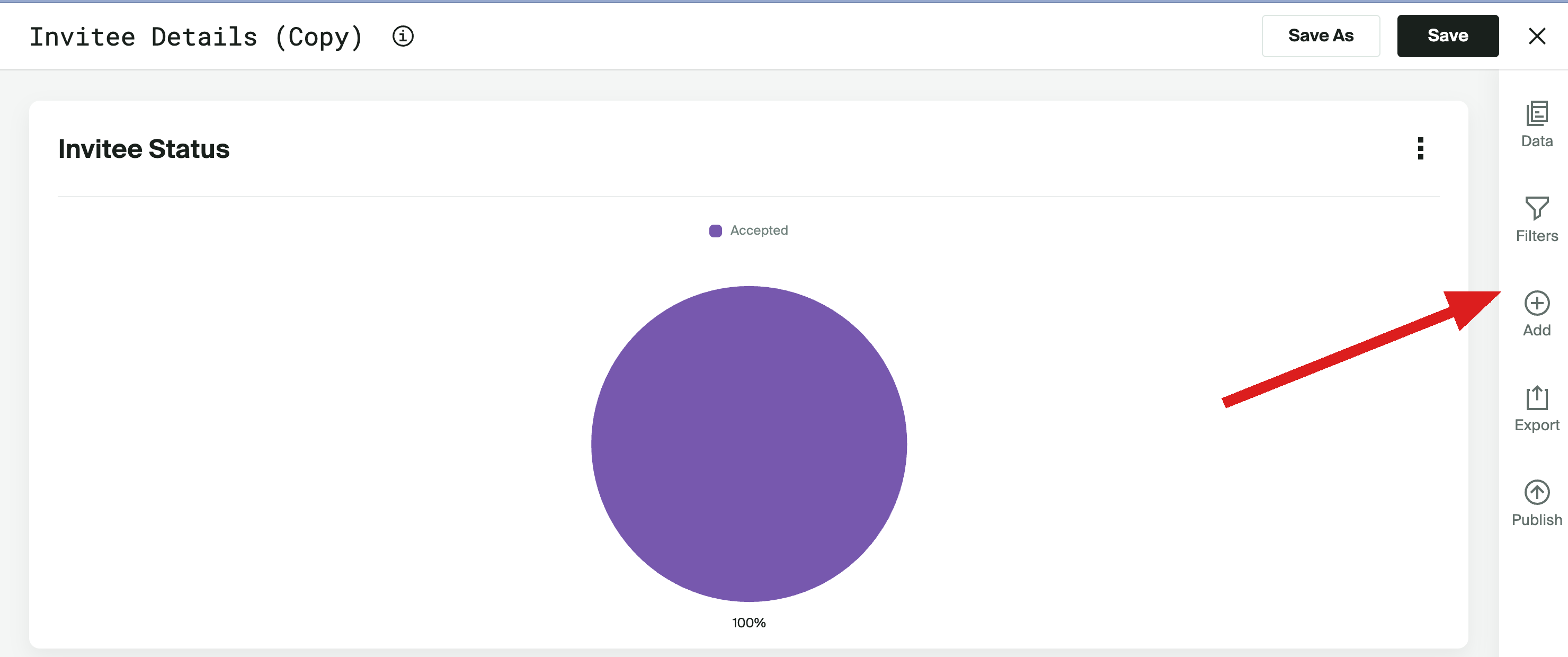
One Publish button for Portals and Access Portals. Accounts with both choose where to publish in a single modal. Accounts with only one go straight to that flow.
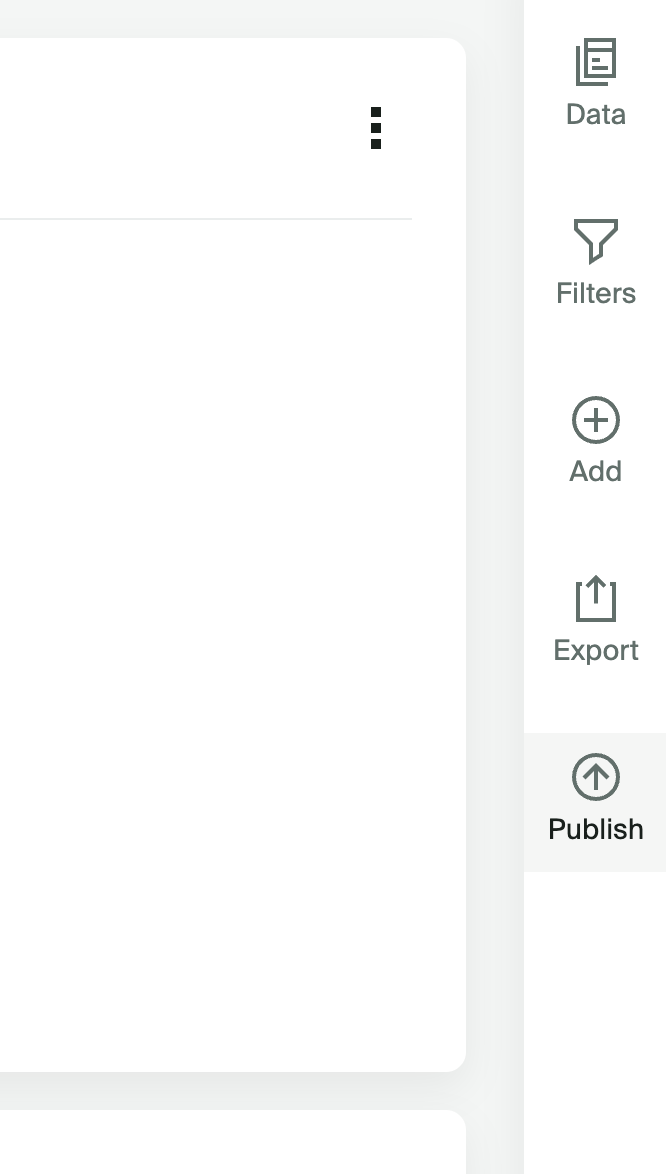
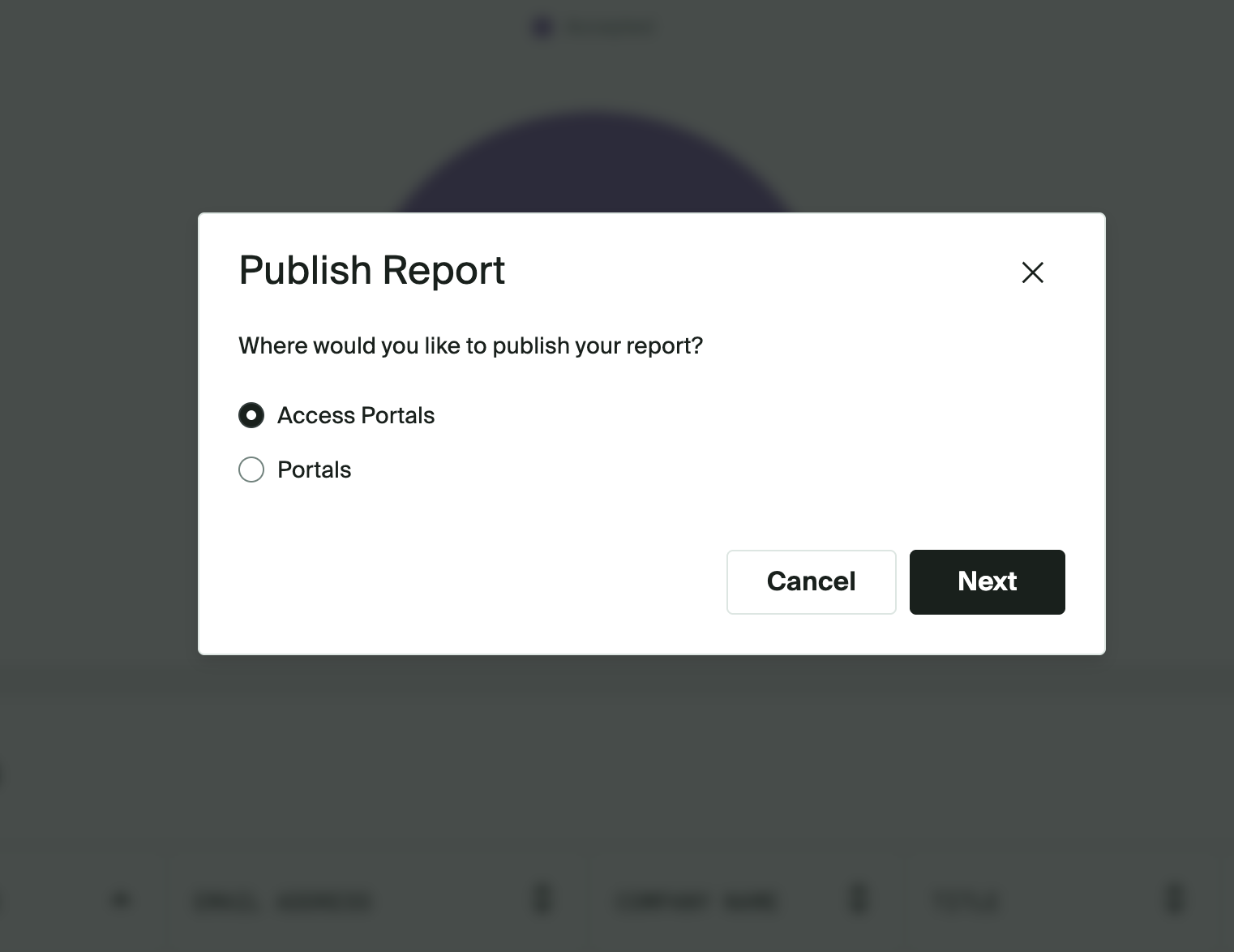
Simplified field selection. Fields now show in a single checkbox list instead of a multi-column layout. Users can filter by several categories at once, and the search suggests matching fields as they type. The same experience applies in Data Settings and the BYO Report Builder.
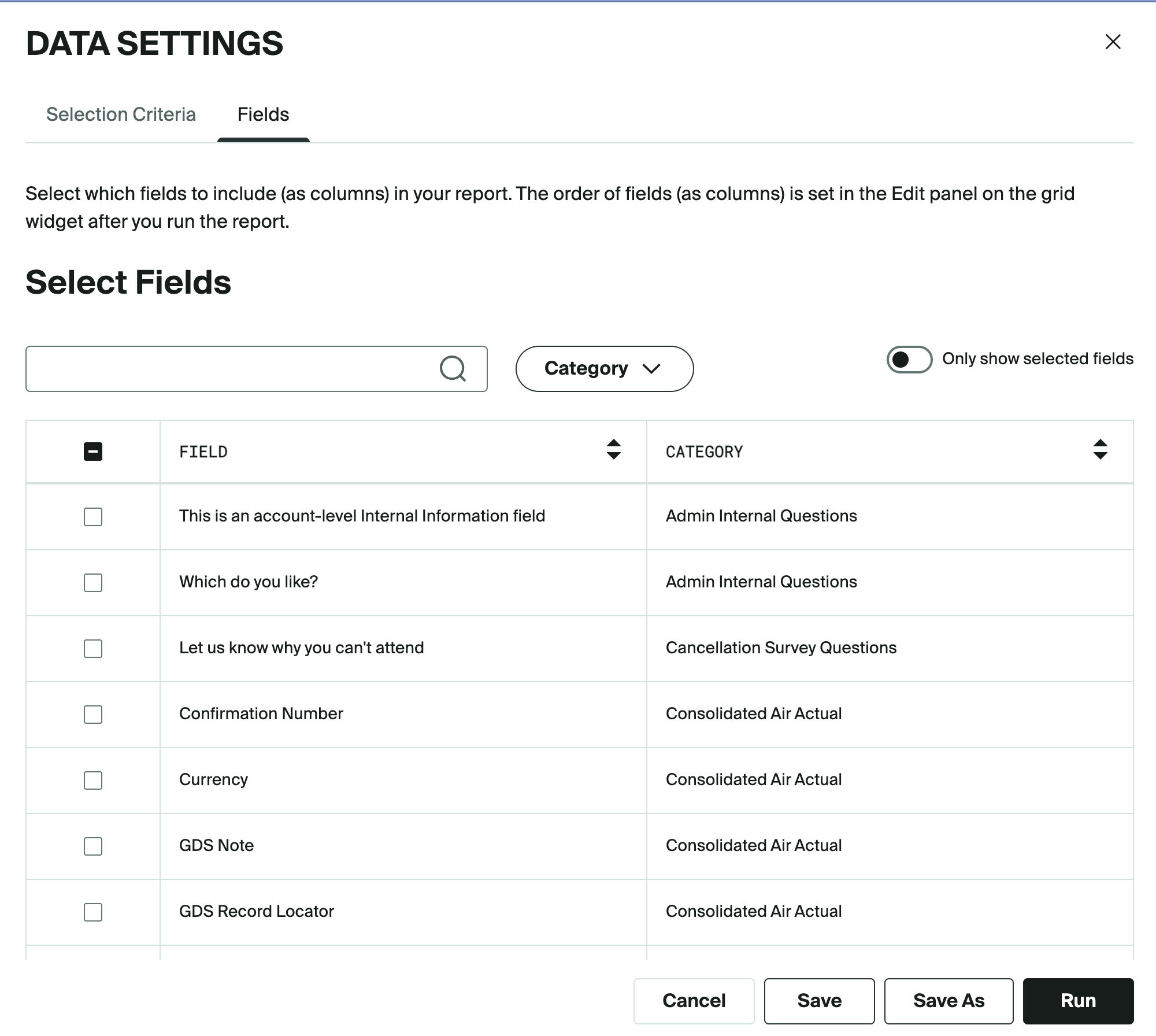
A cleaner report view. "View data summary" has been retired. A report's current criteria and fields are available any time under Data.
Things to Know
These changes apply to Report Templates, Saved Reports, and the BYO Report Builder.
Selection criteria and filters work exactly as before. Only where you access them has changed.
Save appears only for users who can edit the report. Everyone else sees Save As.
The Publish button is hidden for accounts without both Portals and Access Portals.
Additional Resources
Cvent Community: Questions about the above updates? As always, get answers in the Community via the Open Forum.
Beta Opportunities Page: Try new features and products out before full launch availability. Join Beta Programs.