- DATE:
- AUTHOR:
- Cvent Product News Team

Plan & Promote Releases for September 16, 2026
Products covered under Plan & Promote are Registration, Abstract Management, Speaker Resource Center, Exhibitor Management, and Payments.
Registration
Registration Packages
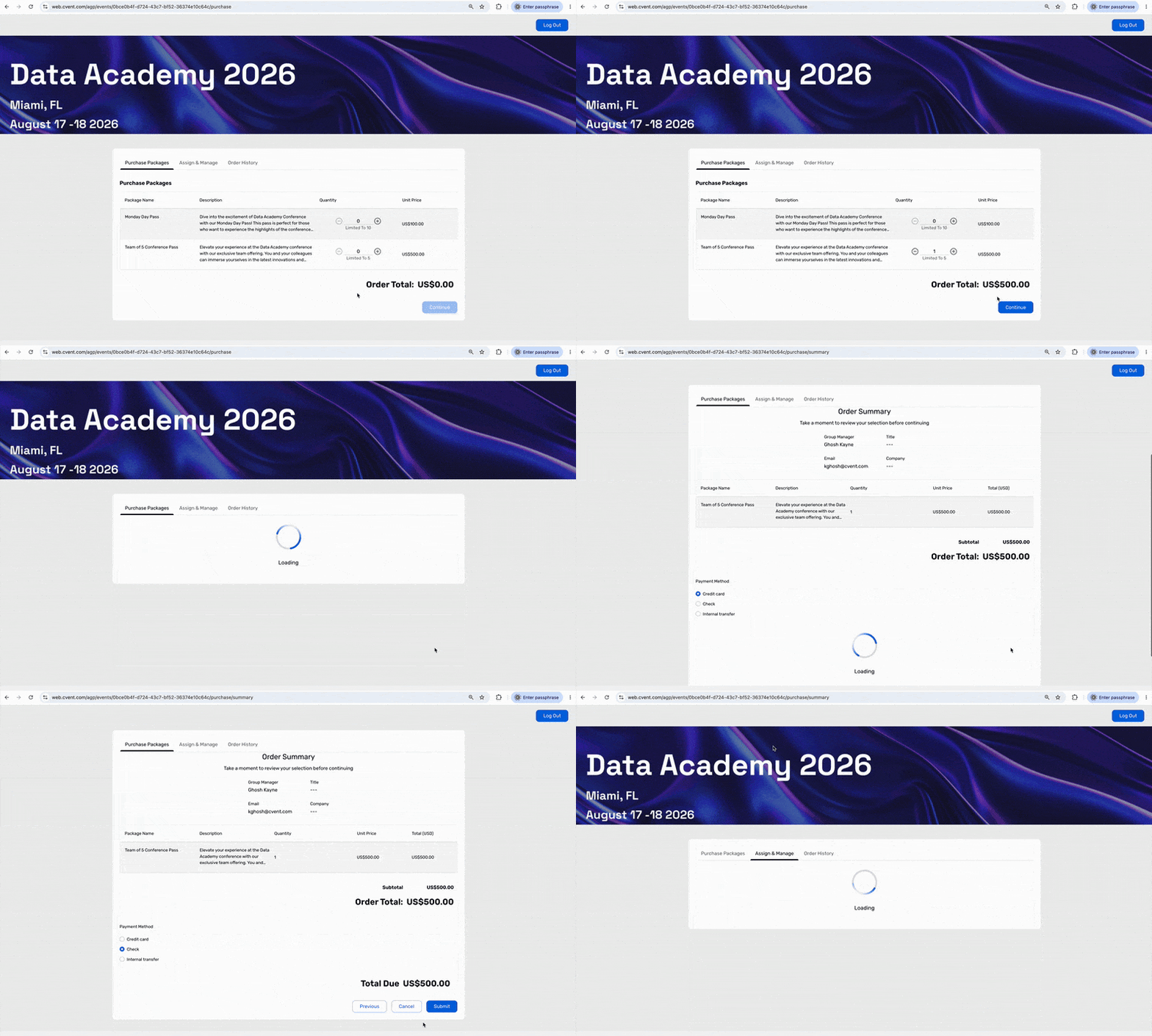
Securing event access for a team, customer group, partner group, or table shouldn’t require knowing every attendee upfront.
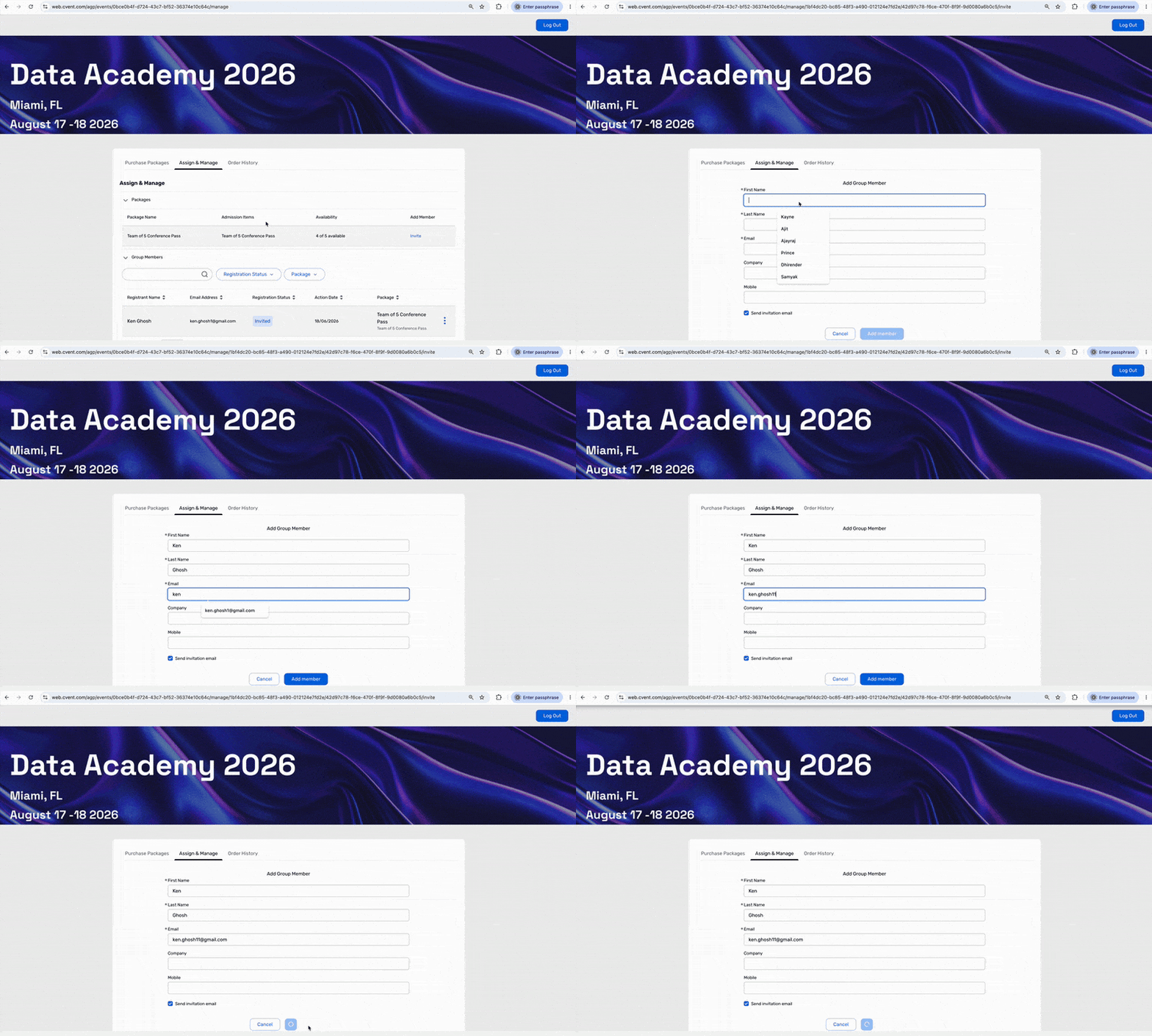
Registration Packages introduces a simpler, invitation-driven way to purchase registrations in bulk. A Group Manager can buy package capacity first, secure the spots they need, and later invite individuals to use those spots. Each attendee then completes their own registration and provides their personal information independently.
This helps streamline complex group attendance, centralize payment, and manage package capacity from purchase through registration.
Personas
Group Managers purchase capacity, manage the order, assign spots, and invite attendees.
Group Members (Attendees) receive an invitation and complete their own registration, including personal details, session choices, and preferences.
Planners configure packages, define the registration experience, and track package usage.
Example Use Cases
Sales teams inviting customers. Purchase a block of registration for prospects, then invite attendees as conversations progress. Capacity is secured before every guest is identified.
Internal team attendance. A department leader can purchase a block for a kickoff or training, then invite team members as schedules are confirmed.
Partner and customer delegations. Let a partner or customer purchase a block and allocate spots at their convenience, with each attendee receiving a direct invitation.
Tables and multi-attendee experiences. Sell an awards table, golf foursome, or similar experience as one package, then fill the spots over time.
Volume and bundled offers. Create five-pass bundles or other volume packages that give buyers a clear offer while planners retain inventory control.
Large delegations with centralized payment. Hold capacity ahead of final confirmation when payment flows through invoice, purchase order, or a centralized finance process.
Purchasing a package
Inviting a member post purchase
Configuration
Configure the package’s name, code, description, registration type, admission item, quantity, group-member defaults, order limits, capacity, order dates, fees, taxes, and optional early-bird pricing.
You can add Group Managers from Contacts, add them individually, or enable Group Manager self-sign-up.
Can be configured with or without the Pricing feature.
Payment methods, invoice information, the Group Manager website, the invitation form, and Registration Packages emails can be configured for the event.
Getting Started
Create the registration type and admission item that package members should use.
Create a Registration Package and define its capacity, pricing, dates, and group-member defaults.
Add Group Managers or enable Group Manager self-sign-up.
Configure payment, the Group Manager website, invitations, and Registration Packages emails.
Open registration and make the Registration Packages website live.
Share the Registration Packages link or send the reminder email to Group Managers.
Important: Group Members registering through a package link cannot switch their assigned registration type or admission item. They also cannot add additional guests or add more Group Members through standard Group Registration.
Additional Notes
A Group Manager purchases package capacity upfront and can invite attendees later. The Group Manager does not need to attend the event.
Each invitation is linked to an available spot in the package. Invitees can accept and register, decline the invitation.
Planners and Group Managers can distinguish between purchased, assigned, invited, registered, and remaining package capacity.
Invitees register through their invitation without a separate payment step when the package is configured to cover the registration - the admission item fee is covered.
Refunds and cancellations apply to the registration package, not individual admission items within it. A package cannot be canceled while one or more of its admission items is in use.
Registration Packages is designed for invitation-driven workflows. It is not a replacement for classic Group Registration or Guest Registration when one person needs to complete and manage every attendee’s registration.
Travel Request Widget: Usability Enhancements for Registrants
This release adds two attendee-facing improvements to the Travel Request widget (Air and Train). These enhancements make it easier and faster for registrants to submit travel requests and reduce manual cleanup and back-and-forth with TMCs to confirm passenger details.
Key capabilities include:
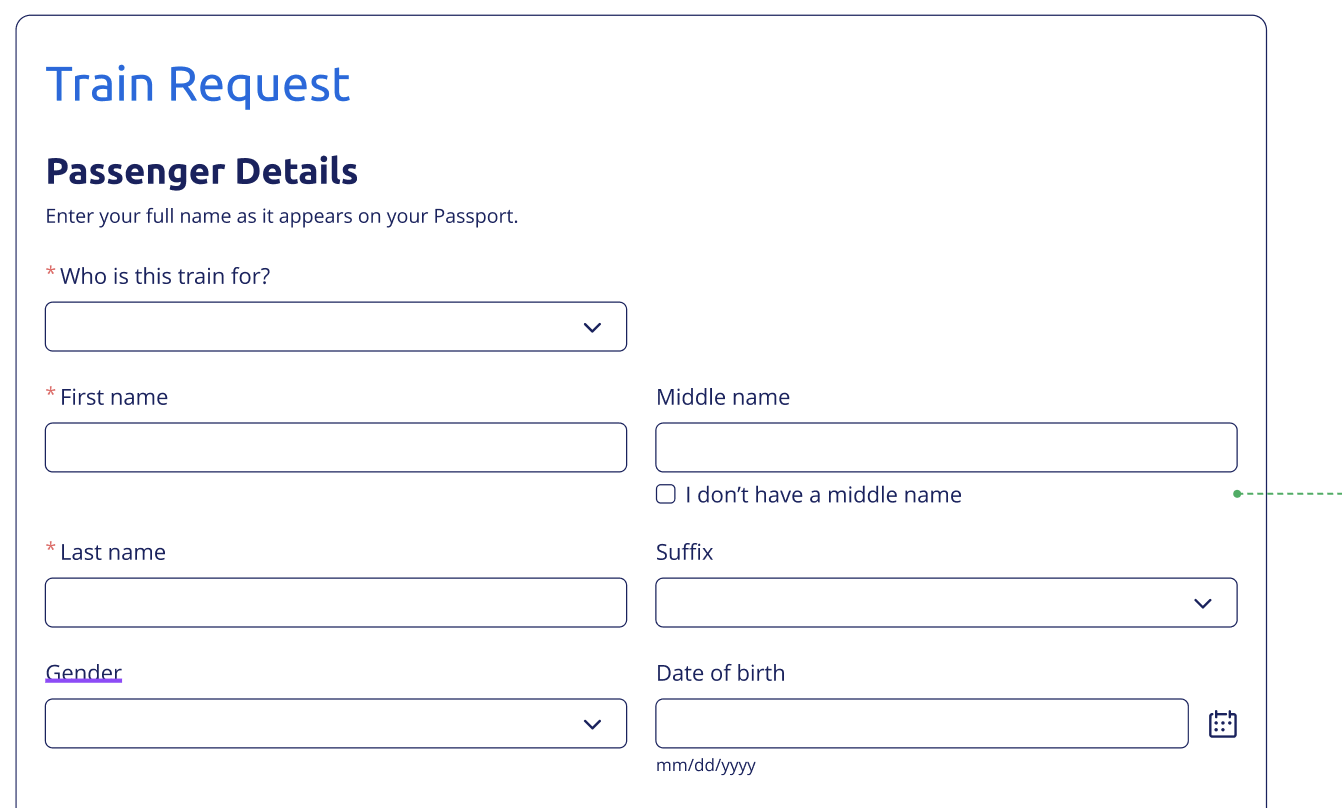
A dedicated way to indicate when registrants don't have a middle name: This ensures the name on the request matches the name on a government ID for smoother travel booking
Allowing registrants to duplicate travel requests: This makes it faster to submit travel requests for guests without re-entering everything from scratch.
Middle Name Handling in Travel Requests
Airlines and train operators require passenger names to match exactly what's on a government-issued ID. Attendees without a middle name often ended up typing "NA" or other placeholder text that created mismatches. So, we have added a simple "I don't have a middle name" checkbox, which eliminates guesswork and ensures the submission is accurate the first time. If the registrant selects the check box or leaves the field blank in the request, the reports will display the value as blank in reports.
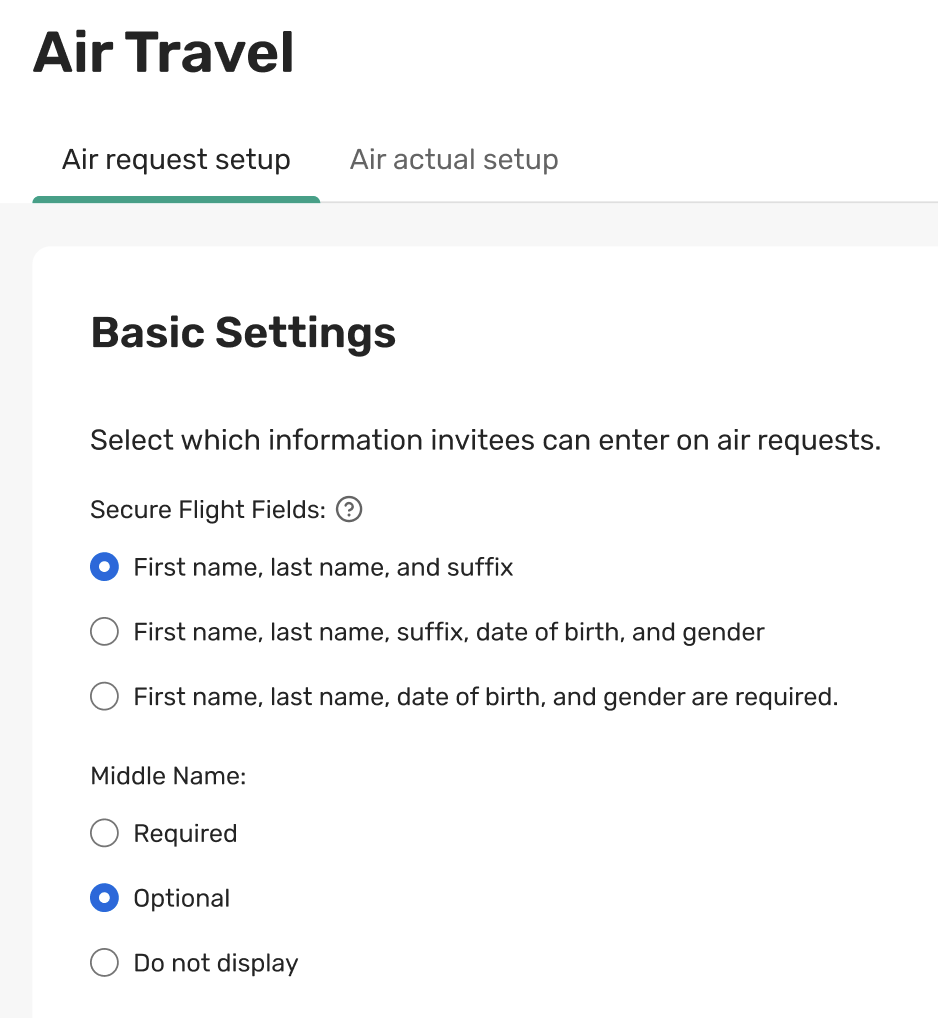
Previously, you were unable to set the Middle Name field to required or hide it from the flight request form. This release also introduces a new setting to control the visibility of this field (Required/ Optional/ Do not display).
Duplicate Travel Requests for Guests
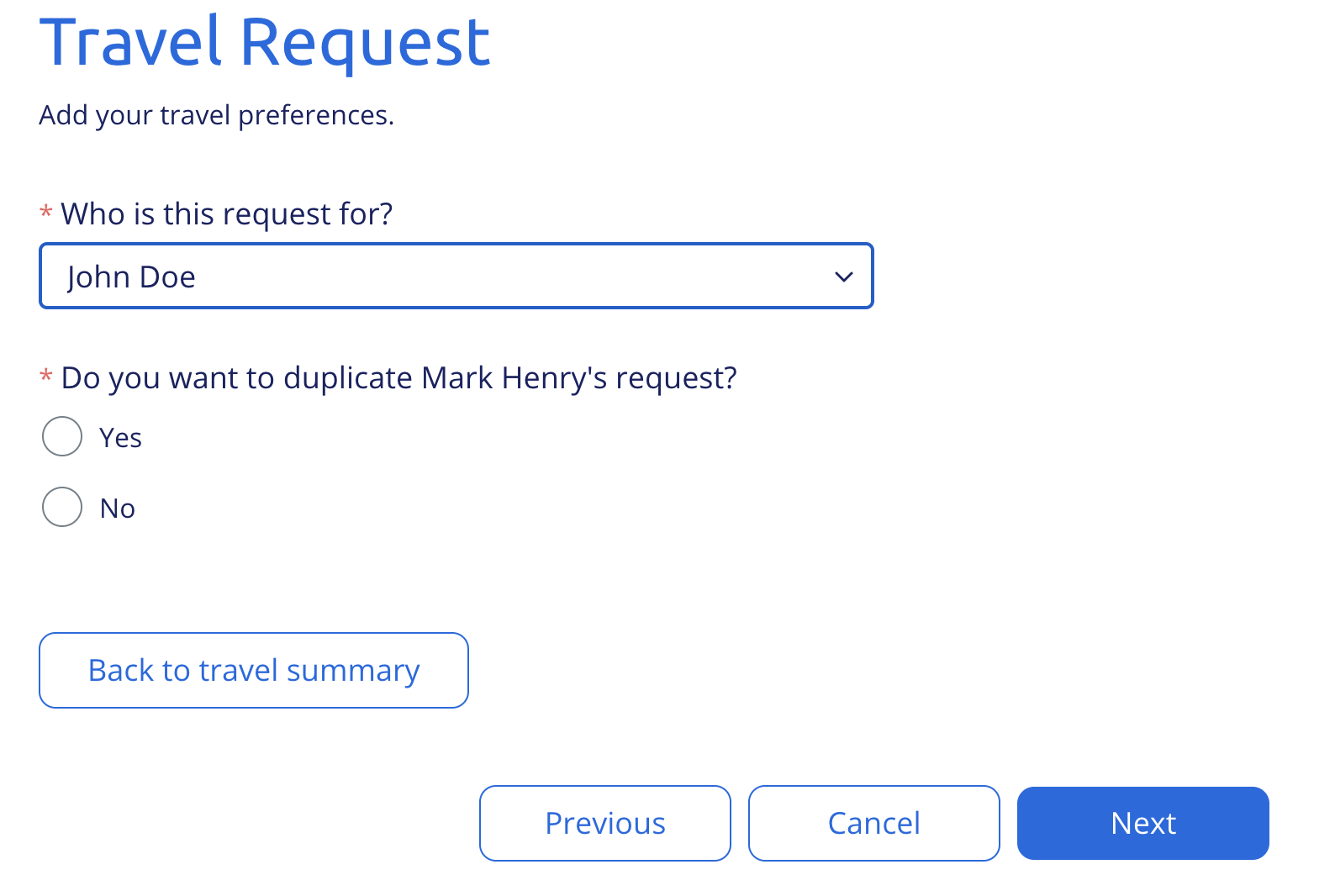
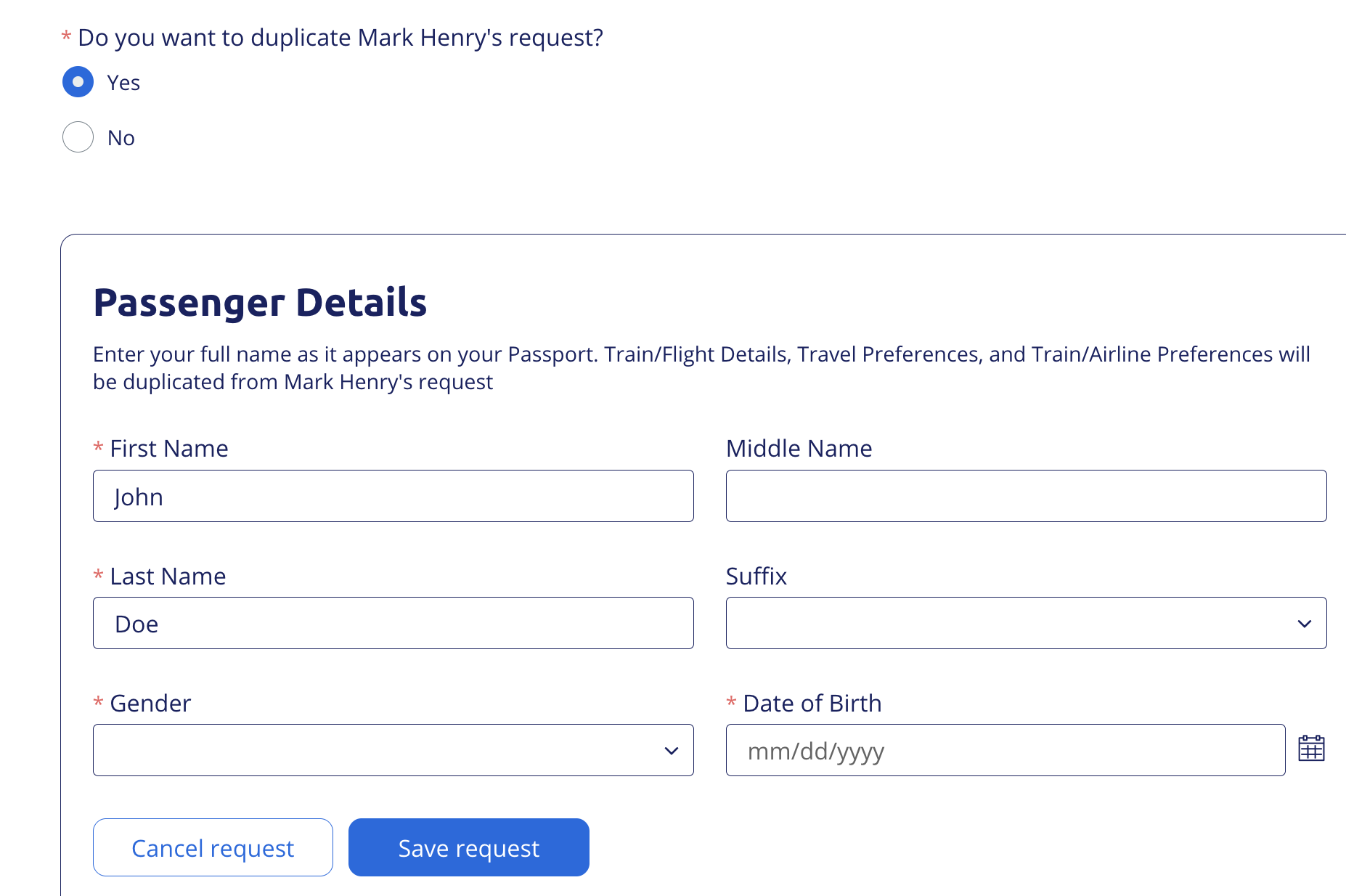
Previously, adding a travel request for the guest required the registrant to fill out the full request form again, even if they were traveling on the same trip. Registrants can now duplicate the primary invitee's request. When they select to duplicate the request, all travel preferences carry over automatically. So the registrant only needs to confirm the traveler's personal details before submitting.
Things to Know
Middle Name display settings live in two places: the existing Air Travel settings page for flights, and the Site Designer's Train Request display settings for trains. Configuring one doesn't impact the other.
The duplicate-request option only appears when the primary invitee already has a submitted request to copy from. A duplicated request can be edited or deleted like any other.
The Travel Request widget automatically gets both these capabilities.
Share Flight Details with Registrants Using the Enhanced Travel Widget
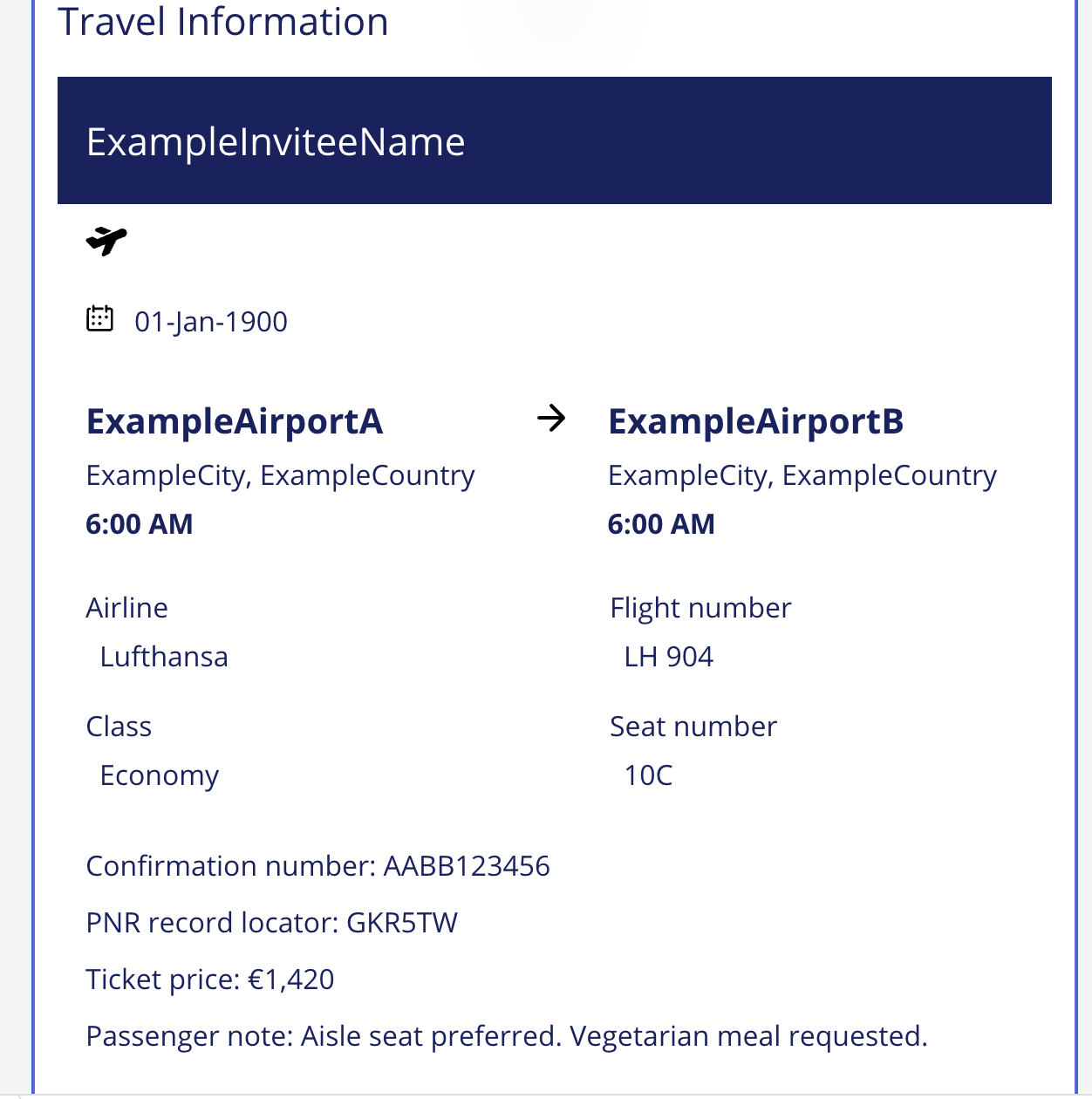
The Travel Information widget now supports Air Actuals, giving invitees and guests a clear view of their confirmed flight itinerary and making it easier for planners to share confirmed flight bookings using event emails.
The email widget gives planners more flexibility over the information shared in the email, as well as granular control over the look and feel of the data, so that emails look modern and match their overall brand and event theme. The existing Data Tags, by contrast, don't adjust to different screen sizes and have limited display flexibility.
The Travel Information widget is available for all events where Travel is enabled
The Travel Information widget can be added to any event emails (Registrant and Guest emails)
Invitees and guests see only relevant air actual information in the emails they receive
If no air actual is present for the registrant, the section will not be displayed in the email
The following travel data can now be displayed in the Travel Information widget:
Air Actuals
Flight Requests
Train Requests
Train Actuals
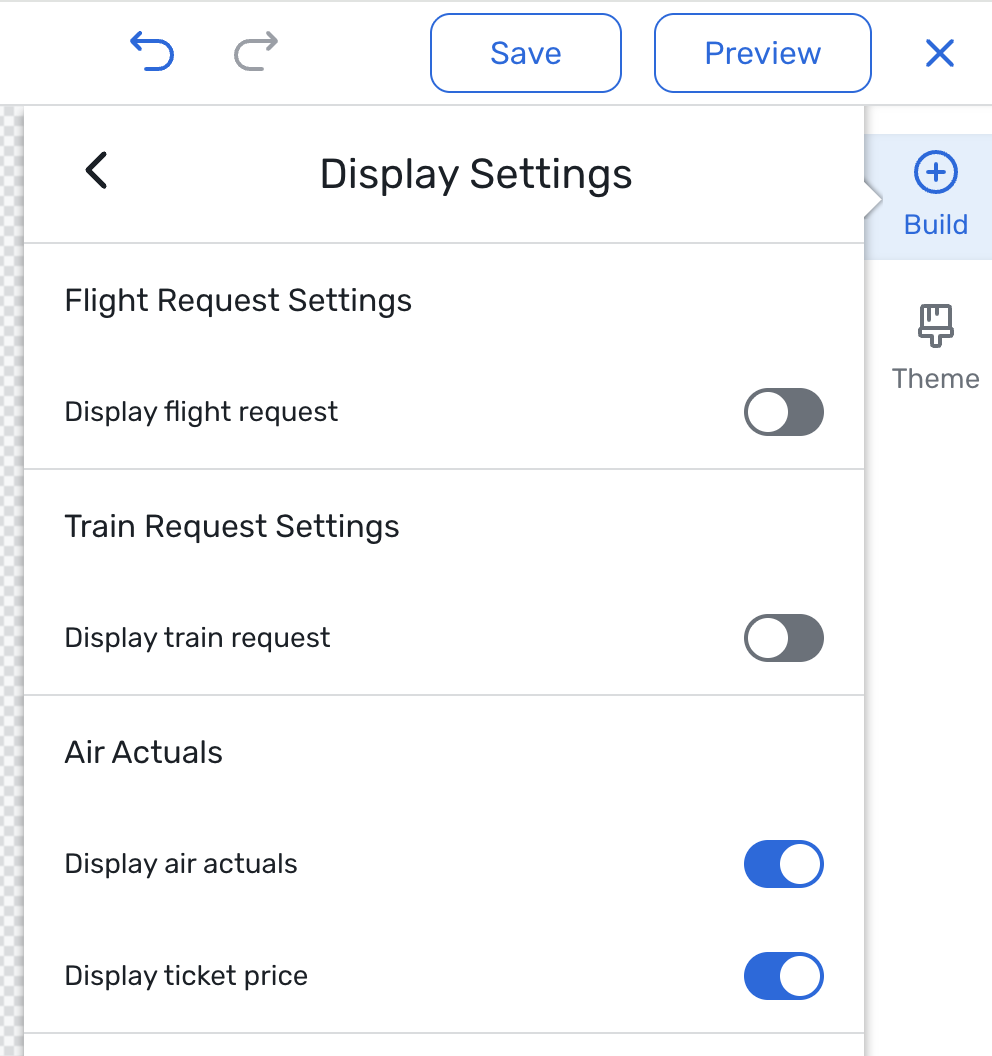
Note: The widget is not automatically added to the event emails by default. You can drop the widget on the email designer of any of the emails to display the air actuals.
Date Change
Data Privacy Templates will now be released September 16th. Read more about this release.
Event Insights Capability - Cvent Assistant will now be released September 16th. Read more about this release.
Additional Resources
Cvent Community: Questions about the above updates? As always, get answers in the Community via the Open Forum.
Beta Opportunities Page: Try new features and products out before full launch availability. Join Beta Programs.