- DATE:
- AUTHOR:
- Cvent Product News Team

Plan & Promote Releases for April 8, 2026
Registration
New Navigation for Users
A faster, cleaner way to navigate Cvent. We’re excited to introduce a brand-new navigation experience that makes it easier than ever for you to find what you need and get to work on your events.
The new, more responsive navigation helps you get started faster, jump into your day quickly, and move between key workflows with fewer clicks. By streamlining the layout, we’ve freed up valuable screen space, giving you more room to focus on building and managing your events. Updated, bolder visuals create a cleaner, more modern interface that feels easier and more enjoyable for planners to use every day.
We’ve also reorganized menus to better reflect how you think about your events throughout the entire event lifecycle. This makes it easier to understand how different tools are connected and when to use them at each stage of planning and execution.
This new navigation is designed to help you find what you need faster, reduce friction, and keep you focused on what matters most: delivering great events.
Watch this Intro Video to the New Navigation
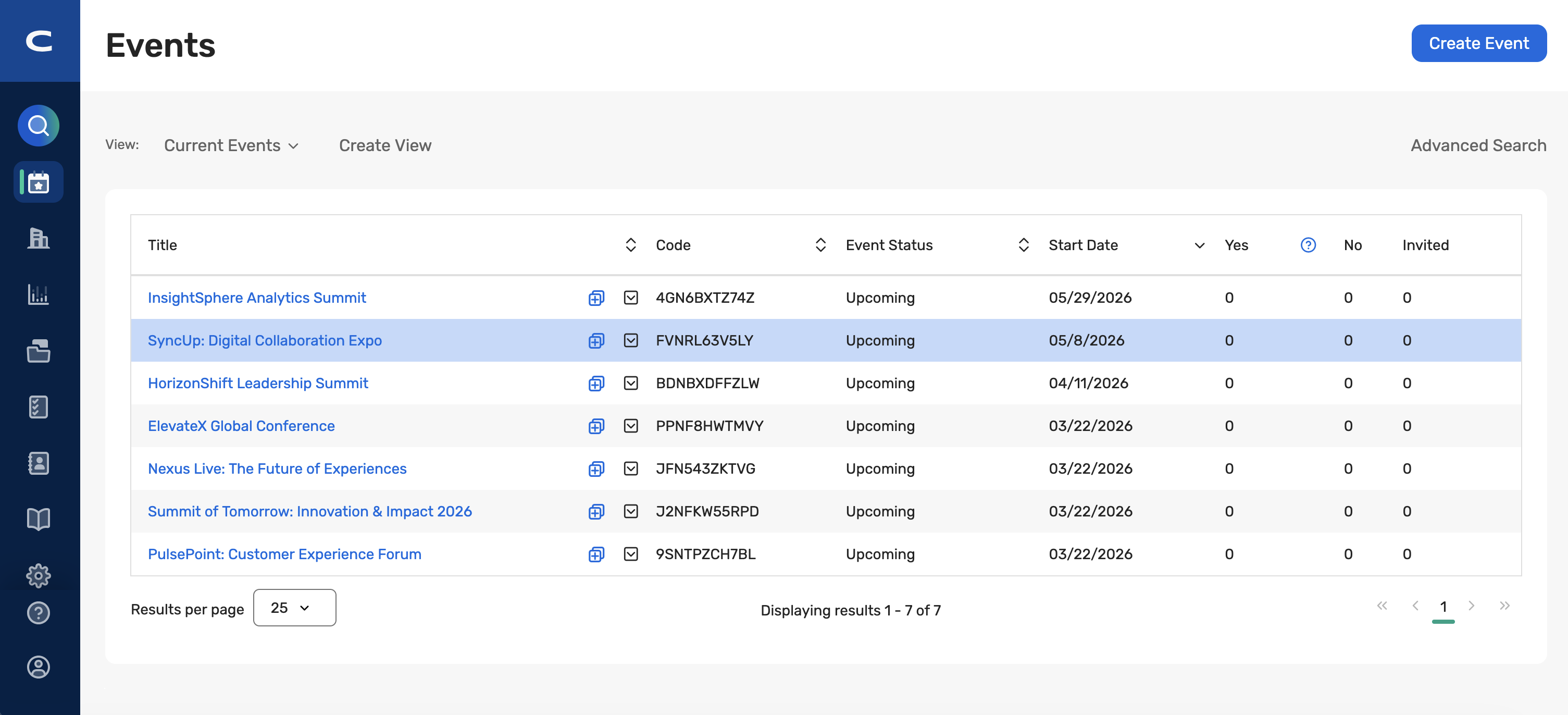
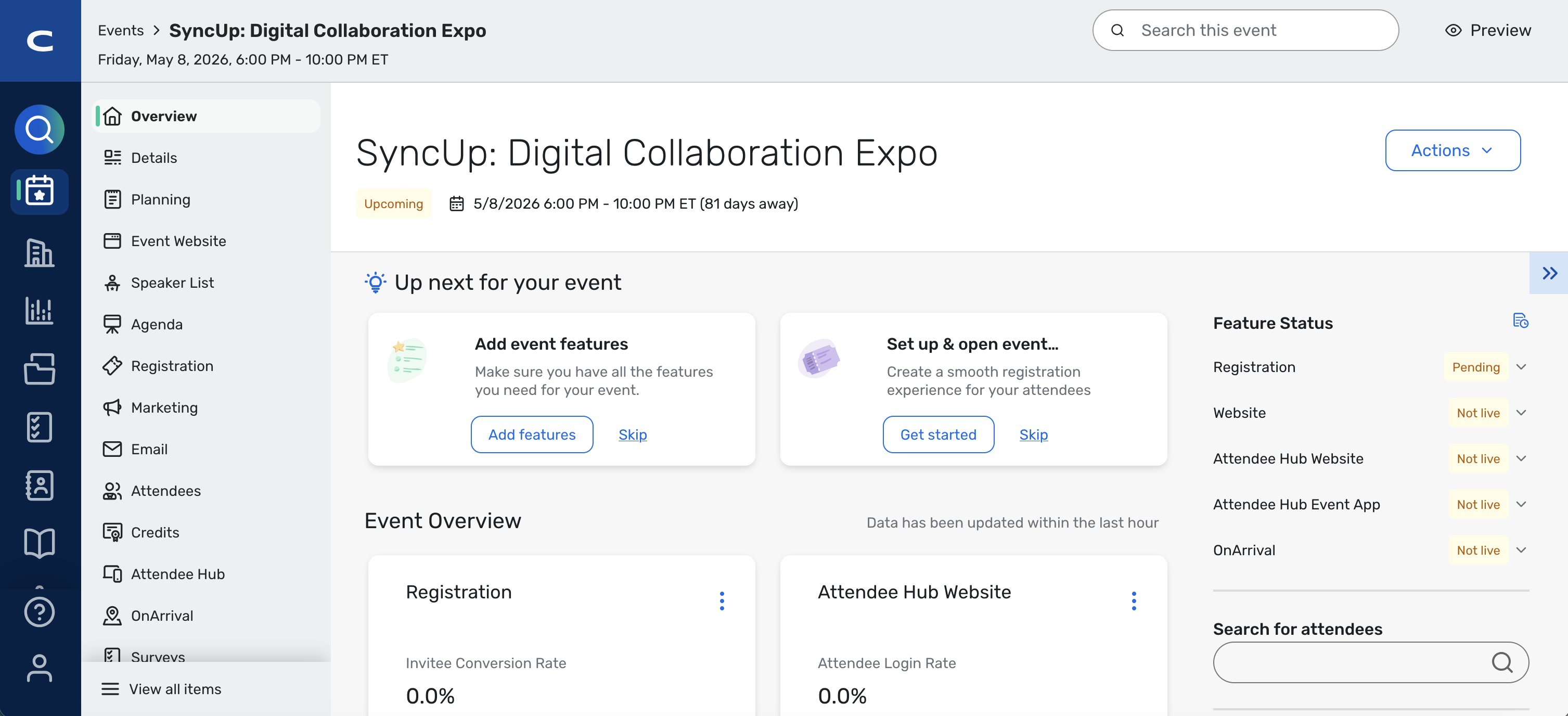
Key capabilities include:
Left-Based Navigation: Navigation moves to a left bar-based global nav that is always available and optimized for user workflows.
App Switcher in the Menu: The app switcher has been removed and integrated into the main navigation to simplify user navigation and reduce steps.
Reorganized Menu Items: Top-level items are reorganized into clearer, more intuitive groupings that better mirror how users think about their work.
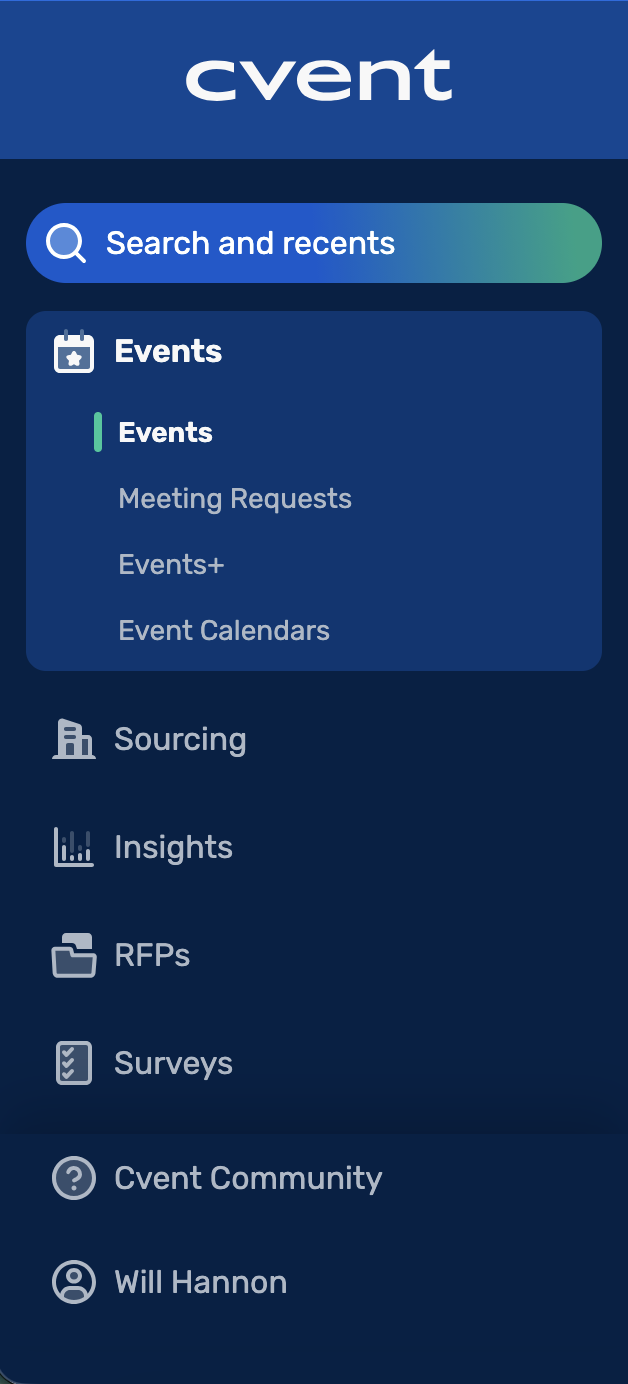
Ability to View All Items: At the event level, you can click to see everything in the event in one place, providing faster access to key event-specific areas directly from the navigation.
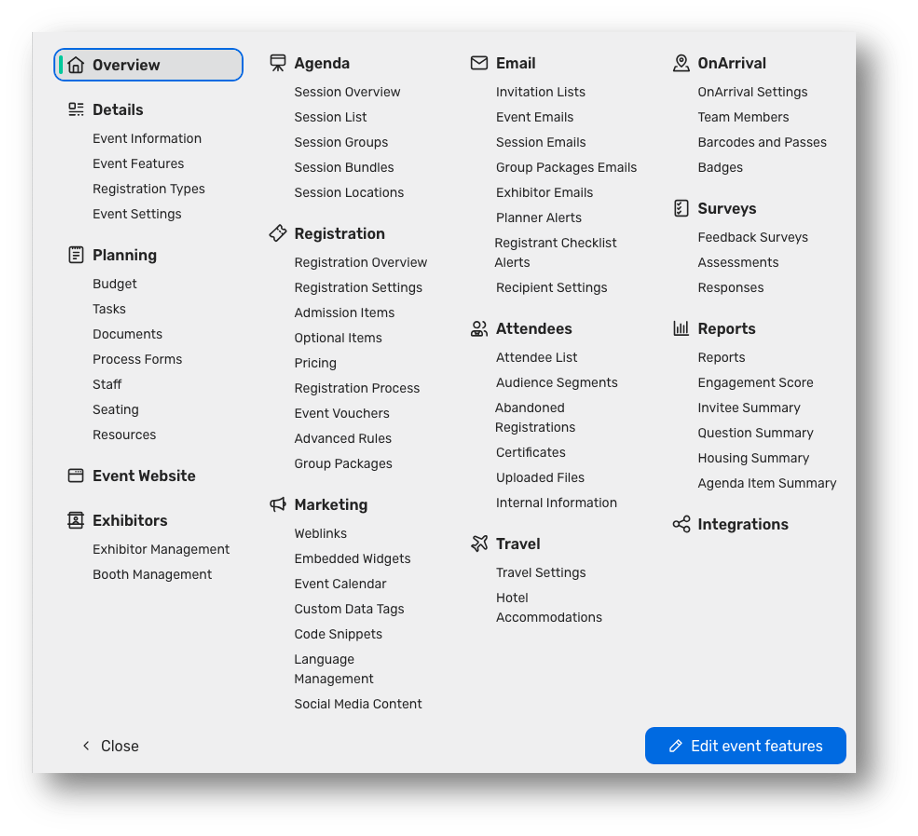
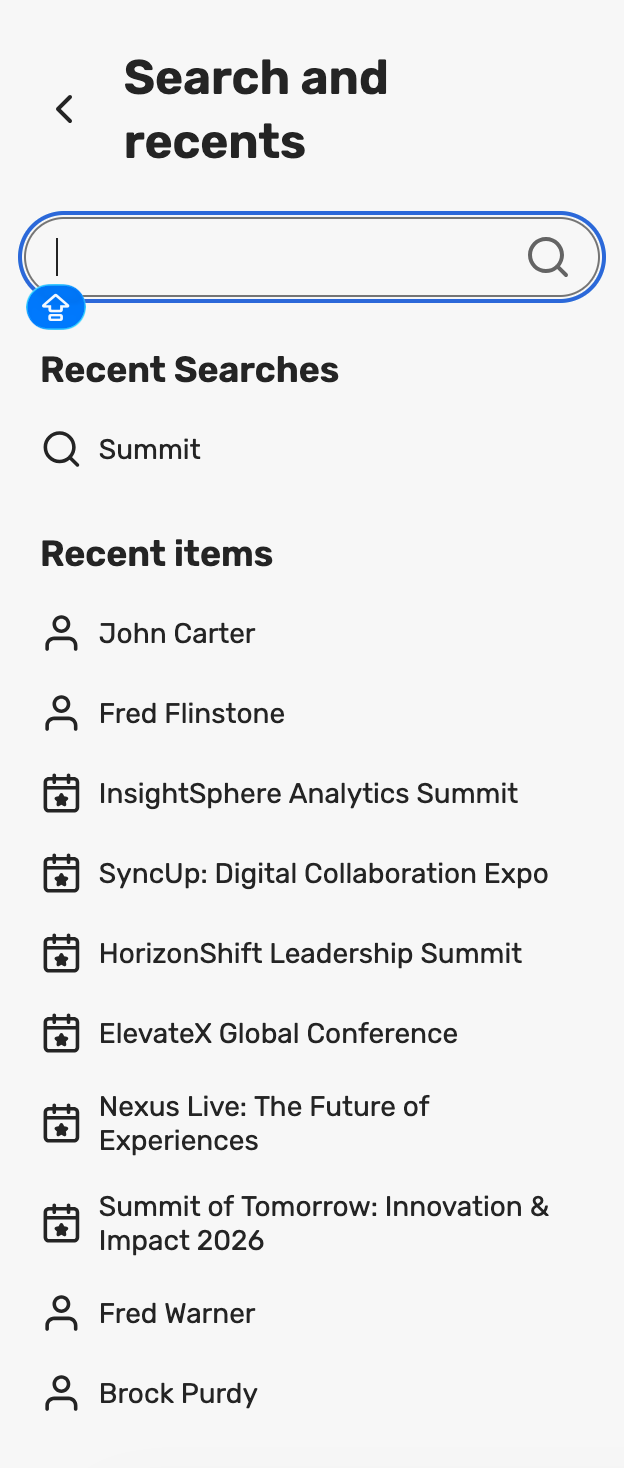
Search and Recent Items Together: Search and Recents are combined into a single, unified entry point so users can quickly search or jump back into recently accessed items from one place.
Updates to Menus
As part of the new navigation, we have also updated the structure of some of the menus, making related capabilities easier to find and manage together. The following changes have been made:
Events
A new Events section consolidates event‑centric experiences (e.g., Events, Webinar, Essentials, Meeting Requests, Events+, and related views).
Suppliers
Sourcing is renamed to Suppliers, with access to RFPs, reports, and related supplier management tools.
Insights
Insights is moved to its own top‑level navigation item, highlighting program‑level reporting, such as Program Insights and Program Reports.
Contacts
Address Book is renamed to Contacts, with supporting features like Membership & Dues and Data Privacy housed under the same umbrella.
Library
A new Library section pulls templates and libraries out of Admin and into a dedicated home for reusable assets, including Files & Assets, Media, Videos, Documents, Questions, Custom Fonts, and Templates (themes, events, surveys, emails, budgets, RFPs, etc.).
These changes to the structure are designed to make it easier for you to find workflows while surfacing the most widely used capabilities in more logical groupings.
What is the Release Plan?

Beginning April 8, 2026
The new navigation experience will be released, but users will be defaulted to the old navigation.
A banner at the top of the screen will invite them to try the new navigation. They can switch freely between the new and old navigation using the banner.
Beginning May 6, 2026
Users will be defaulted to the new navigation.
They will still be able to switch back to the old navigation via the same banner.
After July 1, 2026
The new navigation becomes the only option going forward.
Switching back to the old navigation will no longer be available.
Who will be affected by the New Navigation?
All users on the platform will receive access to the new navigation. The update will be applied to both Hotel Cloud and Event Cloud customers on the same date and time, ensuring a consistent experience across the platform, regardless of which tool or solution they use.
EU E‑invoicing Support for Belgium
We are excited to announce the first phase of our e-invoicing rollout, beginning with Belgium. To ensure your events remain compliant, Registration now supports generating EN 16931-compliant e-invoices via the PEPPOL BIS 3.0 standard.
Key Capabilities
PEPPOL BIS 3.0 Support: Generate invoices in the mandatory XML format required for interoperability across the PEPPOL network.
Automated Compliance: Ensure every registration invoice meets the strict EN 16931 data requirements automatically.
Targeted Belgian Localization: Specific logic applied to Belgian VAT entities to meet local tax authority standards.
Who is this for?
This release is specifically designed for:
Organizations with a Belgian VAT entity.
Organizations hosting B2B events in Belgium for Belgian attendees using Cvent Registration.
Note: This is the first step in our broader e-invoicing initiative. Stay tuned as we expand these capabilities to other member states in future releases.
What’s New?
PEPPOL BIS 3.0 XML Downloads: Alongside the standard PDF, you can now download the mandatory XML e-invoice file via the "Print Certificate" option in attendee details.
Enhanced Seller Profiles: New standardized fields under Registration > Pricing allow you to store VAT/Tax IDs and other essential seller data required for compliant headers.
Flexible Registration Support:
Individual & Group: Each individual attendee and group member receives their own unique e-invoice.
Guests: Guest fees are automatically consolidated onto the primary registrant’s invoice.
Manual Export Control: In this phase, Cvent provides the compliant files for download. Attendees/planners can then manually share these invoices with the attendee's organization (buyer).
Configuration Requirements
To generate a valid e-invoice, specific "Buyer" data must be collected.
Enter Seller details: You must add seller details under Registration > Pricing > EU E-invoice, required for compliant headers.
Collect Attendee Data: Capture fields such as VAT number, Peppol Scheme ID, and Buyer Reference during registration.
Map Custom Fields: Planners must configure Contact Custom Fields to capture attendee data for invoicing, using the specific codes outlined in our technical documentation.
Get Started: For a step-by-step setup guide, please refer to the support article: "Generating EU E-Invoicing for Your Events."
Easier Discovery of “USA” in Country Dropdowns
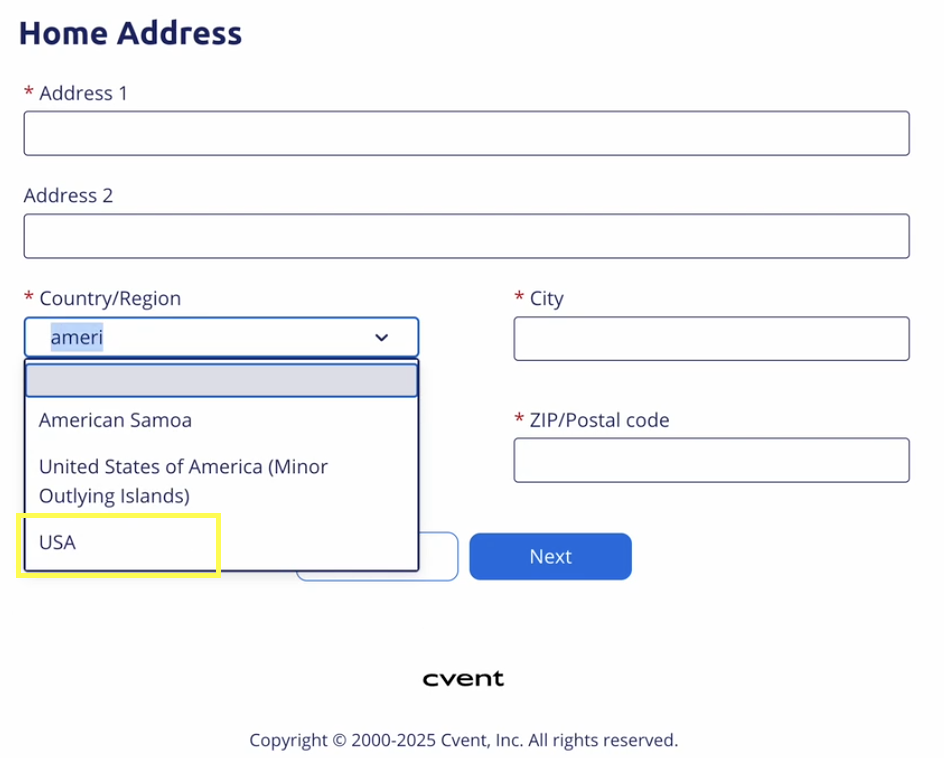
To reduce friction in forms and align with how attendees naturally search for countries, the country dropdown now makes “USA” significantly easier to find when “United States”–style terms are entered in searchable country fields.
Why It Matters
Attendees who type “United States” or similar phrases now immediately see “USA” in the filtered results instead of scrolling through the full list.
Reduces the risk of incorrect country selection, supporting cleaner location data without requiring configuration changes.
What’s New
Enhanced search behavior for “USA” in country dropdowns that support type‑ahead search:
Typing phrases and partials such as “United States”, “United”, “USA”, “America”, or “States” returns “USA” in the filtered list of options.
Existing behavior for all other countries (labels, ordering, and search results) remains unchanged.
Things to Know
No changes to stored values
The display label for the option remains “USA”.
The stored country value and code are unchanged, so reporting, integrations, and business rules continue to function as before.
Date Change
New Navigation for Users will now be released on April 8. Read more about this release.
Event Insights - XLS & CSV Export will now be released on April 8. Read more about this release.
Total Event Program - Event Group-to-Group comparison will now be released on April 8. Read more about this release.
Exhibitor Management
Introducing New Exhibitor Management Experience
Release Date: 3/25/2026
In this update, we have streamlined the Exhibitor Management experience for Planners. Exhibitor Management will now load directly in Event Management, rather than opening a new page, making it look and feel part of the Cvent platform. These updates also include new versions of the Exhibitor List with quality-of-life improvements and additional functionality, as well as a more integrated workflow for exhibitor custom fields.
What's new
Exhibitor List
The Exhibitor List page now features a new layout that provides valuable data points on exhibitors and sponsors at an event. Revamped filters, sort options, and search capabilities will make it easier for customers to quickly find exhibitors with missing data or to check the trade show's overall status.

Exhibitor Custom Fields Editor
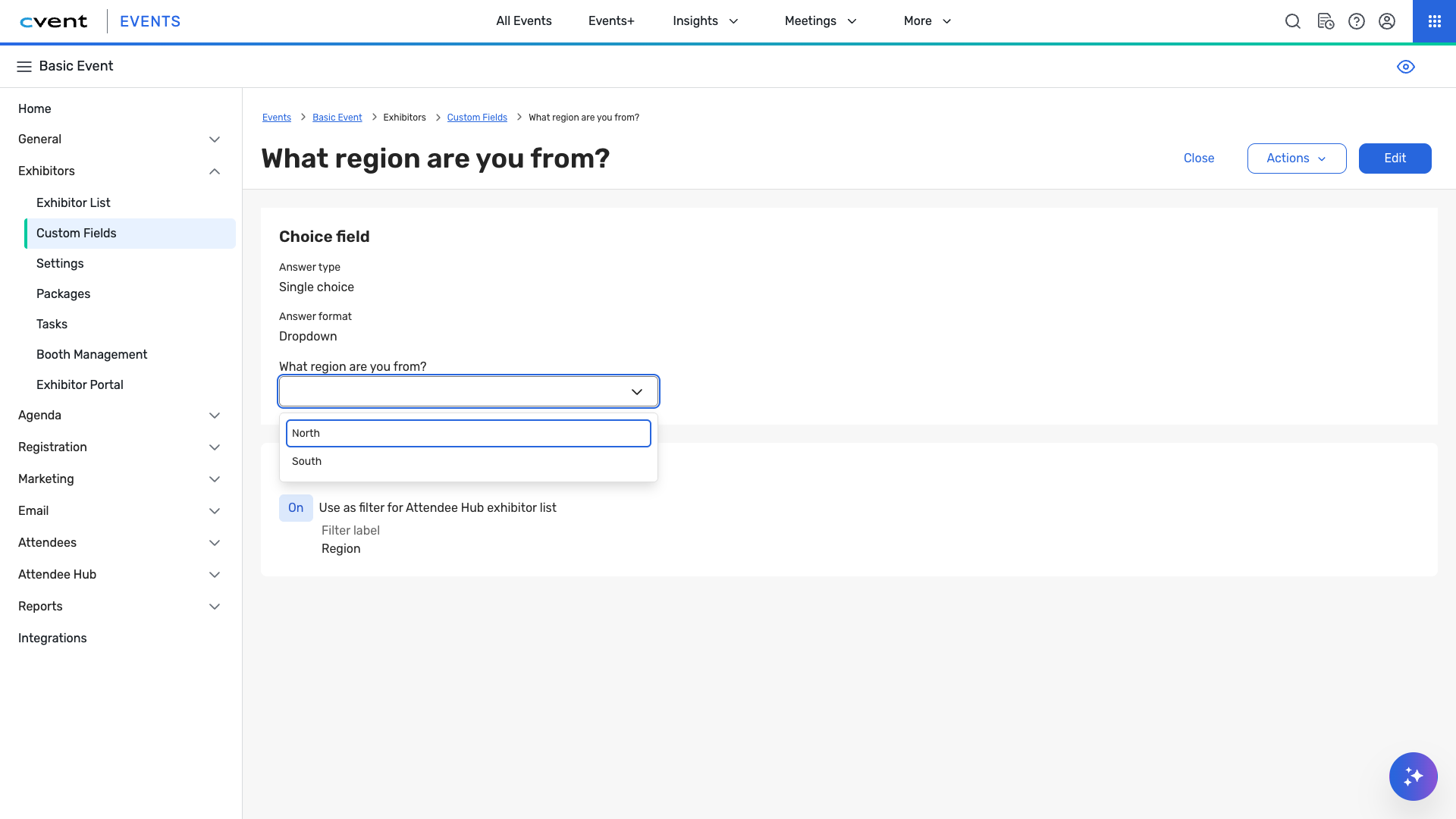
Our refreshed editor improves efficiency by integrating the layout, interface, and accessibility. Question types have been designed with a streamlined approach, including a new question-duplication feature to speed up editing. Answers to the custom fields are now provided from within the exhibitor's profile, rather than in a separate workflow.
Things to know
Other than the Exhibitor List page, all other pages maintain the same functionality.
Some settings and tools have been consolidated to improve the user experience. Check the Knowledge Base for more details.
Many of the other pages will be updated and released over time.
Exhibitor Custom Pages
Release Date: 3/25/2026
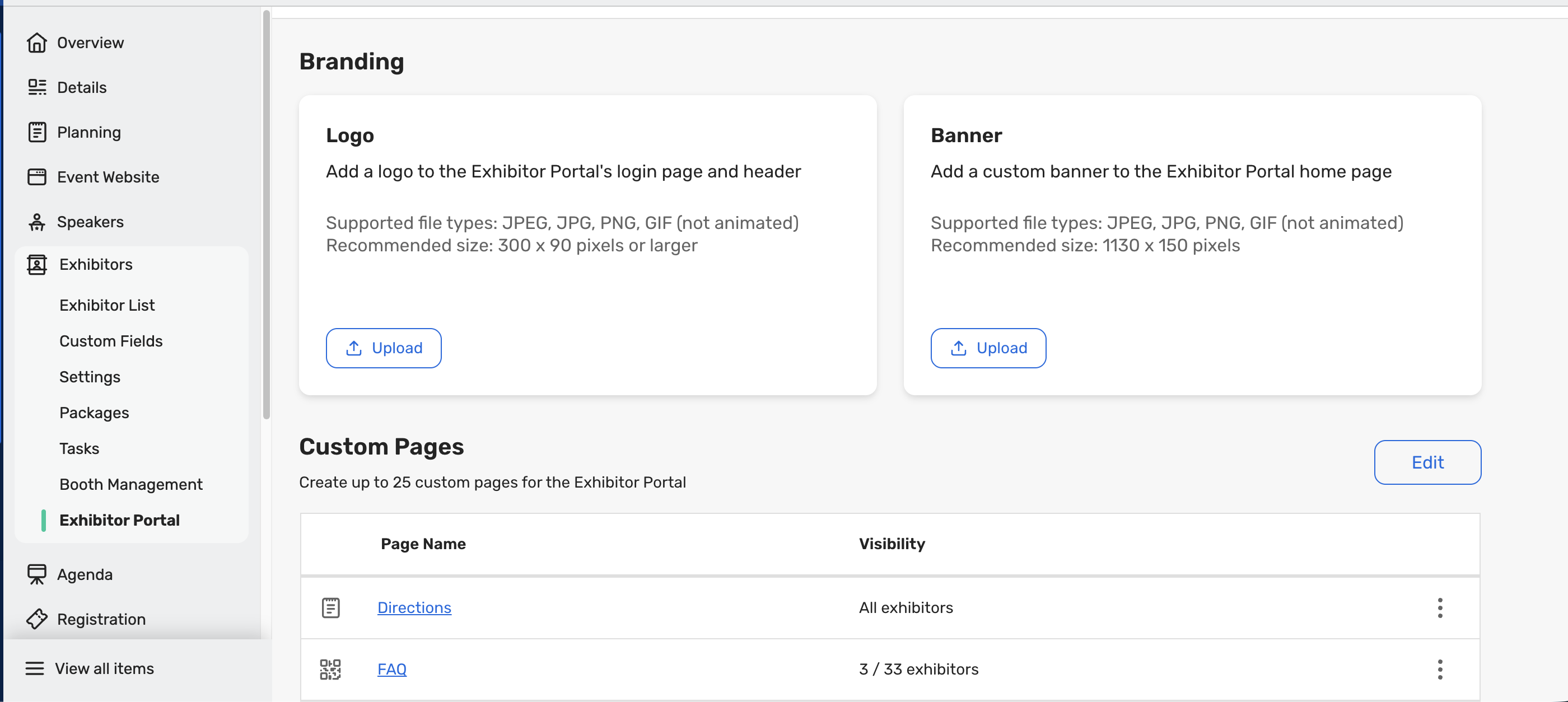
Event planners can create Custom Pages for Exhibitors to share event-specific information directly in the Exhibitor Portal. This gives exhibitors a single, reliable place to access important content, while helping planners reduce manual communications and streamline how information is shared. For example, planners can create FAQs, Know-Before-You-Go documents, venue contact documents, etc., to centralize important information for exhibitors without it getting lost in Tasks or emails.
What do you need to know?
The Exhibitor Portal Logo and Banner options are now consolidated within the Exhibitor Portal tab alongside the new Custom Pages feature for easier access and management
Event Planners can create up to 25 Custom Pages per event.
Planners can configure page visibility using the following options:
Visible to all exhibitors. This is the default for pages.
Visible to selected exhibitors only
Hidden
Event Theming is not yet supported for Custom Pages.
Within the Exhibitor Portal, Exhibitor Admins will only see the Custom Pages that have been made visible to them by the Event Planner
Additional Resources
Cvent Community: Do you have questions about the updates we've rolled out this window? As always, get questions answered in the Community via the Open Forum.
Beta Opportunities Page: Help us make Cvent Products better by being the first to test products before they're widely available. Join Beta Programs.
UX Research Panel: Be part of a select group of users who will help guide the future of Cvent's products. Join the UX Panel.